
AI Image Generator That Uses Images
Create images by describing visual references in text without uploading files. Use photography, art, and design terms to guide generation toward your style.
AI Image Generator
0/20000 characters
My images
Loading...

Does this AI image generator use images as input?
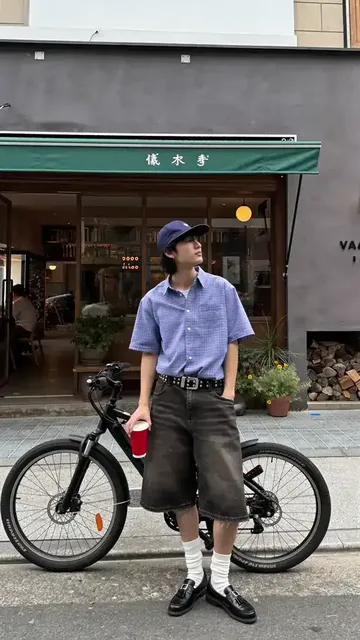
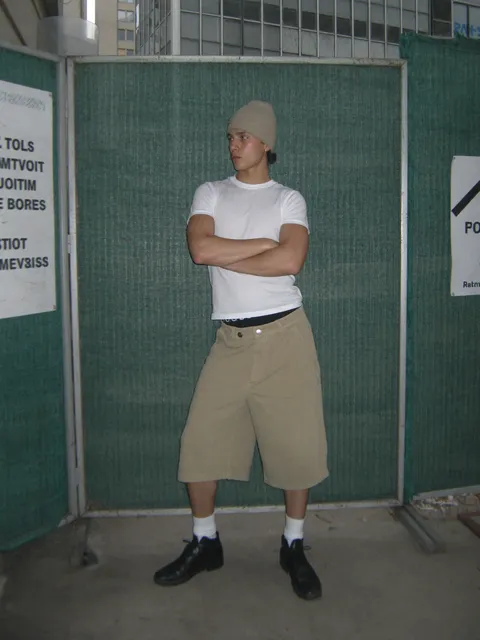
For ai image generator that uses images, this tool generates images from text descriptions only. Instead of uploading reference images, describe the visual style, medium, lighting, composition, and aesthetic you want to match. Use terms from photography, painting, and design to guide the output toward your intended reference look.
AI Image Generator That Uses Images
Vintage film photography style
Input
Create an image that looks like a vintage film photograph of a Parisian cafe at dusk, warm amber tones, slight grain, soft focus around the edges
Expected output
A vintage film-style cafe scene with warm amber light, visible grain texture, and soft vignette effect
Oil painting still life
Input
Create an image that looks like an oil painting of a vase of sunflowers on a wooden table, thick visible brushstrokes, rich yellow and green colors
Expected output
An oil painting-style still life with thick impasto brushstrokes, sunflowers, and a warm yellow-green palette
Minimalist poster design
Input
Create an image in the style of a minimalist poster design, flat colors, bold typography area at the bottom, geometric background shapes
Expected output
A minimalist poster design with flat geometric background shapes and space for typography
Generate images by describing visual references in text without uploading existing image files.
Describe instead of upload
Guide the output using descriptive visual language. Describe the reference style, medium, or aesthetic you want to match.
Keep source material private
No upload means no source images to manage. Everything stays in your description.
Fine-tune with visual language
Use terms from photography, painting, or design to steer the result toward your intended reference style.
How It Works
1
Describe the desired image.
Describe the desired image.
2
Choose the available generation settings.
Choose the available generation settings.
3
Generate, review, and download a suitable result.
Generate, review, and download a suitable result.
Tips for describing image references
Build effective visual references using only text.
Input Constraints
- Describe the medium — photography, painting, sketch, or digital — to set the base style
- Include texture and finish — glossy, matte, grainy, smooth, rough brushstrokes
- Specify color treatment — warm tones, desaturated, high contrast, pastel
Practical Tips
- Use photography terms for realistic outputs: aperture, lighting, lens, depth of field
- Use art terms for painterly outputs: oil, watercolor, charcoal, pastel, ink
- Review the result and refine the prompt to close the gap between output and intention
Privacy
- Do not upload personal or sensitive material unless you have permission to use it.
Usage Rights
- Confirm that you have the rights needed for the inputs and intended use of the result.
Prompt recipes
Copy a structure, then adjust the subject, lighting, camera, and output details for your own result.
Polaroid snapshot aesthetic
A casual portrait in the style of a Polaroid instant photo, slightly faded colors, white border frame, soft focus, nostalgic 1980s aesthetic
References a specific medium with its characteristic color shift, format, and era to produce an authentic instant photo look.
Charcoal sketch texture
A portrait sketch in charcoal on textured paper, bold dark lines with smudged shading, visible paper grain, loose and expressive style
Describes medium, technique, paper texture, and drawing approach to guide a traditional sketch output.
Cinematic still frame
A cinematic film still of a person standing in a rain-soaked alley at night, neon signs reflecting on wet pavement, moody blue and pink color grading, shallow depth of field
Uses film terminology, lighting conditions, color grading, and camera effect to match a cinematic frame aesthetic.
Woodblock print style
A landscape scene in Japanese woodblock print style, bold flat colors, visible wood grain texture, stylized clouds and waves, traditional ukiyo-e composition
References a historical print medium with its material texture, color approach, and compositional conventions.
High-key fashion editorial
A fashion editorial portrait with high-key lighting, overexposed background, clean whites, minimal shadows, sharp focus on face, Vogue-style composition
Uses lighting technique, exposure description, and editorial reference to produce a polished fashion magazine aesthetic.
Best use cases
Match the workflow to the input you have and the result you need before opening the generator.
Matching a photographic style without uploading a reference
Input: Camera type, lens effect, lighting technique, film stock or processing style
Result: An image with photographic characteristics matching the described style
Tool: Text to Image with photography terminology and style cues
Replicating a traditional art medium
Input: Medium name, application technique, texture, color treatment, and artist or era reference
Result: An image with the visual texture and style of the described art medium
Tool: Text to Image with art medium and technique keywords
Creating graphics in a specific design style
Input: Design movement or era, color palette, layout structure, and visual treatment
Result: A graphic matching the described design aesthetic
Tool: Text to Image with design style and composition keywords
Limitations to know before generating
- This tool does not accept uploaded images; all style matching is from text descriptions.
- Visual style accuracy depends on the clarity and specificity of your descriptive language.
- Complex or obscure reference styles may require multiple iterations to achieve.
- Users must ensure their prompts and use comply with applicable laws and platform terms.
- Commercial use and rights depend on your input and intended application.
Creative Suite: AI Video Generator & AI Image Generator Tools
Power up your creative workflow with our AI-driven tools. Generate stunning videos, create images, and apply custom adjustments - our AI Video Generator and AI Image Generator offer a complete solution for all your creative needs.
Strictly Prohibits Adult/NSFW Content








Pricing
Choose the credit package that works best for you.
No hidden fees • Cancel anytime • Unused credits roll over
Starter
Perfect for trying out AI creation.
Credits
200 credits / month
- Up to 20 videos per month
- Up to 100 images per month
$6.99/ month$9.9930% OFF
Billed monthly
First-time subscribers get 30% off their first month, then standard price
What's included
- Credits never expire
- Standard models
- HD, Watermark-Free Downloads
- Private Generation
- Faster Generation Speed
- Ad-free experience
Basic
Perfect for light creators.
Credits
500 credits / month
- Up to 50 videos per month
- Up to 250 images per month
$13.99/ month$19.9930% OFF
Billed monthly
First-time subscribers get 30% off their first month, then standard price
What's included
- Credits never expire
- Standard models
- HD, Watermark-Free Downloads
- Private Generation
- Faster Generation Speed
- Ad-free experience
Pro
PopularBest value for creators
Credits
1,200 credits / month
- Up to 120 videos per month
- Up to 600 images per month
$39.99/ month
Billed monthly
What's included
- Credits never expire
- All models + Early access to new models
- HD, Watermark-Free Downloads
- Private Generation
- Faster Generation Speed
- Ultra HD resolution
- Ad-free experience
Ultra
For video creators and power users.
Credits
5,000 credits / month
- Up to 500 videos per month
- Up to 2,500 images per month
$99.99/ month
Billed monthly
What's included
- Credits never expire
- All models + Early access to new models
- HD, Watermark-Free Downloads
- Private Generation
- Faster Generation Speed
- Ultra HD resolution
- Ad-free experience
Free
Standard models only — upgrade to unlock premium models.
Credits
10 free credits on signup
Questions? Contact us at support@domer.io
Describe your visual reference
Open the text-to-image tool, describe the reference you have in mind, and generate a result.