
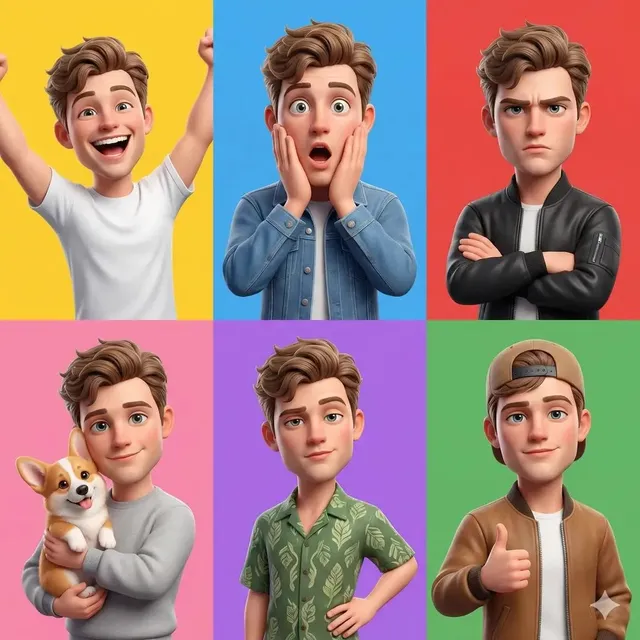
AI Image Generator Through Text
Generate images by typing what you want to see. Describe subjects, scenes, and styles in natural language and create visuals instantly from your words.
AI Image Generator
0/20000 characters
My images
Loading...

What is an AI image generator through text?
It's a text-to-image tool that transforms written descriptions into visible images. Users type what they want to see using everyday language, and the tool generates visuals based on the described subject, scene, lighting, and style. It's designed for anyone who can describe an idea in words.
AI Image Generator Through Text
Natural scene from text
Input
A quiet forest path covered in autumn leaves, golden sunlight filtering through colorful trees
Expected output
A serene forest scene with warm autumn colors, dappled sunlight, and a leaf-covered path leading into the distance
Wildlife portrait from text
Input
A close-up portrait of a snowy owl with bright yellow eyes, feathers detailed, winter background
Expected output
A detailed wildlife portrait with crisp feather textures, striking eye color, and a soft winter backdrop
Interior design from text
Input
A modern living room with floor-to-ceiling windows, minimalist furniture, and a green accent wall
Expected output
A bright interior space with clean modern lines, natural light, and a coordinated color scheme
Create images by typing text descriptions of what you want to see, using natural language to visualize ideas.
Natural Language Input
Describe images using everyday words instead of complex design tools or technical commands.
Instant Visualization
See your written ideas transformed into visible images within moments of typing.
Accessible to Everyone
Anyone who can describe what they want to see can generate images without specialized training.
How It Works
1
Describe the desired image.
Describe the desired image.
2
Choose the available generation settings.
Choose the available generation settings.
3
Generate, review, and download a suitable result.
Generate, review, and download a suitable result.
Tips for Text-to-Image Prompts
Write better prompts for better results.
Input Constraints
- Include the main subject, setting, and any important details.
- Use descriptive adjectives for colors, lighting, and mood.
- Specify the image orientation if needed (landscape, portrait, square).
- Keep prompts focused rather than listing too many elements.
- Write in complete, natural sentences rather than keyword lists.
- Review your text before generating to ensure it describes what you intend.
Practical Tips
- Think about what you want the image to show.
- Write a clear sentence describing the main subject and setting.
- Add descriptive details about style, lighting, and mood.
- Generate the image and review the result.
- Refine your text and regenerate if needed.
Privacy
- Do not upload personal or sensitive material unless you have permission to use it.
Usage Rights
- Confirm that you have the rights needed for the inputs and intended use of the result.
Prompt recipes
Copy a structure, then adjust the subject, lighting, camera, and output details for your own result.
Everyday object in natural light
A single red apple on a white kitchen counter, soft morning light from the window, shallow depth of field, simple and clean composition
Uses a familiar subject with clear lighting, composition, and style cues for a straightforward text-to-image result.
Travel destination scene
A cobblestone street in a European village, colorful flower boxes on windowsills, warm afternoon sun casting long shadows, charming and peaceful
Describes setting, details, lighting, and mood in natural language to create an inviting scene.
Pet portrait from description
A golden retriever sitting in a sunny park, soft fur catching the light, happy expression, green grass and trees in the background, candid photo style
Combines subject description, lighting effect, expression, and setting for a lifelike pet portrait.
Seasonal landscape
A snowy mountain landscape at sunset, pink and purple sky, pine trees covered in snow, peaceful and cold atmosphere, wide scenic view
Describes season, time of day, color palette, and mood to build a complete landscape image.
Creative workspace setup
An artist's desk with watercolor paints, brushes in a jar, a sketchbook open to a half-finished painting, natural light from a nearby window, creative and inspiring
Lists visible objects, lighting source, and overall feeling to create a believable and inviting workspace scene.
Best use cases
Match the workflow to the input you have and the result you need before opening the generator.
Visualizing an idea or concept from a written description
Input: Clear subject description with setting, lighting, and mood details
Result: An image matching the written description
Tool: Text to Image with natural language prompts
Creating visuals for storytelling or presentations
Input: Scene description with characters, setting, atmosphere, and key visual elements
Result: A narrative or illustrative image supporting the story or presentation
Tool: Text to Image with scene and mood keywords
Generating reference images for creative projects
Input: Detailed description of subject, composition, style, and visual details
Result: A reference image suitable for drawing, painting, or design inspiration
Tool: Text to Image with descriptive and style keywords
Limitations to know before generating
- The tool interprets natural language creatively; results may not match every word exactly.
- Very long or complex descriptions may dilute the focus or omit some details.
- Text descriptions of abstract concepts or emotions work best when paired with concrete visual metaphors.
- Users must ensure their prompts and use comply with applicable laws and platform terms.
- Commercial use and rights depend on your input and intended application.
Creative Suite: AI Video Generator & AI Image Generator Tools
Power up your creative workflow with our AI-driven tools. Generate stunning videos, create images, and apply custom adjustments - our AI Video Generator and AI Image Generator offer a complete solution for all your creative needs.
Strictly Prohibits Adult/NSFW Content








Pricing
Choose the credit package that works best for you.
No hidden fees • Cancel anytime • Unused credits roll over
Starter
Perfect for trying out AI creation.
Credits
200 credits / month
- Up to 20 videos per month
- Up to 100 images per month
$6.99/ month$9.9930% OFF
Billed monthly
First-time subscribers get 30% off their first month, then standard price
What's included
- Credits never expire
- Standard models
- HD, Watermark-Free Downloads
- Private Generation
- Faster Generation Speed
- Ad-free experience
Basic
Perfect for light creators.
Credits
500 credits / month
- Up to 50 videos per month
- Up to 250 images per month
$13.99/ month$19.9930% OFF
Billed monthly
First-time subscribers get 30% off their first month, then standard price
What's included
- Credits never expire
- Standard models
- HD, Watermark-Free Downloads
- Private Generation
- Faster Generation Speed
- Ad-free experience
Pro
PopularBest value for creators
Credits
1,200 credits / month
- Up to 120 videos per month
- Up to 600 images per month
$39.99/ month
Billed monthly
What's included
- Credits never expire
- All models + Early access to new models
- HD, Watermark-Free Downloads
- Private Generation
- Faster Generation Speed
- Ultra HD resolution
- Ad-free experience
Ultra
For video creators and power users.
Credits
5,000 credits / month
- Up to 500 videos per month
- Up to 2,500 images per month
$99.99/ month
Billed monthly
What's included
- Credits never expire
- All models + Early access to new models
- HD, Watermark-Free Downloads
- Private Generation
- Faster Generation Speed
- Ultra HD resolution
- Ad-free experience
Free
Standard models only — upgrade to unlock premium models.
Credits
10 free credits on signup
Questions? Contact us at support@domer.io
Start Generating Through Text
Type what you want to see and watch it come to life as an image.