
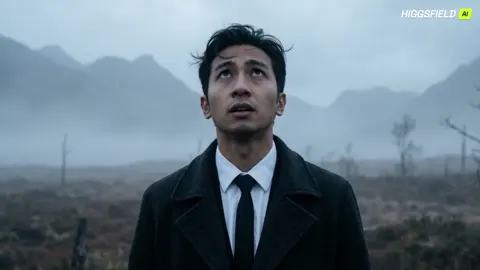
AI Photo Generator Apps — Text to Photograph
Turn text descriptions into realistic photographic images with AI photo generator apps. Describe a scene and get photo-quality visuals in seconds.
AI Image Generator
0/20000 characters
My images
Loading...

What are AI photo generator apps?
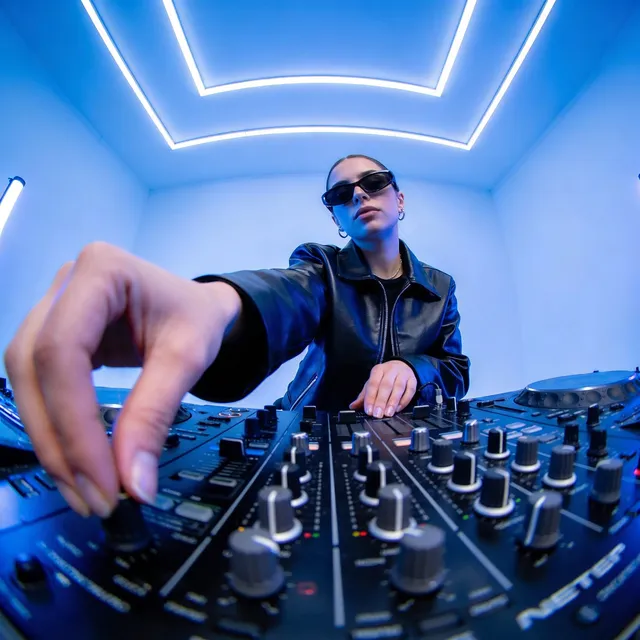
AI photo generator apps turn text descriptions into photo-style images. Describe the subject, lighting, and composition you want, then generate and download the result. Most work in a browser without installation.
AI Photo Generator Apps — Text to Photograph
Street food vendor scene
Input
A busy night market stall with steam rising from a wok, warm string lights overhead, customers waiting, candid street photography style
Expected output
A lively market scene with warm ambient lighting, visible steam trails, shallow depth of field focusing on the cooking area
E-commerce product lifestyle
Input
A leather backpack on a wooden bench in a sunlit park, autumn leaves scattered around, natural outdoor lighting
Expected output
A lifestyle product photo with natural sun flare, warm autumn colors, and the backpack as the clear focal point
Social media content visual
Input
Flat lay of a morning coffee setup: white mug, open notebook, fresh pastry, scattered flower petals, top-down view
Expected output
An overhead flat-lay composition with clean shadows, varied textures, and balanced arrangement of objects
Create photo-style images from text descriptions using browser-based or mobile photo generation tools.
Get photo-quality images without a camera
Describe the scene and receive a photographic result without needing a physical location, model, or photography equipment.
Generate consistent visual styles across content
Reuse prompt patterns and style references to produce a coherent look across multiple generated images.
Build custom image libraries from text alone
Create a collection of photographic-style assets for presentations, social media, or concept work entirely from written descriptions.
How It Works
1
Describe the desired image
Describe the desired image.
2
Choose the available generation settings
Choose the available generation settings.
3
Generate, review, and download
Generate, review, and download a suitable result.
Making the most of photo-generation apps
Composition and lighting details produce more convincing photo results.
Input Constraints
- Avoid highly abstract or surreal descriptions if you want photographic realism.
- Do not include identifiable people without their permission.
Practical Tips
- Describe the camera perspective explicitly such as top-down, eye-level, or low angle.
- Specify the lighting type: studio, natural window light, or street lamp at night.
- Use composition terms like rule of thirds, centered, or leading lines.
- Mention texture and material details for more tactile-looking results.
Privacy
- Do not upload personal or sensitive material unless you have permission to use it.
Usage Rights
- Confirm that you have the rights needed for the inputs and intended use of the result.
Prompt recipes
Copy a structure, then adjust the subject, lighting, camera, and output details for your own result.
Cinematic car advertisement
A luxury sedan parked on a mountain road at dusk, dramatic backlighting from the setting sun, fog rolling over distant peaks, wide-angle lens
Dramatic lighting and wide-angle perspective create a high-production automotive ad feel.
Workspace productivity flat lay
Top-down view of a clean desk with laptop, notebook, coffee cup, wireless mouse, and succulent plant, soft natural window light, minimal composition
Overhead angle and minimal arrangement convey focus and productivity for tech or lifestyle content.
Fashion editorial street style
A model walking down a busy urban street wearing a long coat and sunglasses, motion blur in the background, natural daylight, candid street photography style
Motion blur and candid framing create an editorial street-fashion energy.
Travel destination postcard
A wooden boat floating on turquoise water with a white sand beach and palm trees in the background, aerial view, bright midday sun
Aerial perspective and vibrant tropical colors deliver a classic vacation postcard aesthetic.
Recipe hero image
A rustic wooden table with a cast-iron skillet full of roasted vegetables, fresh herbs scattered around, warm afternoon light from a side window
Rustic props and side window light create an appetizing, homemade cooking mood.
Fitness motivation shot
A pair of running shoes on a forest trail with morning mist and sunlight filtering through trees, low-angle close-up
Low angle and morning mist evoke energy and outdoor adventure for fitness content.
Best use cases
Match the workflow to the input you have and the result you need before opening the generator.
E-commerce product pages
Input: Describe product with clean background, studio lighting, and specific angle
Result: Product photography suitable for online store listings
Tool: Text to Image with product photography prompt
Social media visual storytelling
Input: Describe lifestyle scenes with mood, color, and composition
Result: Photo-style images for Instagram, Facebook, or Pinterest posts
Tool: Text to Image with lifestyle photography prompt
Marketing campaign concepts
Input: Describe brand message as a visual scene with lighting and framing
Result: Concept images for ad campaigns or pitch decks
Tool: Text to Image with commercial photography prompt
Blog and article featured images
Input: Describe article theme with clear subject and neutral background
Result: Hero images that illustrate your written content
Tool: Text to Image with editorial photography prompt
Limitations to know before generating
- Photographic realism depends on prompt specificity—vague descriptions yield generic results
- Complex scenes with multiple subjects or intricate details may require several iterations
- Text rendering, fine facial features, and hand positions often need manual correction
- Generated images are drafts; confirm they meet your quality and rights requirements before publication
Creative Suite: AI Video Generator & AI Image Generator Tools
Power up your creative workflow with our AI-driven tools. Generate stunning videos, create images, and apply custom adjustments - our AI Video Generator and AI Image Generator offer a complete solution for all your creative needs.
Strictly Prohibits Adult/NSFW Content








Pricing
Choose the credit package that works best for you.
No hidden fees • Cancel anytime • Unused credits roll over
Starter
Perfect for trying out AI creation.
Credits
200 credits / month
- Up to 20 videos per month
- Up to 100 images per month
$6.99/ month$9.9930% OFF
Billed monthly
First-time subscribers get 30% off their first month, then standard price
What's included
- Credits never expire
- Standard models
- HD, Watermark-Free Downloads
- Private Generation
- Faster Generation Speed
- Ad-free experience
Basic
Perfect for light creators.
Credits
500 credits / month
- Up to 50 videos per month
- Up to 250 images per month
$13.99/ month$19.9930% OFF
Billed monthly
First-time subscribers get 30% off their first month, then standard price
What's included
- Credits never expire
- Standard models
- HD, Watermark-Free Downloads
- Private Generation
- Faster Generation Speed
- Ad-free experience
Pro
PopularBest value for creators
Credits
1,200 credits / month
- Up to 120 videos per month
- Up to 600 images per month
$39.99/ month
Billed monthly
What's included
- Credits never expire
- All models + Early access to new models
- HD, Watermark-Free Downloads
- Private Generation
- Faster Generation Speed
- Ultra HD resolution
- Ad-free experience
Ultra
For video creators and power users.
Credits
5,000 credits / month
- Up to 500 videos per month
- Up to 2,500 images per month
$99.99/ month
Billed monthly
What's included
- Credits never expire
- All models + Early access to new models
- HD, Watermark-Free Downloads
- Private Generation
- Faster Generation Speed
- Ultra HD resolution
- Ad-free experience
Free
Standard models only — upgrade to unlock premium models.
Credits
10 free credits on signup
Questions? Contact us at support@domer.io
Try a photo generator app now
Open the text-to-image tool and write your first photographic scene description.