
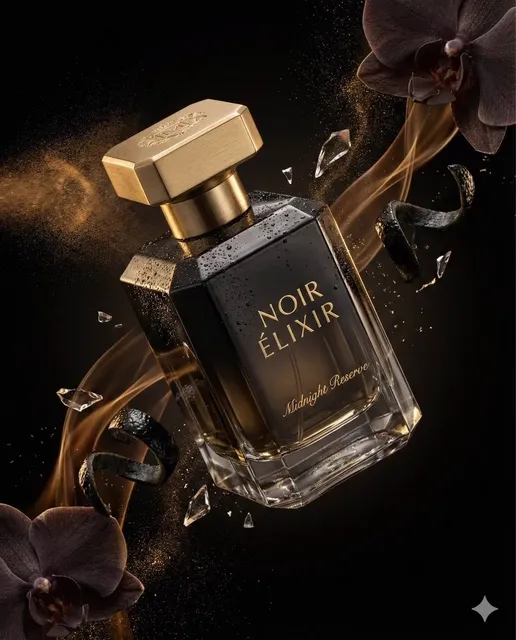
AI Photo Generator Text to Image — Write, Generate, View
Use ai photo generator text to image to create photographic visuals from written descriptions. Describe the scene and get a photo-style result.
AI Image Generator
0/20000 characters
My images
Loading...

What is an AI photo generator from text to image?
An AI photo generator from text to image converts written descriptions into photographic-style visuals. You write a detailed prompt describing the subject, setting, lighting, and composition, and the tool generates a photo-style image. It is used for reference images, mood boards, product concepts, portrait mockups, and visual planning without photography equipment.
AI Photo Generator Text to Image — Write, Generate, View
Night city street scene
Input
A wet city street at night with neon sign reflections on the pavement, a lone taxi waiting at a red light, cinematic mood
Expected output
A moody nighttime urban scene with colored reflections on wet asphalt, glowing signs, and dramatic shadows
Breakfast table photograph
Input
A wooden table with a croissant, fresh coffee, and a small vase of wildflowers, soft morning light from a window on the left
Expected output
A warm food photograph with soft natural lighting, visible textures on the pastry, and gentle shadows across the table setting
Library reading portrait
Input
A person sitting in an armchair by a tall window in an old library, reading a book, dust particles visible in the afternoon light
Expected output
A candid-style portrait with warm interior lighting, book-lined walls in the background, and soft dust motes catching the light
Convert written text into photographic-style images using AI generation
Generate photographic visuals without a camera
Describe any scene and get a photo-style result without needing a physical location, model, or photography equipment.
Control scene details through descriptive language
Adjust lighting, composition, mood, and subject by changing the words in your prompt.
Create realistic reference images for projects
Produce photographic-quality visuals for mood boards, presentations, or creative briefs entirely from text.
How It Works
1
Describe the desired image
Describe the desired image.
2
Choose the available generation settings
Choose the available generation settings.
3
Generate, review, and download
Generate, review, and download a suitable result.
Writing prompts for photo-like results
Photographic terms improve realism.
Input Constraints
- Avoid abstract descriptions if you want a realistic photo look.
- Do not describe identifiable real people without their permission.
Practical Tips
- Include lighting details such as "soft diffused light" or "harsh midday sun".
- Use camera terminology like "wide angle", "portrait mode", or "long exposure".
- Specify the time of day for outdoor scenes to control shadow and color temperature.
- Describe the foreground, middle ground, and background for depth.
Privacy
- Do not upload personal or sensitive material unless you have permission to use it.
Usage Rights
- Confirm that you have the rights needed for the inputs and intended use of the result.
Prompt recipes
Copy a structure, then adjust the subject, lighting, camera, and output details for your own result.
Urban night photography with reflections
A narrow cobblestone alley at night with rain-soaked ground reflecting neon signs, a lone figure with an umbrella walking away from the camera, moody blue and orange tones, cinematic street photography
Combines urban setting, weather effect, lighting sources, human element, color palette, and photography genre to create a cinematic street scene with atmosphere.
Natural light food photography
A rustic wooden board with sliced sourdough bread, olive oil, and fresh herbs, bright morning sunlight from a nearby window, shallow depth of field, food photography style
Describes food items, presentation surface, lighting source, focus technique, and genre to produce a natural, appetizing food photograph.
Environmental portrait with context
An elderly craftsman working at a cluttered workbench in a dimly lit workshop, tools hanging on the wall behind, single overhead lamp creating warm focused light, dust particles visible in the air, documentary portrait
Specifies subject, activity, setting details, lighting setup, atmospheric element, and portrait style to create a character-driven environmental portrait.
Landscape with dramatic weather for ai photo generator text to image
Rolling green hills at sunrise with low fog filling the valleys, golden sunlight breaking through clouds on the horizon, long shadows, landscape photography with wide-angle perspective
Describes landscape features, weather conditions, lighting contrast, shadow treatment, and camera perspective to produce a dramatic landscape photograph.
Product shot with controlled studio lighting
A sleek black headphone set on a white reflective surface, two-light setup with key light from upper left and rim light from back right, clean white background, commercial product photography
Specifies product, presentation surface, detailed lighting setup, background treatment, and photography genre to create a professional product image.
Best use cases
Match the workflow to the input you have and the result you need before opening the generator.
Mood board for creative projects
Input: Scene description with lighting, mood, color palette, and visual style
Result: A photographic reference showing the desired atmosphere and aesthetic direction
Tool: Text to Image with lighting and mood keywords
Product concept visualization
Input: Product description with lighting setup, background, and presentation style
Result: A product photograph showing professional lighting and commercial presentation
Tool: Text to Image with product photography keywords
Character reference for storytelling
Input: Portrait description with setting, lighting, expression, and character context
Result: An environmental portrait showing the character in their narrative setting
Tool: Text to Image with portrait and environmental keywords
Location concept for film planning
Input: Scene description with composition, lighting condition, and cinematic style
Result: A photographic scene showing location, lighting, and visual mood
Tool: Text to Image with cinematic and lighting keywords
Limitations to know before generating
- Photographic realism depends on detailed lighting, composition, and subject descriptions; vague prompts produce less convincing results
- Complex camera techniques like motion blur or long exposure are approximations, not optical effects
- Fine details such as fabric texture, reflections, or transparent materials may show inconsistencies
- Generated images are reference and concept material, not replacements for professional photography in final deliverables
- People in images should be original fictional characters, not recreations of identifiable real individuals
Creative Suite: AI Video Generator & AI Image Generator Tools
Power up your creative workflow with our AI-driven tools. Generate stunning videos, create images, and apply custom adjustments - our AI Video Generator and AI Image Generator offer a complete solution for all your creative needs.
Strictly Prohibits Adult/NSFW Content








Pricing
Choose the credit package that works best for you.
No hidden fees • Cancel anytime • Unused credits roll over
Starter
Perfect for trying out AI creation.
Credits
200 credits / month
- Up to 20 videos per month
- Up to 100 images per month
$6.99/ month$9.9930% OFF
Billed monthly
First-time subscribers get 30% off their first month, then standard price
What's included
- Credits never expire
- Standard models
- HD, Watermark-Free Downloads
- Private Generation
- Faster Generation Speed
- Ad-free experience
Basic
Perfect for light creators.
Credits
500 credits / month
- Up to 50 videos per month
- Up to 250 images per month
$13.99/ month$19.9930% OFF
Billed monthly
First-time subscribers get 30% off their first month, then standard price
What's included
- Credits never expire
- Standard models
- HD, Watermark-Free Downloads
- Private Generation
- Faster Generation Speed
- Ad-free experience
Pro
PopularBest value for creators
Credits
1,200 credits / month
- Up to 120 videos per month
- Up to 600 images per month
$39.99/ month
Billed monthly
What's included
- Credits never expire
- All models + Early access to new models
- HD, Watermark-Free Downloads
- Private Generation
- Faster Generation Speed
- Ultra HD resolution
- Ad-free experience
Ultra
For video creators and power users.
Credits
5,000 credits / month
- Up to 500 videos per month
- Up to 2,500 images per month
$99.99/ month
Billed monthly
What's included
- Credits never expire
- All models + Early access to new models
- HD, Watermark-Free Downloads
- Private Generation
- Faster Generation Speed
- Ultra HD resolution
- Ad-free experience
Free
Standard models only — upgrade to unlock premium models.
Credits
10 free credits on signup
Questions? Contact us at support@domer.io
Turn text into a photo now
Open the text-to-image tool and write the photo you want to create.