

AI Picture Photo Generator — Create from Text
Use an AI picture photo generator to turn your text descriptions into images. Describe any scene, subject, or style and get a generated visual in seconds.
AI Image Generator
0/20000 characters
My images
Loading...

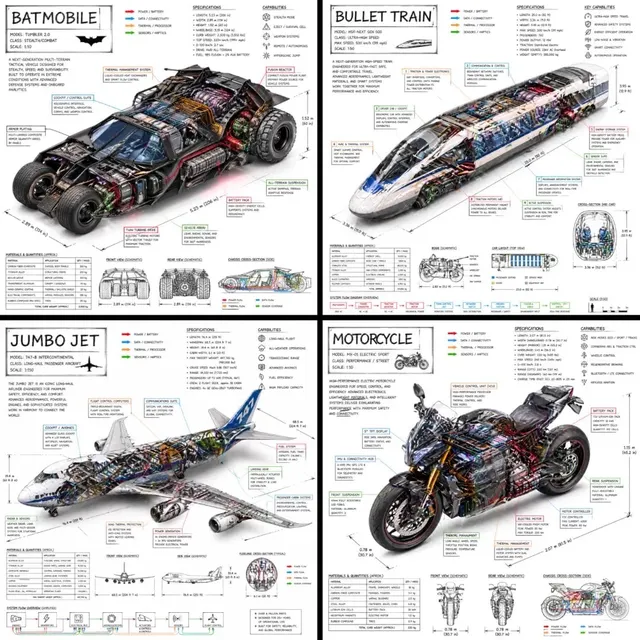
What does an AI picture photo generator do?
An AI picture photo generator creates visual images from written prompts. You describe the subject, setting, lighting, and style in text, then the tool generates a matching photo-style image. Results can range from photorealistic landscapes and portraits to stylized concept art, depending on the keywords and style cues in your prompt. Each image can be reviewed, adjusted by rewriting the prompt, or regenerated with different settings until it meets your needs.
AI Picture Photo Generator — Create from Text
Sunset mountain landscape
Input
A wide shot of snow-capped mountains at sunset with orange and pink sky, pine trees in the foreground, photorealistic style
Expected output
A photo-realistic landscape image showing mountains with warm sunset colors and dark pine silhouettes
Fantasy character portrait
Input
A young elven archer in a forest clearing, glowing green eyes, detailed armor, digital painting style
Expected output
A stylized character portrait with fantasy lighting and intricate costume details
Product mockup photo
Input
A white ceramic coffee mug on a wooden table, soft morning light from a window, minimalist product photography
Expected output
A clean product-style photo of a mug with natural lighting and a warm wooden background
Generate an AI picture or photo from a text description.
Skip the photo shoot
Describe exactly the shot you need and get it in seconds without a camera, studio, or model.
Explore visual ideas freely
Experiment with different subjects, styles, and compositions by changing a few words in your prompt.
Consistent visuals from text
Generate multiple images from the same concept to compare variations without starting over.
How It Works
1
Describe the image
Describe the desired image.
2
Choose settings
Choose the available generation settings.
3
Generate and review
Generate, review, and download a suitable result.
Tips for great results
A few guidelines to help you get useful images from your AI picture photo generator.
Input Constraints
- Describe the subject clearly — what it is, where it is, and what style you want.
- Mention lighting, color palette, and mood for more controlled results.
- Keep prompts focused on one main subject rather than many unrelated elements.
Practical Tips
- Start with a short prompt, review the result, then add details to refine.
- Use style references like "photorealistic", "digital art", or "minimalist" to guide the output.
- Specify the framing — close-up, wide shot, portrait orientation — for better composition.
Privacy
- Do not upload personal or sensitive material unless you have permission to use it.
Usage Rights
- Confirm that you have the rights needed for the inputs and intended use of the result.
Prompt recipes
Copy a structure, then adjust the subject, lighting, camera, and output details for your own result.
Golden hour portrait outdoors
A woman in a denim jacket standing in a wheat field at golden hour, warm sunlight from behind, soft focus background, natural portrait style
Specifies subject, setting, time of day, and lighting direction to produce a warm, professional portrait with depth.
Urban street scene at night
A rainy city street at night with neon signs reflecting on wet pavement, a few pedestrians with umbrellas, cinematic mood, photorealistic
Combines atmospheric details like rain, neon, and mood keywords to create a visually compelling urban scene.
Minimalist product on colored backdrop
A single glass water bottle centered on a pastel blue background, soft overhead lighting, clean studio photography style
Uses minimal composition, controlled lighting, and product photography conventions to produce a clean e-commerce image.
Fantasy landscape with castle
A medieval castle on a cliff overlooking a misty valley at dawn, dramatic clouds, digital painting style with rich colors
Describes subject, setting, time, and art style to produce a fantasy landscape suitable for concept art or game visuals.
Coffee shop interior wide shot
A cozy coffee shop interior with wooden tables, hanging plants, and soft window light, mid-morning atmosphere, architectural photography
Includes interior details, lighting source, and photography style to create a welcoming lifestyle or commercial image.
Close-up food styling
A slice of layered chocolate cake on a white plate, fork beside it, crumbs scattered, soft side lighting, editorial food photography
Uses food photography techniques like close framing, appetizing details, and controlled lighting to produce a magazine-quality image.
Best use cases
Match the workflow to the input you have and the result you need before opening the generator.
Marketing campaign visual
Input: A scene description with clear subject, brand-aligned colors, and mood keywords
Result: A high-impact image suitable for ads, social media, or landing pages
Tool: Text to Image with photorealistic style and brand color keywords
Blog or article header
Input: A horizontal scene description matching the article topic with editorial style
Result: A wide editorial image with atmosphere and a clear focal point
Tool: Text to Image with 16:9 aspect ratio and natural lighting
Concept art for creative projects
Input: A fantasy or sci-fi scene description with art style and mood keywords
Result: A stylized illustration suitable for game design, storytelling, or world-building
Tool: Text to Image with digital painting or concept art style
Product mockup or visualization
Input: A product description with material, lighting, and background details
Result: A clean product image suitable for e-commerce or marketing materials
Tool: Text to Image with studio lighting and product photography keywords
Limitations to know before generating
- Photorealism varies with prompt specificity; vague descriptions produce generic or inconsistent results.
- Complex scenes with multiple subjects may produce unexpected layouts or missing elements.
- Text within generated images is often distorted or misspelled and should be added separately.
- Lighting and perspective require precise language; small wording changes can significantly alter output.
- All generated images require review for quality, accuracy, and rights before publication or commercial use.
Creative Suite: AI Video Generator & AI Image Generator Tools
Power up your creative workflow with our AI-driven tools. Generate stunning videos, create images, and apply custom adjustments - our AI Video Generator and AI Image Generator offer a complete solution for all your creative needs.
Strictly Prohibits Adult/NSFW Content








Pricing
Choose the credit package that works best for you.
No hidden fees • Cancel anytime • Unused credits roll over
Starter
Perfect for trying out AI creation.
Credits
200 credits / month
- Up to 20 videos per month
- Up to 100 images per month
$6.99/ month$9.9930% OFF
Billed monthly
First-time subscribers get 30% off their first month, then standard price
What's included
- Credits never expire
- Standard models
- HD, Watermark-Free Downloads
- Private Generation
- Faster Generation Speed
- Ad-free experience
Basic
Perfect for light creators.
Credits
500 credits / month
- Up to 50 videos per month
- Up to 250 images per month
$13.99/ month$19.9930% OFF
Billed monthly
First-time subscribers get 30% off their first month, then standard price
What's included
- Credits never expire
- Standard models
- HD, Watermark-Free Downloads
- Private Generation
- Faster Generation Speed
- Ad-free experience
Pro
PopularBest value for creators
Credits
1,200 credits / month
- Up to 120 videos per month
- Up to 600 images per month
$39.99/ month
Billed monthly
What's included
- Credits never expire
- All models + Early access to new models
- HD, Watermark-Free Downloads
- Private Generation
- Faster Generation Speed
- Ultra HD resolution
- Ad-free experience
Ultra
For video creators and power users.
Credits
5,000 credits / month
- Up to 500 videos per month
- Up to 2,500 images per month
$99.99/ month
Billed monthly
What's included
- Credits never expire
- All models + Early access to new models
- HD, Watermark-Free Downloads
- Private Generation
- Faster Generation Speed
- Ultra HD resolution
- Ad-free experience
Free
Standard models only — upgrade to unlock premium models.
Credits
10 free credits on signup
Questions? Contact us at support@domer.io
Ready to generate your AI picture?
Open the text-to-image tool, describe what you want to see, and create your first AI picture photo in moments.