

AI Profile Picture Generator App
Open the AI profile picture generator app, describe the avatar you want in words, and create a profile image to review and download.
AI Image Generator
0/20000 characters
My images
Loading...
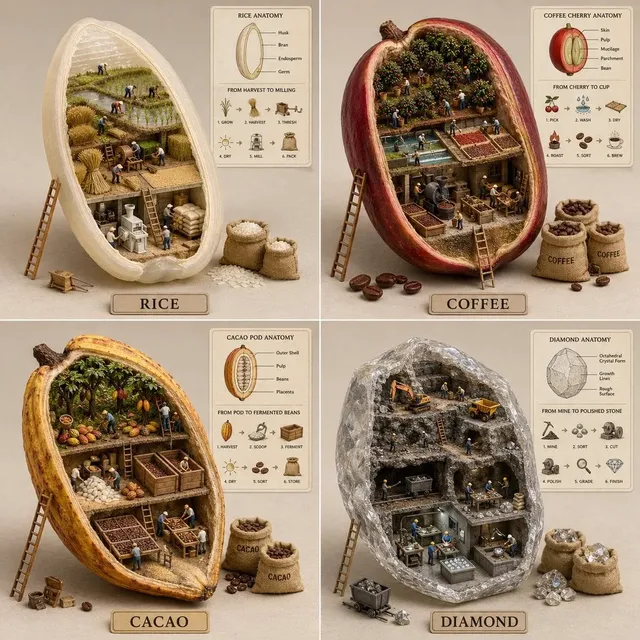


What does an AI profile picture generator app do?
An AI profile picture generator app creates profile images from text descriptions by interpreting your prompt and rendering a visual avatar. You describe the style, colors, and features, then review the generated profile picture before downloading.
AI Profile Picture Generator App
Vibrant character avatar for social profiles
Input
A cheerful cartoon character with green hair, star-shaped glasses, and a pink hoodie, bold flat colors, plain background.
Expected output
A bright flat-color cartoon avatar that stays clear and readable at small profile sizes.
Sleek monogram icon for personal brand
Input
A minimalist circular monogram with the letter A, gradient blue background, modern flat design.
Expected output
A clean flat-design icon that fits a personal or brand profile across digital platforms.
Friendly illustrated avatar for casual use
Input
A warm illustrated avatar of a person waving, soft pastel colors, simple background, digital illustration style.
Expected output
A warm pastel illustration you can crop into a square profile frame for casual social accounts.
Use a profile picture generator app to create an avatar from a text description, then review and download the result for your profile.
Start from words, not images
Describe the avatar you want in plain language instead of drawing, editing, or searching for an existing image.
Compare looks quickly
Change a few words in the prompt or adjust the settings, then generate another option to compare side by side.
Download and crop for profiles
Save the generated image and crop it to a square frame to fit profile picture requirements across platforms.
How It Works
1
Describe your avatar
Describe the desired image.
2
Choose generation settings
Choose the available generation settings.
3
Generate and review
Generate, review, and download a suitable result.
Writing an avatar prompt that produces useful results
Clear specific details about the style, colors, and features help the app produce a profile picture you can actually use.
Input Constraints
- Put the subject, art style, and background at the center of the description.
- Name the colors and style so the result matches the look you have in mind.
- Look at each result before saving and adjust the prompt if it misses.
Practical Tips
- Say whether you want a cartoon, an illustration, or a flat icon.
- List distinctive features and the color palette you want.
- Keep the background simple so the avatar reads clearly at small sizes.
Privacy
- Do not upload personal or sensitive material unless you have permission to use it.
Usage Rights
- Confirm that you have the rights needed for the inputs and intended use of the result.
Prompt recipes
Copy a structure, then adjust the subject, lighting, camera, and output details for your own result.
Bold cartoon character avatar
A cheerful cartoon character with bright purple hair, oversized round glasses, and a yellow hoodie, bold flat colors, plain white background.
Bold colors and a plain background keep the character clear and readable at small profile sizes across social platforms.
Minimal monogram icon
A minimal circular monogram with the letter B, gradient teal background, clean sans-serif letter, modern flat design.
Minimal design and a simple color scheme produce a professional icon suitable for personal or brand profiles.
Friendly illustrated avatar
A warm illustrated avatar of a person smiling and waving, soft pastel pink and blue colors, simple background, digital illustration style.
Pastel colors and a friendly pose create a welcoming profile picture suitable for casual social accounts.
Geometric flat avatar
A colorful flat geometric avatar with a stylized smiling face, bold primary colors, solid white background, modern illustration style.
Flat illustration and bold colors produce a distinctive avatar that reads clearly at profile sizes.
Abstract artistic avatar
An abstract artistic avatar with overlapping circles and organic shapes, vibrant gradient colors, modern digital art style.
Abstract shapes and vibrant gradients create a unique profile picture that stands out in social feeds.
Best use cases
Match the workflow to the input you have and the result you need before opening the generator.
Social media personal profile
Input: Text description of a cartoon or illustrated avatar with bold colors and friendly features
Result: Bright readable avatar suitable for casual social platforms like Instagram or Discord
Tool: Text to Image with cartoon or illustration style
Personal brand or professional profile
Input: Monogram or minimal icon description with clean design and professional colors
Result: Clean professional icon suitable for LinkedIn, email signatures, or personal websites
Tool: Text to Image with minimal flat design
Gaming or streaming profile
Input: Character or mascot description with vibrant colors and expressive features
Result: Expressive avatar suitable for gaming platforms like Twitch or Steam
Tool: Text to Image with character illustration style
Creative or artistic profile
Input: Abstract or artistic avatar description with unique shapes and color palette
Result: Unique artistic avatar suitable for creative platforms like Behance or Dribbble
Tool: Text to Image with abstract or artistic style
Limitations to know before generating
- Generated avatars depend on the clarity of your text prompt; vague descriptions may produce results that do not match your intent.
- The app interprets your prompt but cannot guarantee exact proportions, colors, or details, so review each result before use.
- Avatar suitability for platform use depends on your review of the output quality and your rights to use the result.
- Prompts naming real people or copyrighted characters may produce inaccurate or unusable results.
Creative Suite: AI Video Generator & AI Image Generator Tools
Power up your creative workflow with our AI-driven tools. Generate stunning videos, create images, and apply custom adjustments - our AI Video Generator and AI Image Generator offer a complete solution for all your creative needs.
Strictly Prohibits Adult/NSFW Content






Pricing
Choose the credit package that works best for you.
No hidden fees • Cancel anytime • Unused credits roll over
Starter
Perfect for trying out AI creation.
Credits
200 credits / month
- Up to 20 videos per month
- Up to 100 images per month
$6.99/ month$9.9930% OFF
Billed monthly
First-time subscribers get 30% off their first month, then standard price
What's included
- Credits never expire
- Standard models
- HD, Watermark-Free Downloads
- Private Generation
- Faster Generation Speed
- Ad-free experience
Basic
Perfect for light creators.
Credits
500 credits / month
- Up to 50 videos per month
- Up to 250 images per month
$13.99/ month$19.9930% OFF
Billed monthly
First-time subscribers get 30% off their first month, then standard price
What's included
- Credits never expire
- Standard models
- HD, Watermark-Free Downloads
- Private Generation
- Faster Generation Speed
- Ad-free experience
Pro
PopularBest value for creators
Credits
1,200 credits / month
- Up to 120 videos per month
- Up to 600 images per month
$39.99/ month
Billed monthly
What's included
- Credits never expire
- All models + Early access to new models
- HD, Watermark-Free Downloads
- Private Generation
- Faster Generation Speed
- Ultra HD resolution
- Ad-free experience
Ultra
For video creators and power users.
Credits
5,000 credits / month
- Up to 500 videos per month
- Up to 2,500 images per month
$99.99/ month
Billed monthly
What's included
- Credits never expire
- All models + Early access to new models
- HD, Watermark-Free Downloads
- Private Generation
- Faster Generation Speed
- Ultra HD resolution
- Ad-free experience
Free
Standard models only — upgrade to unlock premium models.
Credits
10 free credits on signup
Questions? Contact us at support@domer.io
Create your profile picture
Open the app, describe the avatar you want, and generate a profile image to review and download.