
AI Video and Photo Generator
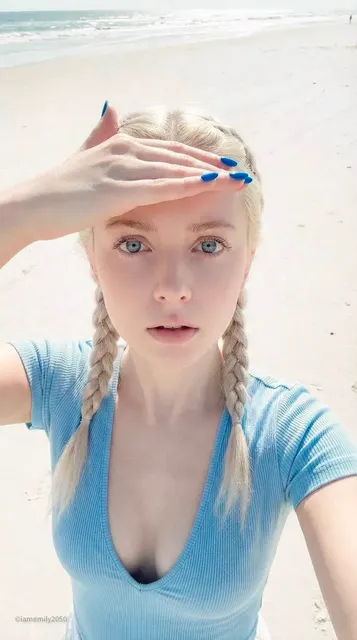
Use ai video and photo generator to describe a scene in text and generate a single frame. Control lighting, composition, and mood to create cinematic stills.
AI Image Generator
0/20000 characters
My images
Loading...

What does an AI video and photo generator do?
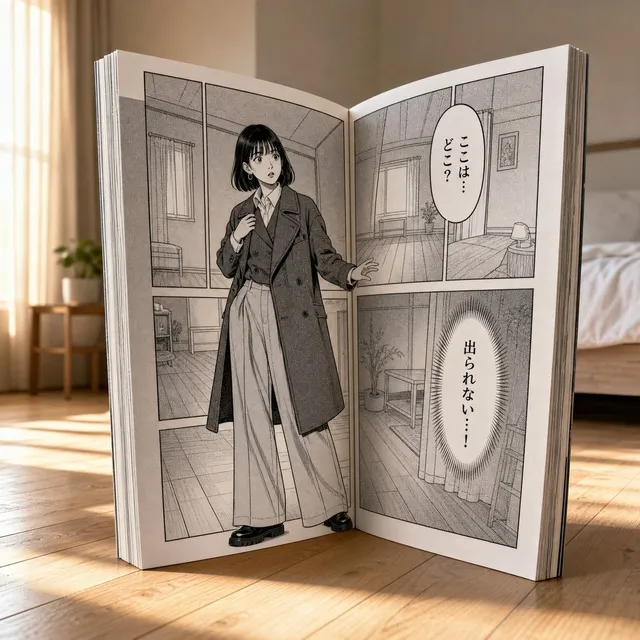
It creates still images from text prompts. You describe a scene, moment, or composition, and the tool generates a single frame. The output is a photo-quality image, not a video clip.
AI Video and Photo Generator
Action freeze-frame
Input
A sports car jumping over a bridge gap mid-air, sparks flying, dust trails visible, cinematic motion blur on wheels
Expected output
A high-energy still showing the vehicle suspended in the air with visible particle effects and dynamic framing
Film noir scene
Input
A detective in a trench coat under a flickering streetlight, wet cobblestone alley, cigarette smoke, deep shadows and high contrast
Expected output
A moody frame with dramatic lighting, rain-slicked surfaces, and period costume detail
Nature close-up
Input
A hummingbird frozen mid-hover next to a red hibiscus flower, golden morning light, shallow depth of field, dew drops on petals
Expected output
A detailed nature shot with backlighting on the bird's wings and sharp focus on water droplets
Create still images from text descriptions when you need a single cinematic frame or photo-quality visual
Cinematic control from text
Describe camera angle, lighting direction, and composition to generate frames that feel intentional and directed.
Storyboard and pre-vis support
Generate scene concepts for video projects by describing each key moment as a standalone frame.
Style and mood flexibility
Shift between film noir, documentary realism, or high-action aesthetics by changing descriptive language in your prompt.
How It Works
1
Describe the scene
Describe the desired image.
2
Choose settings
Choose the available generation settings.
3
Generate and review
Generate, review, and download a suitable result.
Writing effective scene prompts
Include subject, action, lighting, and framing to give the generator clear direction.
Input Constraints
- Avoid prompts that violate privacy, impersonate others, or infringe on intellectual property.
- Do not use the tool to generate misleading, harmful, or deceptive content.
- Review all output before publishing or sharing.
- The tool generates single images from text descriptions, not video or audio.
Practical Tips
- Start with the main subject and action, then add lighting and camera angle.
- Use cinematic terms like wide shot, close-up, or Dutch angle to control framing.
- Mention time of day or weather to set the mood.
- Try one variation at a time to see what changed.
- Keep a record of prompts that produce results you want to reuse.
Privacy
- Do not upload personal or sensitive material unless you have permission to use it.
Usage Rights
- Confirm that you have the rights needed for the inputs and intended use of the result.
Prompt recipes
Copy a structure, then adjust the subject, lighting, camera, and output details for your own result.
Low-angle hero shot
A firefighter walking away from a burning building, low camera angle looking up, silhouette against flames, smoke billowing, cinematic wide shot
The low angle and backlighting create a dramatic hero composition with strong silhouette contrast.
Golden-hour portrait
A woman sitting on a porch at sunset, warm golden side light, lens flare visible, soft shadows on wooden boards, shallow depth of field
Golden hour language and specific lighting direction give the frame a warm, intimate feel with natural lens effects.
Urban street at night
A rainy city street at night with neon signs reflecting on wet pavement, lone figure with umbrella in the distance, moody blue and pink lighting
Rain, neon, and color temperature cues create a cinematic urban atmosphere with depth and mood.
High-speed sports moment
A soccer player mid-kick with the ball frozen in motion, stadium lights, motion blur on the background crowd, tight crop on the action
Freeze-frame language and selective motion blur focus attention on the peak moment of the action.
Natural documentary style
A polar bear on an ice floe at dawn, soft pastel sky, low horizon line, calm Arctic water in the foreground, wildlife documentary framing
Documentary-style cues and natural lighting create a calm, observational frame with environmental context.
Best use cases
Match the workflow to the input you have and the result you need before opening the generator.
Storyboard a video project
Input: Scene description with camera angle and lighting
Result: A frame that communicates the visual plan for that moment
Tool: Text to Image
Create a cinematic social media post
Input: Action or mood description with color and framing cues
Result: A shareable still with film-like composition and lighting
Tool: Text to Image
Visualize a moment from a script
Input: Character action and setting from the scene
Result: A concept image showing how that scene might look on screen
Tool: Text to Image
Design a thumbnail or poster frame
Input: Hero subject with dramatic lighting and composition
Result: A bold, attention-grabbing still suitable for promotional use
Tool: Text to Image
Limitations to know before generating
- The tool generates from text descriptions only; it does not extract frames from uploaded video files.
- Output reflects your description but may interpret details differently than you expect; review each result.
- Complex motion or multi-step action cannot be shown in a single frame; choose one moment to describe.
- Text or fine detail in the generated image may not be sharp or legible at smaller sizes.
- Lighting and color in the result depend on how clearly you describe them; vague prompts produce vague results.
Creative Suite: AI Video Generator & AI Image Generator Tools
Power up your creative workflow with our AI-driven tools. Generate stunning videos, create images, and apply custom adjustments - our AI Video Generator and AI Image Generator offer a complete solution for all your creative needs.
Strictly Prohibits Adult/NSFW Content








Pricing
Choose the credit package that works best for you.
No hidden fees • Cancel anytime • Unused credits roll over
Starter
Perfect for trying out AI creation.
Credits
200 credits / month
- Up to 20 videos per month
- Up to 100 images per month
$6.99/ month$9.9930% OFF
Billed monthly
First-time subscribers get 30% off their first month, then standard price
What's included
- Credits never expire
- Standard models
- HD, Watermark-Free Downloads
- Private Generation
- Faster Generation Speed
- Ad-free experience
Basic
Perfect for light creators.
Credits
500 credits / month
- Up to 50 videos per month
- Up to 250 images per month
$13.99/ month$19.9930% OFF
Billed monthly
First-time subscribers get 30% off their first month, then standard price
What's included
- Credits never expire
- Standard models
- HD, Watermark-Free Downloads
- Private Generation
- Faster Generation Speed
- Ad-free experience
Pro
PopularBest value for creators
Credits
1,200 credits / month
- Up to 120 videos per month
- Up to 600 images per month
$39.99/ month
Billed monthly
What's included
- Credits never expire
- All models + Early access to new models
- HD, Watermark-Free Downloads
- Private Generation
- Faster Generation Speed
- Ultra HD resolution
- Ad-free experience
Ultra
For video creators and power users.
Credits
5,000 credits / month
- Up to 500 videos per month
- Up to 2,500 images per month
$99.99/ month
Billed monthly
What's included
- Credits never expire
- All models + Early access to new models
- HD, Watermark-Free Downloads
- Private Generation
- Faster Generation Speed
- Ultra HD resolution
- Ad-free experience
Free
Standard models only — upgrade to unlock premium models.
Credits
10 free credits on signup
Questions? Contact us at support@domer.io
Generate your cinematic frame
Open the tool, describe the scene you want to see, and review the result. Refine your prompt as needed.