

All Ai Image Generator
Turn ideas into images from text: describe your subject, choose style and composition details, then generate and refine your result.
AI Image Generator
0/20000 characters
My images
Loading...
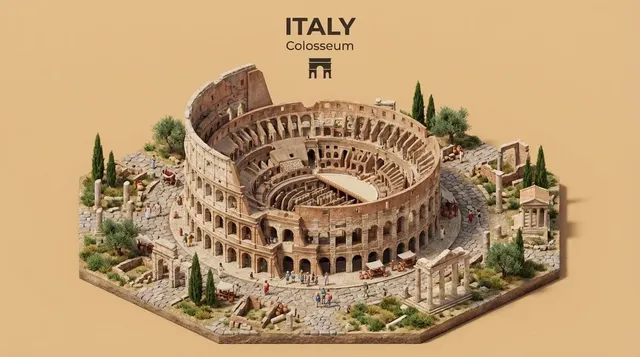
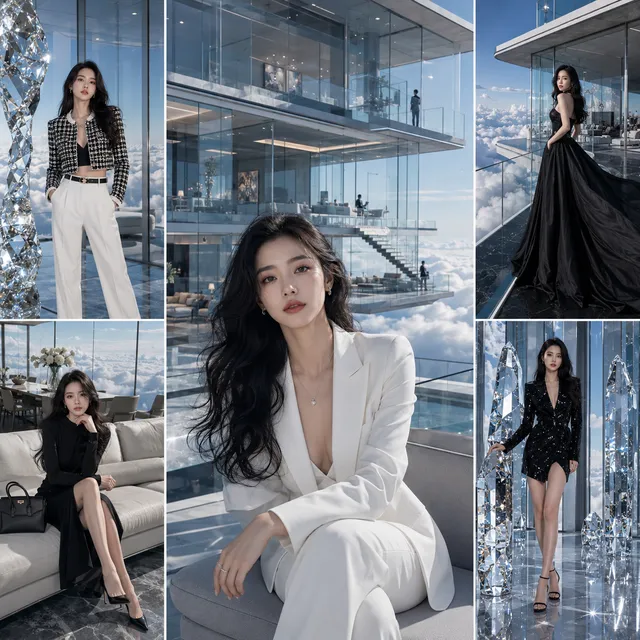
What is all ai image generator used for?
All ai image generator turns text descriptions into custom images. Describe your subject with style, mood, and composition details to generate visuals for creative projects, social media, product concepts, or personal use without needing design software or stock image searches.
All Ai Image Generator
Create a Versatile Concept
Input
a split-scene showing four different art styles in one image
Expected output
A generated image matching the described scene with the specified mood and elements
Refine the Composition
Input
An adjusted description with different framing, color palette, or lighting direction
Expected output
A new variation of the scene with the requested compositional changes
Try a Different Style
Input
A description specifying an alternative artistic style, such as line art, watercolor, or cinematic
Expected output
The same subject rendered in the chosen artistic style
Generate images from text descriptions using a versatile text-to-image tool
Describe and Generate
Write your idea in natural language and get a matching image.
Adjust Settings
Choose from available options to control the output style and format.
Iterate Quickly
Refine your prompt and generate new versions until you get the result you need.
How It Works
1
Describe Your Image
Describe the desired image.
2
Choose Settings
Choose the available generation settings.
3
Generate and Review
Generate, review, and download a suitable result.
Tips for Better Results
A few things to keep in mind when generating images.
Input Constraints
- Describe subjects clearly
- Specify style or mood when possible
- Keep prompts focused on one main subject
- Avoid overly complex scene descriptions
Practical Tips
- Start with a simple prompt and add detail gradually
- Note what works in each result to improve your next prompt
- Experiment with different descriptive words for style
Privacy
- Do not upload personal or sensitive material unless you have permission to use it.
Usage Rights
- Confirm that you have the rights needed for the inputs and intended use of the result.
Prompt recipes
Copy a structure, then adjust the subject, lighting, camera, and output details for your own result.
Simple product shot
A wireless earbud case on a clean white surface, soft overhead light, minimal shadows, product photography style.
Focuses on one clear subject with defined lighting and background for a clean, commercial-ready result.
Atmospheric portrait
A person reading a book in a cozy library corner, warm lamp light, bookshelves in soft focus background, candid moment, muted earth tones.
Combines subject, setting, lighting mood, and color palette to create a cohesive lifestyle image with emotional tone.
Nature scene with mood
A forest path covered in autumn leaves, morning mist filtering through trees, golden hour sunlight, serene and peaceful atmosphere.
Uses time of day, weather condition, and mood descriptor to guide both visual elements and emotional impact.
Stylized illustration
A cat sitting on a windowsill looking out at the city, flat color style, limited palette of blue and orange, clean vector illustration.
Specifies both art style and color constraint to produce a distinct illustrative look with clear stylistic boundaries.
Conceptual composition
A stack of books floating in mid-air with pages gently turning, soft gradient background, dreamy and surreal mood, digital art.
Describes an impossible scene with clear visual elements and mood keywords that guide a coherent surreal composition.
Best use cases
Match the workflow to the input you have and the result you need before opening the generator.
Social media graphics
Input: Simple subject with bold colors and clear focal point
Result: An eye-catching image sized for social platform formats
Tool: Text-to-image with vibrant palette and centered composition
Creative concept exploration
Input: Idea description with mood and style preferences
Result: A visual starting point to refine or present to collaborators
Tool: Text-to-image with style keywords and detailed subject description
Personal artwork
Input: Aesthetic preference with color and mood details
Result: A unique image for personal enjoyment or decorative use
Tool: Text-to-image with artistic style and preferred color scheme
Product mockup
Input: Product description with background and lighting context
Result: A product visual for testing ideas or presentations
Tool: Text-to-image with product photography keywords and clean background
Limitations to know before generating
- Generic prompts often produce generic results — specific visual details improve output quality.
- Complex scenes with many overlapping subjects may have compositional or perspective issues.
- Text within generated images is usually decorative and not readable or editable.
- Style consistency across multiple images requires repeating exact keywords in each prompt.
- Results vary with each generation — saving successful prompts helps reproduce similar outputs later.
Creative Suite: AI Video Generator & AI Image Generator Tools
Power up your creative workflow with our AI-driven tools. Generate stunning videos, create images, and apply custom adjustments - our AI Video Generator and AI Image Generator offer a complete solution for all your creative needs.
Strictly Prohibits Adult/NSFW Content








Pricing
Choose the credit package that works best for you.
No hidden fees • Cancel anytime • Unused credits roll over
Starter
Perfect for trying out AI creation.
Credits
200 credits / month
- Up to 20 videos per month
- Up to 100 images per month
$6.99/ month$9.9930% OFF
Billed monthly
First-time subscribers get 30% off their first month, then standard price
What's included
- Credits never expire
- Standard models
- HD, Watermark-Free Downloads
- Private Generation
- Faster Generation Speed
- Ad-free experience
Basic
Perfect for light creators.
Credits
500 credits / month
- Up to 50 videos per month
- Up to 250 images per month
$13.99/ month$19.9930% OFF
Billed monthly
First-time subscribers get 30% off their first month, then standard price
What's included
- Credits never expire
- Standard models
- HD, Watermark-Free Downloads
- Private Generation
- Faster Generation Speed
- Ad-free experience
Pro
PopularBest value for creators
Credits
1,200 credits / month
- Up to 120 videos per month
- Up to 600 images per month
$39.99/ month
Billed monthly
What's included
- Credits never expire
- All models + Early access to new models
- HD, Watermark-Free Downloads
- Private Generation
- Faster Generation Speed
- Ultra HD resolution
- Ad-free experience
Ultra
For video creators and power users.
Credits
5,000 credits / month
- Up to 500 videos per month
- Up to 2,500 images per month
$99.99/ month
Billed monthly
What's included
- Credits never expire
- All models + Early access to new models
- HD, Watermark-Free Downloads
- Private Generation
- Faster Generation Speed
- Ultra HD resolution
- Ad-free experience
Free
Standard models only — upgrade to unlock premium models.
Credits
10 free credits on signup
Questions? Contact us at support@domer.io
Start Generating Images
Write your idea and let the text-to-image tool bring it to life.