
Create
Don't Settle for a Bad AI Image Generator
Write detailed prompts, adjust generation settings, and create focused, high-quality images instead of settling for poor AI output.
AI Image Generator
0/20000 characters
My images
Loading...
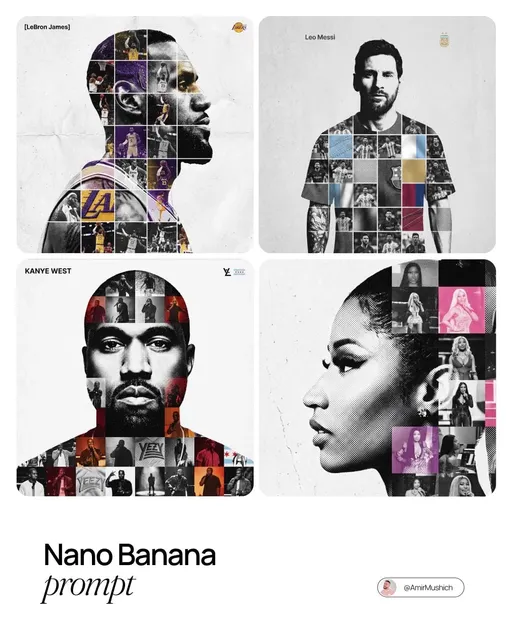
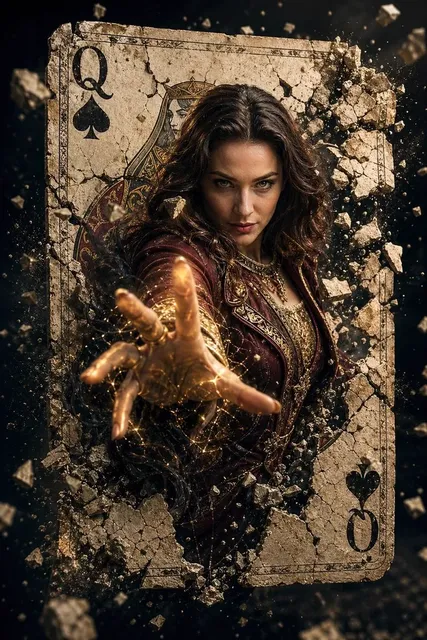
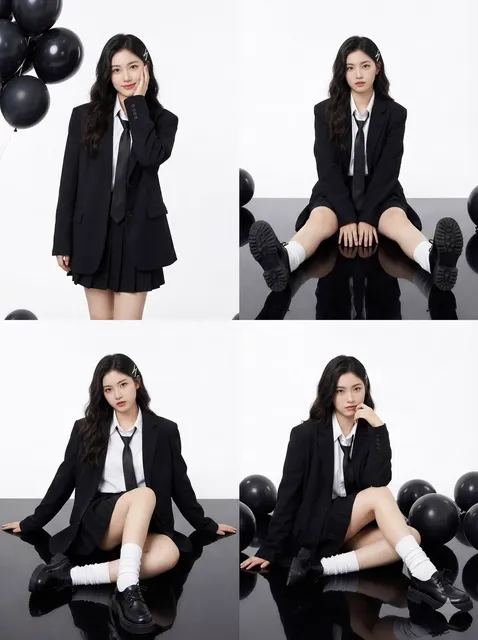
What makes an AI image generator bad, and how can I get better results?
A bad AI image generator produces unclear, inconsistent, or unusable images. Common causes include vague prompts, conflicting instructions, or poor tool capabilities. To get better results, describe one clear subject with specific details about lighting, setting, composition, and style. Use available generation settings and review output quality before downloading.
Don't Settle for a Bad AI Image Generator
Product mockup for a ceramic mug
Input
A clean white ceramic mug on a wooden table, soft natural lighting from the left, subtle shadow cast to the right, minimalist style
Expected output
A realistic product-style image showing the mug with correct proportions, natural shadows, and proper lighting
Character portrait for a fantasy setting
Input
A young woman with braided red hair, green eyes, wearing leather armor, standing in a forest clearing, afternoon sunlight filtering through leaves
Expected output
A consistent character portrait with natural facial proportions, coherent armor details, and matched lighting on subject and background
Social media visual for a coffee shop post
Input
A steaming latte with leaf art on top, served on a marble counter, warm amber lighting, slightly blurred cafe background with exposed brick wall
Expected output
A clean, usable social media image with recognizable latte art, warm tones, and a depth effect between the cup and background
Find a reliable AI image generator that produces useful, high-quality results from detailed text prompts.
Descriptive prompts get matching results
Write prompts in natural language and see generated images that follow the subjects, lighting, and composition you described.
Adjust settings for better quality
Choose from available generation settings such as aspect ratio and style direction to move from rough concepts to polished visuals.
Review before you keep
Generate multiple options and review each result on screen. Only download the version that meets your standards.
How It Works
1
Describe the desired image.
Describe the desired image.
2
Choose the available generation settings.
Choose the available generation settings.
3
Generate, review, and download a suitable result.
Generate, review, and download a suitable result.
Getting Better Results
Small prompt changes can make the difference between a useful image and a bad one.
Input Constraints
- Be specific about subject, setting, lighting, and composition in your prompt
- Avoid vague terms like "nice" or "cool" — describe concrete visual details
- Use one clear focal subject rather than multiple competing elements
Practical Tips
- Start with a short prompt, then add detail one element at a time
- Include lighting direction and color palette for more coherent results
- Specify what you do not want when known, but keep the main prompt positive
- Generate several variations of the same prompt to compare quality
Privacy
- Do not upload personal or sensitive material unless you have permission to use it.
Usage Rights
- Confirm that you have the rights needed for the inputs and intended use of the result.
Prompt recipes
Copy a structure, then adjust the subject, lighting, camera, and output details for your own result.
E-commerce product shot with clean presentation
Stainless steel water bottle on white surface, soft overhead studio lighting, subtle shadow underneath, clean white background, centered composition, product photography style, sharp focus on bottle
Specifies product, surface, lighting setup, shadow placement, background, composition, and style for professional e-commerce visuals with correct proportions and presentation.
Social media post with lifestyle context
Breakfast spread on rustic wooden table, avocado toast and coffee, morning sunlight streaming from window, soft shadows, warm color palette, overhead flat-lay composition, Instagram aesthetic
Combines food subject with setting, natural lighting, color mood, camera angle, and platform style to create shareable lifestyle content.
Fantasy character with consistent features
Elf ranger with long silver hair, amber eyes, forest green cloak, leather bracers, holding wooden bow, standing in misty forest, soft diffused morning light, fantasy portrait art style
Provides detailed physical description, clothing, props, setting, lighting, and art style to generate consistent, recognizable fantasy characters.
Architectural concept with atmosphere
Modern glass office building at dusk, blue hour lighting, interior lights glowing warm, wet pavement reflections, urban skyline in background, architectural photography style
Describes building style, specific lighting time, interior-exterior contrast, environmental detail, and photography style for atmospheric architectural visuals.
Editorial illustration with clear concept
Minimalist flat illustration of person climbing stairs toward glowing doorway, teal and coral color palette, geometric shapes, clean composition, modern editorial style, concept of opportunity
Specifies illustration style, subject action, color scheme, visual approach, and conceptual meaning for editorial visuals that support written content.
Best use cases
Match the workflow to the input you have and the result you need before opening the generator.
Need product images for an online store without the distortion and weirdness from other generators
Input: Product description with surface, lighting setup, shadow placement, background, camera angle, and photography style
Result: Clean, properly proportioned product images suitable for e-commerce listings
Tool: Text to Image with studio photography lighting descriptions and composition details
Creating social media content that looks polished and on-brand, not generic or off
Input: Subject plus setting, natural lighting, color mood, composition style, and platform aesthetic
Result: Shareable lifestyle or product images with consistent style and visual appeal
Tool: Text to Image with lifestyle photography prompts and platform-specific styling
Generating character art with consistent features instead of random, changing faces
Input: Detailed physical description, clothing, props, pose, setting, lighting, and fantasy/portrait art style
Result: Recognizable character portraits suitable for games, stories, or creative projects
Tool: Text to Image with specific character details and portrait art style direction
Producing concept art or editorial visuals without confusing, cluttered compositions
Input: Clear conceptual subject, style direction, color palette, composition approach, and intended message
Result: Focused concept art or illustrations that communicate ideas visually
Tool: Text to Image with illustration style and clear conceptual focus
Limitations to know before generating
- AI generators produce interpretations of your prompts, not exact visualizations of what you imagine — expect iteration and refinement
- Some subjects are inherently difficult for AI: text, hands, complex symmetry, specific brand styles, and precise technical drawings often produce errors
- Detailed prompts improve results but cannot guarantee perfection — review every generated image before using it in projects
- The tool cannot replicate copyrighted styles, specific real people, or branded looks without clear descriptive prompts and even then results are interpretations
- Generated images may require additional editing, cropping, or color correction for professional or commercial use
Creative Suite: AI Video Generator & AI Image Generator Tools
Power up your creative workflow with our AI-driven tools. Generate stunning videos, create images, and apply custom adjustments - our AI Video Generator and AI Image Generator offer a complete solution for all your creative needs.
Strictly Prohibits Adult/NSFW Content








Pricing
Choose the credit package that works best for you.
No hidden fees • Cancel anytime • Unused credits roll over
Starter
Perfect for trying out AI creation.
Credits
200 credits / month
- Up to 20 videos per month
- Up to 100 images per month
$6.99/ month$9.9930% OFF
Billed monthly
First-time subscribers get 30% off their first month, then standard price
What's included
- Credits never expire
- Standard models
- HD, Watermark-Free Downloads
- Private Generation
- Faster Generation Speed
- Ad-free experience
Basic
Perfect for light creators.
Credits
500 credits / month
- Up to 50 videos per month
- Up to 250 images per month
$13.99/ month$19.9930% OFF
Billed monthly
First-time subscribers get 30% off their first month, then standard price
What's included
- Credits never expire
- Standard models
- HD, Watermark-Free Downloads
- Private Generation
- Faster Generation Speed
- Ad-free experience
Pro
PopularBest value for creators
Credits
1,200 credits / month
- Up to 120 videos per month
- Up to 600 images per month
$39.99/ month
Billed monthly
What's included
- Credits never expire
- All models + Early access to new models
- HD, Watermark-Free Downloads
- Private Generation
- Faster Generation Speed
- Ultra HD resolution
- Ad-free experience
Ultra
For video creators and power users.
Credits
5,000 credits / month
- Up to 500 videos per month
- Up to 2,500 images per month
$99.99/ month
Billed monthly
What's included
- Credits never expire
- All models + Early access to new models
- HD, Watermark-Free Downloads
- Private Generation
- Faster Generation Speed
- Ultra HD resolution
- Ad-free experience
Free
Standard models only — upgrade to unlock premium models.
Credits
10 free credits on signup
Questions? Contact us at support@domer.io
Generate Images That Work the First Time
Try a prompt and see the difference detailed descriptions make. Describe what you want and review the result in seconds.