
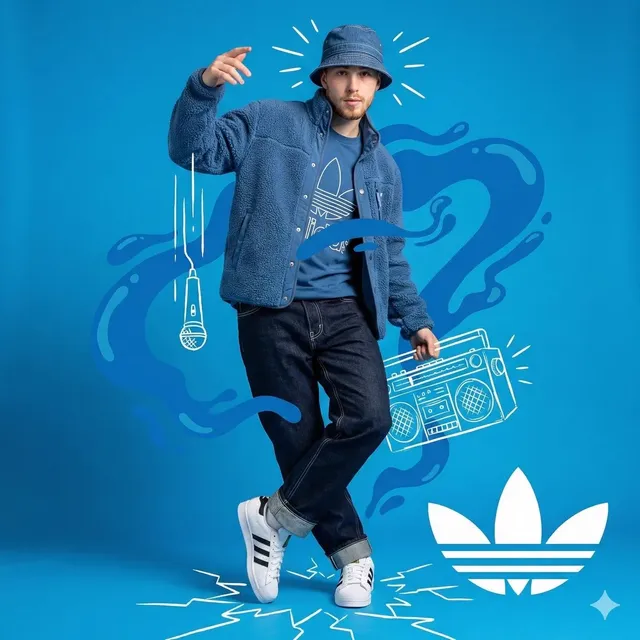
Chat GPT Image Generator Trend
Create images that match trending aesthetics. Describe Y2K, cottagecore, cyberpunk, or any visual style and generate on-trend visuals instantly.
AI Image Generator
0/20000 characters
My images
Loading...

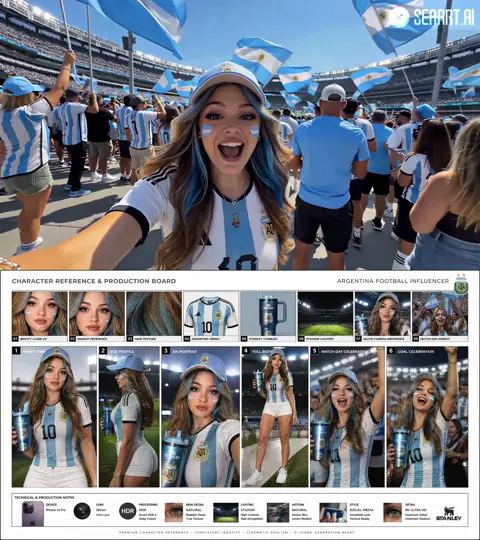

How do I generate images that match current visual trends?
Describe the aesthetic trend in your prompt using its characteristic colors, textures, mood, and visual motifs. For example, mention iridescent gradients and chrome for Y2K, natural materials and warm light for cottagecore, or neon and rain-slicked streets for cyberpunk. The tool interprets these style cues and generates images that reflect the aesthetic.
Chat GPT Image Generator Trend
Digital Art Trend
Input
A Y2K-inspired digital portrait with iridescent gradients, butterfly motifs, and chrome text
Expected output
A Y2K-style digital portrait with iridescent effects and nostalgic internet-era aesthetics
Cottagecore Scene
Input
A cozy cottagecore kitchen with fresh herbs, ceramic dishes, warm afternoon sunlight
Expected output
A warm cottagecore interior with natural materials, herbs, and soft sunlit atmosphere
Cyberpunk City
Input
A cyberpunk street scene with holographic billboards, rain-slicked streets, neon purple and cyan lights
Expected output
A neon-lit cyberpunk cityscape with reflective wet surfaces and holographic advertising
Generate images that reflect current visual aesthetics and trending styles by describing specific aesthetic movements in text prompts.
Stay current with visual trends and aesthetics
Generate images that align with popular visual styles and trending aesthetics.
Explore trending styles without specialized skills
Create on-trend visuals by describing the aesthetic you want, no design expertise needed.
Create on-trend content for social media
Produce visually current content that resonates with contemporary social media aesthetics.
How It Works
1
Describe the Desired Image
Describe the desired image.
2
Choose the Available Generation Settings
Choose the available generation settings.
3
Generate, Review, and Download a Suitable Result
Generate, review, and download a suitable result.
Tips for Effective Image Generation
Get the best results from your text-to-image prompts.
Input Constraints
- Keep descriptions clear and specific for more accurate results
- Describe the subject, setting, lighting, and style for better control
- Avoid ambiguous terms that could be interpreted multiple ways
Practical Tips
- Lead with the main subject: person, object, or scene first
- Add descriptive details: colors, lighting, mood, and composition
- Mention the desired art style: realistic, watercolor, 3D render, etc.
- Specify the format: portrait, landscape, close-up, wide shot
Privacy
- Do not upload personal or sensitive material unless you have permission to use it.
Usage Rights
- Confirm that you have the rights needed for the inputs and intended use of the result.
Prompt recipes
Copy a structure, then adjust the subject, lighting, camera, and output details for your own result.
Retro Y2K Digital Aesthetic
A portrait of a young person wearing holographic sunglasses and a metallic crop top, background filled with floating iridescent bubbles and pixelated hearts, chrome text saying ONLINE, pastel purple and cyan color scheme, early 2000s digital art style
Combines signature Y2K elements—metallics, iridescence, nostalgic digital motifs—with specific color palette to capture the trend authentically.
Dark Academia Study Scene
A wooden desk piled with leather-bound books, brass candle holder with lit candles, vintage globe, fountain pen on aged parchment, warm amber lighting from a desk lamp, rich brown and gold tones, moody atmospheric photography
Uses materials, colors, and lighting associated with dark academia to evoke scholarly, vintage aesthetic.
Vaporwave Surrealism
A classical Greek statue head wearing VR goggles, surrounded by floating geometric shapes, palm trees in neon pink and blue, grid floor receding into a purple sunset, retro computer graphics aesthetic, vibrant saturated colors
Merges classical art with digital retro elements and signature vaporwave color palette for recognizable trend visual.
Minimalist Scandi Interior
A bright living room with white walls, light wood furniture, single green plant in a ceramic pot, linen curtains letting in natural light, neutral beige and cream tones, clean lines, Scandinavian design style
Emphasizes simplicity, natural materials, and light that define Scandinavian minimalist aesthetic.
Cyberpunk Neon Portrait
A close-up portrait with half the face illuminated by pink neon light and the other half by cyan, wet skin reflecting the lights, dark urban background with blurred neon signs, cinematic color grading, futuristic cyberpunk mood
Uses dual-tone neon lighting and reflective surfaces characteristic of cyberpunk visual style.
Best use cases
Match the workflow to the input you have and the result you need before opening the generator.
Social media content aligned with current aesthetics
Input: Description of trending visual style with its signature colors, textures, and motifs
Result: An image that fits current social media trends and resonates with target audience
Tool: Text to Image with style-specific keywords and square aspect ratio
Brand visuals matching popular aesthetics
Input: Aesthetic trend name plus brand subject or product in that style context
Result: On-trend visuals that position brand within a recognizable aesthetic movement
Tool: Text to Image with brand elements described within aesthetic framework
Design inspiration from trending styles
Input: Multiple aesthetic trend prompts to explore different current visual directions
Result: A range of trend-aligned images to inform design decisions and creative direction
Tool: Text to Image with varied style prompts for exploration
Content creation for trend-focused campaigns
Input: Campaign theme described using specific aesthetic trend vocabulary
Result: Visuals that support campaign messaging through recognizable, current aesthetic language
Tool: Text to Image with campaign goals and aesthetic keywords combined
Limitations to know before generating
- Trends evolve quickly; what is current today may feel dated in months
- Aesthetic trend names can be interpreted differently; results depend on the tool's training data
- Highly specific micro-trends or very recent aesthetics may not be well-represented
- Combining too many trend elements for comparison can produce incoherent or cluttered results
- Generated trend images may feel generic if prompts rely only on aesthetic labels without specific visual details
Creative Suite: AI Video Generator & AI Image Generator Tools
Power up your creative workflow with our AI-driven tools. Generate stunning videos, create images, and apply custom adjustments - our AI Video Generator and AI Image Generator offer a complete solution for all your creative needs.
Strictly Prohibits Adult/NSFW Content








Pricing
Choose the credit package that works best for you.
No hidden fees • Cancel anytime • Unused credits roll over
Starter
Perfect for trying out AI creation.
Credits
200 credits / month
- Up to 20 videos per month
- Up to 100 images per month
$6.99/ month$9.9930% OFF
Billed monthly
First-time subscribers get 30% off their first month, then standard price
What's included
- Credits never expire
- Standard models
- HD, Watermark-Free Downloads
- Private Generation
- Faster Generation Speed
- Ad-free experience
Basic
Perfect for light creators.
Credits
500 credits / month
- Up to 50 videos per month
- Up to 250 images per month
$13.99/ month$19.9930% OFF
Billed monthly
First-time subscribers get 30% off their first month, then standard price
What's included
- Credits never expire
- Standard models
- HD, Watermark-Free Downloads
- Private Generation
- Faster Generation Speed
- Ad-free experience
Pro
PopularBest value for creators
Credits
1,200 credits / month
- Up to 120 videos per month
- Up to 600 images per month
$39.99/ month
Billed monthly
What's included
- Credits never expire
- All models + Early access to new models
- HD, Watermark-Free Downloads
- Private Generation
- Faster Generation Speed
- Ultra HD resolution
- Ad-free experience
Ultra
For video creators and power users.
Credits
5,000 credits / month
- Up to 500 videos per month
- Up to 2,500 images per month
$99.99/ month
Billed monthly
What's included
- Credits never expire
- All models + Early access to new models
- HD, Watermark-Free Downloads
- Private Generation
- Faster Generation Speed
- Ultra HD resolution
- Ad-free experience
Free
Standard models only — upgrade to unlock premium models.
Credits
10 free credits on signup
Questions? Contact us at support@domer.io
Create Images That Match the Moment
Describe the aesthetic trend you want, choose style parameters, and generate an image that captures current visual trends.