
Fast Flux AI Image Generator
Generate images in seconds from text prompts. Describe your idea, adjust settings, and iterate quickly to find the right visual.
AI Image Generator
0/20000 characters
My images
Loading...

What is a fast flux AI image generator?
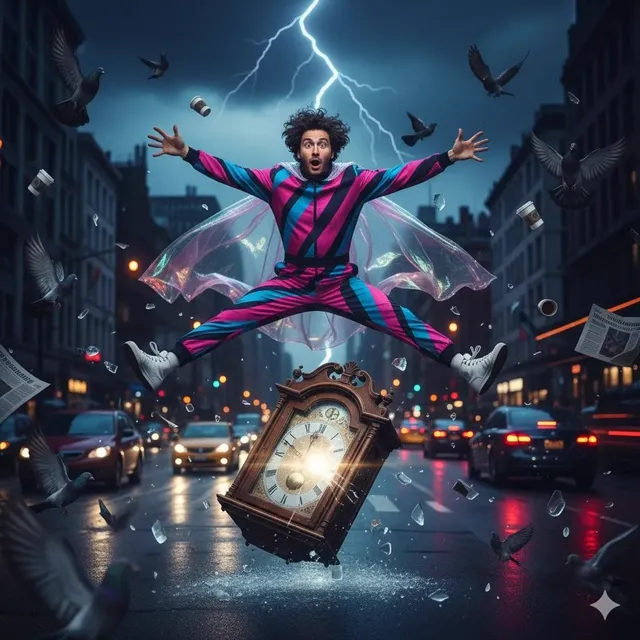
A fast flux AI image generator produces images from text descriptions with quick turnaround times, letting you iterate on prompts and settings without long waits. You describe what you want, choose generation options, and review results within seconds—ideal for rapid visual exploration, placeholder creation, and concept testing.
Fast Flux AI Image Generator
Quick logo exploration
Input
A geometric mountain peak inside a circle, clean lines, two-tone green and white, minimal logo style
Expected output
A simple logo-style graphic with a mountain silhouette, circular frame, and clean two-color treatment
Rapid background test
Input
A dark abstract texture with blue and purple swirls, suitable for a video background, smooth gradients
Expected output
An abstract gradient texture with swirling blue and purple tones and smooth color transitions
Iterative graphic concept
Input
Bold typographic layout for a tech event poster, geometric accents, dark theme with neon cyan accents
Expected output
A graphic layout with bold geometric elements, dark background, and cyan accent shapes suitable for event graphics
Generate images quickly from text prompts, iterating rapidly to refine visual ideas without waiting.
Rapid visual ideation
Generate multiple image options quickly by tweaking prompt wording, speeding up the creative exploration process.
Short feedback loops
See results seconds after adjusting your prompt, letting you refine the output through fast iteration.
Quick placeholder creation
Produce images for mockups, wireframes, or concept boards without spending time on detailed manual creation.
How It Works
1
Describe the desired image.
Describe the desired image.
2
Choose the available generation settings.
Choose the available generation settings.
3
Generate, review, and download a suitable result.
Generate, review, and download a suitable result.
Tips for rapid generation
Keep prompts focused for faster iterations.
Input Constraints
- Start with short prompts and add detail progressively.
- Keep track of prompt variations that produce good results.
- Use consistent style descriptors when iterating on the same concept.
Practical Tips
- Begin with a one-sentence prompt and expand after seeing the first result.
- Change only one element at a time to understand what each word does.
- Save successful prompt phrases for reuse in future generations.
- Use the generation settings to adjust output style without rewriting the prompt.
Privacy
- Do not upload personal or sensitive material unless you have permission to use it.
Usage Rights
- Confirm that you have the rights needed for the inputs and intended use of the result.
Prompt recipes
Copy a structure, then adjust the subject, lighting, camera, and output details for your own result.
Minimal product mockup
A sleek wireless earbud case on a light grey surface, soft shadow, white background, studio lighting, clean product photography style
Simple subject with clear lighting and background instructions produces a clean result suitable for quick product visualization.
Abstract social media graphic
Flowing gradient waves in pink and orange, smooth curves, modern abstract style, suitable for Instagram post background
Focused on color and shape without complex details, ideal for rapid generation of eye-catching social content.
Tech presentation slide background
Dark blue geometric pattern with subtle grid lines, minimal tech aesthetic, low contrast, professional presentation style
Describes mood and style without demanding intricate elements, perfect for generating backgrounds quickly.
Quick character concept sketch
A stylized robot character with boxy head and cylindrical limbs, line art style, black and white, simple shapes
Uses basic geometric descriptions and a simple style that renders fast and allows easy iteration on character design.
Rapid logo variation
A mountain silhouette inside a hexagon, two colors: navy blue and white, flat design, centered composition
Clear shape, limited colors, and flat style produce fast results ideal for exploring logo directions.
Best use cases
Match the workflow to the input you have and the result you need before opening the generator.
Placeholder images for web mockups
Input: Simple subject description with background color and basic composition
Result: A clean image that fits the layout and lets you continue design work without waiting for final assets
Tool: /text-to-image with short prompts and standard settings for fast turnaround
Social media graphic experiments
Input: Color palette, mood, and abstract or simple subject
Result: Multiple variations you can generate in quick succession to test what resonates
Tool: /text-to-image with iterative prompt tweaks, changing one element at a time
Logo and icon exploration
Input: Geometric shape, limited color palette, style keyword like 'flat' or 'minimal'
Result: Several logo concepts you can review and refine in one session
Tool: /text-to-image with focus on simple shapes and high contrast
Presentation backgrounds
Input: Abstract patterns, gradients, or textures with specified color scheme
Result: Professional-looking backgrounds generated quickly for slide decks
Tool: /text-to-image with low-detail prompts and standard aspect ratio
Limitations to know before generating
- Speed may vary based on server load and generation settings you choose.
- Simple prompts work best for fast results; complex scenes may take longer or require multiple iterations.
- Generated images are starting points and may need refinement in editing software for final use.
- Fast iteration is most effective when you change one prompt element at a time.
- Review each result for quality—speed does not guarantee accuracy or visual coherence.
- Ensure any generated content respects intellectual property and privacy before publishing.
Creative Suite: AI Video Generator & AI Image Generator Tools
Power up your creative workflow with our AI-driven tools. Generate stunning videos, create images, and apply custom adjustments - our AI Video Generator and AI Image Generator offer a complete solution for all your creative needs.
Strictly Prohibits Adult/NSFW Content








Pricing
Choose the credit package that works best for you.
No hidden fees • Cancel anytime • Unused credits roll over
Starter
Perfect for trying out AI creation.
Credits
200 credits / month
- Up to 20 videos per month
- Up to 100 images per month
$6.99/ month$9.9930% OFF
Billed monthly
First-time subscribers get 30% off their first month, then standard price
What's included
- Credits never expire
- Standard models
- HD, Watermark-Free Downloads
- Private Generation
- Faster Generation Speed
- Ad-free experience
Basic
Perfect for light creators.
Credits
500 credits / month
- Up to 50 videos per month
- Up to 250 images per month
$13.99/ month$19.9930% OFF
Billed monthly
First-time subscribers get 30% off their first month, then standard price
What's included
- Credits never expire
- Standard models
- HD, Watermark-Free Downloads
- Private Generation
- Faster Generation Speed
- Ad-free experience
Pro
PopularBest value for creators
Credits
1,200 credits / month
- Up to 120 videos per month
- Up to 600 images per month
$39.99/ month
Billed monthly
What's included
- Credits never expire
- All models + Early access to new models
- HD, Watermark-Free Downloads
- Private Generation
- Faster Generation Speed
- Ultra HD resolution
- Ad-free experience
Ultra
For video creators and power users.
Credits
5,000 credits / month
- Up to 500 videos per month
- Up to 2,500 images per month
$99.99/ month
Billed monthly
What's included
- Credits never expire
- All models + Early access to new models
- HD, Watermark-Free Downloads
- Private Generation
- Faster Generation Speed
- Ultra HD resolution
- Ad-free experience
Free
Standard models only — upgrade to unlock premium models.
Credits
10 free credits on signup
Questions? Contact us at support@domer.io
Generate images fast from text
Open the text-to-image tool, type a prompt, and start iterating on visuals in seconds.