
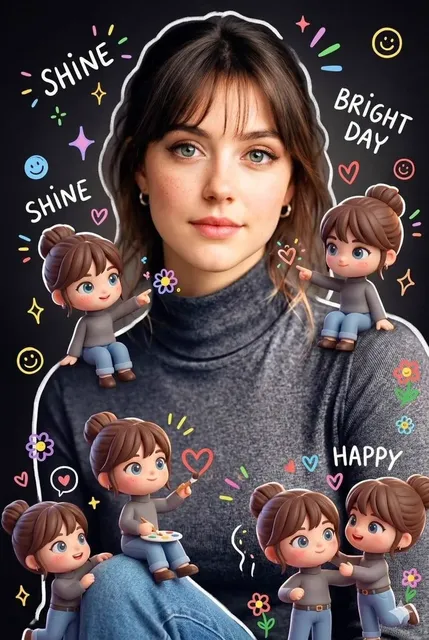
Gemini AI Image Generator from Text
Describe what you want to see and generate images from your words. Choose settings, review the result, and download when ready.
AI Image Generator
0/20000 characters
My images
Loading...

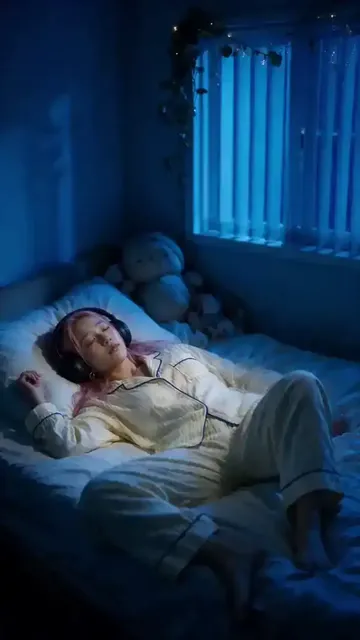

How to Use Gemini AI Image Generator from Text
Type a description of the image you want, choose the available generation settings, and generate. The tool produces visual results from your text prompt, which you can review and download.
Gemini AI Image Generator from Text
Sci-Fi Space Station
Input
A sci-fi space station with ring architecture orbiting a ringed planet, stars in the background, detailed digital art style
Expected output
A digital art scene of a ring-shaped space station orbiting a planet with starfield background
Mythical Creature Portrait
Input
A mythical creature with iridescent scales, large feathered wings, glowing blue eyes, perched on a rocky cliff at sunset
Expected output
A fantasy creature portrait with colorful scales, wings, glowing eyes, and sunset cliff setting
Realistic Food Scene
Input
A realistic food photo of a slice of chocolate cake with berries on a white plate, soft natural light from the side, shallow depth of field
Expected output
A food photography-style image of chocolate cake with berries, natural side lighting, and blurred background
Create images from text descriptions using AI-powered generation
Create Images from Natural Language
Describe what you want to see in everyday words and let the generator produce the visual outcome without technical skills.
Explore Various Genres and Styles
Generate images across different subjects and art styles by adjusting your description from realistic to fantastical.
Generate Visual Content for Projects
Create concept art, visual references, or creative imagery for personal and professional projects from text alone.
How It Works
1
Describe the image
Describe the desired image.
2
Choose settings
Choose the available generation settings.
3
Generate and download
Generate, review, and download a suitable result.
Writing Effective Text-to-Image Prompts
Clear subject, setting, and style descriptions produce the best results.
Input Constraints
- Avoid descriptions of real people, public figures, or celebrities.
- Do not generate content that could misrepresent or defame identifiable persons.
- Keep all descriptions within the tool's content guidelines.
Practical Tips
- Start with the main subject and add supporting details.
- Include the desired art style or visual treatment.
- Describe the lighting and color palette for mood control.
- Specify the composition and framing preferences.
Privacy
- Do not upload personal or sensitive material unless you have permission to use it.
Usage Rights
- Confirm that you have the rights needed for the inputs and intended use of the result.
Prompt recipes
Copy a structure, then adjust the subject, lighting, camera, and output details for your own result.
Fantasy Landscape with Architectural Detail
A grand castle carved into a mountain cliff, waterfalls flowing from balconies, surrounded by mist and pine forests, golden hour lighting, fantasy digital art
Combines a specific architectural subject with natural surroundings and lighting cues to guide the composition and atmosphere.
Character in a Defined Setting
A detective in a noir trench coat standing under a neon sign in a rainy alley, reflections on wet pavement, cinematic lighting, dark moody palette
Establishes character, environment, lighting, and mood in one prompt, giving the generator clear visual anchors.
Product Still Life with Texture
A leather-bound journal on a wooden desk next to a brass compass and vintage map, soft window light from the left, warm earthy tones
Describes multiple objects, material textures, lighting direction, and color palette for a cohesive still-life scene.
Wildlife in Natural Habitat
A red fox sitting in snow-covered grass at dawn, soft pink sky, frost on the fur, shallow depth of field, wildlife photography style
Specifies the subject, environment, time of day, and photographic treatment to produce a realistic wildlife image.
Abstract Art with Clear Intent
Overlapping geometric shapes in gradients of purple, teal, and gold on a black background, modern minimalist style, high contrast
Defines the form, color scheme, background, and artistic style without ambiguity, ideal for abstract visuals.
Best use cases
Match the workflow to the input you have and the result you need before opening the generator.
Blog hero image
Input: A descriptive scene that matches the article topic with specific visual style
Result: A custom header image that illustrates the blog post theme
Tool: Text to Image with detailed scene prompt
Social media post graphic
Input: A bold, simple subject with clear colors and composition
Result: An eye-catching visual suitable for sharing on Instagram or Twitter
Tool: Text to Image with concise, punchy prompt
Presentation slide background
Input: An abstract or minimalist scene with subdued colors and open space
Result: A background image that does not compete with text overlays
Tool: Text to Image with prompt emphasizing negative space
Concept art for a story or game
Input: Detailed description of characters, settings, and fantasy or sci-fi elements
Result: A visual reference that captures the mood and details of the fictional world
Tool: Text to Image with layered prompt including subject, setting, and style
Limitations to know before generating
- Generated images are interpretations of the text prompt and may not match your exact vision on the first attempt.
- Fine details such as small text, intricate patterns, or specific facial features may not render accurately.
- The tool does not guarantee commercial rights or suitability for all uses; review the output and confirm rights before publishing.
- Abstract or ambiguous prompts may produce unpredictable results; more specific descriptions yield more consistent outputs.
- The generator cannot reproduce copyrighted characters, brands, or real people's likenesses.
Creative Suite: AI Video Generator & AI Image Generator Tools
Power up your creative workflow with our AI-driven tools. Generate stunning videos, create images, and apply custom adjustments - our AI Video Generator and AI Image Generator offer a complete solution for all your creative needs.
Strictly Prohibits Adult/NSFW Content








Pricing
Choose the credit package that works best for you.
No hidden fees • Cancel anytime • Unused credits roll over
Starter
Perfect for trying out AI creation.
Credits
200 credits / month
- Up to 20 videos per month
- Up to 100 images per month
$6.99/ month$9.9930% OFF
Billed monthly
First-time subscribers get 30% off their first month, then standard price
What's included
- Credits never expire
- Standard models
- HD, Watermark-Free Downloads
- Private Generation
- Faster Generation Speed
- Ad-free experience
Basic
Perfect for light creators.
Credits
500 credits / month
- Up to 50 videos per month
- Up to 250 images per month
$13.99/ month$19.9930% OFF
Billed monthly
First-time subscribers get 30% off their first month, then standard price
What's included
- Credits never expire
- Standard models
- HD, Watermark-Free Downloads
- Private Generation
- Faster Generation Speed
- Ad-free experience
Pro
PopularBest value for creators
Credits
1,200 credits / month
- Up to 120 videos per month
- Up to 600 images per month
$39.99/ month
Billed monthly
What's included
- Credits never expire
- All models + Early access to new models
- HD, Watermark-Free Downloads
- Private Generation
- Faster Generation Speed
- Ultra HD resolution
- Ad-free experience
Ultra
For video creators and power users.
Credits
5,000 credits / month
- Up to 500 videos per month
- Up to 2,500 images per month
$99.99/ month
Billed monthly
What's included
- Credits never expire
- All models + Early access to new models
- HD, Watermark-Free Downloads
- Private Generation
- Faster Generation Speed
- Ultra HD resolution
- Ad-free experience
Free
Standard models only — upgrade to unlock premium models.
Credits
10 free credits on signup
Questions? Contact us at support@domer.io
Start Generating Images
Open the text-to-image generator, describe what you want to create, and generate your visual result instantly.