

Gen AI Photo Generator — Create from Text
Describe a photo and generate it. Choose settings, review the result, and download when ready. Review the final result before download.
AI Image Generator
0/20000 characters
My images
Loading...
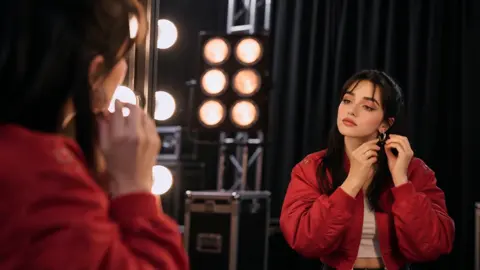
How Does a Gen AI Photo Generator Work?
Type a description of the photo you want, including the subject, setting, lighting, and style. Choose the available generation settings and click generate. The tool creates a photo-style image from your text, which you can review and download.
Gen AI Photo Generator — Create from Text
Scene Concept
Input
Describe the visual scene you want to create including subject, setting, and style
Expected output
A generated image matching your detailed scene description
Style Experiment
Input
Your concept with a specific art style such as watercolor, sketch, or 3D render
Expected output
An image applying the chosen artistic style to your concept
Variation
Input
Adjust your prompt with new details about color, composition, or mood
Expected output
A new variation of your image reflecting the updated description
Generate photo-style images from text descriptions
No Design Skills Needed
Describe what you want in plain text and get a visual result without any design software experience.
Quick Iteration
Refine your prompt and regenerate as many times as needed to explore different visual directions.
Customizable Output
Adjust generation settings to control style, composition, and other visual attributes.
How It Works
1
Describe the photo
Describe the desired image.
2
Choose settings
Choose the available generation settings.
3
Generate and review
Generate, review, and download a suitable result.
Tips for Better Results
Follow these guidelines to get the most out of the image generator.
Input Constraints
- Use clear, specific language in your description
- Include details about style, mood, and composition
- Avoid vague terms that leave too much interpretation
Practical Tips
- Start simple and add detail in later iterations
- Reference a well-known visual style for consistent results
- Review generated images and use them to refine your prompt
Privacy
- Do not upload personal or sensitive material unless you have permission to use it.
Usage Rights
- Confirm that you have the rights needed for the inputs and intended use of the result.
Prompt recipes
Copy a structure, then adjust the subject, lighting, camera, and output details for your own result.
Outdoor Portrait with Natural Light
A portrait of a person in a park at golden hour, soft sunlight through trees, shallow depth of field, natural candid expression
Describes subject, setting, lighting quality, depth of field, and mood for a natural portrait.
Urban Street Scene
A busy city street at night with neon signs reflected on wet pavement, taxis passing by, motion blur, cinematic feel
Combines setting, lighting, reflections, motion, and cinematic style for an urban photo.
Product Photography Setup
A smartphone on a white studio backdrop, side lighting to show screen and edges, minimal shadows, clean professional look
Specifies product, background, lighting direction, shadow control, and professional style.
Nature Landscape with Weather
A mountain valley under a stormy sky with dark clouds, rain falling in the distance, dramatic lighting, moody atmosphere
Describes landscape, weather conditions, lighting contrast, and emotional tone.
Indoor Lifestyle Scene
A cozy living room with a person reading on a sofa, window light from the left, warm tones, relaxed weekend morning vibe
Combines interior setting, human activity, lighting source, color palette, and lifestyle mood.
Best use cases
Match the workflow to the input you have and the result you need before opening the generator.
Blog or article illustration
Input: A scene description that matches the content theme with clear subject and lighting
Result: A custom photo-style image that supports the written content
Tool: Text to Image with detailed scene prompt
Social media content
Input: A visually appealing scene with strong composition and vibrant or moody colors
Result: A shareable image for Instagram, Pinterest, or Twitter
Tool: Text to Image with engaging visual description
Mockup or prototype visual
Input: A realistic scene or product setup with controlled lighting and composition
Result: A photo-style image for design mockups or client presentations
Tool: Text to Image with product or setting prompt
Creative project reference
Input: A detailed scene with specific style, mood, and atmospheric details
Result: A visual reference for further creative work or inspiration
Tool: Text to Image with layered descriptive prompt
Limitations to know before generating
- Generated images are AI interpretations of text prompts; they are not real photographs of real places or people.
- Fine details such as facial features, small text, or intricate patterns may not render accurately.
- Results depend heavily on prompt clarity; vague or abstract descriptions may produce unpredictable outputs.
- The tool cannot reproduce copyrighted subjects, real people, or specific real-world locations.
- Review generated images for quality and confirm that you have the rights needed for your intended use.
Creative Suite: AI Video Generator & AI Image Generator Tools
Power up your creative workflow with our AI-driven tools. Generate stunning videos, create images, and apply custom adjustments - our AI Video Generator and AI Image Generator offer a complete solution for all your creative needs.
Strictly Prohibits Adult/NSFW Content








Pricing
Choose the credit package that works best for you.
No hidden fees • Cancel anytime • Unused credits roll over
Starter
Perfect for trying out AI creation.
Credits
200 credits / month
- Up to 20 videos per month
- Up to 100 images per month
$6.99/ month$9.9930% OFF
Billed monthly
First-time subscribers get 30% off their first month, then standard price
What's included
- Credits never expire
- Standard models
- HD, Watermark-Free Downloads
- Private Generation
- Faster Generation Speed
- Ad-free experience
Basic
Perfect for light creators.
Credits
500 credits / month
- Up to 50 videos per month
- Up to 250 images per month
$13.99/ month$19.9930% OFF
Billed monthly
First-time subscribers get 30% off their first month, then standard price
What's included
- Credits never expire
- Standard models
- HD, Watermark-Free Downloads
- Private Generation
- Faster Generation Speed
- Ad-free experience
Pro
PopularBest value for creators
Credits
1,200 credits / month
- Up to 120 videos per month
- Up to 600 images per month
$39.99/ month
Billed monthly
What's included
- Credits never expire
- All models + Early access to new models
- HD, Watermark-Free Downloads
- Private Generation
- Faster Generation Speed
- Ultra HD resolution
- Ad-free experience
Ultra
For video creators and power users.
Credits
5,000 credits / month
- Up to 500 videos per month
- Up to 2,500 images per month
$99.99/ month
Billed monthly
What's included
- Credits never expire
- All models + Early access to new models
- HD, Watermark-Free Downloads
- Private Generation
- Faster Generation Speed
- Ultra HD resolution
- Ad-free experience
Free
Standard models only — upgrade to unlock premium models.
Credits
10 free credits on signup
Questions? Contact us at support@domer.io