
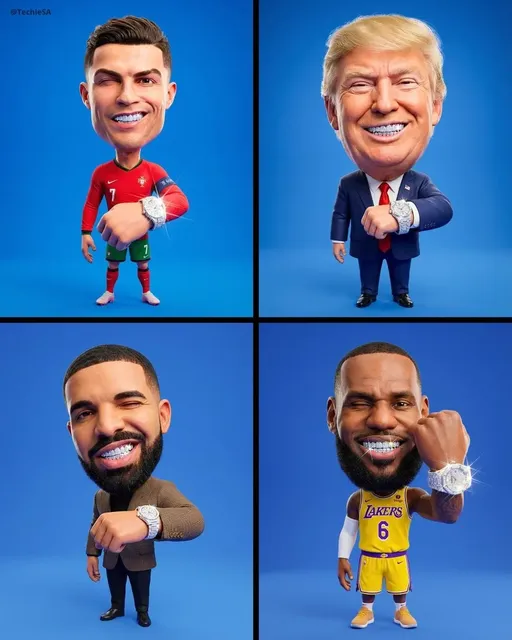
GPT 4.0 Image Generator
Generate images from text with this GPT 4.0 tool. Describe scenes, subjects, and styles, then review and download the result.
AI Image Generator
0/20000 characters
My images
Loading...

What is the GPT 4.0 image generator
A text-to-image generation tool that creates visuals from written descriptions. Type what you want to see, adjust available settings, and review the generated image. Use the output for creative projects, presentations, or visual drafts.
GPT 4.0 Image Generator
Create modern art pieces
Input
A detailed modern art piece in vivid colors with dramatic lighting
Expected output
A generated image showing the described modern art scene
Design product concepts
Input
Modern product concepts with clean lines and a professional look
Expected output
A generated visual of the product concept
Generate story illustrations
Input
Creative story illustration composition with unique styling
Expected output
A generated image presenting the story illustration idea visually
Turn text descriptions into generated images
Visual brainstorming
Use simple text descriptions to generate images without needing design software or photography skills.
Content creation
Experiment with different descriptions to explore a wide range of visual directions and find the look that fits your project.
Creative reference material
Produce visual content rapidly by describing what you need, making iteration faster than traditional creation methods.
How It Works
1
Describe your image
Describe the desired image.
2
Adjust settings
Choose the available generation settings.
3
Generate and download
Generate, review, and download a suitable result.
Tips for using the GPT 4.0 image generator
Getting the results you want starts with a clear description. These tips help you craft effective prompts.
Input Constraints
- Avoid describing real people, trademarks, or copyrighted characters.
- Focus on visual styles rather than specific brands or products.
- Keep descriptions appropriate for general audiences.
Practical Tips
- Be specific about style: realistic, cartoon, oil painting, etc.
- Describe lighting, colors, and composition.
- Mention mood or atmosphere you want to convey.
- Include details about foreground and background.
- Try shorter prompts first, then add details.
Privacy
- Do not upload personal or sensitive material unless you have permission to use it.
Usage Rights
- Confirm that you have the rights needed for the inputs and intended use of the result.
Prompt recipes
Copy a structure, then adjust the subject, lighting, camera, and output details for your own result.
Abstract geometric art
An abstract composition with overlapping geometric shapes in teal, coral, and gold, gradient fills, clean edges, balanced layout, minimalist poster design style
Names shapes, color palette, layout, and design style to produce a modern abstract visual suitable for digital use.
Nature macro photography
A close-up macro photograph of a dew-covered spider web at dawn, soft bokeh background in green and blue tones, natural morning light, high detail on the water droplets
Specifies subject, time of day, lighting, depth of field, and color tones to mimic nature photography aesthetics.
Retro travel poster
A vintage 1950s travel poster illustration of a coastal town with palm trees, bright blue sky, bold text reading 'Visit Paradise', flat colors, mid-century modern design style
Combines era-specific design cues, subject, color approach, and text element to create a recognizable retro style.
Minimalist product flat lay
A flat lay photograph of a leather notebook, fountain pen, and coffee cup on a white marble surface, soft natural window light from the top left, minimal shadows, clean composition
Details objects, surface, lighting direction, and composition approach to create a professional product photo style.
Sci-fi cityscape concept
A futuristic city skyline at dusk with towering glass skyscrapers, flying vehicles between buildings, neon advertisements, glowing windows, purple and blue twilight sky, digital concept art style
Establishes genre, architecture, traffic, lighting sources, color mood, and art medium to build a cohesive science fiction environment.
Best use cases
Match the workflow to the input you have and the result you need before opening the generator.
Blog post header images
Input: Thematic scene or abstract visual that matches article topic
Result: Engaging header image that sets the tone without overwhelming the text
Tool: Text to Image with horizontal aspect ratio
Pitch deck concept visuals
Input: Clean, professional scenes that illustrate product or service concepts
Result: Presentation-ready images that support narrative without distraction
Tool: Text to Image with business or product design keywords
Creative portfolio filler
Input: Stylized art in your preferred medium with unique composition
Result: Portfolio pieces that demonstrate style range and creative direction
Tool: Text to Image with specific art style and medium keywords
Social media story backgrounds
Input: Simple, colorful scenes or textures that leave room for text overlays
Result: Eye-catching story backgrounds that support messaging without competing
Tool: Text to Image with vertical aspect ratio and low visual noise
Limitations to know before generating
- Image quality and accuracy depend on how clearly you describe the subject and style
- Text within generated images may be illegible or nonsensical
- Complex scenes with many subjects or precise spatial relationships may not render as intended
- Generated images should be reviewed for quality and appropriateness before use
- Commercial use of generated images should be confirmed against rights and usage terms
Creative Suite: AI Video Generator & AI Image Generator Tools
Power up your creative workflow with our AI-driven tools. Generate stunning videos, create images, and apply custom adjustments - our AI Video Generator and AI Image Generator offer a complete solution for all your creative needs.
Strictly Prohibits Adult/NSFW Content








Pricing
Choose the credit package that works best for you.
No hidden fees • Cancel anytime • Unused credits roll over
Starter
Perfect for trying out AI creation.
Credits
200 credits / month
- Up to 20 videos per month
- Up to 100 images per month
$6.99/ month$9.9930% OFF
Billed monthly
First-time subscribers get 30% off their first month, then standard price
What's included
- Credits never expire
- Standard models
- HD, Watermark-Free Downloads
- Private Generation
- Faster Generation Speed
- Ad-free experience
Basic
Perfect for light creators.
Credits
500 credits / month
- Up to 50 videos per month
- Up to 250 images per month
$13.99/ month$19.9930% OFF
Billed monthly
First-time subscribers get 30% off their first month, then standard price
What's included
- Credits never expire
- Standard models
- HD, Watermark-Free Downloads
- Private Generation
- Faster Generation Speed
- Ad-free experience
Pro
PopularBest value for creators
Credits
1,200 credits / month
- Up to 120 videos per month
- Up to 600 images per month
$39.99/ month
Billed monthly
What's included
- Credits never expire
- All models + Early access to new models
- HD, Watermark-Free Downloads
- Private Generation
- Faster Generation Speed
- Ultra HD resolution
- Ad-free experience
Ultra
For video creators and power users.
Credits
5,000 credits / month
- Up to 500 videos per month
- Up to 2,500 images per month
$99.99/ month
Billed monthly
What's included
- Credits never expire
- All models + Early access to new models
- HD, Watermark-Free Downloads
- Private Generation
- Faster Generation Speed
- Ultra HD resolution
- Ad-free experience
Free
Standard models only — upgrade to unlock premium models.
Credits
10 free credits on signup
Questions? Contact us at support@domer.io
Start creating with the GPT 4.0 image generator
Open the text-to-image tool, describe what you want to create, and generate your first result in moments.