
Create
AI Portrait Video Generator – Character Clips from Text
Create character portrait video clips from text. Describe facial features, lighting, expression, and motion to generate short portrait videos.
AI Video Generator
0/20000 characters
Cost:10
My videos
Loading...
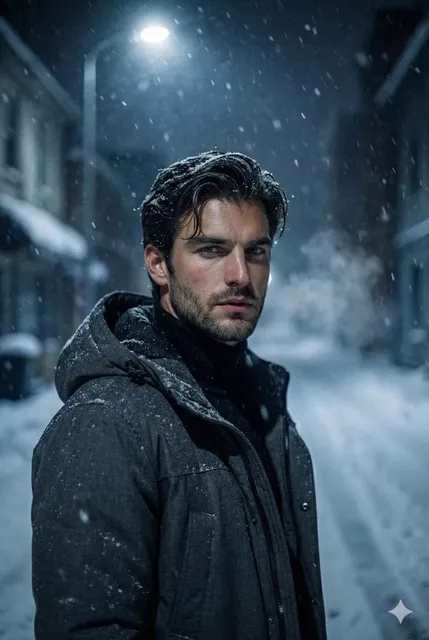
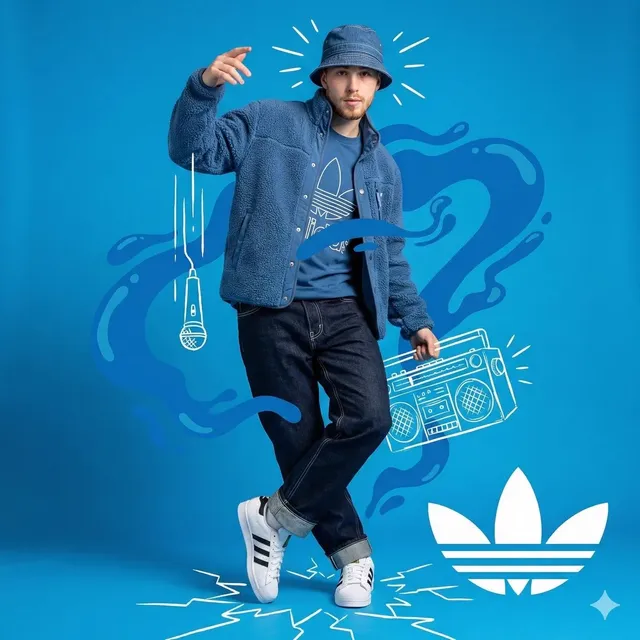
Bring character portraits to life from text
This tool generates moving portrait video clips from text descriptions. Describe the character's appearance, expression, lighting on the face, background, and any subtle motion. The tool interprets your prompt and produces a short portrait video.
AI Portrait Video Generator – Character Clips from Text
Thoughtful close-up
Input
A woman looks thoughtfully out a rain-streaked window, soft natural light on her face, a subtle smile, camera holds on her eyes, slow breathing motion.
Expected output
A close-up portrait clip with rain window background, soft lighting on the face, and subtle breathing motion.
Dramatic lighting portrait
Input
A man in a dark suit stands in a shaft of light, dust particles visible, slight head turn toward camera, moody shadows across his face.
Expected output
A dramatic portrait clip with chiaroscuro lighting, dust motes, and a slow head-turn toward the viewer.
Fantasy character
Input
An elven figure with glowing eyes stands in a misty forest, wind stirring their hair and cloak, camera slowly circles around them.
Expected output
A fantasy character portrait with glowing eyes, wind effects on hair and cloak, and orbiting camera motion.
Generate short video portrait or character-focused clips from text descriptions of face, lighting, expression, and motion.
Portrait motion from text
Create moving character portraits without a camera, lighting kit, or model release.
Explore character moods
Test different expressions, lighting setups, and angles by editing the prompt.
Concept art with motion
Add life to character concepts by describing subtle movement and ambient interaction.
How It Works
1
Describe the scene
Describe the desired scene and motion.
2
Adjust settings
Choose the available generation settings.
3
Review and download
Generate, review, and download a suitable result.
Tips for portrait clips
Facial detail and lighting direction matter for portrait results.
Input Constraints
- Avoid describing real identifiable people without permission.
- Keep the description focused on one character for best results.
- Review outputs before sharing, especially if depicting real settings.
Practical Tips
- Describe the lighting direction — "soft front light", "hard side light from the left".
- Include expression cues like "serious", "smiling gently", or "looking away".
- Mention camera distance — "close-up", "medium shot", "waist up".
- Add environmental context to set the mood — "warm room", "cold alley", "golden hour".
- Subtle motion like "breathing", "blinking", or "hair stirring" adds realism.
Privacy
- Do not upload personal or sensitive material unless you have permission to use it.
Usage Rights
- Confirm that you have the rights needed for the inputs and intended use of the result.
Prompt recipes
Copy a structure, then adjust the subject, lighting, camera, and output details for your own result.
Professional headshot with motion
A confident professional in business attire against a neutral gray background, soft butterfly lighting on face, slight smile, gentle head tilt, eye contact with camera, shallow depth of field
Delivers clean corporate headshot aesthetic with professional lighting and subtle motion for dynamic portfolio or about-page video.
Cinematic character intro
A rugged explorer wearing a leather jacket, dramatic side lighting from a campfire, smoke drifting past face, serious expression, slow camera push-in on eyes, dark forest background
Builds narrative tension with environmental lighting, atmospheric effects, and camera motion typical of character introductions in film.
Fashion portrait with wind
A model in high-fashion clothing standing outdoors, golden hour backlight creating rim lighting on hair, wind blowing hair and fabric, confident expression, camera orbits slowly from left
Combines natural light, environmental motion, and dynamic camera work for high-production fashion editorial look.
Fantasy character reveal
A sorceress with silver hair and glowing blue eyes emerging from dark mist, ethereal particles floating around her, mysterious expression, camera slow tilt up from chest to face, mystical background
Uses magical visual elements, atmospheric effects, and revealing camera motion to establish otherworldly character presence.
Emotional close-up
A person with tears on their cheeks, soft window light illuminating one side of face, looking down then slowly up toward camera, rain visible through window behind, intimate framing
Creates emotional connection through vulnerable expression, directional lighting, and environmental context for storytelling moment.
Best use cases
Match the workflow to the input you have and the result you need before opening the generator.
Character concept visualization
Input: Detailed character description with expression and unique features
Result: Animated character reference for creative development
Tool: Text to Video with appearance detail and subtle motion
Social media profile video
Input: Professional or personal portrait with eye contact and smile
Result: Short looping video for profile or header
Tool: Text to Video with direct address and friendly expression
Cinematic portrait shot
Input: Dramatic lighting setup with environmental context
Result: Film-quality portrait clip for creative project
Tool: Text to Video with lighting direction and camera motion
Marketing spokesperson clip
Input: Professional speaking directly to camera with brand setting
Result: Brief presenter or testimonial-style video
Tool: Text to Video with direct address and professional framing
Limitations to know before generating
- The tool generates video from text, not from uploaded photos of real people
- Results interpret your description and may not match exact facial features consistently
- Very specific character designs can be difficult to reproduce exactly across multiple generations
- Generated clips are short; extended portrait sequences require multiple generations
- You must not describe real identifiable people without permission and should review all outputs before sharing
Creative Suite: AI Video Generator & AI Image Generator Tools
Power up your creative workflow with our AI-driven tools. Generate stunning videos, create images, and apply custom adjustments - our AI Video Generator and AI Image Generator offer a complete solution for all your creative needs.
Strictly Prohibits Adult/NSFW Content








Pricing
Choose the credit package that works best for you.
No hidden fees • Cancel anytime • Unused credits roll over
Starter
Perfect for trying out AI creation.
Credits
200 credits / month
- Up to 20 videos per month
- Up to 100 images per month
$6.99/ month$9.9930% OFF
Billed monthly
First-time subscribers get 30% off their first month, then standard price
What's included
- Credits never expire
- Standard models
- HD, Watermark-Free Downloads
- Private Generation
- Faster Generation Speed
- Ad-free experience
Basic
Perfect for light creators.
Credits
500 credits / month
- Up to 50 videos per month
- Up to 250 images per month
$13.99/ month$19.9930% OFF
Billed monthly
First-time subscribers get 30% off their first month, then standard price
What's included
- Credits never expire
- Standard models
- HD, Watermark-Free Downloads
- Private Generation
- Faster Generation Speed
- Ad-free experience
Pro
PopularBest value for creators
Credits
1,200 credits / month
- Up to 120 videos per month
- Up to 600 images per month
$39.99/ month
Billed monthly
What's included
- Credits never expire
- All models + Early access to new models
- HD, Watermark-Free Downloads
- Private Generation
- Faster Generation Speed
- Ultra HD resolution
- Ad-free experience
Ultra
For video creators and power users.
Credits
5,000 credits / month
- Up to 500 videos per month
- Up to 2,500 images per month
$99.99/ month
Billed monthly
What's included
- Credits never expire
- All models + Early access to new models
- HD, Watermark-Free Downloads
- Private Generation
- Faster Generation Speed
- Ultra HD resolution
- Ad-free experience
Free
Standard models only — upgrade to unlock premium models.
Credits
10 free credits on signup
Questions? Contact us at support@domer.io
Start creating portrait clips
Describe a character portrait and turn it into a moving video clip using the text-to-video tool.