
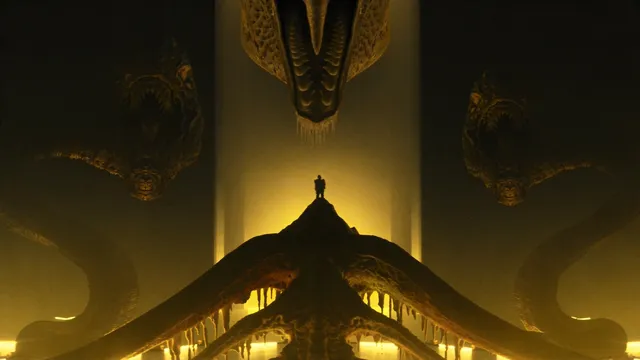
Zombie AI Video Generator — Horror-Themed Clips from Text
Use zombie ai video generator to create zombie and horror scene clips from text. Describe creatures, atmospheric settings, and eerie motion, then generate and.
Zombie Love Story
Zombie Love Story
Choose a clear JPG, PNG or WebP portrait for each adult. The first person stays human; the second becomes the infected partner.
Survivor
Upload Imageor select from
Infected partner
Upload Imageor select from
Supports PNG, JPG, WebP. Max 10MB.
Current settings: 230 credits. Review the cost before generating.
Cost:230
My videos
Loading...
See your zombie love story
Two portraits become a reunion, an embrace and a memory of happier days.
 Survivor
 Infected partner
Zombie story
Seedance 2.0 · 15 s · 480p · 16:9
A familiar face
A survivor recognizes their infected partner, chooses an embrace and remembers their life together.
Try these photos Survivor
 Infected partner
Zombie story
Seedance 2.0 · 15 s · 480p · 16:9
Roles reversed
The same two adults switch story roles for another reunion and a warm memory.
Try these photos Survivor
 Infected partner
Zombie story
Seedance 2.0 · 15 s · 720p · 9:16
A vertical reunion
A vertical 720p story follows the two partners from a cold reunion to a sunlit memory.
Try these photosSelecting a sample fills both roles and its output settings. Generation starts only when you click the generate button.


What is a zombie AI video generator?
A zombie AI video generator creates horror-themed video clips from text descriptions. You describe undead creatures, dark environments, fog, lighting, and creature motion, choose generation settings, then generate and review horror scene outputs.
Zombie AI Video Generator — Horror-Themed Clips from Text
Zombie in abandoned city
Input
A decaying zombie with torn clothes shambling down an empty city street, broken storefronts, fog rolling in at twilight.
Expected output
A horror clip showing a zombie in a desolate urban setting.
Zombie horde emergence
Input
Thick fog in a dark forest, shadowy figures emerging between the trees, multiple zombies walking slowly forward with arms raised.
Expected output
A horror clip with a group of zombies emerging from fog.
Zombie close-up turn
Input
A close-up of a zombie's face, skin pale and cracked, eyes vacant, head slowly turning with jerky motion toward the camera.
Expected output
A horror close-up clip of a zombie turning its head.
Generate zombie and horror-themed video clips from text descriptions
Describe horror themes through text
Create undead and dark atmosphere concepts from descriptive prompts.
Generate concept art for projects
Create horror visual references for games, films, or stories.
Visualize monster movement
Describe creature motion and behavior without visual effects tools.
How It Works
1
Describe the scene
Describe the desired scene and motion.
2
Choose settings
Choose the available generation settings.
3
Generate and review
Generate, review, and download a suitable result.
Tips for horror-themed prompts
Focus on atmosphere, creature details, and lighting.
Input Constraints
- Avoid excessively graphic or gore-focused descriptions
- Do not claim the tool generates specific horror franchise or film styles
Practical Tips
- Describe atmospheric elements like fog, darkness, and weather
- Detail creature appearance and movement style
- Include setting context for the horror scene
Privacy
- Do not upload personal or sensitive material unless you have permission to use it.
Usage Rights
- Confirm that you have the rights needed for the inputs and intended use of the result.
Prompt recipes
Copy a structure, then adjust the subject, lighting, camera, and output details for your own result.
Graveyard at midnight
A foggy graveyard at midnight with crooked headstones, dead trees silhouetted against a full moon, a zombie slowly crawling out of an open grave, eerie blue moonlight
Combines classic horror setting with atmospheric lighting and creature emergence, producing iconic horror visuals.
Hospital corridor encounter
A dark abandoned hospital corridor with flickering fluorescent lights, a zombie in a torn hospital gown staggering toward the camera, broken wheelchairs scattered, oppressive silence
Uses claustrophobic interior setting with unsettling lighting and direct approach motion, creating tense horror clips.
Foggy forest horde
A dense forest shrouded in thick fog, multiple shadowy zombie figures emerging slowly from between the trees, arms outstretched, no visible sky, muted gray tones
Depicts group threat with obscured visibility and slow menacing motion, ideal for survival horror atmosphere.
Urban decay closeup
A tight shot of a zombie's decayed hand reaching toward the camera, cracked gray skin, dirt under broken fingernails, dark background, slow jerky motion
Focuses on unsettling detail and direct threat, producing impactful horror jump-cut material.
Suburban house shamble
A suburban street at dusk with a zombie shambling down the sidewalk past overgrown lawns and broken windows, orange sunset fading to dark blue, ominous stillness
Contrasts familiar suburban setting with horror elements, creating unsettling everyday-turned-nightmare visuals.
Best use cases
Match the workflow to the input you have and the result you need before opening the generator.
Horror game concept art
Input: Zombie creature and environment descriptions with lighting mood
Result: Visual references for enemy design and level atmosphere
Tool: Text-to-video with creature detail and setting prompts
Short horror film storyboarding
Input: Scene-by-scene descriptions of zombie encounters and settings
Result: Motion previews for planning shots and pacing
Tool: Text-to-video with scene and camera motion descriptions
Horror social media content
Input: Short, striking zombie scenes with atmospheric lighting
Result: Eye-catching horror clips for TikTok, Instagram, or YouTube shorts
Tool: Text-to-video with concise horror atmosphere prompts
Limitations to know before generating
- The tool interprets horror prompts visually but may not always match specific horror aesthetics or franchise styles
- Excessively graphic or gory descriptions may be moderated or produce unexpected results
- Creature anatomy, motion realism, and physics may vary in quality
- The tool does not generate audio, sound effects, or music for horror atmosphere
- Review each clip for intended horror effect and visual coherence before use
Creative Suite: AI Video Generator & AI Image Generator Tools
Power up your creative workflow with our AI-driven tools. Generate stunning videos, create images, and apply custom adjustments - our AI Video Generator and AI Image Generator offer a complete solution for all your creative needs.
Strictly Prohibits Adult/NSFW Content








Pricing
Choose the credit package that works best for you.
No hidden fees • Cancel anytime • Unused credits roll over
Starter
Perfect for trying out AI creation.
Credits
200 credits / month
- Up to 20 videos per month
- Up to 100 images per month
$6.99/ month$9.9930% OFF
Billed monthly
First-time subscribers get 30% off their first month, then standard price
What's included
- Credits never expire
- Standard models
- HD, Watermark-Free Downloads
- Private Generation
- Faster Generation Speed
- Ad-free experience
Basic
Perfect for light creators.
Credits
500 credits / month
- Up to 50 videos per month
- Up to 250 images per month
$13.99/ month$19.9930% OFF
Billed monthly
First-time subscribers get 30% off their first month, then standard price
What's included
- Credits never expire
- Standard models
- HD, Watermark-Free Downloads
- Private Generation
- Faster Generation Speed
- Ad-free experience
Pro
PopularBest value for creators
Credits
1,200 credits / month
- Up to 120 videos per month
- Up to 600 images per month
$39.99/ month
Billed monthly
What's included
- Credits never expire
- All models + Early access to new models
- HD, Watermark-Free Downloads
- Private Generation
- Faster Generation Speed
- Ultra HD resolution
- Ad-free experience
Ultra
For video creators and power users.
Credits
5,000 credits / month
- Up to 500 videos per month
- Up to 2,500 images per month
$99.99/ month
Billed monthly
What's included
- Credits never expire
- All models + Early access to new models
- HD, Watermark-Free Downloads
- Private Generation
- Faster Generation Speed
- Ultra HD resolution
- Ad-free experience
Free
Standard models only — upgrade to unlock premium models.
Credits
10 free credits on signup
Questions? Contact us at support@domer.io
Create your horror scene clip
Open the text-to-video tool, describe your horror scene, and generate a clip.