

AI photo editor explicit instruction guide
Use ai photo editor explicit to upload a photo and write explicit, detailed instructions for the edits you want. Direct lighting, background, effects, and.
AI Image Generator
0/20000 characters
0 / 16
or select from
or select from(Optional)
or select from(Optional)
or select from(Optional)
or select from(Optional)
or select from(Optional)
or select from(Optional)
or select from(Optional)
or select from(Optional)
Supports PNG, JPG, WebP
My images
Loading...
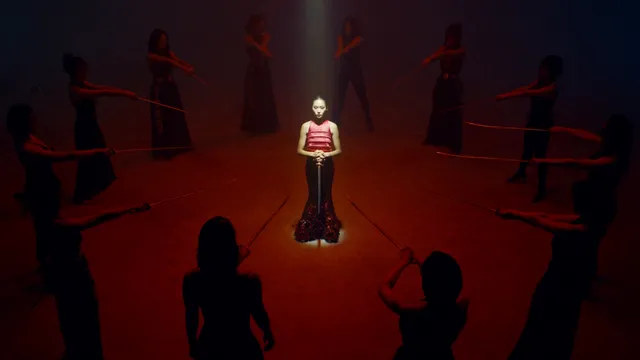
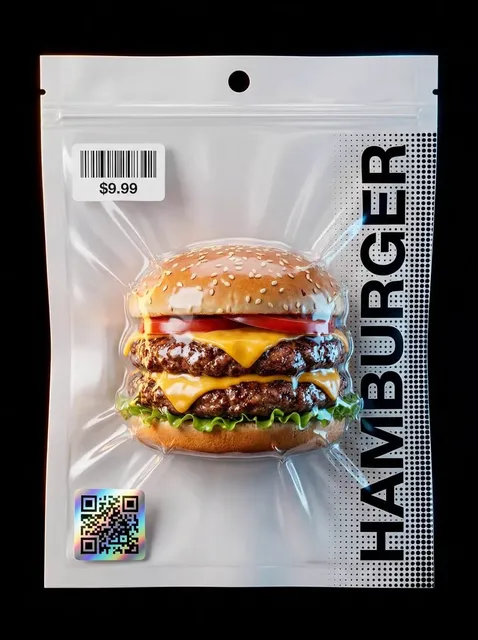
What is an AI photo editor for explicit instructions?
An AI photo editor for explicit instructions lets you upload a photo and write detailed, specific directions for the edits you want. You control lighting changes, background replacement, visual effects, and composition adjustments by describing each element precisely. The tool generates the edited version based on your explicit instructions.
AI photo editor explicit instruction guide
Day to night scene transformation
Input
Upload a daytime street photo, then write: Change the time to night, darken the sky to deep blue, add warm yellow light from windows, and place street lamps with soft glow.
Expected output
A nighttime version of the street with a dark blue sky, lit windows casting warm yellow light, and street lamps adding soft ambient glow.
Rainy city backdrop
Input
Upload a portrait photo, then write: Replace the background with a rainy city street, add wet pavement reflections, include blurred car lights in the distance, and keep the subject lit from the front.
Expected output
The same portrait placed in a rainy city street setting with wet pavement, blurred car lights, and front lighting on the subject.
Soft studio product look
Input
Upload a product photo, then write: Place the object on a light gray seamless backdrop, add soft diffused lighting from the top left, remove all shadows, and center the product in the frame.
Expected output
A studio-style product photo with a light gray backdrop, soft top-left lighting, no shadows, and the product centered.
Apply detailed, explicit image-editing instructions to transform a source photo with precise control over lighting, background, and visual effects.
Start with your own photo
Use an existing photo as the foundation and apply explicit instructions to direct each visual change.
Control every detail
Write specific directions for lighting, background, effects, and composition. The more explicit your instructions, the closer the result matches your intent.
Review before using
Check whether the edited version matches your explicit instructions before downloading or sharing it.
How It Works
1
Upload the photo you want to edit
Start with an image you have the right to edit.
2
Write explicit, detailed editing instructions
Keep the requested edits specific so the intended profile look is clear.
3
Generate, compare, and review
Review the output for likeness, accuracy, and the final profile crop before using it.
Writing explicit instructions for clear results
Clear, detailed instructions with specific visual elements make it easier to judge the edited result.
Input Constraints
- Only upload images you have permission to edit and use.
- Keep instructions focused on visual elements you can describe explicitly, such as lighting direction, background details, and color changes.
- Review the final image for accuracy and suitability before sharing it.
Practical Tips
- Break down complex edits into separate instructions: lighting, background, effects, and composition.
- Use explicit visual language: dark blue sky, warm yellow light, soft diffused glow, wet pavement reflections.
- Compare the result with the original photo to confirm each instruction was applied correctly.
Privacy
- Do not upload personal or sensitive material unless you have permission to use it.
Usage Rights
- Confirm that you have the rights needed for the inputs and intended use of the result.
Prompt recipes
Copy a structure, then adjust the subject, lighting, camera, and output details for your own result.
Night scene transformation
Change the time to night, darken the sky to deep blue, add warm yellow light from windows, place street lamps with soft glow, and add subtle fog near the ground.
Breaks down the night scene into explicit lighting and atmospheric elements, making each change verifiable.
Studio product lighting
Place the product on a white seamless backdrop, add soft diffused lighting from above, remove all shadows, center the product, and increase brightness by 20%.
Provides explicit studio setup instructions with measurable changes, useful for e-commerce product photos.
Dramatic portrait relight
Keep the subject in the same pose, add strong side lighting from the left, darken the background to black, and add a subtle rim light from behind.
Directs each lighting element explicitly, making it easy to judge whether the dramatic look was achieved.
Weather effect addition
Add rain falling in the foreground, create wet pavement reflections, add overcast gray sky, and keep the subject dry with an implied umbrella shadow.
Describes each weather effect explicitly while preserving the subject, useful for adding environmental context.
Background replacement with depth
Replace the background with a blurred cityscape, add warm sunset tones, keep the subject in focus, and add slight atmospheric haze between subject and background.
Combines background replacement with depth cues and atmospheric effects, creating a cohesive edited scene.
Best use cases
Match the workflow to the input you have and the result you need before opening the generator.
Time-of-day transformation
Input: Outdoor or street photo with clear sky and buildings
Result: Nighttime version with explicit lighting and atmospheric changes
Tool: Image to Image with detailed night scene instructions
Studio product setup
Input: Product photo with simple background
Result: Clean studio photo with explicit backdrop and lighting
Tool: Image to Image with studio lighting prompt
Dramatic portrait relight
Input: Portrait photo with visible face and upper body
Result: Portrait with explicit side lighting and background changes
Tool: Image to Image with lighting direction prompt
Weather effect addition
Input: Outdoor photo with clear foreground and background
Result: Photo with explicit rain, fog, or snow effects
Tool: Image to Image with weather effect instructions
Limitations to know before generating
- The edited result is an AI-generated interpretation of your explicit instructions. Complex or conflicting instructions may not render accurately.
- Lighting and atmospheric effects are approximations. The result may not match real-world physics or photography exactly.
- The tool does not measure or guarantee numerical changes like brightness percentages or exact color values. Review the result visually.
- If the source photo has poor resolution or unclear details, explicit instructions may produce inconsistent or unrealistic results.
Creative Suite: AI Video Generator & AI Image Generator Tools
Power up your creative workflow with our AI-driven tools. Generate stunning videos, create images, and apply custom adjustments - our AI Video Generator and AI Image Generator offer a complete solution for all your creative needs.
Strictly Prohibits Adult/NSFW Content








Pricing
Choose the credit package that works best for you.
No hidden fees • Cancel anytime • Unused credits roll over
Starter
Perfect for trying out AI creation.
Credits
200 credits / month
- Up to 20 videos per month
- Up to 100 images per month
$6.99/ month$9.9930% OFF
Billed monthly
First-time subscribers get 30% off their first month, then standard price
What's included
- Credits never expire
- Standard models
- HD, Watermark-Free Downloads
- Private Generation
- Faster Generation Speed
- Ad-free experience
Basic
Perfect for light creators.
Credits
500 credits / month
- Up to 50 videos per month
- Up to 250 images per month
$13.99/ month$19.9930% OFF
Billed monthly
First-time subscribers get 30% off their first month, then standard price
What's included
- Credits never expire
- Standard models
- HD, Watermark-Free Downloads
- Private Generation
- Faster Generation Speed
- Ad-free experience
Pro
PopularBest value for creators
Credits
1,200 credits / month
- Up to 120 videos per month
- Up to 600 images per month
$39.99/ month
Billed monthly
What's included
- Credits never expire
- All models + Early access to new models
- HD, Watermark-Free Downloads
- Private Generation
- Faster Generation Speed
- Ultra HD resolution
- Ad-free experience
Ultra
For video creators and power users.
Credits
5,000 credits / month
- Up to 500 videos per month
- Up to 2,500 images per month
$99.99/ month
Billed monthly
What's included
- Credits never expire
- All models + Early access to new models
- HD, Watermark-Free Downloads
- Private Generation
- Faster Generation Speed
- Ultra HD resolution
- Ad-free experience
Free
Standard models only — upgrade to unlock premium models.
Credits
10 free credits on signup
Questions? Contact us at support@domer.io
Edit your photo with explicit instructions
Open Image to Image, upload a photo you can edit, write detailed instructions, and review the result before you decide to use it.