
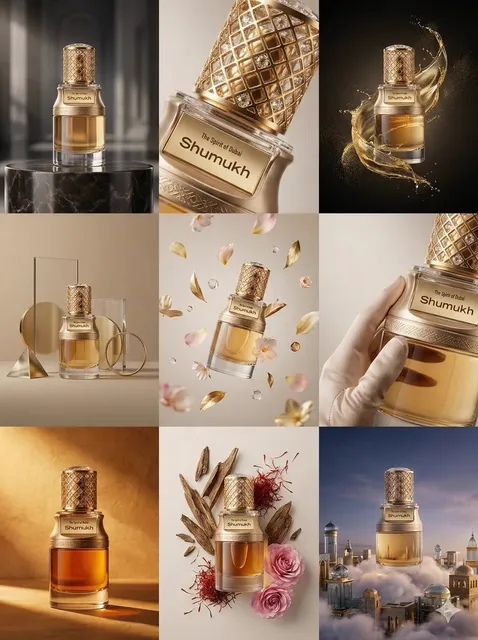
Accurate AI Art Generator
Use accurate ai art generator to generate images that closely match your detailed descriptions. Use specific prompts to create visuals that align with your.
AI Image Generator
0/20000 characters
My images
Loading...
What makes an AI art generator accurate?
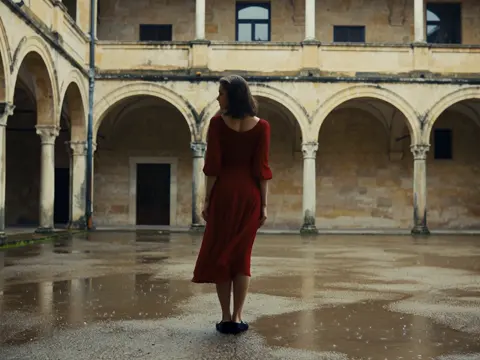
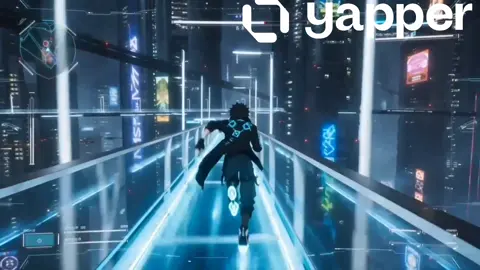
An accurate AI art generator produces images that closely follow the specific details in your text prompt. Precision comes from using concrete language, clear composition cues, and style keywords, then reviewing results to refine prompts for better alignment.
Accurate AI Art Generator
Precise colour and shape
Input
A red ceramic teapot on a wooden table, bright natural light from the left, realistic style
Expected output
A realistic scene showing a red ceramic teapot on a wood surface with directional light coming from the left side
Specific composition
Input
A black cat sitting on a windowsill at night with a full moon visible through the glass, digital painting
Expected output
A digital painting of a black cat silhouetted on a windowsill against a night sky with a visible full moon
Detailed character description
Input
A female knight in silver armour with a blue cape, holding a sword, standing in a snowy forest
Expected output
A full-body image of an armoured knight with a blue cape and sword in a snow-covered forest setting
Create images that closely follow specific visual details described in a text prompt
Matches your brief
Detailed prompts produce images that align more closely with what you envisioned.
Reduces iterations
With precise descriptions, you get closer to the intended result on the first try.
Useful for production references
Generate images that reliably include the specific elements you need for a project.
How It Works
1
Describe the desired image
Describe the desired image.
2
Choose the available generation settings
Choose the available generation settings.
3
Generate, review, and download a suitable result
Generate, review, and download a suitable result.
Writing accurate prompts
Include subject, setting, colour, and style for better precision.
Input Constraints
- Very abstract prompts produce less predictable results.
- Results may still vary — no prompt guarantees an exact match.
- Review outputs and refine prompts for better alignment.
Practical Tips
- Start with the subject, then add location, lighting, and colours.
- Use concrete terms instead of vague ones — red instead of warm, exactly three instead of a few.
- Include a style keyword (realistic, cartoon, oil painting) to narrow the visual approach.
Privacy
- Do not upload personal or sensitive material unless you have permission to use it.
Usage Rights
- Confirm that you have the rights needed for the inputs and intended use of the result.
Prompt recipes
Copy a structure, then adjust the subject, lighting, camera, and output details for your own result.
Precise object arrangement
Three glass bottles in a row on a white marble counter, leftmost bottle is amber, middle is clear, rightmost is frosted green, soft window light from the right side, minimalist kitchen background
Specifies exact count, order, colors, surface material, and directional lighting to reduce ambiguity and improve prompt adherence.
Controlled character pose
A young woman in a red coat standing with arms crossed, facing camera, neutral expression, grey studio background, waist-up framing, even studio lighting
Defines clothing color, pose, camera angle, framing, and lighting setup for a predictable portrait result.
Architectural detail
A Victorian brick townhouse with white trim, black front door centered, two symmetrical windows on second floor, ivy growing on left side, overcast daylight, street view
Uses architectural vocabulary and symmetry cues to guide accurate building structure and detail placement.
Nature scene with composition
A single oak tree in the center of a grassy meadow, tree trunk slightly left of frame, rolling hills in background, golden hour light from behind the tree creating long shadows forward, warm tones
Specifies focal point placement, background elements, light direction, and color palette for compositional control.
Product with material detail
A leather wallet lying open on dark wood surface, wallet interior showing card slots and tan suede lining, brass snap closure visible, soft overhead light casting minimal shadow, close-up view
Describes materials, construction details, lighting, and framing to create a product image with accurate texture and detail.
Best use cases
Match the workflow to the input you have and the result you need before opening the generator.
Reference images for illustration work
Input: Detailed description of object, pose, or scene layout with specific proportions and angles
Result: Visual reference matching your described composition
Tool: Text to Image
Product mockups
Input: Concrete product description with materials, colors, lighting setup, and background
Result: Product visualization close to described specifications
Tool: Text to Image
Storyboard frames
Input: Scene description with character positions, camera angle, and environmental context
Result: Frame matching described blocking and composition
Tool: Text to Image
Educational diagrams
Input: Clear subject with viewpoint specified (side view, cross-section, top-down)
Result: Diagram-style image showing requested perspective
Tool: Text to Image
Limitations to know before generating
- Prompt adherence varies across subjects — simple compositions are easier to control than complex multi-element scenes
- Abstract or artistic prompts produce less predictable results than concrete descriptive prompts
- Small details like text, brand marks, or intricate patterns may not render accurately
- Even precise prompts may require iteration to achieve the exact result you need
- Tool cannot replicate copyrighted characters, logos, or branded elements exactly
Creative Suite: AI Video Generator & AI Image Generator Tools
Power up your creative workflow with our AI-driven tools. Generate stunning videos, create images, and apply custom adjustments - our AI Video Generator and AI Image Generator offer a complete solution for all your creative needs.
Strictly Prohibits Adult/NSFW Content








Pricing
Choose the credit package that works best for you.
No hidden fees • Cancel anytime • Unused credits roll over
Starter
Perfect for trying out AI creation.
Credits
200 credits / month
- Up to 20 videos per month
- Up to 100 images per month
$6.99/ month$9.9930% OFF
Billed monthly
First-time subscribers get 30% off their first month, then standard price
What's included
- Credits never expire
- Standard models
- HD, Watermark-Free Downloads
- Private Generation
- Faster Generation Speed
- Ad-free experience
Basic
Perfect for light creators.
Credits
500 credits / month
- Up to 50 videos per month
- Up to 250 images per month
$13.99/ month$19.9930% OFF
Billed monthly
First-time subscribers get 30% off their first month, then standard price
What's included
- Credits never expire
- Standard models
- HD, Watermark-Free Downloads
- Private Generation
- Faster Generation Speed
- Ad-free experience
Pro
PopularBest value for creators
Credits
1,200 credits / month
- Up to 120 videos per month
- Up to 600 images per month
$39.99/ month
Billed monthly
What's included
- Credits never expire
- All models + Early access to new models
- HD, Watermark-Free Downloads
- Private Generation
- Faster Generation Speed
- Ultra HD resolution
- Ad-free experience
Ultra
For video creators and power users.
Credits
5,000 credits / month
- Up to 500 videos per month
- Up to 2,500 images per month
$99.99/ month
Billed monthly
What's included
- Credits never expire
- All models + Early access to new models
- HD, Watermark-Free Downloads
- Private Generation
- Faster Generation Speed
- Ultra HD resolution
- Ad-free experience
Free
Standard models only — upgrade to unlock premium models.
Credits
10 free credits on signup
Questions? Contact us at support@domer.io
Generate accurate AI art
Describe exactly what you want and see how closely the result matches your vision.