
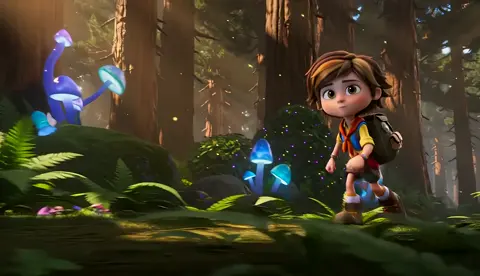
AI Art Generator From Photos You Describe
Turn favorite pictures into new artwork by describing them: this AI art generator from photos builds a fresh image from your words, not a copy of the file.
AI Image Generator
0/20000 characters
My images
Loading...
How do you use an AI art generator from photos?
This page works text-first. Instead of uploading the picture, you translate it into a written description: what the subject is, where it sits, how the light falls, and which art style you want, then the route generates a new image from those words. That makes it a good fit when you want art inspired by a photo, a travel poster from a holiday shot, a storybook version of a pet, or a watercolor keepsake of a family home, rather than a pixel-for-pixel copy. Describing the photo also forces useful choices: the two or three details that must survive, and the style that gives the piece its character.
AI Art Generator From Photos You Describe
Holiday photo into a travel poster
Input
From a beach holiday photo: a lone figure on a wide sandy beach at sunset, warm orange sky, screen-print travel poster style with simplified shapes.
Expected output
A flat-color poster version of the scene, with the figure and horizon reduced to clean shapes and a warm, limited palette.
Pet photo into a storybook illustration
Input
From a photo of a gray cat asleep on a bookshelf: a gray cat curled asleep among stacked books, cozy storybook illustration, soft pastel palette, gentle window light.
Expected output
A tender illustration that keeps the cat's curled pose and shelf setting while adding a warm, hand-drawn mood.
Family home into a watercolor keepsake
Input
From a photo of a farmhouse: a white farmhouse with a porch swing and an old oak tree, loose watercolor washes, quiet morning light.
Expected output
A watercolor-style print with soft edges and pale washes that echoes the original composition well enough to feel like the same place.
Turn a picture you treasure into new artwork by writing down what it shows, subject, setting, light, and style, and generating a fresh image from that description.
Keep the memory, change the medium
The scene survives the translation, but the style is yours to choose: the same beach can become a poster, a painting, or a minimal print.
The description is the control panel
Writing the photo down forces you to name the subject, setting, and mood, which means every later edit is a word swap instead of a reshoot.
Printed photos work too
Because the input is a description, old prints that exist only on paper are as usable as digital files, as long as you can look at them and write.
How It Works
1
Describe the image you want
Describe the desired image.
2
Choose the generation settings
Choose the available generation settings.
3
Generate, review, and download
Generate, review, and download a suitable result.
Translating a photo into a prompt that works
A photo holds dozens of details; a good prompt keeps three or four of them and lets the rest go.
Input Constraints
- Describe photos you own or have permission to use, and skip photos of identifiable people who have not agreed to be depicted.
- This route generates from a written prompt, so it cannot copy exact faces, lettering, or fine detail from the original picture.
- Expect interpretation rather than duplication; the result is a new image in the spirit of the photo.
- Keep one scene per prompt so the generation has a single composition to hold on to.
Practical Tips
- Open with subject plus setting, then add light and finally style, for example 'a lighthouse on a cliff, blue-hour light, gouache illustration'.
- Borrow composition words from the photo itself: close-up, wide view, from above, slightly to the left.
- List the two or three details that must survive, like the porch swing or the red collar, and let small objects go.
- If the result drifts from the photo's mood, shorten the prompt and re-emphasize the light; light carries most of the mood.
Privacy
- Do not upload personal or sensitive material unless you have permission to use it.
Usage Rights
- Confirm that you have the rights needed for the inputs and intended use of the result.
Prompt recipes
Copy a structure, then adjust the subject, lighting, camera, and output details for your own result.
Photo-to-poster translation
Translate this scene from a photo into a poster: [subject] in [setting], reduced to simple shapes, three to four flat colors, bold horizon line, screen-print texture; use it as a framed print that recalls the trip without copying the snapshot.
Naming the reduction rules, flat colors and simple shapes, steers the result away from photographic detail toward a deliberate poster look.
Pet portrait in a named art style
A [animal] in this pose: [sleeping, sitting, playing] on [surface], [two must-keep details such as a red collar], warm storybook illustration with visible brush lines, soft pastel palette; use it as a printable portrait for the family wall.
Carrying the pose and two concrete details across the translation keeps the pet recognizable while the named style controls everything else.
Childhood home keepsake
A keepsake of a family place: [building type] with [signature feature such as a porch or oak tree], loose watercolor washes, pale morning light, white paper margins; intended as a gift print that captures the feeling of the place.
Watercolor wording forgives inexact architecture, so the piece reads as a memory rather than a floor plan.
Product mood-board riff
An abstract background riffing on a product photo: take the palette of [two to three colors] from the shot, add [one texture such as brushed metal or linen weave], flowing shapes, no objects, generous empty space on the left; use it behind copy on a landing page.
Reducing the photo to palette plus one texture gives a usable design asset while staying clearly inspired by, not copied from, the original.
Scrapbook page background
A decorative background for a scrapbook spread: the season and place of a favorite photo, [season] tones, scattered [motifs such as leaves or shells], soft watercolor edges fading to cream at the borders; sized to sit behind cropped pictures and journaling cards.
Fading the artwork toward the borders keeps the page usable under photos and text, which a full-strength background would fight.
Best use cases
Match the workflow to the input you have and the result you need before opening the generator.
A travel poster from a holiday photo
Input: One landscape or street photo plus a short list of its subject, horizon, and palette
Result: A flat-color poster-style print that recalls the trip, ready to frame after review
Tool: Text to Image
A storybook pet portrait
Input: A clear photo of the pet plus its pose and two must-keep details
Result: A warm illustrated portrait that keeps the animal recognizable in a chosen art style
Tool: Text to Image
A keepsake print of a family home
Input: A photo of the building plus its signature features and the light you remember
Result: A soft watercolor-style print of the place, personal enough to give as a gift
Tool: Text to Image
Limitations to know before generating
- The route reads words, not files, so the original photo never enters the tool; everything depends on how well you describe it.
- Exact likeness is out of reach: faces, lettering, and fine patterns will be re-imagined rather than reproduced.
- Photos of identifiable people deserve caution, and describing someone who has not agreed to be depicted is not appropriate.
- Each result is an interpretation, so plan on a few generations and pick the one that best carries the memory.
- For commercial uses, confirm you have the rights to the underlying scene elements and the intended use of the artwork.
Creative Suite: AI Video Generator & AI Image Generator Tools
Power up your creative workflow with our AI-driven tools. Generate stunning videos, create images, and apply custom adjustments - our AI Video Generator and AI Image Generator offer a complete solution for all your creative needs.
Strictly Prohibits Adult/NSFW Content








Pricing
Choose the credit package that works best for you.
No hidden fees • Cancel anytime • Unused credits roll over
Starter
Perfect for trying out AI creation.
Credits
200 credits / month
- Up to 20 videos per month
- Up to 100 images per month
$6.99/ month$9.9930% OFF
Billed monthly
First-time subscribers get 30% off their first month, then standard price
What's included
- Credits never expire
- Standard models
- HD, Watermark-Free Downloads
- Private Generation
- Faster Generation Speed
- Ad-free experience
Basic
Perfect for light creators.
Credits
500 credits / month
- Up to 50 videos per month
- Up to 250 images per month
$13.99/ month$19.9930% OFF
Billed monthly
First-time subscribers get 30% off their first month, then standard price
What's included
- Credits never expire
- Standard models
- HD, Watermark-Free Downloads
- Private Generation
- Faster Generation Speed
- Ad-free experience
Pro
PopularBest value for creators
Credits
1,200 credits / month
- Up to 120 videos per month
- Up to 600 images per month
$39.99/ month
Billed monthly
What's included
- Credits never expire
- All models + Early access to new models
- HD, Watermark-Free Downloads
- Private Generation
- Faster Generation Speed
- Ultra HD resolution
- Ad-free experience
Ultra
For video creators and power users.
Credits
5,000 credits / month
- Up to 500 videos per month
- Up to 2,500 images per month
$99.99/ month
Billed monthly
What's included
- Credits never expire
- All models + Early access to new models
- HD, Watermark-Free Downloads
- Private Generation
- Faster Generation Speed
- Ultra HD resolution
- Ad-free experience
Free
Standard models only — upgrade to unlock premium models.
Credits
10 free credits on signup
Questions? Contact us at support@domer.io
One photo, one paragraph, one work of art
Open the tool, describe your photo from subject to style, and review the first interpretation it gives back.