
Create
AI Art Generator Last Selfie
Turn self-portrait concepts into stylized art. Describe the person, expression, and style, choose settings, and generate the image.
AI Image Generator
0/20000 characters
My images
Loading...
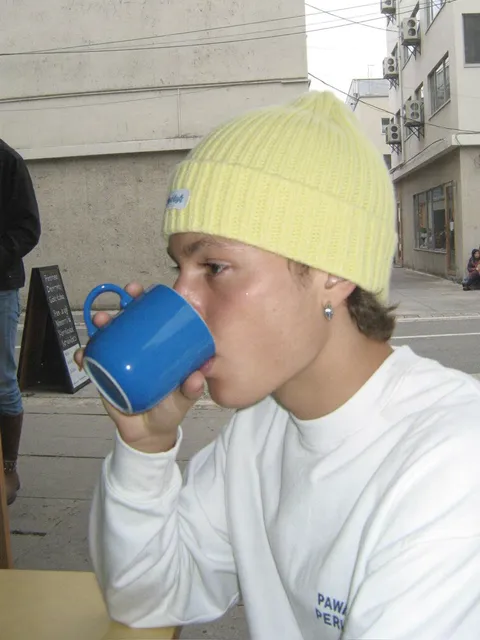
How do I create a self-portrait with AI art?
Describe the person, expression, lighting, and style in your prompt. For example: 'A person in their 30s with contemplative expression, dramatic side lighting, dark background, cinematic color grading.' You don't upload a photo; the tool generates from your description.
AI Art Generator Last Selfie
Dramatic Studio Portrait
Input
A person in their 30s with a contemplative expression, dramatic side lighting, dark background, cinematic color grading, medium close-up
Expected output
A moody portrait with deep shadows on one side of the face and warm highlights on the other, film-like color tones
Stylized Self-Sketch
Input
Black and white charcoal sketch of a person's face, loose expressive strokes, unfinished edges, portrait orientation
Expected output
A hand-drawn style portrait with visible charcoal texture, broad shading strokes, and white negative space
Painterly Memory Scene
Input
A person standing at an open window looking out at a sunset field, soft golden light, oil painting texture, impressionist style
Expected output
A warm-toned painting with visible brushstrokes, backlit subject, and glowing outdoor scenery beyond the window frame
Describe AI-generated artwork inspired by the concept of a final or memorable self-portrait.
Reimagine yourself in any style
Describe the portrait you want in words and see it rendered as a painting, sketch, or photograph.
Capture a meaningful moment
Create a visual based on how you felt in a particular moment without needing a real photo.
Explore different artistic looks
Try the same portrait concept in oil painting, pencil sketch, watercolor, or cinematic photography.
How It Works
1
Describe the desired image.
Describe the desired image.
2
Choose the available generation settings.
Choose the available generation settings.
3
Generate, review, and download a suitable result.
Generate, review, and download a suitable result.
Tips for portrait prompts
Focus on facial expression, lighting, and composition for the best portrait results.
Input Constraints
- Describe a fictional or generic person, not a specific real individual.
- Avoid naming real people or copyrighted characters.
- Do not describe violent, hateful, or explicit content.
Practical Tips
- Specify the frame — close-up, medium shot, or full body.
- Describe the lighting: 'soft', 'dramatic', 'backlit', 'golden hour'.
- Mention expression: 'contemplative', 'joyful', 'serious'.
- Choose a style: 'oil painting', 'charcoal sketch', 'polaroid photo'.
Privacy
- Do not upload personal or sensitive material unless you have permission to use it.
Usage Rights
- Confirm that you have the rights needed for the inputs and intended use of the result.
Prompt recipes
Copy a structure, then adjust the subject, lighting, camera, and output details for your own result.
Dramatic chiaroscuro portrait
A close-up portrait with dramatic chiaroscuro lighting, one side of face in shadow, intense expression, dark background, painterly style.
Uses classical lighting technique, compositional focus, and art-historical reference for a striking portrait.
Soft natural light selfie
A person by a window with soft natural light on their face, relaxed expression, casual clothing, warm tones, candid photography style.
Describes light source, mood, wardrobe, and photographic approach for a believable candid feel.
Vintage polaroid self-portrait
A vintage polaroid-style self-portrait with faded colors, slight blur, warm nostalgic tones, square format.
Combines format, color treatment, and era-specific aesthetic cues for a recognizable vintage look.
Expressive ink portrait
A bold ink portrait with strong black brushstrokes, minimal detail, expressive face, white background, modern graphic style.
Emphasizes medium, technique, and compositional simplicity for a graphic art feel.
Golden hour outdoor portrait
A person standing outdoors at golden hour, soft backlight creating a glow, natural expression, blurred foliage background.
Uses time of day, light direction, depth of field, and environment to create a warm, atmospheric portrait.
Film noir style portrait
A black and white portrait with film noir lighting, deep shadows, dramatic angle, serious expression, high contrast.
References a specific film genre with lighting, color, and mood keywords for a cinematic result.
Best use cases
Match the workflow to the input you have and the result you need before opening the generator.
Self-portrait concept for art project
Input: A description of expression, lighting, and artistic medium without naming a specific person.
Result: A stylized portrait image suitable as a visual reference or inspiration.
Tool: Text to Image with portrait and style keywords.
Character portrait for fiction
Input: A description of character appearance, mood, and setting in portrait format.
Result: A character-focused image suitable for storytelling or concept work.
Tool: Text to Image with character and lighting keywords.
Artistic profile picture
Input: A close-up description with artistic style, lighting, and expression.
Result: A stylized portrait suitable for personal use or avatars.
Tool: Text to Image with close-up framing and style keywords.
Mood board for portrait photography
Input: A loose description of portrait style, lighting, and emotional tone.
Result: A reference image to establish visual direction for a photo shoot.
Tool: Text to Image with quick iterations for variety.
Limitations to know before generating
- The tool generates artistic interpretations, not photographic likenesses of specific individuals.
- Portrait composition and facial details may require multiple attempts to match your vision.
- If the result resembles a real person, you are responsible for confirming usage rights.
- Complex poses, hand positions, and overlapping figures may produce unclear results.
- You are responsible for reviewing results and confirming they are appropriate for your intended use.
Creative Suite: AI Video Generator & AI Image Generator Tools
Power up your creative workflow with our AI-driven tools. Generate stunning videos, create images, and apply custom adjustments - our AI Video Generator and AI Image Generator offer a complete solution for all your creative needs.
Strictly Prohibits Adult/NSFW Content








Pricing
Choose the credit package that works best for you.
No hidden fees • Cancel anytime • Unused credits roll over
Starter
Perfect for trying out AI creation.
Credits
200 credits / month
- Up to 20 videos per month
- Up to 100 images per month
$6.99/ month$9.9930% OFF
Billed monthly
First-time subscribers get 30% off their first month, then standard price
What's included
- Credits never expire
- Standard models
- HD, Watermark-Free Downloads
- Private Generation
- Faster Generation Speed
- Ad-free experience
Basic
Perfect for light creators.
Credits
500 credits / month
- Up to 50 videos per month
- Up to 250 images per month
$13.99/ month$19.9930% OFF
Billed monthly
First-time subscribers get 30% off their first month, then standard price
What's included
- Credits never expire
- Standard models
- HD, Watermark-Free Downloads
- Private Generation
- Faster Generation Speed
- Ad-free experience
Pro
PopularBest value for creators
Credits
1,200 credits / month
- Up to 120 videos per month
- Up to 600 images per month
$39.99/ month
Billed monthly
What's included
- Credits never expire
- All models + Early access to new models
- HD, Watermark-Free Downloads
- Private Generation
- Faster Generation Speed
- Ultra HD resolution
- Ad-free experience
Ultra
For video creators and power users.
Credits
5,000 credits / month
- Up to 500 videos per month
- Up to 2,500 images per month
$99.99/ month
Billed monthly
What's included
- Credits never expire
- All models + Early access to new models
- HD, Watermark-Free Downloads
- Private Generation
- Faster Generation Speed
- Ultra HD resolution
- Ad-free experience
Free
Standard models only — upgrade to unlock premium models.
Credits
10 free credits on signup
Questions? Contact us at support@domer.io
Create Your Self-Portrait Art
Open the text-to-image tool and describe the portrait you want to see. Turn your concept into artwork in moments.