
AI Avatar Generator for Videos
Build video avatars with the ai avatar generator for videos. Upload a photo, choose a channel or character style, review likeness, then download.
AI Image Generator
0/20000 characters
My images
Loading...
What is an AI avatar generator for videos?
An AI avatar generator for videos converts a clear photo into an avatar for video thumbnails, channel branding, and streaming profiles. Upload a well-lit photo, select a scenario and style that match your video content—gaming, vlogging, educational, or entertainment—review the generated avatar for likeness and visual consistency, then download for use in thumbnails, channel art, and streaming overlays.
AI Avatar Generator for Videos
Channel avatar
Input
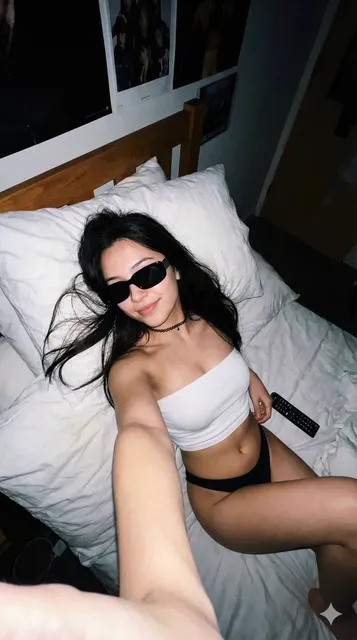
Upload a clear, front-facing photo, then choose the scenario and visual style that suit the platform where you will use the picture.
Expected output
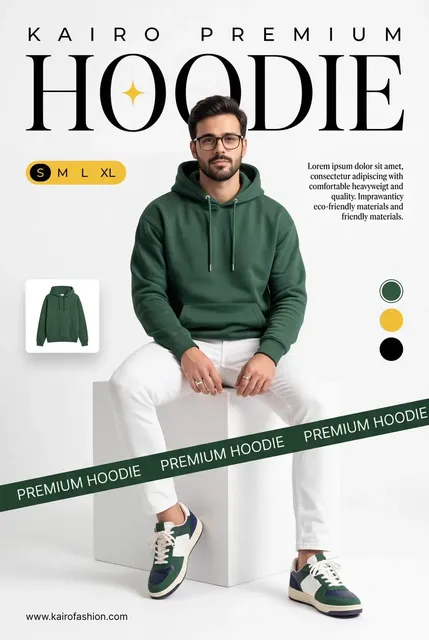
A clean cartoon avatar of a smiling gamer with a headset on a solid blue background. The result is based on the uploaded photo, so review the likeness and final crop before using it.
Streamer icon
Input
Upload a clear, front-facing photo, then choose the scenario and visual style that suit the platform where you will use the picture.
Expected output
A stylized flat icon of a cat with headphones and a microphone in bold colors. The result is based on the uploaded photo, so review the likeness and final crop before using it.
Character portrait
Input
Upload a clear, front-facing photo, then choose the scenario and visual style that suit the platform where you will use the picture.
Expected output
A vibrant anime-style bust portrait of a confident hero with a red scarf. The result is based on the uploaded photo, so review the likeness and final crop before using it.
Create channel, streamer, or character avatars from a photo for video thumbnails and branding by choosing scenario and style settings.
Work from a photo of yourself
Start with a clear image, then create a new profile look without arranging another photo session.
Match the place you will use it
Choose a professional, social, dating, or creative direction and a style that fits the profile context.
Review the result before sharing
Compare the generated image with your original photo and only use a version that represents you accurately.
How It Works
1
Upload a clear photo
Use a well-lit photo with the face clearly visible.
2
Choose a scenario and visual style
Pick the context and look that suit the profile you are preparing.
3
Generate, compare, and download
Review the output for likeness, accuracy, and the final profile crop before using it.
Preparing a photo for a useful profile picture
A clear photo and a deliberate scenario give you a more useful image to review.
Input Constraints
- Use a clear photo where the face is visible and well lit.
- Choose a scenario that matches the platform or situation where you will use the picture.
- Review the generated result before presenting it as a photo of yourself.
Practical Tips
- Use a front-facing image with even light and minimal obstructions.
- Pick the scenario first, then use the style to set the visual treatment.
- Generate more than one option and compare the likeness before downloading.
Privacy
- Do not upload personal or sensitive material unless you have permission to use it.
Usage Rights
- Confirm that you have the rights needed for the inputs and intended use of the result.
Prompt recipes
Copy a structure, then adjust the subject, lighting, camera, and output details for your own result.
Gaming channel avatar
Create a gaming channel avatar with vibrant colors, energetic expression, gaming headset, dark or neon background, for YouTube thumbnails and Twitch channel art.
Vibrant colors and gaming gear match the visual language of gaming communities, helping the avatar stand out in crowded gaming content feeds.
Vlog host thumbnail
Generate a vlog host avatar in casual clothing, warm natural lighting, genuine smile, simple background, for daily vlog thumbnails and channel branding.
Casual clothing and genuine smile create authenticity and relatability, key signals for vlog audiences who value personal connection with creators.
Educational explainer character
Build an educational character avatar with friendly geometric shapes, clean lines, brand colors, welcoming expression, for explainer video intros and educational series.
Friendly shapes and clean design reduce cognitive load, making complex topics feel approachable and increasing viewer retention.
Streamer overlay icon
Design a streamer overlay icon with bold outlines, simplified features, bright colors, transparent or minimal background, for live stream overlays and Discord profiles.
Bold outlines and simplified features ensure the icon is readable in small sizes and over gameplay footage, maintaining streamer branding during live broadcasts.
Anime-style character portrait
Produce an anime-style character portrait with expressive eyes, vibrant hair colors, dramatic lighting, detailed costume, for anime review channels and fan content.
Anime aesthetics resonate with anime and manga communities, helping the avatar fit the visual expectations of that audience and build credibility.
Tech review presenter for ai avatar generator for videos
Generate a tech review presenter avatar in tech-branded casual wear, studio backdrop, key lighting, confident expression, for gadget review thumbnails and channel art.
Tech-branded attire and key lighting signal category expertise, helping review channels establish credibility with enthusiast audiences.
Comedy skit character
Create a comedy character avatar with exaggerated expressions, bold colors, playful props, dynamic background, for comedy skit thumbnails and entertainment channels.
Exaggerated features and bold colors make the character instantly recognizable and memorable, essential for comedy content that relies on recurring personas.
Best use cases
Match the workflow to the input you have and the result you need before opening the generator.
YouTube video thumbnail
Input: Clear headshot with engaging expression and good lighting
Result: Channel or host avatar that draws clicks in search results
Tool: AI Profile Picture Generator
Twitch or streaming channel art
Input: Front-facing photo for gaming avatar stylization
Result: Streamer avatar for channel art and overlay graphics
Tool: AI Profile Picture Generator
Educational video series
Input: Reference photo or sketch for explainer character
Result: Character avatar for intro frames and series branding
Tool: AI Profile Picture Generator
Vlog or lifestyle content
Input: Casual photo with natural expression and warm lighting
Result: Vlog host avatar for thumbnails and personal branding
Tool: AI Profile Picture Generator
Entertainment or comedy channel
Input: Clear photo for character stylization
Result: Character avatar with bold styling for series branding
Tool: AI Profile Picture Generator
Limitations to know before generating
- Generated avatars are static profile images suitable for thumbnails and graphics, not animated characters for motion video production.
- Likeness and visual tone depend on photo quality and scenario settings; thumbnails may need A/B testing to find the most engaging version.
- The tool produces profile crops, not full-body or scene compositions, so complex title cards or series artwork may require additional design work.
- Scenario and style settings influence brand alignment, but exact color matching, logo placement, or custom poses require manual editing in a design tool.
- Commercial use and branding rights depend on platform terms and the nature of the input photo; confirm permissions before using avatars in monetized video content or streaming channels.
Creative Suite: AI Video Generator & AI Image Generator Tools
Power up your creative workflow with our AI-driven tools. Generate stunning videos, create images, and apply custom adjustments - our AI Video Generator and AI Image Generator offer a complete solution for all your creative needs.
Strictly Prohibits Adult/NSFW Content








Pricing
Choose the credit package that works best for you.
No hidden fees • Cancel anytime • Unused credits roll over
Starter
Perfect for trying out AI creation.
Credits
200 credits / month
- Up to 20 videos per month
- Up to 100 images per month
$6.99/ month$9.9930% OFF
Billed monthly
First-time subscribers get 30% off their first month, then standard price
What's included
- Credits never expire
- Standard models
- HD, Watermark-Free Downloads
- Private Generation
- Faster Generation Speed
- Ad-free experience
Basic
Perfect for light creators.
Credits
500 credits / month
- Up to 50 videos per month
- Up to 250 images per month
$13.99/ month$19.9930% OFF
Billed monthly
First-time subscribers get 30% off their first month, then standard price
What's included
- Credits never expire
- Standard models
- HD, Watermark-Free Downloads
- Private Generation
- Faster Generation Speed
- Ad-free experience
Pro
PopularBest value for creators
Credits
1,200 credits / month
- Up to 120 videos per month
- Up to 600 images per month
$39.99/ month
Billed monthly
What's included
- Credits never expire
- All models + Early access to new models
- HD, Watermark-Free Downloads
- Private Generation
- Faster Generation Speed
- Ultra HD resolution
- Ad-free experience
Ultra
For video creators and power users.
Credits
5,000 credits / month
- Up to 500 videos per month
- Up to 2,500 images per month
$99.99/ month
Billed monthly
What's included
- Credits never expire
- All models + Early access to new models
- HD, Watermark-Free Downloads
- Private Generation
- Faster Generation Speed
- Ultra HD resolution
- Ad-free experience
Free
Standard models only — upgrade to unlock premium models.
Credits
10 free credits on signup
Questions? Contact us at support@domer.io
Create a profile picture from a clear photo
Open the AI Profile Picture Generator, upload a clear photo, and choose the version that fits your profile context.