
Create
AI Image Generator Camera
Create images with camera-style perspectives from text. Describe the angle, framing, and composition to generate professional-looking shots.
AI Image Generator
0/20000 characters
My images
Loading...
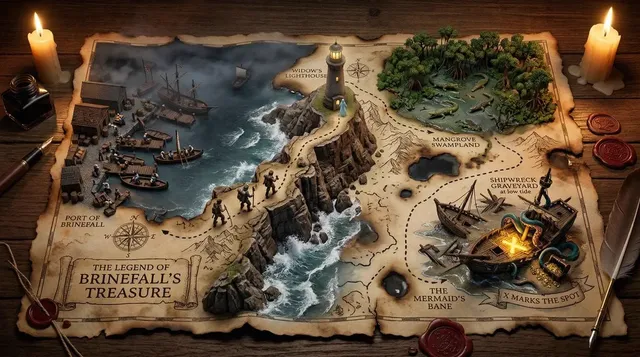
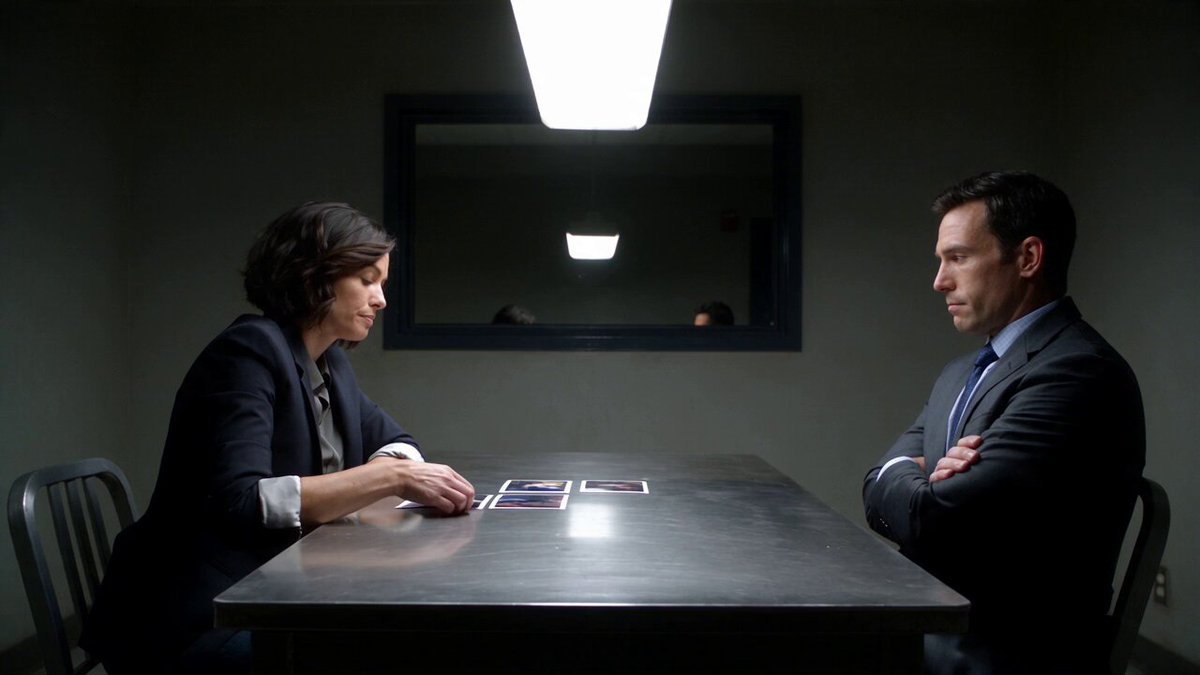
What is an AI image generator camera tool?
An AI image generator camera tool creates images with specific camera perspectives and compositions from text descriptions. You describe the camera angle—wide-angle, close-up, aerial, macro—along with the subject, lighting, and scene details, and the tool generates an image that matches that photographic perspective. It simulates camera framing and viewpoint without requiring photography equipment.
AI Image Generator Camera
Cathedral interior wide-angle
Input
Wide-angle view inside a grand cathedral, tall arched ceilings, stained glass windows, stone columns, light streaming through
Expected output
A wide interior shot with strong vertical lines, dramatic lighting, and detailed stone architecture
Butterfly macro shot
Input
Extreme close-up of a butterfly resting on a purple flower, detailed wing patterns, soft green background blur
Expected output
A macro image with sharp detail on the insect, shallow depth of field, and natural color palette
Aerial river view
Input
Drone high-angle view of a winding river through a valley, green forest on both sides, blue water reflecting the sky
Expected output
An aerial landscape with clear river meanders, dense forest texture, and a natural color gradient
Generate images with specific camera perspectives and compositions from text descriptions.
Describe any visual in natural language
Turn a text description into an image without needing design or art skills.
Iterate quickly on ideas
Adjust your prompt and generate again to refine the result without manual editing.
Works for any creative need
From concept art to social media visuals, describe what you want and the tool handles the rendering.
How It Works
1
Describe the shot
Describe the desired image.
2
Choose settings
Choose the available generation settings.
3
Generate and review
Generate, review, and download a suitable result.
Tips for better results
Clear and specific descriptions produce more useful images.
Input Constraints
- Keep descriptions focused on visual elements and composition
- Avoid including real people or trademarked characters
- Do not generate images that could be used to deceive or impersonate
Practical Tips
- Be specific about colors, lighting, and composition
- Mention the mood or atmosphere you want
- Include details about perspective and framing
- Describe what should be in the foreground and background
Privacy
- Do not upload personal or sensitive material unless you have permission to use it.
Usage Rights
- Confirm that you have the rights needed for the inputs and intended use of the result.
Prompt recipes
Copy a structure, then adjust the subject, lighting, camera, and output details for your own result.
Low-angle hero shot
Low-angle shot looking up at a modern skyscraper against a blue sky with scattered clouds, wide-angle lens perspective, dramatic converging lines, strong sense of height and scale
Specifies camera angle (low), lens type (wide), and compositional effect (converging lines) using photography language the generator understands.
Over-the-shoulder conversation
Over-the-shoulder shot of two people having coffee in a cafe, focus on the person facing the camera, shallow depth of field blurring the foreground shoulder, warm natural light from a window
Uses a standard cinematography framing term plus focus and depth-of-field instructions to guide composition and visual hierarchy.
Bird's-eye flat lay
Bird's-eye view of a desk workspace with laptop, notebook, pen, coffee cup, and succulent plant arranged on a white surface, flat lay composition, even overhead lighting, minimalist aesthetic
Combines camera position (bird's-eye), composition style (flat lay), lighting (overhead), and aesthetic to create a cohesive product-style image.
Dutch angle tension
Dutch angle shot of a narrow urban alley at night, tilted frame creating visual tension, neon signs on both sides, wet pavement reflecting lights, cinematic mood
Uses a specific camera technique (Dutch angle) known for creating visual unease, paired with environmental and lighting details that reinforce the mood.
Extreme close-up detail
Extreme close-up of dewdrops on a green leaf, shallow depth of field with only the center drop in sharp focus, soft natural light highlighting the water texture, macro photography style
Specifies magnification level (extreme close-up), focus area, depth of field, lighting quality, and photography style to guide both framing and technical treatment.
Best use cases
Match the workflow to the input you have and the result you need before opening the generator.
Create product photography angles
Input: Product description with camera angle terms like overhead, 45-degree, or close-up, plus lighting and background details
Result: Product images with professional framing and perspective suitable for e-commerce or marketing
Tool: Text to Image with camera angle keywords
Visualize cinematography shots
Input: Scene description with specific shot types like low-angle, over-the-shoulder, or Dutch angle
Result: Cinematic images that demonstrate framing and composition for storyboarding or concept work
Tool: Text to Image with cinematography terms
Generate aerial and landscape perspectives
Input: Landscape or location description with viewpoint specified as aerial, drone, bird's-eye, or ground-level
Result: Landscape images with clear perspective matching the described camera position
Tool: Text to Image with viewpoint descriptors
Explore macro and detail shots
Input: Subject description emphasizing small details with macro, close-up, or extreme close-up framing terms
Result: Detail-focused images with appropriate magnification and shallow depth of field
Tool: Text to Image with macro photography keywords
Limitations to know before generating
- The tool generates images from text descriptions only—it cannot simulate actual camera equipment or lens characteristics beyond what you describe.
- Complex camera movements or dynamic perspectives are harder to capture than static framing and angles.
- Depth of field, focus, and lens effects depend on clear descriptive language—generic prompts produce generic results.
- Camera angle terms must be combined with subject and lighting details to produce coherent images.
- Generated images should be reviewed for perspective accuracy and visual coherence before use.
Creative Suite: AI Video Generator & AI Image Generator Tools
Power up your creative workflow with our AI-driven tools. Generate stunning videos, create images, and apply custom adjustments - our AI Video Generator and AI Image Generator offer a complete solution for all your creative needs.
Strictly Prohibits Adult/NSFW Content








Pricing
Choose the credit package that works best for you.
No hidden fees • Cancel anytime • Unused credits roll over
Starter
Perfect for trying out AI creation.
Credits
200 credits / month
- Up to 20 videos per month
- Up to 100 images per month
$6.99/ month$9.9930% OFF
Billed monthly
First-time subscribers get 30% off their first month, then standard price
What's included
- Credits never expire
- Standard models
- HD, Watermark-Free Downloads
- Private Generation
- Faster Generation Speed
- Ad-free experience
Basic
Perfect for light creators.
Credits
500 credits / month
- Up to 50 videos per month
- Up to 250 images per month
$13.99/ month$19.9930% OFF
Billed monthly
First-time subscribers get 30% off their first month, then standard price
What's included
- Credits never expire
- Standard models
- HD, Watermark-Free Downloads
- Private Generation
- Faster Generation Speed
- Ad-free experience
Pro
PopularBest value for creators
Credits
1,200 credits / month
- Up to 120 videos per month
- Up to 600 images per month
$39.99/ month
Billed monthly
What's included
- Credits never expire
- All models + Early access to new models
- HD, Watermark-Free Downloads
- Private Generation
- Faster Generation Speed
- Ultra HD resolution
- Ad-free experience
Ultra
For video creators and power users.
Credits
5,000 credits / month
- Up to 500 videos per month
- Up to 2,500 images per month
$99.99/ month
Billed monthly
What's included
- Credits never expire
- All models + Early access to new models
- HD, Watermark-Free Downloads
- Private Generation
- Faster Generation Speed
- Ultra HD resolution
- Ad-free experience
Free
Standard models only — upgrade to unlock premium models.
Credits
10 free credits on signup
Questions? Contact us at support@domer.io
Create your image now
Open the tool, type your description, and generate the image you need.