
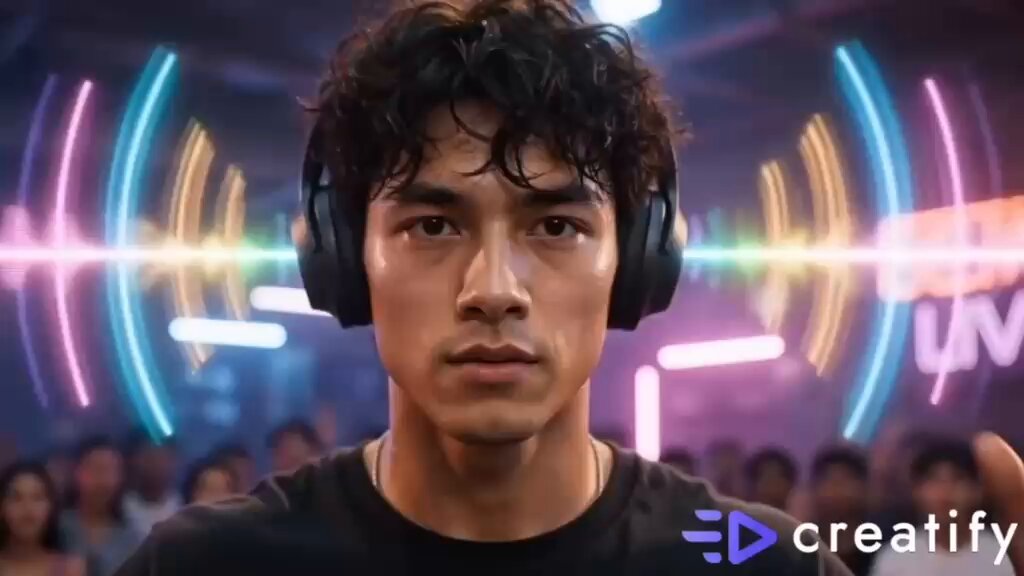
AI Image Generator for YouTube Video
Create YouTube video thumbnails, banners, and backgrounds from text. Describe the visual, adjust settings, and download the image you need.
AI Image Generator
0/20000 characters
My images
Loading...

How do I use an AI image generator for YouTube video?
An AI image generator for YouTube video creates thumbnails, banners, and backgrounds from text prompts. Describe the subject, mood, and composition, generate the image, and add text overlays in an editor before using it in your video.
AI Image Generator for YouTube Video
Explainer video thumbnail
Input
A bold thumbnail for a finance explainer: a confident presenter in a bright studio with an upward arrow graphic
Expected output
A clean studio-style thumbnail with a clear focal point and room for a short title overlay.
Series channel banner
Input
A wide banner showing a cozy gaming setup with warm desk lighting and a dark background
Expected output
A wide gaming-themed banner with a moody palette and open space on the left for channel text.
Talking head background
Input
A softly blurred home office with plants and warm natural light, no people
Expected output
A calm, softly lit background that keeps the speaker easy to see.
Generate custom thumbnails, banners, backgrounds, and visual assets for YouTube videos from text descriptions.
Skip the design tools
Turn a plain sentence into a usable visual instead of starting from a blank canvas or template.
Keep video assets consistent
Use similar wording and style cues so thumbnails, banners, and backgrounds look like one set.
Stay in control of the result
Generate, review, and download only the versions that fit your video before you use them.
How It Works
1
Describe the visual
Describe the desired image.
2
Adjust the settings
Choose the available generation settings.
3
Generate and review
Generate, review, and download a suitable result.
Tips for video visuals
Describe layout, mood, and any text space you need so the result fits your video.
Input Constraints
- Keep any text overlays in mind and leave room for them in the composition.
- Mention the aspect ratio you need, such as wide, square, or vertical.
- Describe the subject and background clearly instead of relying on vague words.
- Avoid asking for real people, brands, or characters you do not have rights to.
- Check that colors work with your channel's existing look.
Practical Tips
- Name the mood explicitly, such as 'bright and friendly' or 'dark and dramatic'.
- Specify lighting and camera angle for more predictable results.
- If the result is busy, simplify the description and try again.
- Review the download at full size before publishing.
Privacy
- Do not upload personal or sensitive material unless you have permission to use it.
Usage Rights
- Confirm that you have the rights needed for the inputs and intended use of the result.
Prompt recipes
Copy a structure, then adjust the subject, lighting, camera, and output details for your own result.
Cinematic intro background
A wide cinematic shot of a misty mountain range at sunrise with soft orange and purple tones, minimal detail in the foreground
The cinematic composition and soft palette create a professional feel, and minimal foreground keeps the background unobtrusive for talking head or text overlays.
Bold product thumbnail
A close-up of a laptop on a clean desk with a coffee cup beside it, dramatic side lighting, dark background, photorealistic
Dramatic lighting and a clean composition make the product stand out, and the dark background provides strong contrast for text overlays.
Educational explainer scene
A bright classroom setting with a whiteboard showing colorful diagrams, soft natural light from the side, no people
The classroom setting signals educational content, natural light adds warmth, and the whiteboard provides a natural focal point.
Vlog-style banner
A wide banner with a cozy coffee shop interior, warm wood tones and soft string lights, horizontal composition with open left side
The cozy setting conveys lifestyle or vlog content, warm tones create an inviting mood, and open space allows for channel branding.
Gaming stream background
A dark futuristic city skyline with neon lights and holographic billboards, wide horizontal view, minimal foreground distractions
The futuristic aesthetic fits gaming content, neon lights add energy, and the minimal foreground keeps the streamer visible.
Best use cases
Match the workflow to the input you have and the result you need before opening the generator.
Thumbnail for video
Input: Bold subject, high contrast, clear focal point, lighting style, simple background
Result: A thumbnail image that stands out in search results and provides room for title text
Tool: /ai-image-generator
Channel banner or header
Input: Wide horizontal composition, theme or mood, color palette, open space for channel name
Result: A banner that fits the profile header with room for branding and consistent visual identity
Tool: /ai-image-generator
Video background for talking head
Input: Softly lit setting, minimal distractions, mood descriptor, no people
Result: A professional background that keeps the speaker in focus without competing for attention
Tool: /ai-image-generator
Intro or outro scene
Input: Cinematic composition, mood descriptor, color palette, minimal foreground detail
Result: A polished intro or outro visual that sets the tone and provides space for text or logos
Tool: /ai-image-generator
Limitations to know before generating
- Text in generated images is often inaccurate or unreadable; add titles, channel names, and overlays in an editor after generation.
- This route generates still images, not motion video clips; use it for thumbnails, banners, and backgrounds.
- Complex compositions with many elements may not arrange exactly as described; simplify prompts for better control.
- Style consistency across multiple assets requires repeating key palette and mood words in each prompt.
- Review each asset at the actual display size and in context before publishing.
Creative Suite: AI Video Generator & AI Image Generator Tools
Power up your creative workflow with our AI-driven tools. Generate stunning videos, create images, and apply custom adjustments - our AI Video Generator and AI Image Generator offer a complete solution for all your creative needs.
Strictly Prohibits Adult/NSFW Content








Pricing
Choose the credit package that works best for you.
No hidden fees • Cancel anytime • Unused credits roll over
Starter
Perfect for trying out AI creation.
Credits
200 credits / month
- Up to 20 videos per month
- Up to 100 images per month
$6.99/ month$9.9930% OFF
Billed monthly
First-time subscribers get 30% off their first month, then standard price
What's included
- Credits never expire
- Standard models
- HD, Watermark-Free Downloads
- Private Generation
- Faster Generation Speed
- Ad-free experience
Basic
Perfect for light creators.
Credits
500 credits / month
- Up to 50 videos per month
- Up to 250 images per month
$13.99/ month$19.9930% OFF
Billed monthly
First-time subscribers get 30% off their first month, then standard price
What's included
- Credits never expire
- Standard models
- HD, Watermark-Free Downloads
- Private Generation
- Faster Generation Speed
- Ad-free experience
Pro
PopularBest value for creators
Credits
1,200 credits / month
- Up to 120 videos per month
- Up to 600 images per month
$39.99/ month
Billed monthly
What's included
- Credits never expire
- All models + Early access to new models
- HD, Watermark-Free Downloads
- Private Generation
- Faster Generation Speed
- Ultra HD resolution
- Ad-free experience
Ultra
For video creators and power users.
Credits
5,000 credits / month
- Up to 500 videos per month
- Up to 2,500 images per month
$99.99/ month
Billed monthly
What's included
- Credits never expire
- All models + Early access to new models
- HD, Watermark-Free Downloads
- Private Generation
- Faster Generation Speed
- Ultra HD resolution
- Ad-free experience
Free
Standard models only — upgrade to unlock premium models.
Credits
10 free credits on signup
Questions? Contact us at support@domer.io
Create visuals for your next video
Open the image generator and turn one sentence into a thumbnail, banner, or background you can review and download.