
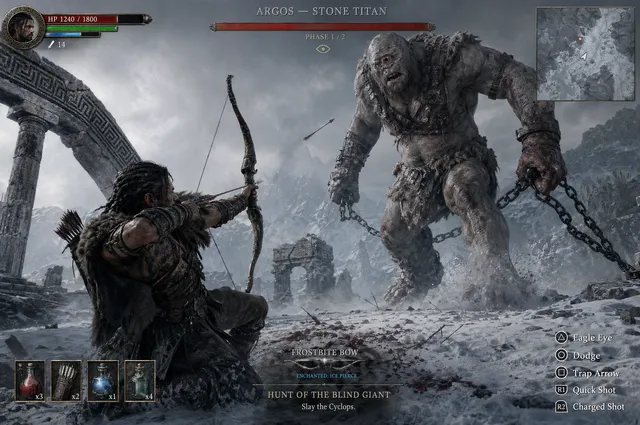
AI Image Generator from Pic
Describe a picture you have in mind and generate new artwork inspired by it. Turn visual references into fresh images through text.
AI Image Generator
0/20000 characters
My images
Loading...
How to generate images from a picture reference using text
Write a detailed text prompt that describes the visual characteristics of the picture you want to reference, including subject, style, composition, lighting, and mood. The AI generates a new image based on your description without needing you to upload the original picture. This approach works well when you want to capture the essence of a picture while creating something new, or when you want to transform one visual style into another.
AI Image Generator from Pic
Stylized product illustration
Input
A ceramic teapot with floral pattern, transform into a vector-style illustration, clean white background, soft shadows
Expected output
An illustration of the teapot in a flat vector style with clean lines, maintaining the floral pattern on a white background
Fantasy scene from a travel photo
Input
A mountain lake scene, reimagine as a fantasy landscape with glowing mushrooms, mist, and a castle silhouette on the far shore, dusk lighting
Expected output
A fantasy version of the mountain lake with added glowing elements, mist, and a distant castle in twilight colors
Watercolor landscape version
Input
A field of sunflowers under a blue sky, render as a watercolor painting, soft edges, paper texture visible, warm golden tones
Expected output
A watercolor-style image of sunflower fields with soft, blended edges and warm golden lighting on textured paper
Generate new images by describing the style, composition, or visual qualities from a picture you have in mind, using text prompts instead of uploads.
Style transformation
Take an existing picture as a starting point and describe the new style, mood, or setting you want in the output.
Multiple interpretations
One reference can produce many variations. Adjust the description or settings to explore different creative directions.
No editing software needed
Describe the visual change in words instead of learning complex image-editing tools. The generator handles the transformation.
How It Works
1
Describe the desired image
Describe the desired image.
2
Choose the available generation settings
Choose the available generation settings.
3
Generate, review, and download a suitable result
Generate, review, and download a suitable result.
Working with reference images
Describe the original image and the change you want in the same prompt.
Input Constraints
- Do not upload personal or sensitive material without permission
- Avoid trademarked characters or branded content as reference
- Keep the prompt focused on one subject for consistent results
- Describe both the existing content and the desired style change
Practical Tips
- Mention the original image's key elements, then describe what should change
- Specify the art style, medium, or look you want in the result
- Add lighting and mood details for more atmospheric results
- Try the same description multiple times to see different outputs
Privacy
- Do not upload personal or sensitive material unless you have permission to use it.
Usage Rights
- Confirm that you have the rights needed for the inputs and intended use of the result.
Prompt recipes
Copy a structure, then adjust the subject, lighting, camera, and output details for your own result.
Photograph to illustrated poster
Based on a landscape photograph: convert to a vintage travel poster style, bold flat colors, simplified shapes, art deco typography space at bottom, limited color palette of blue, orange, and cream
Transforms photographic realism into a stylized graphic design with specific historical art movement references and clear compositional instructions.
Portrait to digital painting
Starting from a portrait photo: reimagine as a digital oil painting, visible brush strokes, impressionistic color blending, soft focus on background, warm skin tones with cool shadows
Converts photographic precision into painterly interpretation with detailed rendering style instructions that guide the transformation.
Product photo to technical drawing
Using a product photograph: convert to an isometric technical illustration, blueprint style with white lines on dark blue background, measurements and dimension lines, exploded view showing parts
Shifts from realistic product photography to technical documentation style with specific drafting conventions and visual language.
Nature photo to fantasy concept art
Based on a forest photograph: transform into fantasy concept art with bioluminescent plants, floating islands visible through the canopy, ethereal mist with light rays, saturated magical color palette
Adds fantastical elements to a realistic base while maintaining recognizable natural structure, bridging real and imagined environments.
Street photo to cyberpunk scene
Starting from an urban street photo: reimagine as a cyberpunk night scene, neon signs in pink and cyan, holographic advertisements, rain-soaked reflective pavement, flying vehicles above, dense vertical cityscape
Applies a complete genre transformation with specific sci-fi visual elements, lighting, and atmospheric conditions that define the cyberpunk aesthetic.
Best use cases
Match the workflow to the input you have and the result you need before opening the generator.
Artistic reinterpretation of photographs
Input: Description of a photograph with instructions to convert it to a specific art style or medium like watercolor, oil painting, or pen-and-ink
Result: An artistic rendering that maintains the composition of the photo while applying the requested visual treatment
Tool: Text to Image with art medium vocabulary and technique descriptions
Genre transformation of existing images
Input: Description of a realistic scene with instructions to reimagine it in a different genre like fantasy, sci-fi, or historical period
Result: A transformed scene that keeps recognizable elements while adding genre-specific details and atmosphere
Tool: Text to Image with genre conventions and world-building details
Product visualization in different contexts
Input: Description of a product picture with instructions to show it in new settings, materials, or presentation styles
Result: Product imagery showing variations or alternate contexts without needing to photograph each version
Tool: Text to Image with specific material and environmental descriptions
Mood and atmosphere shifts
Input: Description of a picture with instructions to change time of day, weather, season, or lighting while keeping the subject
Result: A new version of the scene under different atmospheric conditions showing how mood affects perception
Tool: Text to Image with detailed lighting and weather descriptions
Limitations to know before generating
- The tool generates from text descriptions only; you cannot upload a picture directly for reference
- The accuracy of the transformation depends on how precisely you can describe both the original picture and the desired changes
- Complex pictures with many details may be difficult to describe fully, leading to simplified or interpreted results
- Style transformations are based on the AI's understanding of art styles and may not perfectly match specific artists or techniques
- Generated images are new creations inspired by your description, not edited versions of the original picture
Creative Suite: AI Video Generator & AI Image Generator Tools
Power up your creative workflow with our AI-driven tools. Generate stunning videos, create images, and apply custom adjustments - our AI Video Generator and AI Image Generator offer a complete solution for all your creative needs.
Strictly Prohibits Adult/NSFW Content








Pricing
Choose the credit package that works best for you.
No hidden fees • Cancel anytime • Unused credits roll over
Starter
Perfect for trying out AI creation.
Credits
200 credits / month
- Up to 20 videos per month
- Up to 100 images per month
$6.99/ month$9.9930% OFF
Billed monthly
First-time subscribers get 30% off their first month, then standard price
What's included
- Credits never expire
- Standard models
- HD, Watermark-Free Downloads
- Private Generation
- Faster Generation Speed
- Ad-free experience
Basic
Perfect for light creators.
Credits
500 credits / month
- Up to 50 videos per month
- Up to 250 images per month
$13.99/ month$19.9930% OFF
Billed monthly
First-time subscribers get 30% off their first month, then standard price
What's included
- Credits never expire
- Standard models
- HD, Watermark-Free Downloads
- Private Generation
- Faster Generation Speed
- Ad-free experience
Pro
PopularBest value for creators
Credits
1,200 credits / month
- Up to 120 videos per month
- Up to 600 images per month
$39.99/ month
Billed monthly
What's included
- Credits never expire
- All models + Early access to new models
- HD, Watermark-Free Downloads
- Private Generation
- Faster Generation Speed
- Ultra HD resolution
- Ad-free experience
Ultra
For video creators and power users.
Credits
5,000 credits / month
- Up to 500 videos per month
- Up to 2,500 images per month
$99.99/ month
Billed monthly
What's included
- Credits never expire
- All models + Early access to new models
- HD, Watermark-Free Downloads
- Private Generation
- Faster Generation Speed
- Ultra HD resolution
- Ad-free experience
Free
Standard models only — upgrade to unlock premium models.
Credits
10 free credits on signup
Questions? Contact us at support@domer.io
Try the ai image generator from pic
Describe an image and the style you want. Open the generator and see what it creates from your description.