
AI Image Generator Picture
Use ai image generator picture to turn any description into a custom picture. Write what you want to see, choose your settings, and generate a result to review.
AI Image Generator
0/20000 characters
My images
Loading...
What is an AI image generator picture tool?
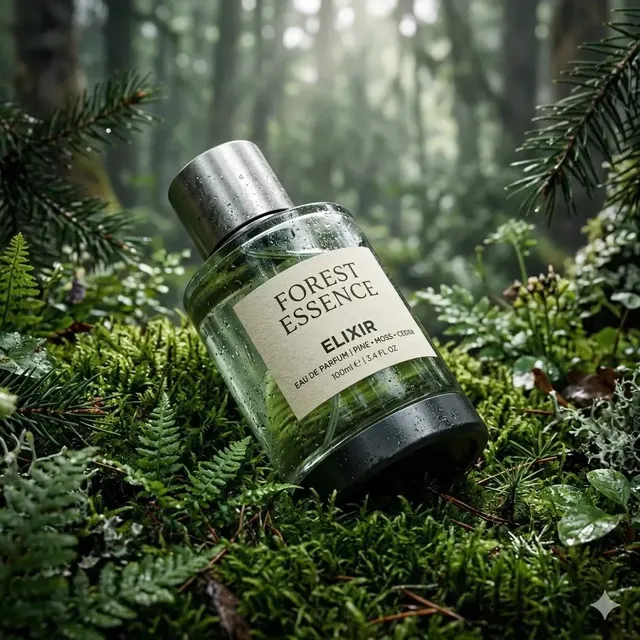
An AI image generator picture tool turns your written description into a custom image. You describe the subject, setting, lighting, and composition in plain text, choose generation settings, and the tool produces a picture you can review and download. No photography or design experience required.
AI Image Generator Picture
Nature landscape picture
Input
A wide shot of a lavender field at golden hour with a farmhouse in the distance, soft clouds, and warm sunlight across the purple rows.
Expected output
A landscape picture with warm golden lighting, rows of lavender stretching toward a distant structure, and soft clouds in a blue sky.
Product catalog picture
Input
A pair of leather boots on a clean white surface with soft studio lighting from the left and a subtle shadow to the right.
Expected output
A clean product picture with the boots centered and sharp, a soft gradient background, and even lighting that highlights the leather texture.
Lifestyle group picture
Input
A group of friends having a picnic in a sunny park with a checkered blanket, a basket of food, and trees in the background.
Expected output
A warm lifestyle picture with natural sunlight, a spread of food on the blanket, and the group engaged in conversation with a blurred green background.
Turn a written description into a custom picture
Turn ideas into pictures instantly
Describe any visual idea and get a picture in return. No photography or design skills needed.
Skip searching for the right image
Instead of browsing stock libraries, describe exactly what you need and generate a custom picture.
Customize every detail
Control the subject, setting, lighting, and composition through your prompt. Adjust and regenerate to refine the result.
How It Works
1
Describe the desired image
Describe the desired image.
2
Choose the available generation settings
Choose the available generation settings.
3
Generate, review, and download
Generate, review, and download a suitable result.
Describing a picture in text
Think about what makes a good photo brief and write that.
Input Constraints
- Start with the main subject of the picture.
- Describe the background or setting.
- Add details about lighting and composition.
Practical Tips
- Mention whether you want a close-up, medium shot, or wide view.
- Include the time of day or mood for lighting direction.
- Use specific colors rather than vague terms when they matter.
- Keep the description to 2-4 sentences for best results.
Privacy
- Do not upload personal or sensitive material unless you have permission to use it.
Usage Rights
- Confirm that you have the rights needed for the inputs and intended use of the result.
Prompt recipes
Copy a structure, then adjust the subject, lighting, camera, and output details for your own result.
Product showcase on neutral background
A pair of running shoes on a light gray concrete surface, overhead view, natural daylight from the right, sharp focus on the laces and sole texture.
Specifies the product, surface, camera angle, and lighting direction for a clean catalog-style shot.
Outdoor adventure scene
A hiker standing on a mountain ridge at sunrise, backpack and trekking poles visible, misty valleys below, warm orange light across the peaks.
Describes the subject, action, setting, weather, and lighting mood for an inspiring travel image.
Food photography with context
A bowl of fresh poke with salmon, avocado, and edamame on a rustic wooden table, chopsticks beside it, natural window light from the left.
Names the dish, ingredients, surface, props, and light source for an appetizing restaurant-style photo.
Interior design detail shot
A minimalist reading corner with a gray armchair, floor lamp, stack of books on a side table, white walls, and soft afternoon sunlight through sheer curtains.
Specifies furniture, decor items, color palette, and lighting for a lifestyle magazine aesthetic.
Event or celebration moment
A birthday cake with lit candles on a decorated table, balloons in the background, warm indoor lighting, cake in focus with a soft bokeh behind it.
Describes the main subject, context, background elements, and depth-of-field for a festive snapshot.
Best use cases
Match the workflow to the input you have and the result you need before opening the generator.
I need a product photo for an online store
Input: Describe the product, the surface it sits on, the camera angle, and the lighting direction
Result: A clean, well-lit product image with minimal distractions
Tool: Text to Image with product photography keywords
I want a hero image for a blog post
Input: Describe the main subject, the mood or time of day, and the background or setting
Result: A wide, atmospheric image that matches the post topic and tone
Tool: Text to Image with landscape or lifestyle keywords
I need concept art for a project
Input: Describe the scene, characters or objects, visual style, and color palette
Result: An illustrative or stylized image that conveys the concept visually
Tool: Text to Image with art style keywords like digital painting or concept art
I want a social media post image
Input: Describe the subject, composition, and any text space requirements
Result: A square or vertical image with clear focal points and room for captions
Tool: Text to Image with aspect ratio and layout keywords
Limitations to know before generating
- Generated images depend on the clarity and detail of your description.
- Faces, hands, and fine text may require multiple attempts or manual cleanup.
- Results vary; you may need to regenerate or adjust your prompt to match your vision.
- The tool produces an artistic interpretation, not a guaranteed match to a specific reference.
Creative Suite: AI Video Generator & AI Image Generator Tools
Power up your creative workflow with our AI-driven tools. Generate stunning videos, create images, and apply custom adjustments - our AI Video Generator and AI Image Generator offer a complete solution for all your creative needs.
Strictly Prohibits Adult/NSFW Content








Pricing
Choose the credit package that works best for you.
No hidden fees • Cancel anytime • Unused credits roll over
Starter
Perfect for trying out AI creation.
Credits
200 credits / month
- Up to 20 videos per month
- Up to 100 images per month
$6.99/ month$9.9930% OFF
Billed monthly
First-time subscribers get 30% off their first month, then standard price
What's included
- Credits never expire
- Standard models
- HD, Watermark-Free Downloads
- Private Generation
- Faster Generation Speed
- Ad-free experience
Basic
Perfect for light creators.
Credits
500 credits / month
- Up to 50 videos per month
- Up to 250 images per month
$13.99/ month$19.9930% OFF
Billed monthly
First-time subscribers get 30% off their first month, then standard price
What's included
- Credits never expire
- Standard models
- HD, Watermark-Free Downloads
- Private Generation
- Faster Generation Speed
- Ad-free experience
Pro
PopularBest value for creators
Credits
1,200 credits / month
- Up to 120 videos per month
- Up to 600 images per month
$39.99/ month
Billed monthly
What's included
- Credits never expire
- All models + Early access to new models
- HD, Watermark-Free Downloads
- Private Generation
- Faster Generation Speed
- Ultra HD resolution
- Ad-free experience
Ultra
For video creators and power users.
Credits
5,000 credits / month
- Up to 500 videos per month
- Up to 2,500 images per month
$99.99/ month
Billed monthly
What's included
- Credits never expire
- All models + Early access to new models
- HD, Watermark-Free Downloads
- Private Generation
- Faster Generation Speed
- Ultra HD resolution
- Ad-free experience
Free
Standard models only — upgrade to unlock premium models.
Credits
10 free credits on signup
Questions? Contact us at support@domer.io
Create your picture now
Open the text-to-image tool, describe the picture you want to create, and generate a result to review and download.