
AI Image Generator to Create a Webtoon Story
Create webtoon story panels from text. Describe each scene, character, and action, then generate draft images to review before assembling your pages.
AI Image Generator
0/20000 characters
My images
Loading...
How do you use an AI image generator to create a webtoon story?
An AI image generator helps you create webtoon story panels by turning text descriptions into draft panel images. Describe each panel's setting, character, action, and visual style, then generate and review the images. Keep character and setting details consistent across prompts to maintain visual continuity throughout your story.
AI Image Generator to Create a Webtoon Story
Opening scene
Input
A rainy city street at night, a young courier in a hooded jacket standing under a neon sign, dramatic wide shot, webtoon line art style
Expected output
A wide webtoon-style panel of the rainy street with the courier centered under the neon glow, ready for you to check before the next scene.
Character close-up
Input
Close-up of the courier reacting to a glowing message on a phone, shocked expression, bold outline, clean background
Expected output
A close-up character panel with a clear shocked expression and bold webtoon outlines that you can compare with your story notes.
Action sequence
Input
The courier leaping across rooftops at dusk, motion lines behind, dynamic angle, three-panel sequence
Expected output
A set of dynamic action panels with motion lines and consistent character design for you to review before assembling the page.
Generate draft webtoon panels and scenes by describing each panel's setting, character, and action, then review and refine before assembling your story pages.
Keep panels consistent
Describe the same character and setting across prompts so scene-to-scene details stay aligned while you draft.
Iterate before you commit
Review each generated panel against your story outline and regenerate until the tone and framing match the script.
Work from plain descriptions
No drawing skills needed; a clear text prompt is enough to produce draft visuals for your webtoon pages.
How It Works
1
Describe your panel
Describe the desired image.
2
Choose the settings
Choose the available generation settings.
3
Generate and review
Generate, review, and download a suitable result.
Tips for webtoon panel prompts
Write each panel as a clear scene description, then keep names and settings stable across prompts.
Input Constraints
- Keep character names, outfits, and settings consistent across every panel.
- Describe one clear focal action or moment per panel.
- Check that the generated panel matches the story beat before moving on.
- Use plain scene language; avoid copying another creator's artwork.
Practical Tips
- Start each prompt with the setting, then the character, then the action.
- Mention the visual style you want, such as clean line art or soft shading.
- Regenerate when a panel feels off rather than accepting the first draft.
- Compare panels side by side to catch style drift early.
Privacy
- Do not upload personal or sensitive material unless you have permission to use it.
Usage Rights
- Confirm that you have the rights needed for the inputs and intended use of the result.
Prompt recipes
Copy a structure, then adjust the subject, lighting, camera, and output details for your own result.
Establishing shot for chapter opening
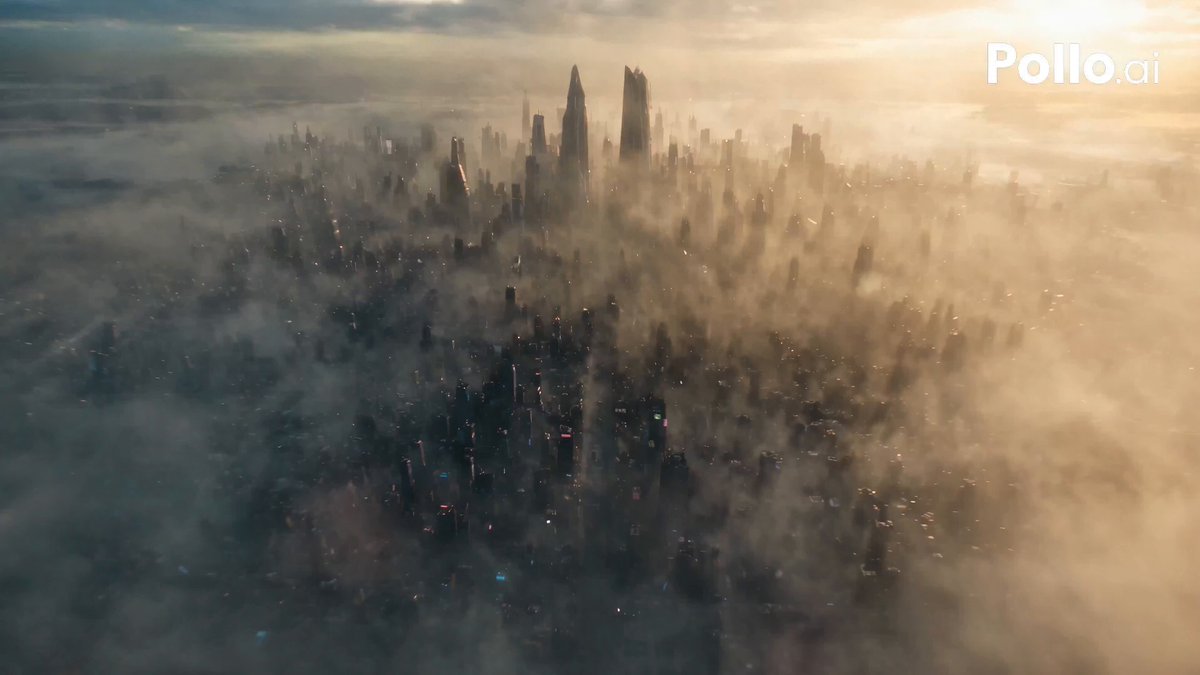
A wide vertical panel of a futuristic city skyline at sunset, neon signs glowing, flying vehicles in the distance, dramatic clouds, webtoon line art with soft color wash
Wide establishing shots set the scene and tone while the vertical format matches webtoon scrolling layout.
Character reaction close-up
Extreme close-up of a character's face with wide surprised eyes, mouth slightly open, clean bold outlines, minimal background, webtoon dramatic expression style
Close-ups with bold outlines and minimal background keep focus on emotion and are easy to read on mobile screens.
Action sequence with motion
A character leaping forward with fist extended, motion lines radiating from the punch, dynamic diagonal composition, bold webtoon line art, high contrast lighting
Motion lines and diagonal composition create dynamic energy that conveys action clearly in a static panel.
Dialogue exchange two-shot
Two characters facing each other in profile, clean line art, neutral indoor background, speech bubble space above their heads, calm conversation mood, webtoon style
Two-shot composition allows both characters to be visible during dialogue while leaving space for speech bubbles.
Atmospheric transition panel
A vertical panel showing rain falling against a dark window, city lights blurred in the background, melancholy mood, soft colors, webtoon atmospheric style
Atmospheric panels provide pacing breaks and emotional beats between action or dialogue-heavy sequences.
Best use cases
Match the workflow to the input you have and the result you need before opening the generator.
Opening chapter establishing scenes
Input: Describe the setting in wide or vertical composition, time of day, mood, architectural or environmental details, and webtoon style cues
Result: A wide establishing panel that sets the visual tone and location for the chapter
Tool: AI Image Generator with vertical or wide format
Character emotional reactions
Input: Describe the character's face, specific expression, emotion intensity, bold outlines, and minimal background for focus
Result: A clear close-up panel that conveys emotion readable at small mobile screen sizes
Tool: AI Image Generator with close-up framing
Action or fight sequences
Input: Describe the action pose, motion lines, dynamic angles, lighting for drama, and bold webtoon line art style
Result: A dynamic panel that conveys movement and impact through composition and visual effects
Tool: AI Image Generator with dynamic composition settings
Dialogue-heavy conversation panels
Input: Describe character positions, neutral or relevant background, space for speech bubbles, calm or conversational framing
Result: A stable panel that clearly shows who is speaking and leaves room for dialogue
Tool: AI Image Generator with two-shot or medium framing
Limitations to know before generating
- Character consistency across panels is difficult; faces, hair, and clothing may vary even with identical descriptions.
- Speech bubbles and text must be added in a separate editing or layout tool; the generator does not place text accurately.
- Panel-to-panel visual continuity requires manual review and regeneration; style drift is common.
- Complex multi-character scenes or precise action choreography may require multiple attempts to match your vision.
Creative Suite: AI Video Generator & AI Image Generator Tools
Power up your creative workflow with our AI-driven tools. Generate stunning videos, create images, and apply custom adjustments - our AI Video Generator and AI Image Generator offer a complete solution for all your creative needs.
Strictly Prohibits Adult/NSFW Content








Pricing
Choose the credit package that works best for you.
No hidden fees • Cancel anytime • Unused credits roll over
Starter
Perfect for trying out AI creation.
Credits
200 credits / month
- Up to 20 videos per month
- Up to 100 images per month
$6.99/ month$9.9930% OFF
Billed monthly
First-time subscribers get 30% off their first month, then standard price
What's included
- Credits never expire
- Standard models
- HD, Watermark-Free Downloads
- Private Generation
- Faster Generation Speed
- Ad-free experience
Basic
Perfect for light creators.
Credits
500 credits / month
- Up to 50 videos per month
- Up to 250 images per month
$13.99/ month$19.9930% OFF
Billed monthly
First-time subscribers get 30% off their first month, then standard price
What's included
- Credits never expire
- Standard models
- HD, Watermark-Free Downloads
- Private Generation
- Faster Generation Speed
- Ad-free experience
Pro
PopularBest value for creators
Credits
1,200 credits / month
- Up to 120 videos per month
- Up to 600 images per month
$39.99/ month
Billed monthly
What's included
- Credits never expire
- All models + Early access to new models
- HD, Watermark-Free Downloads
- Private Generation
- Faster Generation Speed
- Ultra HD resolution
- Ad-free experience
Ultra
For video creators and power users.
Credits
5,000 credits / month
- Up to 500 videos per month
- Up to 2,500 images per month
$99.99/ month
Billed monthly
What's included
- Credits never expire
- All models + Early access to new models
- HD, Watermark-Free Downloads
- Private Generation
- Faster Generation Speed
- Ultra HD resolution
- Ad-free experience
Free
Standard models only — upgrade to unlock premium models.
Credits
10 free credits on signup
Questions? Contact us at support@domer.io
Start your webtoon draft
Open the image generator and describe your first panel to begin your webtoon story.