
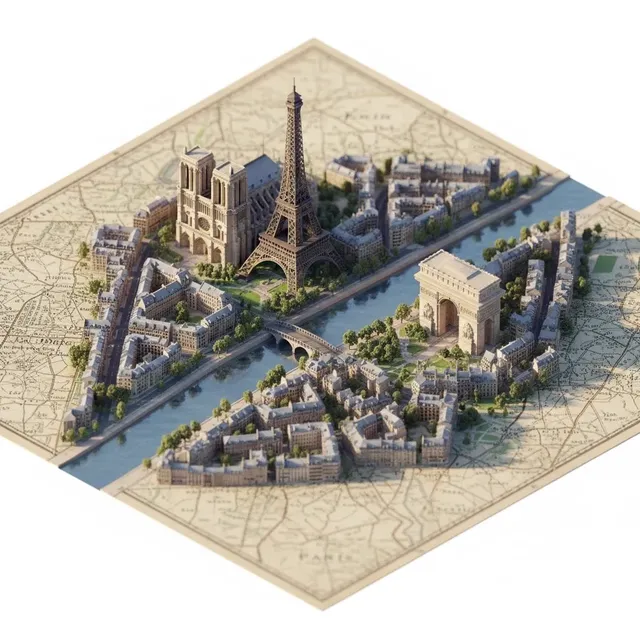
AI Logo Generator Apps
Use ai logo generator apps to design mobile-ready brand marks and app icons in your browser: describe the style, colors, and symbol, then generate concepts to.
AI Image Generator
0/20000 characters
My images
Loading...
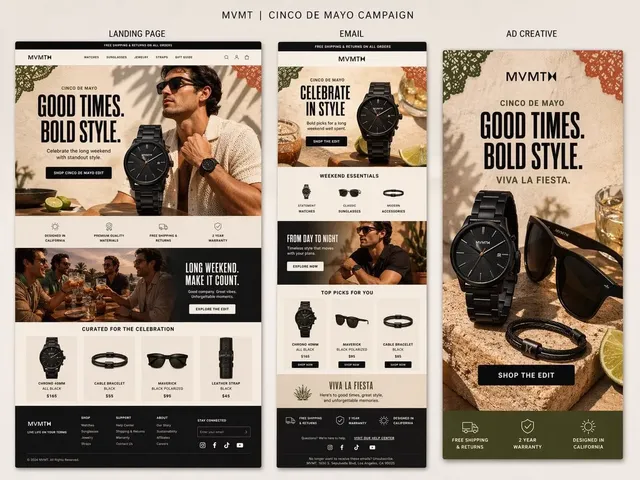
How do I create a logo for my mobile app with AI?
Describe your app name, category, icon shape (rounded square or circle), one simple symbol, and your color palette. The tool generates an image you can review for legibility at icon size before downloading.
AI Logo Generator Apps
Finance app icon
Input
A flat logo icon for a budgeting app called LEDGERLY, a coin with an upward arrow, green and white, rounded square, minimal
Expected output
A minimal rounded-square icon with a green coin and upward arrow on a white background.
Fitness app mark
Input
A bold logo for a workout tracking app called MOVEX, a motion swoosh around a shoe sole, orange and charcoal, modern flat style
Expected output
A modern flat mark with a motion swoosh around a shoe sole, orange and charcoal.
Learning app badge
Input
A friendly logo badge for a language learning app called LINGO, an open book with a speech bubble, blue and yellow, soft rounded shapes
Expected output
A rounded badge with an open book and speech bubble, blue and yellow, with the LINGO name.
Create an app-ready logo for a mobile app, SaaS product, or digital brand.
Built for app branding
Generate concepts shaped for icons, store listings, and in-app splash screens without a design tool.
Quick concept comparison
Describe the app idea once and compare several visual directions before choosing one to refine.
Review before release
Check each generated mark for legibility and fit at small icon sizes before you download.
How It Works
1
Describe the image
Describe the desired image.
2
Choose settings
Choose the available generation settings.
3
Generate and review
Generate, review, and download a suitable result.
Designing a logo that fits an app
App icons are viewed at very small sizes, so simple shapes and short names tend to work best.
Input Constraints
- Keep the app name short so it stays legible at icon size.
- Avoid copying icons or characters from existing apps or franchises.
- Ask for a simple composition with one focal element.
- State the shape you need, such as rounded square, circle, or squircle, to match store guidelines.
Practical Tips
- Name the app category first to set the visual direction.
- Mention the platform, such as iOS or Android style, if you have a preference.
- Use style words like flat, minimal, glossy, or 3D to steer the result.
- Specify a background color that separates the icon from the store backdrop.
- Review the mark at a small size before finalizing, since fine details can disappear.
Privacy
- Do not upload personal or sensitive material unless you have permission to use it.
Usage Rights
- Confirm that you have the rights needed for the inputs and intended use of the result.
Prompt recipes
Copy a structure, then adjust the subject, lighting, camera, and output details for your own result.
Meditation app icon
A rounded square app icon for a meditation app called ZenFlow, soft lavender background, white lotus flower outline, minimal flat style
Lotus is universally associated with mindfulness, and the outline on solid color keeps the icon crisp at 60×60 pixels.
Recipe app chef hat for ai logo generator apps
A circular app icon for a recipe organizer called DishDex, warm orange background, white chef hat silhouette, friendly flat design
Chef hat is an instant food cue, and the silhouette approach avoids thin lines that blur on retina displays.
Task manager checkmark
A squircle app icon for a task manager called TickIt, teal background, white checkmark inside a bold circle, modern minimal style
Checkmark communicates completion, and the circle frame keeps the icon balanced and contained for app grids.
Travel journal map pin
A rounded square icon for a travel journal app called Wanderlog, gradient blue to teal, white map pin with a small flag, flat design
Map pin is a travel standard, and the gradient adds depth without sacrificing legibility at small sizes.
Photo editor lens icon
A circular icon for a photo editor called SnapLens, gradient coral to pink, white camera lens aperture, modern flat style
Aperture blades are recognizable to photographers, and the gradient coral-to-pink is visually distinct from standard camera icons.
Expense tracker coin badge
A rounded square icon for an expense tracker called CoinKeep, deep green background, gold coin with a dollar sign, flat design with soft shadow
Gold-on-green offers strong contrast for app store thumbnails, and the coin is a clear financial symbol.
Best use cases
Match the workflow to the input you have and the result you need before opening the generator.
Consumer mobile app (iOS/Android)
Input: App name, category (fitness, food, finance), icon shape, one symbol, two-color palette
Result: A store-ready icon image that meets platform guidelines and scales to all required sizes
Tool: Text to Image with app category and flat-style keywords
SaaS mobile companion app
Input: Brand colors, professional symbol (workflow, dashboard, sync), minimal style
Result: A mobile icon that matches your desktop SaaS brand and works at small sizes
Tool: Text to Image with brand palette and professional keywords
PWA or web app home screen icon
Input: Simple geometric symbol, high-contrast colors, flat or minimal style
Result: A PWA-ready icon that looks sharp on home screens and splash screens
Tool: Text to Image with geometric and high-contrast prompts
Game or entertainment app
Input: Playful symbol (mascot, star, trophy), bright colors, rounded or 3D-style
Result: A fun, eye-catching icon that stands out in app stores
Tool: Text to Image with playful keywords and bright palette
Limitations to know before generating
- Generated icons are raster images; you will need to scale or regenerate for all required app store sizes (1024×1024, etc.).
- App names or text within the icon may be misspelled or illegible—review every character before submission.
- Platform guidelines for icon margins, safe areas, and shapes vary; check iOS and Android requirements after generation.
- Complex gradients or thin lines may not reproduce well on low-DPI devices; test on real hardware.
- You must confirm you have rights to any app name or symbol referenced in the prompt before publishing to app stores.
Creative Suite: AI Video Generator & AI Image Generator Tools
Power up your creative workflow with our AI-driven tools. Generate stunning videos, create images, and apply custom adjustments - our AI Video Generator and AI Image Generator offer a complete solution for all your creative needs.
Strictly Prohibits Adult/NSFW Content








Pricing
Choose the credit package that works best for you.
No hidden fees • Cancel anytime • Unused credits roll over
Starter
Perfect for trying out AI creation.
Credits
200 credits / month
- Up to 20 videos per month
- Up to 100 images per month
$6.99/ month$9.9930% OFF
Billed monthly
First-time subscribers get 30% off their first month, then standard price
What's included
- Credits never expire
- Standard models
- HD, Watermark-Free Downloads
- Private Generation
- Faster Generation Speed
- Ad-free experience
Basic
Perfect for light creators.
Credits
500 credits / month
- Up to 50 videos per month
- Up to 250 images per month
$13.99/ month$19.9930% OFF
Billed monthly
First-time subscribers get 30% off their first month, then standard price
What's included
- Credits never expire
- Standard models
- HD, Watermark-Free Downloads
- Private Generation
- Faster Generation Speed
- Ad-free experience
Pro
PopularBest value for creators
Credits
1,200 credits / month
- Up to 120 videos per month
- Up to 600 images per month
$39.99/ month
Billed monthly
What's included
- Credits never expire
- All models + Early access to new models
- HD, Watermark-Free Downloads
- Private Generation
- Faster Generation Speed
- Ultra HD resolution
- Ad-free experience
Ultra
For video creators and power users.
Credits
5,000 credits / month
- Up to 500 videos per month
- Up to 2,500 images per month
$99.99/ month
Billed monthly
What's included
- Credits never expire
- All models + Early access to new models
- HD, Watermark-Free Downloads
- Private Generation
- Faster Generation Speed
- Ultra HD resolution
- Ad-free experience
Free
Standard models only — upgrade to unlock premium models.
Credits
10 free credits on signup
Questions? Contact us at support@domer.io
Create your app logo
Open the text-to-image tool, describe your app name and style, and generate icon and brand mark concepts to review and download.