
AI Photo Generator and Editor
Use ai photo generator and editor to generate and refine images in one workflow. Describe the image, generate it, then adjust specific elements with follow-up.
AI Image Generator
0/20000 characters
My images
Loading...
How do I generate and edit images with AI?
An AI photo generator and editor lets you create images from text and refine them through iterative prompts. You describe the initial image, generate it, then use follow-up descriptions to adjust colors, lighting, objects, or composition while keeping the parts you like intact.
AI Photo Generator and Editor
Iterative interior design
Input
Start with a minimalist bedroom design, then add a reading chair by the window, warm lighting, and plants through subsequent prompts
Expected output
A progressively refined interior design image with each edit adding described elements
Visual element adjustments
Input
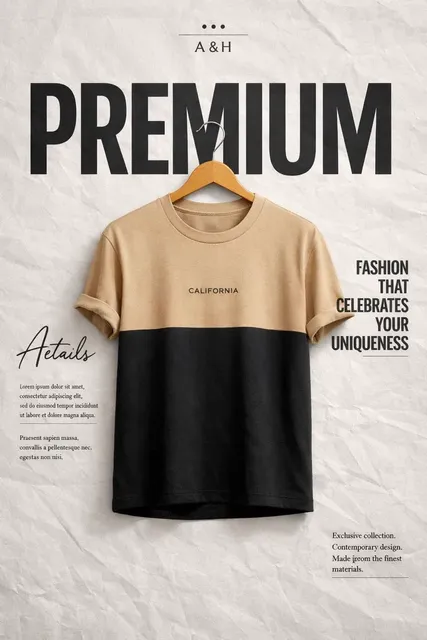
A modern logo design on a storefront, change the background from day to sunset, adjust the storefront color to navy blue
Expected output
An updated version of the image with the specified color and time-of-day changes
Detail enrichment
Input
A coffee shop interior with wooden tables, then add exposed brick wall texture, hanging pendant lights, and a chalkboard menu
Expected output
An enriched interior scene with the described additional details integrated
Generate images from text and refine them through iterative prompting in one workflow.
Integrated Workflow
Create and refine images in a single session without switching between separate tools.
Targeted Adjustments
Change specific elements of an image while keeping the parts you like intact.
Efficient Iteration
Build on existing results rather than starting from scratch for each new version.
How It Works
1
Describe the Image
Describe the desired image.
2
Choose Settings
Choose the available generation settings.
3
Generate and Download
Generate, review, and download a suitable result.
Guidance for Best Results
Follow these tips to get the most out of the image generator.
Input Constraints
- Avoid uploading personal or sensitive material without permission
- Review results before using them in public or commercial contexts
- Respect intellectual property rights in your prompt descriptions
Practical Tips
- Be specific about visual details like colors, lighting, and composition
- Describe the style and mood you want to achieve
- Iterate on prompts to refine results incrementally
Privacy
- Do not upload personal or sensitive material unless you have permission to use it.
Usage Rights
- Confirm that you have the rights needed for the inputs and intended use of the result.
Prompt recipes
Copy a structure, then adjust the subject, lighting, camera, and output details for your own result.
Refine a product mockup
Initial: A minimalist skincare bottle on a marble surface. Follow-up: Add soft natural light from the left, a eucalyptus branch, and change the bottle cap to gold.
Starts with a simple composition, then layers specific adjustments to lighting, props, and materials without regenerating the entire scene.
Evolve a landscape scene
Initial: A calm mountain lake at dawn. Follow-up: Add a wooden dock extending into the water, increase the fog over the lake, and add a canoe tied to the dock.
Builds atmospheric and structural elements incrementally, allowing you to control each addition without losing the original composition.
Adjust a character portrait
Initial: A character portrait with soft studio lighting. Follow-up: Change the background to a dark gradient, add rim lighting from the right, and adjust the character's expression to more serious.
Separates lighting, background, and expression changes into manageable steps, preserving the character's overall look while refining mood.
Enhance an architectural render
Initial: A modern living room with large windows. Follow-up: Add indoor plants near the window, change the sofa color to charcoal gray, and add warm evening sunlight through the glass.
Allows precise control over furniture, decor, and lighting without redescribing the entire room layout each time.
Modify a fantasy illustration
Initial: A fantasy knight standing in a forest clearing. Follow-up: Add glowing runes on the knight's armor, increase the mist around the trees, and place a glowing sword in the knight's hand.
Introduces fantasy elements and atmospheric effects step-by-step, letting you test each addition before committing to the next.
Best use cases
Match the workflow to the input you have and the result you need before opening the generator.
Product photography refinement
Input: Simple product description, then incremental lighting, prop, and material adjustments
Result: A polished product image with controlled lighting and styling
Tool: Text to Image with iterative prompting
Interior design iteration
Input: Basic room layout, then furniture, decor, and lighting changes in follow-up prompts
Result: A refined interior scene with layered design decisions
Tool: Text to Image with progressive detailing
Character concept development
Input: Initial character pose and outfit, then expression, lighting, and background adjustments
Result: A character portrait with refined mood and presentation
Tool: Text to Image with targeted edits
Scene composition enhancement
Input: Core scene elements, then atmospheric effects, props, and lighting tweaks
Result: A complete scene with balanced composition and details
Tool: Text to Image with incremental refinement
Limitations to know before generating
- Iterative edits rely on clear descriptions of what should change and what should stay the same.
- Complex changes may require multiple attempts to achieve the desired result.
- The tool does not support direct pixel-level editing or precise object removal.
- Results depend on how well the model interprets your follow-up instructions.
- Large changes may alter more of the image than intended, requiring further refinement.
Creative Suite: AI Video Generator & AI Image Generator Tools
Power up your creative workflow with our AI-driven tools. Generate stunning videos, create images, and apply custom adjustments - our AI Video Generator and AI Image Generator offer a complete solution for all your creative needs.
Strictly Prohibits Adult/NSFW Content








Pricing
Choose the credit package that works best for you.
No hidden fees • Cancel anytime • Unused credits roll over
Starter
Perfect for trying out AI creation.
Credits
200 credits / month
- Up to 20 videos per month
- Up to 100 images per month
$6.99/ month$9.9930% OFF
Billed monthly
First-time subscribers get 30% off their first month, then standard price
What's included
- Credits never expire
- Standard models
- HD, Watermark-Free Downloads
- Private Generation
- Faster Generation Speed
- Ad-free experience
Basic
Perfect for light creators.
Credits
500 credits / month
- Up to 50 videos per month
- Up to 250 images per month
$13.99/ month$19.9930% OFF
Billed monthly
First-time subscribers get 30% off their first month, then standard price
What's included
- Credits never expire
- Standard models
- HD, Watermark-Free Downloads
- Private Generation
- Faster Generation Speed
- Ad-free experience
Pro
PopularBest value for creators
Credits
1,200 credits / month
- Up to 120 videos per month
- Up to 600 images per month
$39.99/ month
Billed monthly
What's included
- Credits never expire
- All models + Early access to new models
- HD, Watermark-Free Downloads
- Private Generation
- Faster Generation Speed
- Ultra HD resolution
- Ad-free experience
Ultra
For video creators and power users.
Credits
5,000 credits / month
- Up to 500 videos per month
- Up to 2,500 images per month
$99.99/ month
Billed monthly
What's included
- Credits never expire
- All models + Early access to new models
- HD, Watermark-Free Downloads
- Private Generation
- Faster Generation Speed
- Ultra HD resolution
- Ad-free experience
Free
Standard models only — upgrade to unlock premium models.
Credits
10 free credits on signup
Questions? Contact us at support@domer.io
Generate and Edit Your Images
Create images from text and refine them through iterative prompting using the tool.