
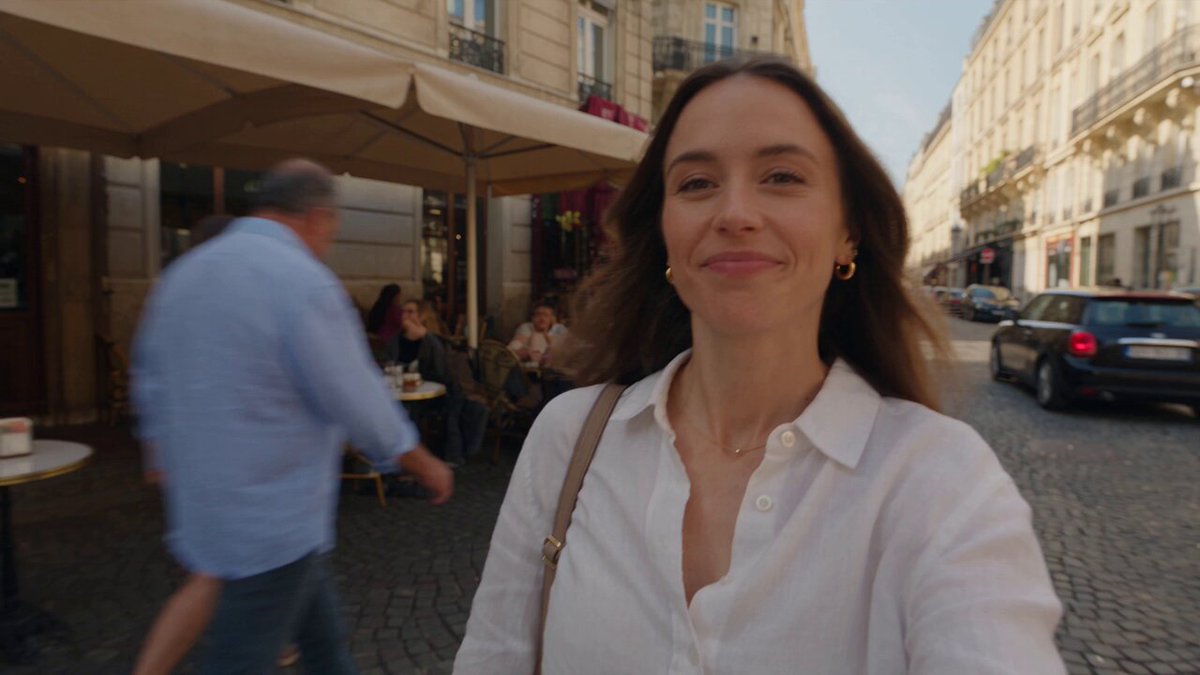
AI Photo Generator Real — Create Realistic Images from Text
Turn text into realistic photos. Describe a real-world scene with lighting and texture details, then generate images that look captured by a camera.
AI Image Generator
0/20000 characters
My images
Loading...
What does an ai photo generator real do?
It generates images from text descriptions that look like real photographs taken in the physical world. You describe a scene with concrete details about lighting, textures, environment, and composition, and the tool produces a realistic-looking photo you can review and download.
AI Photo Generator Real — Create Realistic Images from Text
Coffee shop interior at golden hour
Input
A cozy coffee shop interior with warm wooden tables, a barista behind the counter, golden sunlight streaming through a large front window, realistic textures and shadows.
Expected output
A realistic interior scene of a coffee shop with warm lighting and natural shadow detail.
Hiker on a mountain trail
Input
A hiker in a red jacket walking on a narrow dirt trail through green alpine meadows, distant snowy peaks, bright blue sky with scattered clouds.
Expected output
A realistic outdoor landscape photo with a hiker, trail, and mountain backdrop.
Minimalist living room
Input
A bright, modern living room with a white sofa, a single leafy plant in a corner, natural light from floor-to-ceiling windows, neutral tones and clean lines.
Expected output
A realistic interior design photo of a minimalist living room with natural light.
Generate a realistic-looking photo from a text description.
Skip the logistics
No need to arrange locations, lighting, or models — describe the scene and get a realistic photo from text.
Iterate on realism
Adjust your prompt to refine lighting, texture, or composition until the result matches your expectations.
Visualize before committing
Test different scene ideas as realistic images before investing in an actual photoshoot or production.
How It Works
1
Describe the desired image
Describe the desired image.
2
Choose the available generation settings
Choose the available generation settings.
3
Generate, review, and download
Generate, review, and download a suitable result.
Tips for realistic AI photo results
Realism comes from prompt detail and natural phrasing.
Input Constraints
- Describe scenes that exist in the real world.
- Include lighting, texture, and environment details.
- Avoid mixing contradictory visual styles.
Practical Tips
- Mention lighting conditions such as 'golden hour' or 'overcast' for natural results.
- Use concrete descriptors like 'wooden', 'glass', 'fabric' to improve surface realism.
- Generate a few variations and pick the one with the most natural proportions and perspective.
Privacy
- Do not upload personal or sensitive material unless you have permission to use it.
Usage Rights
- Confirm that you have the rights needed for the inputs and intended use of the result.
Prompt recipes
Copy a structure, then adjust the subject, lighting, camera, and output details for your own result.
Outdoor portrait with natural light
A woman in a denim jacket standing in a sunlit park, soft afternoon light, green trees in the background, natural and candid expression, realistic photography.
Combines natural outdoor setting, specific time of day, and candid style to create a believable real-world portrait.
Interior with controlled natural light
A modern kitchen with white countertops and wooden cabinets, morning sunlight streaming through a large window, a steaming coffee cup on the counter, realistic textures and shadows.
Uses concrete materials, natural light source, and everyday object to create a realistic domestic scene.
Cityscape at dusk
A bustling city street at dusk, streetlights just turning on, pedestrians walking, warm orange sky fading to blue, realistic urban photography.
Describes transitional time of day and urban activity to create a realistic street photography moment.
Product in natural setting
A ceramic mug on a wooden table next to an open book and reading glasses, soft daylight from a nearby window, realistic still life photography.
Combines everyday objects, natural light, and still life composition to create a believable product scene.
Landscape with weather detail
A rocky coastline with waves crashing against cliffs, overcast sky with patches of blue, seagulls in the distance, realistic coastal landscape photography.
Includes weather conditions, natural movement, and geographic details to create a convincing outdoor landscape.
Best use cases
Match the workflow to the input you have and the result you need before opening the generator.
Visualizing an interior design concept before a renovation
Input: Describe the room type, furniture, materials like wood or marble, and natural or artificial light sources.
Result: A realistic interior photo showing the proposed design with accurate lighting and textures.
Tool: Text to Image with interior design, natural light, and material keywords like wooden, glass, or fabric.
Creating a realistic scene for a blog or article header
Input: Describe the setting, time of day, key objects or people, and mood like busy, calm, or dramatic.
Result: A believable photo that fits the article topic and looks like it was taken in the real world.
Tool: Text to Image with realistic photography, natural lighting, and scene-specific keywords.
Generating mockup images for a product presentation
Input: Describe the product, surface it sits on, background, and natural or studio lighting.
Result: A realistic product photo suitable for presentations or early-stage mockups.
Tool: Text to Image with product, realistic textures, and natural or studio lighting keywords.
Testing landscape compositions for a photography project
Input: Describe the landscape type, weather, time of day, and any focal elements like mountains, water, or trees.
Result: A realistic landscape photograph you can use to evaluate composition and lighting ideas.
Tool: Text to Image with landscape photography, golden hour or overcast, and geographic detail keywords.
Limitations to know before generating
- Realism depends heavily on prompt detail — vague or contradictory descriptions produce less convincing results.
- Fine details like text, small patterns, or complex reflections often break down and reveal the generated nature of the image.
- Human faces and hands are particularly challenging and may appear distorted or asymmetrical, reducing realism.
- The tool generates new images from scratch and cannot replicate specific real locations, people, or trademarked products exactly.
- Results should be reviewed for accuracy and plausibility before use, especially in contexts where realism and trust matter.
Creative Suite: AI Video Generator & AI Image Generator Tools
Power up your creative workflow with our AI-driven tools. Generate stunning videos, create images, and apply custom adjustments - our AI Video Generator and AI Image Generator offer a complete solution for all your creative needs.
Strictly Prohibits Adult/NSFW Content








Pricing
Choose the credit package that works best for you.
No hidden fees • Cancel anytime • Unused credits roll over
Starter
Perfect for trying out AI creation.
Credits
200 credits / month
- Up to 20 videos per month
- Up to 100 images per month
$6.99/ month$9.9930% OFF
Billed monthly
First-time subscribers get 30% off their first month, then standard price
What's included
- Credits never expire
- Standard models
- HD, Watermark-Free Downloads
- Private Generation
- Faster Generation Speed
- Ad-free experience
Basic
Perfect for light creators.
Credits
500 credits / month
- Up to 50 videos per month
- Up to 250 images per month
$13.99/ month$19.9930% OFF
Billed monthly
First-time subscribers get 30% off their first month, then standard price
What's included
- Credits never expire
- Standard models
- HD, Watermark-Free Downloads
- Private Generation
- Faster Generation Speed
- Ad-free experience
Pro
PopularBest value for creators
Credits
1,200 credits / month
- Up to 120 videos per month
- Up to 600 images per month
$39.99/ month
Billed monthly
What's included
- Credits never expire
- All models + Early access to new models
- HD, Watermark-Free Downloads
- Private Generation
- Faster Generation Speed
- Ultra HD resolution
- Ad-free experience
Ultra
For video creators and power users.
Credits
5,000 credits / month
- Up to 500 videos per month
- Up to 2,500 images per month
$99.99/ month
Billed monthly
What's included
- Credits never expire
- All models + Early access to new models
- HD, Watermark-Free Downloads
- Private Generation
- Faster Generation Speed
- Ultra HD resolution
- Ad-free experience
Free
Standard models only — upgrade to unlock premium models.
Credits
10 free credits on signup
Questions? Contact us at support@domer.io
Create your own realistic AI photo
Open the text-to-image tool, describe a real-world scene, and see what it generates.