
Create
AI Thumbnail Generator 2026: Custom Video Covers
Use an ai thumbnail generator 2026 to describe your video subject, mood, and colors, then create a custom thumbnail image to review and download.
AI Image Generator
0/20000 characters
My images
Loading...

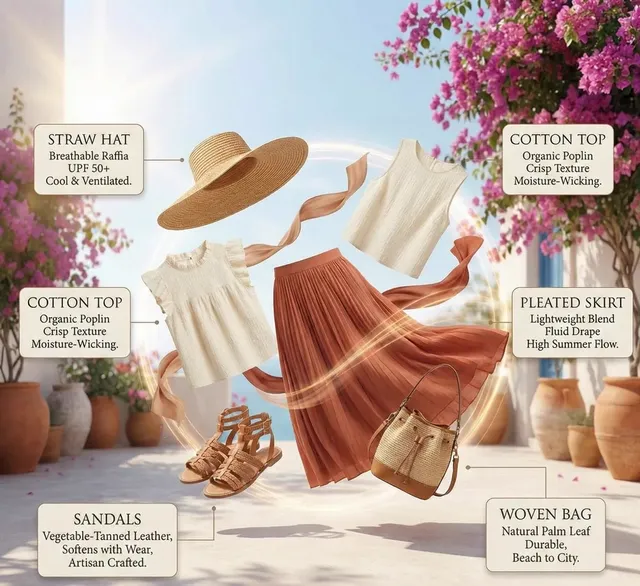

How AI Thumbnail Generator 2026 Helps Video Creators
An ai thumbnail generator 2026 converts your text prompt into a custom thumbnail image for video content. You describe the subject, composition, mood, and colors, choose generation settings, then review and download the result. This workflow helps you test thumbnail ideas and maintain visual consistency across your channel without manual design work.
AI Thumbnail Generator 2026: Custom Video Covers
Gaming channel art
Input
A gaming thumbnail with a confident player avatar, neon green and black palette, glowing controller, dramatic rim light, bold composition
Expected output
A bold gaming thumbnail concept with neon accents and a strong focal point, ready to review.
Cooking video cover
Input
A close-up of a steaming pasta dish on a rustic table, warm kitchen light, rich colors, appetizing styling for a cooking thumbnail
Expected output
A warm food thumbnail image with rich color and a clear central subject.
Finance explainer
Input
A clean finance thumbnail with an upward chart, calm blue palette, modern flat style, simple background, clear focal area for text
Expected output
A clean finance-style thumbnail with a clear subject and space for title text.
Create a custom video thumbnail image from a written description of subject, mood, and colors
Turn words into thumbnails
Describe the subject, palette, and mood, then generate a thumbnail concept without starting from a blank canvas.
Keep a consistent style
Reuse your preferred color and lighting words so each thumbnail feels part of the same channel.
Review before you publish
Every result is a concept to check for fit and rights before you use it.
How It Works
1
Describe the thumbnail idea
Describe the desired image.
2
Choose generation settings
Choose the available generation settings.
3
Generate and review
Generate, review, and download a suitable result.
Tips for thumbnail prompts
A focused prompt makes it easier to get a thumbnail that fits the video.
Input Constraints
- Describe original scenes rather than copying another creator's thumbnail.
- Avoid including personal or sensitive material in your prompt.
- Review the result for fit and rights before publishing.
Practical Tips
- Specify the subject, palette, and lighting to set the direction.
- Leave room for text if the thumbnail needs a title overlay.
- Keep the main subject readable at small sizes.
- Iterate on wording to refine the concept.
Privacy
- Do not upload personal or sensitive material unless you have permission to use it.
Usage Rights
- Confirm that you have the rights needed for the inputs and intended use of the result.
Prompt recipes
Copy a structure, then adjust the subject, lighting, camera, and output details for your own result.
Tech review thumbnail with product focus
A smartphone floating at an angle against a gradient blue background, soft studio lighting, clean composition, space on the left for text overlay
Isolating the product, naming lighting and background style, and reserving text space creates a professional tech thumbnail that works at small sizes.
Reaction video thumbnail with expressive face
A close-up of a surprised face with wide eyes and open mouth, bright even lighting, colorful background blur, high contrast for visibility
Focusing on emotion, specifying lighting for clarity, and adding contrast ensures the thumbnail grabs attention in a crowded feed.
Travel vlog thumbnail with scenic landscape
A person standing on a mountain overlook at golden hour, arms raised in celebration, warm sunset light, vibrant sky, wide cinematic framing
Combining action, dramatic lighting, and scenic elements tells a story and conveys the adventure mood instantly.
Tutorial thumbnail with clear setup
A tidy desk with a laptop showing code on the screen, top-down view, soft natural window light, modern workspace, space at the top for title text
Clean overhead angle, specific subject on screen, and reserved title area make the thumbnail informative and organized.
Challenge video thumbnail with bold energy
A person mid-jump with motion blur, bright neon lights in the background, high saturation, dynamic diagonal composition, electric atmosphere
Motion, vivid color, and energetic framing communicate excitement and encourage clicks on challenge or stunt content.
Comparison video thumbnail with split layout
A side-by-side comparison layout, left side showing a before scene in muted tones, right side showing after scene in vibrant color, clear visual contrast
Visual split, tonal contrast, and clear before/after structure make the comparison premise obvious at a glance.
Best use cases
Match the workflow to the input you have and the result you need before opening the generator.
Creating consistent thumbnails for a regular video series
Input: Core subject, recurring color palette, lighting style, space for series title or episode number
Result: A set of thumbnails that look cohesive across episodes while highlighting episode-specific content
Tool: Text to Image
Testing thumbnail concepts before video is finished
Input: Video topic, target emotion or mood, color direction, key visual element
Result: Multiple thumbnail options to compare for click appeal before finalizing the video edit
Tool: Text to Image
Designing eye-catching thumbnails for high-competition topics
Input: Bold subject, high-contrast colors, expressive face or action shot, clear focal point
Result: A thumbnail that stands out in search results and recommended feeds
Tool: Text to Image
Generating placeholder thumbnails for content planning
Input: Video topic, basic subject description, target channel style, simple composition notes
Result: Placeholder visuals that help you evaluate content lineup and visual variety
Tool: Text to Image
Limitations to know before generating
- Generated faces or people may include visual artifacts, distorted features, or unrealistic expressions that require review.
- Text overlays must be added separately; the tool generates the background image only.
- Thumbnail effectiveness depends on context like video title and niche; a good image does not guarantee clicks.
- Results vary based on prompt quality; vague descriptions often produce generic or unfocused visuals.
- The tool does not analyze competitor thumbnails or optimize for specific platform algorithms.
Creative Suite: AI Video Generator & AI Image Generator Tools
Power up your creative workflow with our AI-driven tools. Generate stunning videos, create images, and apply custom adjustments - our AI Video Generator and AI Image Generator offer a complete solution for all your creative needs.
Strictly Prohibits Adult/NSFW Content








Pricing
Choose the credit package that works best for you.
No hidden fees • Cancel anytime • Unused credits roll over
Starter
Perfect for trying out AI creation.
Credits
200 credits / month
- Up to 20 videos per month
- Up to 100 images per month
$6.99/ month$9.9930% OFF
Billed monthly
First-time subscribers get 30% off their first month, then standard price
What's included
- Credits never expire
- Standard models
- HD, Watermark-Free Downloads
- Private Generation
- Faster Generation Speed
- Ad-free experience
Basic
Perfect for light creators.
Credits
500 credits / month
- Up to 50 videos per month
- Up to 250 images per month
$13.99/ month$19.9930% OFF
Billed monthly
First-time subscribers get 30% off their first month, then standard price
What's included
- Credits never expire
- Standard models
- HD, Watermark-Free Downloads
- Private Generation
- Faster Generation Speed
- Ad-free experience
Pro
PopularBest value for creators
Credits
1,200 credits / month
- Up to 120 videos per month
- Up to 600 images per month
$39.99/ month
Billed monthly
What's included
- Credits never expire
- All models + Early access to new models
- HD, Watermark-Free Downloads
- Private Generation
- Faster Generation Speed
- Ultra HD resolution
- Ad-free experience
Ultra
For video creators and power users.
Credits
5,000 credits / month
- Up to 500 videos per month
- Up to 2,500 images per month
$99.99/ month
Billed monthly
What's included
- Credits never expire
- All models + Early access to new models
- HD, Watermark-Free Downloads
- Private Generation
- Faster Generation Speed
- Ultra HD resolution
- Ad-free experience
Free
Standard models only — upgrade to unlock premium models.
Credits
10 free credits on signup
Questions? Contact us at support@domer.io
Make a thumbnail for your next video
Open the text-to-image tool, describe the subject and mood, then generate a thumbnail image to review and download.