

E Poster Generator AI for Conference E-Posters
Generate conference e-poster layouts from text. Describe section structure, color scheme, and format for academic presentations and symposiums.
AI Image Generator
0/20000 characters
My images
Loading...


What is an e-poster?
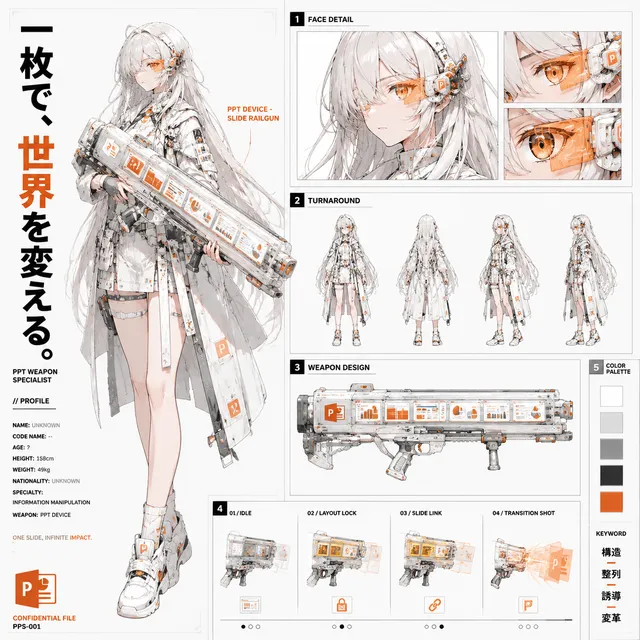
An e-poster is an electronic poster for conferences or events, displayed on screens instead of printed. Describe the layout, sections, orientation, and visual style to generate a structured image you can place into presentation files or submission systems.
E Poster Generator AI for Conference E-Posters
Medical conference e-poster
Input
A portrait e-poster for a medical conference with background, methods, results, and conclusion sections and a blue clinical palette
Expected output
A structured e-poster with the four sections and the requested clinical color scheme.
Engineering symposium
Input
A landscape e-poster for an engineering symposium with a system diagram, data table, and references strip
Expected output
A symposium e-poster with the diagram, table, and references area.
Education research
Input
A clean e-poster for an education study with an abstract, survey findings, and implications sections
Expected output
A research e-poster with the abstract and findings sections.
Create conference e-poster layouts for academic presentations
Conference-ready structure
Generate a clear section layout so your e-poster reads well on a screen or projector.
Easy revisions
Adjust the prompt for different section orders, colors, and emphasis between review rounds.
Fits your workflow
Download the generated image and place it into your presentation or submission file.
How It Works
1
Describe the image
Describe the desired image.
2
Pick your settings
Choose the available generation settings.
3
Generate and review
Generate, review, and download a suitable result.
Building an e-poster prompt
Plan for a screen, not a printed wall.
Input Constraints
- Name the sections and their order for the event template.
- State the orientation that fits the submission format.
- Keep headings and short text exact for readability.
- Avoid crowded layouts with too much detail.
Practical Tips
- Describe the visual style, such as clean, clinical, or technical.
- Mention where charts, tables, or diagrams should sit.
- Regenerate after changing one section so the rest stays stable.
Privacy
- Do not upload personal or sensitive material unless you have permission to use it.
Usage Rights
- Confirm that you have the rights needed for the inputs and intended use of the result.
Prompt recipes
Copy a structure, then adjust the subject, lighting, camera, and output details for your own result.
Clinical Trial Results
Portrait e-poster for medical conference, white background with blue accent headers, sections for Abstract, Methodology, Results bar chart, Discussion, Conclusions, and References footer, clean clinical layout
Specifies orientation (portrait), field (medical), color scheme (white/blue), all required sections, and professional style (clean clinical) for a standard research poster.
Engineering Case Study
Landscape e-poster for engineering symposium, dark blue header with white text, three columns: Problem Statement, System Architecture diagram, Performance Data table, Conclusions, technical professional design
Uses landscape orientation, engineering field, column structure, specific content types (diagram, table), color scheme, and appropriate tone (technical professional).
Education Research Findings
Portrait e-poster for education conference, light gray background, sections for Research Question, Survey Demographics pie chart, Key Findings bullets, Implications, and Contact Info, accessible typography
Combines field (education), background color, structured sections, specific data visualization (pie chart), and accessibility consideration (typography) for an academic presentation.
Psychology Experiment
Portrait e-poster for psychology symposium, soft purple and white color scheme, sections for Hypothesis, Experimental Design flowchart, Statistical Results graph, Interpretation, and Acknowledgments, research poster format
Defines field (psychology), color palette (purple/white), section order, visual elements (flowchart, graph), and format type (research poster) for a behavioral science presentation.
Public Health Campaign
Landscape e-poster for public health conference, green and white theme, three-panel layout: Community Need assessment, Intervention Strategy infographic, Outcomes metrics dashboard, Policy Recommendations, health communications style
Uses public health field, color theme (green/white), multi-panel structure, varied content types (assessment, infographic, metrics), and appropriate communication style.
Computer Science Algorithm
Portrait e-poster for CS conference, dark theme with cyan accents, sections for Problem Definition, Algorithm Pseudocode block, Complexity Analysis table, Benchmark Results line graph, Future Work, code-focused layout
Addresses CS field, modern dark theme, specific technical sections (pseudocode, complexity, benchmarks), code-friendly styling, and clear visual hierarchy for technical content.
Best use cases
Match the workflow to the input you have and the result you need before opening the generator.
Conference submission
Input: Describe all required sections, exact orientation, and field-appropriate color scheme
Result: A complete e-poster layout matching conference submission requirements
Tool: Text to Image
Poster session draft
Input: Request clear section divisions with placeholders for data, charts, and text blocks
Result: A structured template to fill with your actual research content
Tool: Text to Image
Virtual presentation slide
Input: Specify screen-friendly colors, readable text sizes, and simplified section layout
Result: An e-poster optimized for virtual conference display on video platforms
Tool: Text to Image
Department symposium
Input: Describe less formal layout with visual hierarchy and departmental color scheme
Result: An internal presentation poster for smaller academic gatherings
Tool: Text to Image
Limitations to know before generating
- Generated e-posters are layout concepts, not editable presentation files
- Text content in images may be illegible or placeholder-only; add real text separately
- Charts, graphs, and data visualizations are visual approximations, not actual data plots
- Complex technical diagrams may lack precision; use generated layouts as templates only
- Check conference requirements for file format, resolution, and section specifications
- Review generated layouts for readability on both large screens and smaller displays
Creative Suite: AI Video Generator & AI Image Generator Tools
Power up your creative workflow with our AI-driven tools. Generate stunning videos, create images, and apply custom adjustments - our AI Video Generator and AI Image Generator offer a complete solution for all your creative needs.
Strictly Prohibits Adult/NSFW Content








Pricing
Choose the credit package that works best for you.
No hidden fees • Cancel anytime • Unused credits roll over
Starter
Perfect for trying out AI creation.
Credits
200 credits / month
- Up to 20 videos per month
- Up to 100 images per month
$6.99/ month$9.9930% OFF
Billed monthly
First-time subscribers get 30% off their first month, then standard price
What's included
- Credits never expire
- Standard models
- HD, Watermark-Free Downloads
- Private Generation
- Faster Generation Speed
- Ad-free experience
Basic
Perfect for light creators.
Credits
500 credits / month
- Up to 50 videos per month
- Up to 250 images per month
$13.99/ month$19.9930% OFF
Billed monthly
First-time subscribers get 30% off their first month, then standard price
What's included
- Credits never expire
- Standard models
- HD, Watermark-Free Downloads
- Private Generation
- Faster Generation Speed
- Ad-free experience
Pro
PopularBest value for creators
Credits
1,200 credits / month
- Up to 120 videos per month
- Up to 600 images per month
$39.99/ month
Billed monthly
What's included
- Credits never expire
- All models + Early access to new models
- HD, Watermark-Free Downloads
- Private Generation
- Faster Generation Speed
- Ultra HD resolution
- Ad-free experience
Ultra
For video creators and power users.
Credits
5,000 credits / month
- Up to 500 videos per month
- Up to 2,500 images per month
$99.99/ month
Billed monthly
What's included
- Credits never expire
- All models + Early access to new models
- HD, Watermark-Free Downloads
- Private Generation
- Faster Generation Speed
- Ultra HD resolution
- Ad-free experience
Free
Standard models only — upgrade to unlock premium models.
Credits
10 free credits on signup
Questions? Contact us at support@domer.io
Prepare your conference e-poster
Open the text-to-image tool and describe your e-poster layout.