
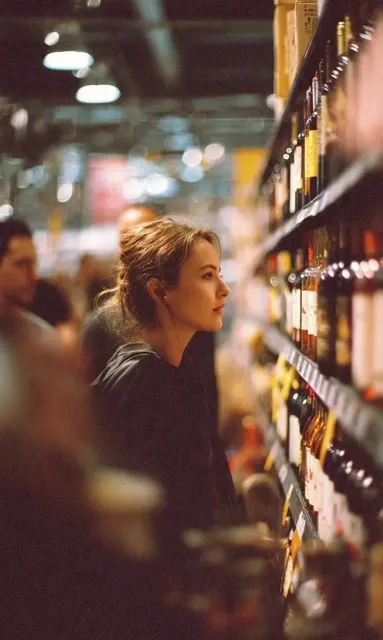
Affordable AI Video Generator Under 50 Dollars 2025
Generate video clips from text descriptions. No camera gear, studio space, or production budget required—just a written scene and the text-to-video tool.
AI Video Generator
0/20000 characters
Cost:10
My videos
Loading...

How does an affordable AI video generator work?
You describe a scene in text—subject, action, lighting, setting—then choose generation settings and review the resulting video clip. The workflow replaces filming with text input, letting you create visual content without equipment or location costs.
Affordable AI Video Generator Under 50 Dollars 2025
Product scene for social media
Input
A ceramic mug on a rustic wooden table, steam rising from hot coffee, warm morning light from a window to the left.
Expected output
A short video of a coffee mug with animated steam, warm natural lighting, and a product-photography feel.
Remote work setting clip
Input
A person sitting at a desk typing on a laptop, coffee cup nearby, plants on the shelf behind, afternoon sunlight through blinds.
Expected output
A home-office scene with typing motion, natural light patterns, and a relaxed work atmosphere.
Presentation visual aid
Input
A clean white presentation screen with a bar chart appearing gradually, a hand pointing at the rising data, soft office lighting.
Expected output
A business-style clip with animated chart growth, a pointing gesture, and minimal professional setting.
Generate short video clips from text descriptions without camera equipment or filming costs.
Replace filming with text
Write what you need instead of booking locations, hiring crew, or setting up lights. The tool interprets your description and generates a video draft.
Refine without reshooting
Adjust your prompt and regenerate when the first result misses the mark. Each iteration costs time, not production budget.
Review before publishing
Preview every generated clip, check motion quality and visual accuracy, and confirm the result fits your project before download.
How It Works
1
Describe the scene
Describe the desired scene and motion.
2
Choose settings
Choose the available generation settings.
3
Generate and download
Generate, review, and download a suitable result.
Getting useful results from text-to-video
Focus prompts on scenes that would otherwise require filming, props, or locations. Specific visual details—lighting, setting, colors—produce more accurate results.
Input Constraints
- The tool generates video from text prompts.
- Results depend on prompt detail and clarity.
- Review each video before using it.
Practical Tips
- Describe scenes you would otherwise need to film or license.
- Use specific visual details—lighting, setting, colors—for better results.
- One scene per prompt keeps the output focused and coherent.
- Regenerate with small prompt adjustments to refine the result.
Privacy
- Do not upload personal or sensitive material unless you have permission to use it.
Usage Rights
- Confirm that you have the rights needed for the inputs and intended use of the result.
Prompt recipes
Copy a structure, then adjust the subject, lighting, camera, and output details for your own result.
Product hero shot with motion
A bottle of olive oil on a marble countertop, soft pour into a glass dish, golden liquid catching sunlight from the right, slow motion.
Specifies the product, surface, action, lighting direction, and motion speed for a focused product visual.
Tutorial step demonstration
Hands folding a paper airplane on a wooden desk, each crease shown clearly, natural daylight from a nearby window, steady close-up angle.
Details the action, background, lighting source, and camera framing to produce a clear instructional clip.
Atmospheric backdrop loop
Rain falling on a city street at night, neon reflections on wet pavement, blurred car headlights passing, steady camera position.
Describes the environment, weather, lighting, and motion elements for a looping background clip.
Character action in context
A person walking through a bright modern office lobby, glass walls, plants, morning light streaming in, smooth tracking shot from behind.
Combines subject action, setting details, time of day, and camera movement for a narrative-style scene.
Process visualization
Coffee beans pouring into a grinder, close-up view, beans tumbling and bouncing, warm kitchen lighting, subtle slow motion.
Focuses on a single process step with clear visual detail, lighting, and motion for explainer or commercial use.
Best use cases
Match the workflow to the input you have and the result you need before opening the generator.
Social media post visual
Input: Short scene description with clear subject and motion
Result: A 5-10 second clip ready for Instagram story or TikTok
Tool: Text to Video
Product demonstration draft
Input: Product name, action, lighting, and camera angle
Result: A rough visual concept to refine before final shoot
Tool: Text to Video
Presentation background loop
Input: Atmospheric scene with repeating motion and neutral setting
Result: A looping video backdrop for slides or virtual meetings
Tool: Text to Video
Tutorial step illustration
Input: Close-up of hands performing a specific action
Result: A clear demonstration clip for how-to content
Tool: Text to Video
Limitations to know before generating
- Generated video quality depends on prompt clarity and generation model capabilities.
- Complex scenes with multiple simultaneous actions may produce inconsistent results.
- Results may not match professional filming in terms of control or precision.
- Each generation requires review—automated use without human check is not recommended.
- Lighting, motion, and framing are interpreted by the model and may vary from your intent.
Creative Suite: AI Video Generator & AI Image Generator Tools
Power up your creative workflow with our AI-driven tools. Generate stunning videos, create images, and apply custom adjustments - our AI Video Generator and AI Image Generator offer a complete solution for all your creative needs.
Strictly Prohibits Adult/NSFW Content








Pricing
Choose the credit package that works best for you.
No hidden fees • Cancel anytime • Unused credits roll over
Starter
Perfect for trying out AI creation.
Credits
200 credits / month
- Up to 20 videos per month
- Up to 100 images per month
$6.99/ month$9.9930% OFF
Billed monthly
First-time subscribers get 30% off their first month, then standard price
What's included
- Credits never expire
- Standard models
- HD, Watermark-Free Downloads
- Private Generation
- Faster Generation Speed
- Ad-free experience
Basic
Perfect for light creators.
Credits
500 credits / month
- Up to 50 videos per month
- Up to 250 images per month
$13.99/ month$19.9930% OFF
Billed monthly
First-time subscribers get 30% off their first month, then standard price
What's included
- Credits never expire
- Standard models
- HD, Watermark-Free Downloads
- Private Generation
- Faster Generation Speed
- Ad-free experience
Pro
PopularBest value for creators
Credits
1,200 credits / month
- Up to 120 videos per month
- Up to 600 images per month
$39.99/ month
Billed monthly
What's included
- Credits never expire
- All models + Early access to new models
- HD, Watermark-Free Downloads
- Private Generation
- Faster Generation Speed
- Ultra HD resolution
- Ad-free experience
Ultra
For video creators and power users.
Credits
5,000 credits / month
- Up to 500 videos per month
- Up to 2,500 images per month
$99.99/ month
Billed monthly
What's included
- Credits never expire
- All models + Early access to new models
- HD, Watermark-Free Downloads
- Private Generation
- Faster Generation Speed
- Ultra HD resolution
- Ad-free experience
Free
Standard models only — upgrade to unlock premium models.
Credits
10 free credits on signup
Questions? Contact us at support@domer.io
Generate video from text
Describe a scene, generate a video, and review the result. Open the text-to-video tool to start creating.