
Create
AI 3D Video Generator
Use ai 3d video generator to turn text prompts into videos with spatial depth and perspective. Describe the scene, camera motion, and layering for a.
AI Video Generator
0/20000 characters
Cost:10
My videos
Loading...
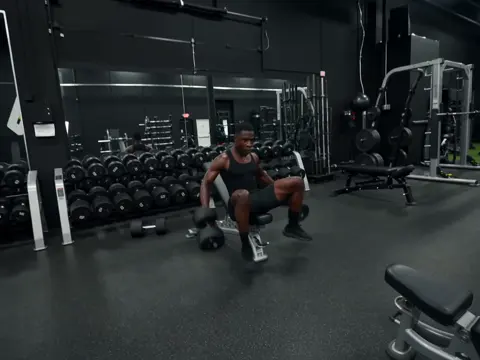

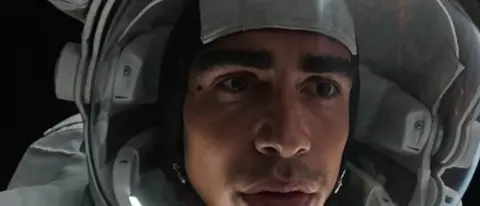
How do you generate a 3D-style video from text?
Describe a scene with spatial cues—foreground, midground, background, depth of field, parallax—and camera movement like orbit, push, or track. The tool interprets your prompt and generates video with visible depth and perspective.
AI 3D Video Generator
Futuristic city flythrough
Input
A wide shot of a neon-lit cyberpunk street at night, skyscrapers receding into the distance, flying cars moving in different depth layers, rain falling with visible parallax.
Expected output
A moving shot that reveals depth between foreground neon signs, mid-ground traffic, and distant towers.
Mechanical creature reveal
Input
A slow camera push toward a steampunk dragon perched on a cliff edge, smoke curling from its nostrils, with the camera passing through foreground leaves.
Expected output
A video where the dragon and cliff hold clear spatial separation from the foreground foliage.
Rotating product showcase
Input
A pair of high-top sneakers slowly rotating on a white platform, soft studio lighting, subtle shadow beneath, background gradient fading from light gray to dark gray.
Expected output
A smooth rotational view of the sneakers with consistent lighting and a clean shadow anchor.
Generate a video with visible depth, perspective, and three-dimensional motion from a text prompt.
Skip the 3D software
There is no need to model, texture, or light a 3D scene. A written description is the only input required.
Control depth and motion
Describe camera movement, depth of field, and spatial layering directly in the prompt to shape the visual result.
Iterate quickly on concepts
Refine scenes, test visual directions, and generate variations in minutes rather than hours.
How It Works
1
Describe the scene and motion
Describe the desired scene and motion.
2
Choose generation settings
Choose the available generation settings.
3
Generate and review
Generate, review, and download a suitable result.
Writing effective prompts for 3D-style output
A few prompt techniques help the model interpret depth and perspective. Use spatial language, describe layers explicitly, and include camera motion cues.
Input Constraints
- Avoid instructions that imply true stereoscopic or volumetric output—this route generates standard video with visual depth cues.
- Do not claim the result is a real 3D render or usable for engineering or scientific visualisation.
Practical Tips
- Use terms such as depth of field, parallax, foreground, mid-ground, and background in your prompt.
- Describe camera motion—push, pull, orbit, track—to influence the sense of space.
- Try specific lighting cues like volumetric light, rim light, or soft studio light.
- Generate several short clips and pick the one with the best depth separation.
Privacy
- Do not upload personal or sensitive material unless you have permission to use it.
Usage Rights
- Confirm that you have the rights needed for the inputs and intended use of the result.
Prompt recipes
Copy a structure, then adjust the subject, lighting, camera, and output details for your own result.
Cinematic reveal with depth layers
Camera pushing through a dark forest, tree trunks in foreground moving quickly past, moonlight filtering through mid-ground branches, distant mountain visible through fog.
Explicitly describes foreground, mid-ground, and background layers with relative motion speed to create parallax depth.
Product with dimensional staging
Perfume bottle on marble pedestal in center, soft flowers blurred in foreground, smooth gradient background receding to deep blue, camera orbiting slowly around product.
Uses depth of field cues, spatial staging, and camera orbit to create a dimensional product showcase.
Urban scene with scale and perspective
Low-angle view looking up at towering skyscrapers, people walking on street level far below, clouds moving overhead, camera tilting up slowly from ground to sky.
Establishes scale through perspective, layers ground and sky, and uses camera motion to enhance depth perception.
Underwater depth with light rays
Coral reef with fish swimming at different depths, sunlight rays penetrating from surface above, particles floating in water, camera descending slowly from bright surface to darker depths.
Describes depth layers through lighting gradient, particle effects, and vertical camera motion from light to dark.
Abstract space with volumetric depth
Glowing geometric shapes floating at different distances in dark space, volumetric light beams passing between them, camera flying forward through the scene.
Uses spatial positioning, volumetric lighting, and forward camera motion to create dimensional abstract space.
Best use cases
Match the workflow to the input you have and the result you need before opening the generator.
Cinematic video intro or transition
Input: Scene with foreground, mid-ground, background layers and camera motion
Result: A depth-rich video clip for film, YouTube intros, or promotional content
Tool: Text to Video
Product showcase with depth
Input: Product with staged background, lighting, and camera orbit
Result: A dimensional product video for e-commerce or advertising
Tool: Text to Video
Immersive environment exploration
Input: Environment description with perspective and camera movement
Result: A 3D-style walkthrough for game design, virtual tours, or concept art
Tool: Text to Video
Abstract motion graphics with depth
Input: Shapes or particles at different depth layers with camera motion
Result: A dimensional abstract video for backgrounds, presentations, or creative projects
Tool: Text to Video
Limitations to know before generating
- The output is standard video generated from text, not true stereoscopic 3D or volumetric rendering.
- Depth perception depends on visual cues like parallax, perspective, and layering—not actual 3D geometry.
- Complex scenes with many depth layers may not render with clear spatial separation.
- Camera motion and depth effects are inferred from text—precise control requires detailed prompt wording.
- Results are suitable for visual media and creative projects but not for technical, engineering, or scientific 3D visualization.
Creative Suite: AI Video Generator & AI Image Generator Tools
Power up your creative workflow with our AI-driven tools. Generate stunning videos, create images, and apply custom adjustments - our AI Video Generator and AI Image Generator offer a complete solution for all your creative needs.
Strictly Prohibits Adult/NSFW Content








Pricing
Choose the credit package that works best for you.
No hidden fees • Cancel anytime • Unused credits roll over
Starter
Perfect for trying out AI creation.
Credits
200 credits / month
- Up to 20 videos per month
- Up to 100 images per month
$6.99/ month$9.9930% OFF
Billed monthly
First-time subscribers get 30% off their first month, then standard price
What's included
- Credits never expire
- Standard models
- HD, Watermark-Free Downloads
- Private Generation
- Faster Generation Speed
- Ad-free experience
Basic
Perfect for light creators.
Credits
500 credits / month
- Up to 50 videos per month
- Up to 250 images per month
$13.99/ month$19.9930% OFF
Billed monthly
First-time subscribers get 30% off their first month, then standard price
What's included
- Credits never expire
- Standard models
- HD, Watermark-Free Downloads
- Private Generation
- Faster Generation Speed
- Ad-free experience
Pro
PopularBest value for creators
Credits
1,200 credits / month
- Up to 120 videos per month
- Up to 600 images per month
$39.99/ month
Billed monthly
What's included
- Credits never expire
- All models + Early access to new models
- HD, Watermark-Free Downloads
- Private Generation
- Faster Generation Speed
- Ultra HD resolution
- Ad-free experience
Ultra
For video creators and power users.
Credits
5,000 credits / month
- Up to 500 videos per month
- Up to 2,500 images per month
$99.99/ month
Billed monthly
What's included
- Credits never expire
- All models + Early access to new models
- HD, Watermark-Free Downloads
- Private Generation
- Faster Generation Speed
- Ultra HD resolution
- Ad-free experience
Free
Standard models only — upgrade to unlock premium models.
Credits
10 free credits on signup
Questions? Contact us at support@domer.io
Try the AI 3D video generator
Open the Text to Video tool, write a scene with depth in mind, and see how the description translates into a video with spatial dimension.