
Create
AI Video Generator 4 Minutes — Extended Clips
Generate longer video sequences from text descriptions. Plan multi-scene prompts, choose settings, and create extended clips with narrative flow.
AI Video Generator
0/20000 characters
Cost:10
My videos
Loading...

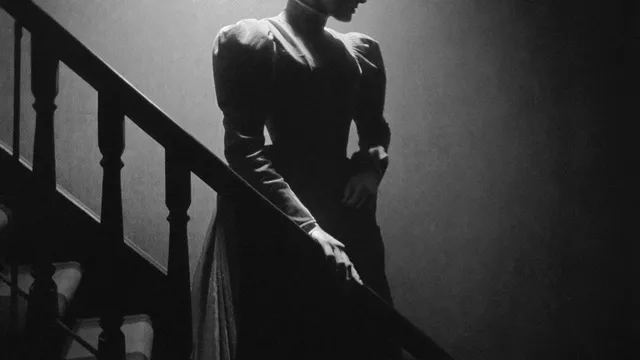
Can an AI video generator Describe 4-minute clips?
An AI video generator can create extended video sequences by processing detailed multi-scene text descriptions. You describe the full sequence with transitions and scene changes, choose the available duration settings, then generate and review the output. The actual clip length depends on the tool's current settings and your prompt structure.
AI Video Generator 4 Minutes — Extended Clips
Documentary nature walk
Input
A slow walk through a forest at dawn starting from the treeline, moving past a stream, emerging into a clearing with deer, birds overhead
Expected output
A continuous multi-scene nature walk with changing environments and wildlife
Cooking tutorial
Input
A full pasta recipe from ingredient prep on a cutting board to boiling water, mixing sauce, plating the finished dish with garnish
Expected output
A step-by-step cooking sequence showing the complete recipe process
Guided meditation
Input
A calm beach scene starting at the shoreline, slowly zooming out to show the horizon, clouds drifting, gentle waves throughout
Expected output
A meditative sequence with slow visual transitions and consistent calming atmosphere
Create extended video sequences from text when the project needs a longer continuous narrative or multi-scene flow
Extended content in one go
Describe a full sequence and get a longer clip without stitching shorter segments.
Narrative continuity
A single descriptive prompt can maintain cohesive storytelling across multiple scenes.
Platform-ready length
Produce longer-form clips suitable for platforms that favor extended content.
How It Works
1
Describe the scene
Describe the desired scene and motion.
2
Choose settings
Choose the available generation settings.
3
Generate and download
Generate, review, and download a suitable result.
Planning longer video prompts
Tips for structuring extended descriptions.
Input Constraints
- Structure your description in scene order to guide the output.
- Avoid claims about exact clip duration or continuous recording.
- Review the full clip before editing or using it.
Practical Tips
- Break the video into logical scenes in your description.
- Use transition words like then, moving to, transitioning to.
- Describe how each scene connects to the next.
- Specify the overall mood and pace at the start.
- Mention any changes in lighting or setting between scenes.
- Keep the camera movement description consistent.
Privacy
- Do not upload personal or sensitive material unless you have permission to use it.
Usage Rights
- Confirm that you have the rights needed for the inputs and intended use of the result.
Prompt recipes
Copy a structure, then adjust the subject, lighting, camera, and output details for your own result.
Multi-location product journey
A smartphone being unboxed on a desk, then carried outdoors into sunlight, used to take a photo of a mountain view, returning indoors to charge on a nightstand
Describes a clear sequence of locations and actions with natural transitions, giving the generator a structured narrative path to follow across different settings.
Time-lapse narrative with scene progression
A plant seedling in soil at dawn, growing taller as sunlight moves across the room, blooming by afternoon, with a watering can appearing mid-sequence
Uses time progression and environmental change to create continuity, with a clear subject and evolving visual state across the extended duration.
Event coverage with multiple angles
A conference room filling with people, camera panning across attendees sitting down, then focusing on a speaker at the podium, ending with applause and people standing
Structures the sequence like event coverage with distinct phases and camera movements, creating a multi-scene flow with natural pacing and transitions.
Tutorial workflow with step markers
Hands folding a paper airplane: first fold down the center, second fold the wings, third fold the nose, then launching the plane across a room
Breaks a process into clear steps with visible progress markers, giving the generator logical checkpoints for an extended instructional sequence.
Atmospheric scene with environmental shifts
A city street at dusk with light traffic, transitioning to full night with neon signs glowing, then early morning fog rolling in as the first pedestrians appear
Uses lighting and atmospheric changes as scene dividers, creating visual variety and narrative progression within a single location over an extended timeframe.
Best use cases
Match the workflow to the input you have and the result you need before opening the generator.
Tutorial or how-to content
Input: Step-by-step process descriptions with clear action markers and consistent pacing
Result: An extended instructional sequence showing each step in order with smooth transitions
Tool: Text to Video with sequential step language and time markers
Brand storytelling or narrative ads
Input: Multi-scene story descriptions with emotional arc and environmental changes
Result: A longer narrative clip with cohesive visual flow and mood progression
Tool: Text to Video with scene-transition cues and consistent tone
Event or location tours
Input: Location walk-through descriptions with camera movement and point-of-interest callouts
Result: A continuous tour-style clip moving through multiple areas or moments
Tool: Text to Video with spatial transition language and steady camera motion
Meditation or ambient content
Input: Slow-paced nature or abstract scenes with gradual environmental changes and calming tone
Result: An extended ambient clip with minimal cuts and sustained calming atmosphere
Tool: Text to Video with slow motion cues and environmental detail
Limitations to know before generating
- Actual clip duration depends on the tool's settings; check available options before starting.
- Very long prompts with many disconnected scenes may lose visual coherence across the full output.
- Extended generation may take longer to complete than shorter clips.
- Describing fast cuts or rapid scene changes in one prompt can reduce visual quality and continuity.
- Always review the full output before using it; some sections may need regeneration or editing.
- The tool generates from your description; it does not automatically create transitions or scene breaks.
Creative Suite: AI Video Generator & AI Image Generator Tools
Power up your creative workflow with our AI-driven tools. Generate stunning videos, create images, and apply custom adjustments - our AI Video Generator and AI Image Generator offer a complete solution for all your creative needs.
Strictly Prohibits Adult/NSFW Content








Pricing
Choose the credit package that works best for you.
No hidden fees • Cancel anytime • Unused credits roll over
Starter
Perfect for trying out AI creation.
Credits
200 credits / month
- Up to 20 videos per month
- Up to 100 images per month
$6.99/ month$9.9930% OFF
Billed monthly
First-time subscribers get 30% off their first month, then standard price
What's included
- Credits never expire
- Standard models
- HD, Watermark-Free Downloads
- Private Generation
- Faster Generation Speed
- Ad-free experience
Basic
Perfect for light creators.
Credits
500 credits / month
- Up to 50 videos per month
- Up to 250 images per month
$13.99/ month$19.9930% OFF
Billed monthly
First-time subscribers get 30% off their first month, then standard price
What's included
- Credits never expire
- Standard models
- HD, Watermark-Free Downloads
- Private Generation
- Faster Generation Speed
- Ad-free experience
Pro
PopularBest value for creators
Credits
1,200 credits / month
- Up to 120 videos per month
- Up to 600 images per month
$39.99/ month
Billed monthly
What's included
- Credits never expire
- All models + Early access to new models
- HD, Watermark-Free Downloads
- Private Generation
- Faster Generation Speed
- Ultra HD resolution
- Ad-free experience
Ultra
For video creators and power users.
Credits
5,000 credits / month
- Up to 500 videos per month
- Up to 2,500 images per month
$99.99/ month
Billed monthly
What's included
- Credits never expire
- All models + Early access to new models
- HD, Watermark-Free Downloads
- Private Generation
- Faster Generation Speed
- Ultra HD resolution
- Ad-free experience
Free
Standard models only — upgrade to unlock premium models.
Credits
10 free credits on signup
Questions? Contact us at support@domer.io
Create your extended video
Plan your multi-scene description and open the text-to-video tool to generate your longer clip.