
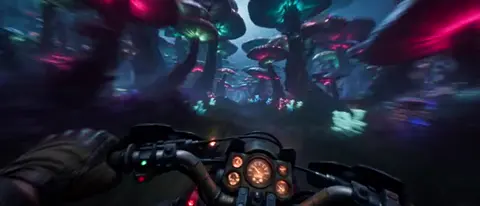
AI Video Generator ComfyUI Workflows
Use ai video generator comfyui to build video clips through iterative prompt refinement. Describe scenes, adjust settings between passes, and control output.
AI Video Generator
0/20000 characters
Cost:10
My videos
Loading...

How does workflow-style video generation work?
Workflow-style video generation lets you refine prompts across multiple passes, adjusting settings and wording to control each generation step and achieve consistent results.
AI Video Generator ComfyUI Workflows
Animation loop from description
Input
A simple orange tabby cat sitting in a sunlit window, tail swishing slowly, dust particles floating in the light beam
Expected output
A short animation loop of a cat in a window with tail movement and floating dust particles
Visual effect pass sequence
Input
A glass sphere on a black surface with light refracting through it, creating rainbow patterns on the surface below
Expected output
A visual effects-style video of a glass sphere with rainbow light refraction patterns
Prompt variation comparison
Input
A neon-lit city street at night with rain-slicked pavement reflecting pink and blue signs, steam rising from a manhole cover
Expected output
A neon city street video with rain reflections and steam rising from the pavement
Generate video clips using structured, iterative prompt workflows similar to node-based generation systems.
Iterative prompt refinement
Generate, review, and adjust your prompt in structured passes to refine the visual output step by step.
Configurable generation passes
Use the available settings to adjust how each prompt pass produces the output, experimenting with different configurations.
Reproducible prompt structures
Save effective prompt structures and reuse them with different scene descriptions for consistent workflow results.
How It Works
1
Describe the scene
Describe the desired scene and motion.
2
Choose settings
Choose the available generation settings.
3
Generate and review
Generate, review, and download a suitable result.
Tips for workflow-style prompts
Structure prompts for iterative refinement and consistent generation passes.
Input Constraints
- Start with a simple prompt before adding detail
- Change one element at a time when iterating
- Document prompt variations that produced useful results
- Use consistent scene descriptions when comparing settings
Practical Tips
- Keep a record of prompt structures that work well
- Test the same prompt with different settings to understand their effect
- Review each output before deciding on the next prompt adjustment
Privacy
- Do not upload personal or sensitive material unless you have permission to use it.
Usage Rights
- Confirm that you have the rights needed for the inputs and intended use of the result.
Prompt recipes
Copy a structure, then adjust the subject, lighting, camera, and output details for your own result.
Controlled animation loop
A single red balloon floating upward in a white room, slow vertical motion, soft natural window light from the left, minimal background detail.
Simple subject, single motion direction, and controlled lighting make iteration predictable and results consistent across passes.
Lighting variation test
A marble sculpture of a hand on a pedestal, camera circling slowly, three-point studio lighting with adjustable key light intensity.
Fixed subject and camera path let you isolate lighting changes across multiple generation passes to compare effects.
Motion speed comparison
Ocean waves crashing on a rocky shore, camera locked in place, wave speed variable from slow motion to real-time, overcast daylight.
Static camera and consistent scene allow you to test motion speed settings without confounding variables.
Scene element isolation
A desk with a single lamp, warm light, dark background, camera stationary, with and without a book on the desk surface.
Minimal scene lets you add or remove elements one at a time to understand how each affects the output.
Atmosphere density sweep
A forest path at dawn, mist density variable from clear to dense fog, camera dolly forward, same color grading across passes.
Changing only atmosphere density while keeping other variables fixed reveals how that parameter influences mood and visibility.
Best use cases
Match the workflow to the input you have and the result you need before opening the generator.
Visual effect experimentation
Input: Simple subject with isolated motion or lighting variable—sphere, cube, or single character.
Result: Series of clips showing effect variation, useful for selecting final look.
Tool: Text to Video with consistent prompt structure across multiple passes.
Style transfer testing
Input: Fixed scene description with style keyword variation—realistic, painterly, or cinematic.
Result: Multiple versions of the same scene in different visual styles for comparison.
Tool: Text to Video with style-related setting adjustments between generations.
Motion choreography refinement
Input: Scene with specific motion path that needs fine-tuning—camera dolly, object rotation, or character walk cycle.
Result: Incremental improvements to motion timing and smoothness across iterations.
Tool: Text to Video with motion keywords adjusted in each pass.
Setting baseline for batch work
Input: Simple representative scene that will be reused—office interior, product stage, or outdoor environment.
Result: Validated prompt template that produces reliable results for similar future scenes.
Tool: Text to Video with documented prompt structure saved for reuse.
Limitations to know before generating
- Iterative workflows require multiple generations, increasing total time compared to single-pass use.
- Prompt changes between passes may introduce unexpected variation; document each step.
- Generation settings affect results unpredictably; test incrementally rather than changing many for comparison.
- Complex scenes are harder to isolate variables in; start simple and add detail gradually.
- Workflow-style use assumes you will review and adjust multiple times; not suited for quick one-off clips.
Creative Suite: AI Video Generator & AI Image Generator Tools
Power up your creative workflow with our AI-driven tools. Generate stunning videos, create images, and apply custom adjustments - our AI Video Generator and AI Image Generator offer a complete solution for all your creative needs.
Strictly Prohibits Adult/NSFW Content








Pricing
Choose the credit package that works best for you.
No hidden fees • Cancel anytime • Unused credits roll over
Starter
Perfect for trying out AI creation.
Credits
200 credits / month
- Up to 20 videos per month
- Up to 100 images per month
$6.99/ month$9.9930% OFF
Billed monthly
First-time subscribers get 30% off their first month, then standard price
What's included
- Credits never expire
- Standard models
- HD, Watermark-Free Downloads
- Private Generation
- Faster Generation Speed
- Ad-free experience
Basic
Perfect for light creators.
Credits
500 credits / month
- Up to 50 videos per month
- Up to 250 images per month
$13.99/ month$19.9930% OFF
Billed monthly
First-time subscribers get 30% off their first month, then standard price
What's included
- Credits never expire
- Standard models
- HD, Watermark-Free Downloads
- Private Generation
- Faster Generation Speed
- Ad-free experience
Pro
PopularBest value for creators
Credits
1,200 credits / month
- Up to 120 videos per month
- Up to 600 images per month
$39.99/ month
Billed monthly
What's included
- Credits never expire
- All models + Early access to new models
- HD, Watermark-Free Downloads
- Private Generation
- Faster Generation Speed
- Ultra HD resolution
- Ad-free experience
Ultra
For video creators and power users.
Credits
5,000 credits / month
- Up to 500 videos per month
- Up to 2,500 images per month
$99.99/ month
Billed monthly
What's included
- Credits never expire
- All models + Early access to new models
- HD, Watermark-Free Downloads
- Private Generation
- Faster Generation Speed
- Ultra HD resolution
- Ad-free experience
Free
Standard models only — upgrade to unlock premium models.
Credits
10 free credits on signup
Questions? Contact us at support@domer.io
Start your structured video workflow
Open the text-to-video tool, write your first prompt, and iterate through generations to refine the output.