
ai video generator create guide
Create video from imagination. Describe any scene in text, adjust settings, then generate and review original video clips without filming.
AI Video Generator
0/20000 characters
Cost:10
My videos
Loading...

What does an AI video generator create?
An AI video generator creates short video clips from written descriptions. You provide a text prompt describing a scene, setting, and motion, then the tool generates a matching video. Use it to prototype ideas, visualize concepts, or produce original footage without a camera.
ai video generator create guide
Original scene creation
Input
A floating island in the sky with a single ancient tree, waterfalls cascading off the edges into clouds, small glowing creatures flitting between branches.
Expected output
A fantasy scene video showing a floating island with a tree, waterfalls, and glowing creatures in the sky.
Abstract concept visualization
Input
Flowing ribbons of light weaving through a dark space, changing colors from blue to purple to gold, smooth organic movement like dancing energy.
Expected output
An abstract visualization with flowing colored light ribbons moving through a dark space.
Narrative moment
Input
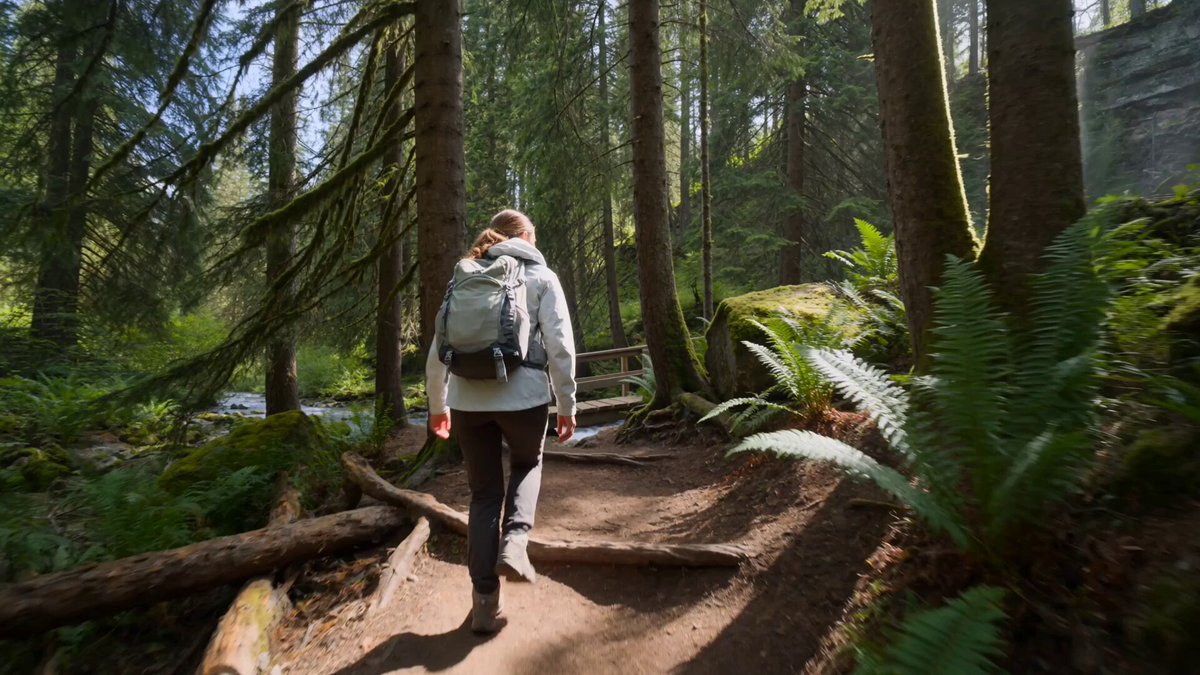
A traveler opens a weathered map at a crossroads in a dense forest, looks up at two paths ahead, then folds the map and takes the left path.
Expected output
A narrative clip showing a traveler at a forest crossroads consulting a map and choosing a path.
Turn written scene descriptions into original video clips without filming or existing footage
Create from imagination
Turn any visual idea into a short video clip without needing footage, actors, or a filming location.
Rapidly prototype concepts
Generate a visual version of an idea in minutes for pitches, storyboards, or creative exploration.
Explore creative directions
Describe the same concept in different ways to explore multiple visual interpretations.
How It Works
1
Describe the scene
Describe the desired scene and motion.
2
Choose settings
Choose the available generation settings.
3
Generate and download
Generate, review, and download a suitable result.
Creating original video from scratch
Describe the setting, subject, action, and visual style clearly to help the tool interpret your creative idea.
Input Constraints
- Original creations may not match the exact vision in your mind review and iterate as needed
- Do not describe copyrighted characters, worlds, or intellectual property
- Results should be reviewed before public sharing or commercial use
Practical Tips
- Start with the main subject and action, then add setting details
- Describe the mood or atmosphere you want to convey
- Include movement direction and pace to guide the dynamic of the scene
Privacy
- Do not upload personal or sensitive material unless you have permission to use it.
Usage Rights
- Confirm that you have the rights needed for the inputs and intended use of the result.
Prompt recipes
Copy a structure, then adjust the subject, lighting, camera, and output details for your own result.
Underwater bioluminescence
Deep ocean trench at night, schools of bioluminescent jellyfish drifting upward through dark water, faint blue and green glow trails behind each creature, camera slowly tilts up following their ascent
Combines specific lighting cues with directional motion and camera movement, giving the generator clear visual and kinetic guidance.
Surreal desert landscape
Endless red sand dunes under a purple twilight sky, giant clock face half-buried in the sand, shadows stretching long across the rippled surface, wind gently stirring sand particles
Mixes realistic natural elements with one surreal object, anchoring the scene in a recognizable setting while adding imaginative flair.
Cozy rainy bookshop
Interior of a narrow bookshop on a rainy afternoon, rain streaking down the window, warm amber light from hanging bulbs, camera slowly pans across shelves of old books with visible spines
Establishes mood through weather, lighting, and setting details, then adds camera motion to bring the static scene to life.
Futuristic city flyover
Aerial view gliding over a neon-lit cyberpunk city at night, towering skyscrapers with glowing holographic billboards, flying vehicles weaving between buildings, slight camera tilt downward toward the streets
Uses genre keywords and perspective to set visual style, while camera motion and moving vehicles add dynamic energy.
Minimalist product reveal
White studio background, single red sneaker rotating slowly on a pedestal, soft spotlight from above casting a subtle shadow, camera orbits around the shoe in a steady circle
Simplifies the scene to one subject with controlled lighting and predictable motion, ideal for clean product visualization.
Magical forest awakening
Dawn breaking in an enchanted forest, golden sunlight filtering through tall trees, glowing fireflies emerging from hollow trunks, mist rising from the forest floor, camera drift forward along a mossy path
Layers multiple atmospheric elements with a clear time of day and natural forward motion, creating an immersive narrative moment.
Best use cases
Match the workflow to the input you have and the result you need before opening the generator.
Concept pitch visualization
Input: Write a one-paragraph scene description capturing the core visual idea, including setting, subject, and mood
Result: Short video clip that communicates the concept's look and feel to stakeholders
Tool: Text to Video
Storyboard placeholder
Input: Describe each key scene beat with camera angle and motion notes
Result: Rough motion draft for each beat to preview pacing and composition
Tool: Text to Video
Social media content
Input: Short, eye-catching scene with strong visual contrast or motion, like swirling particles or dramatic lighting
Result: Attention-grabbing clip suitable for Instagram Reels or TikTok background
Tool: Text to Video
Creative exploration
Input: Abstract or surreal description testing the limits of visual interpretation
Result: Surprising or unexpected imagery that sparks new creative directions
Tool: Text to Video
Limitations to know before generating
- Generated video may not precisely match your mental image; iteration and prompt refinement are usually necessary
- Complex scenes with many subjects or intricate interactions may produce inconsistent or unclear results
- Do not use for scenes requiring exact branding, specific actor likenesses, or copyrighted material
- Always review output for unintended artifacts or visual errors before using in finished projects
Creative Suite: AI Video Generator & AI Image Generator Tools
Power up your creative workflow with our AI-driven tools. Generate stunning videos, create images, and apply custom adjustments - our AI Video Generator and AI Image Generator offer a complete solution for all your creative needs.
Strictly Prohibits Adult/NSFW Content








Pricing
Choose the credit package that works best for you.
No hidden fees • Cancel anytime • Unused credits roll over
Starter
Perfect for trying out AI creation.
Credits
200 credits / month
- Up to 20 videos per month
- Up to 100 images per month
$6.99/ month$9.9930% OFF
Billed monthly
First-time subscribers get 30% off their first month, then standard price
What's included
- Credits never expire
- Standard models
- HD, Watermark-Free Downloads
- Private Generation
- Faster Generation Speed
- Ad-free experience
Basic
Perfect for light creators.
Credits
500 credits / month
- Up to 50 videos per month
- Up to 250 images per month
$13.99/ month$19.9930% OFF
Billed monthly
First-time subscribers get 30% off their first month, then standard price
What's included
- Credits never expire
- Standard models
- HD, Watermark-Free Downloads
- Private Generation
- Faster Generation Speed
- Ad-free experience
Pro
PopularBest value for creators
Credits
1,200 credits / month
- Up to 120 videos per month
- Up to 600 images per month
$39.99/ month
Billed monthly
What's included
- Credits never expire
- All models + Early access to new models
- HD, Watermark-Free Downloads
- Private Generation
- Faster Generation Speed
- Ultra HD resolution
- Ad-free experience
Ultra
For video creators and power users.
Credits
5,000 credits / month
- Up to 500 videos per month
- Up to 2,500 images per month
$99.99/ month
Billed monthly
What's included
- Credits never expire
- All models + Early access to new models
- HD, Watermark-Free Downloads
- Private Generation
- Faster Generation Speed
- Ultra HD resolution
- Ad-free experience
Free
Standard models only — upgrade to unlock premium models.
Credits
10 free credits on signup
Questions? Contact us at support@domer.io
Create something new
Open the text-to-video generator, describe an original scene from your imagination, and generate a short video.