
Create
AI Video Generator Studio – Text to Video
Turn text prompts into video scenes in a dedicated studio workflow. Describe your idea, adjust settings, generate, and download—all in one place.
AI Video Generator
0/20000 characters
Cost:10
My videos
Loading...

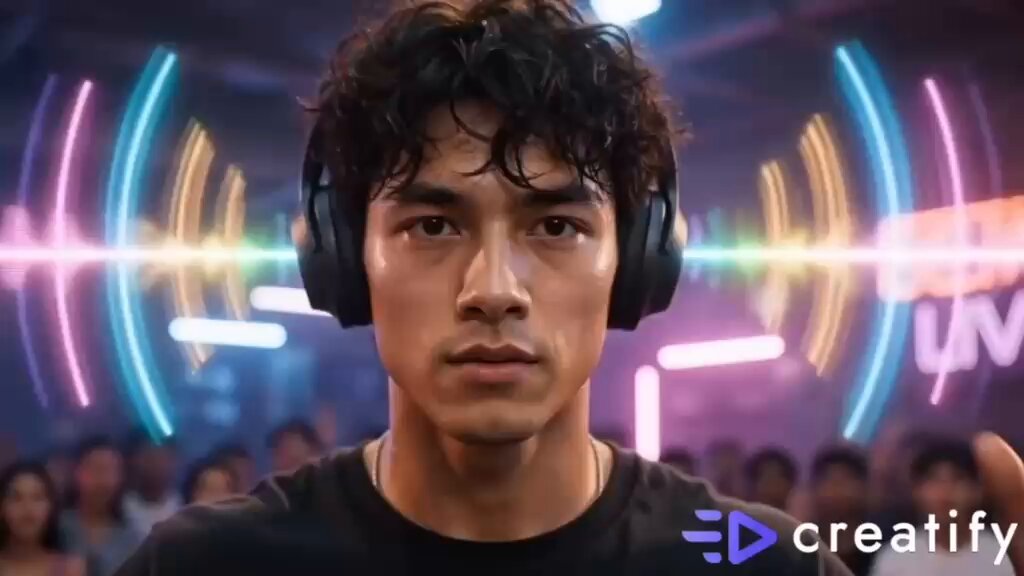
What is an AI video generator studio?
An AI video generator studio provides a complete workflow for creating video from text prompts. You describe a scene, choose generation settings, generate the video, review the result, and download it—all within a single interface designed for prompt-based video creation.
AI Video Generator Studio – Text to Video
Professional B-roll scene
Input
A modern office interior with people at desks, natural light from floor-to-ceiling windows, plants in corners, calm professional atmosphere, slow camera pan
Expected output
A professional office B-roll scene with natural lighting, workspace activity, and smooth camera motion
Abstract art visualization
Input
Flowing streams of liquid color merging on a dark canvas, metallic gold and deep blue swirling together, organic movement like watercolor
Expected output
An abstract art video with flowing colored streams merging in organic patterns on a dark background
Nature establishing shot
Input
A wide meadow with wildflowers stretching to distant mountains, clouds casting moving shadows across the landscape, gentle wind through grass
Expected output
A wide landscape shot with a flower meadow, mountain backdrop, and cloud shadows drifting across the terrain
Create video content from text prompts in a dedicated generation studio environment.
Studio-style control
Access generation settings alongside your prompt input to adjust how your video scene is created from text.
One-stop video creation
Describe, generate, review, and download from a single interface without switching between different tools.
Prompt-based iteration
Refine your scene descriptions and adjust settings to explore different visual directions for the same concept.
How It Works
1
Describe the scene and motion
Describe the desired scene and motion.
2
Choose generation settings
Choose the available generation settings.
3
Generate and review
Generate, review, and download a suitable result.
Tips for studio-style prompts
Write detailed prompts that take advantage of the generation studio workflow.
Input Constraints
- Describe the visual scene and motion clearly
- Use the available settings to fine-tune generation
- Avoid promising specific quality levels or professional-grade results
- Focus on one scene concept per generation
- Review output before downloading or sharing
- Do not include personal or sensitive material without permission
Practical Tips
- Write detailed scene descriptions for richer results
- Experiment with different settings combinations
- Describe camera motion for dynamic scenes
- Use lighting and color words to guide mood
- Generate multiple versions to compare outputs
- Keep prompts focused on visual elements
Privacy
- Do not upload personal or sensitive material unless you have permission to use it.
Usage Rights
- Confirm that you have the rights needed for the inputs and intended use of the result.
Prompt recipes
Copy a structure, then adjust the subject, lighting, camera, and output details for your own result.
Corporate explainer backdrop
Clean white studio space with geometric shapes floating gently in background, soft blue accent lighting from sides, minimalist professional aesthetic, camera slowly rotating around invisible center
Creates a neutral, polished background suitable for overlaying graphics or text in corporate videos.
Product showcase scene
Wooden table surface under warm directional light, shadows stretching diagonally across frame, single product centered with shallow depth of field, ambient studio environment blurred behind
Simulates a professional product photography setup with controlled lighting and focus for commercial use.
Lifestyle brand vignette
Cozy living room corner with afternoon sunlight streaming through sheer curtains, coffee table with books and cup, plants on shelf, inviting warm tones, camera gently drifting forward
Establishes aspirational lifestyle context for brand storytelling with relatable domestic setting.
Tech demo environment
Futuristic dark room with glowing circuit patterns on walls, holographic interface elements hovering mid-air, neon blue and cyan color palette, camera gliding smoothly through space
Creates a high-tech atmosphere suitable for software demos, app promos, or tech product launches.
Event recap montage
Bright event venue with people mingling in background, colorful banners and stage lighting visible, energetic atmosphere, camera weaving through crowd with shallow focus
Captures event energy and social proof context for promotional or recap content.
Best use cases
Match the workflow to the input you have and the result you need before opening the generator.
Creating social media content
Input: Short attention-grabbing scene descriptions optimized for vertical or square formats
Result: Quick, visually engaging clips ready for Instagram, TikTok, or Facebook
Tool: Text to Video with concise prompts
Generating B-roll for explainers
Input: Generic professional scenes like offices, workspaces, or technology close-ups
Result: Background footage to support voiceover or on-screen text
Tool: Text to Video with environment focus
Prototyping ad concepts
Input: Brand-aligned scene descriptions with specific mood and product context
Result: Rough visual mockups to test creative direction before production
Tool: Text to Video with brand tone emphasis
Producing background loops
Input: Repetitive motion scenes like flowing water, drifting clouds, or abstract patterns
Result: Seamless or near-seamless loops for website backgrounds or installations
Tool: Text to Video with motion continuity
Limitations to know before generating
- Generation quality depends on how clearly you describe the scene and which settings you choose.
- Complex multi-subject scenes may not render every detail exactly as described.
- Studio-style control is limited to the available generation settings; custom model training or fine-tuning is not supported.
- Generated clips are starting points and may need review or editing before use in polished productions.
- Some advanced camera effects or lighting setups may not translate perfectly from text descriptions.
Creative Suite: AI Video Generator & AI Image Generator Tools
Power up your creative workflow with our AI-driven tools. Generate stunning videos, create images, and apply custom adjustments - our AI Video Generator and AI Image Generator offer a complete solution for all your creative needs.
Strictly Prohibits Adult/NSFW Content








Pricing
Choose the credit package that works best for you.
No hidden fees • Cancel anytime • Unused credits roll over
Starter
Perfect for trying out AI creation.
Credits
200 credits / month
- Up to 20 videos per month
- Up to 100 images per month
$6.99/ month$9.9930% OFF
Billed monthly
First-time subscribers get 30% off their first month, then standard price
What's included
- Credits never expire
- Standard models
- HD, Watermark-Free Downloads
- Private Generation
- Faster Generation Speed
- Ad-free experience
Basic
Perfect for light creators.
Credits
500 credits / month
- Up to 50 videos per month
- Up to 250 images per month
$13.99/ month$19.9930% OFF
Billed monthly
First-time subscribers get 30% off their first month, then standard price
What's included
- Credits never expire
- Standard models
- HD, Watermark-Free Downloads
- Private Generation
- Faster Generation Speed
- Ad-free experience
Pro
PopularBest value for creators
Credits
1,200 credits / month
- Up to 120 videos per month
- Up to 600 images per month
$39.99/ month
Billed monthly
What's included
- Credits never expire
- All models + Early access to new models
- HD, Watermark-Free Downloads
- Private Generation
- Faster Generation Speed
- Ultra HD resolution
- Ad-free experience
Ultra
For video creators and power users.
Credits
5,000 credits / month
- Up to 500 videos per month
- Up to 2,500 images per month
$99.99/ month
Billed monthly
What's included
- Credits never expire
- All models + Early access to new models
- HD, Watermark-Free Downloads
- Private Generation
- Faster Generation Speed
- Ultra HD resolution
- Ad-free experience
Free
Standard models only — upgrade to unlock premium models.
Credits
10 free credits on signup
Questions? Contact us at support@domer.io
Start in the video studio
Write your scene prompt and generate a video clip with studio-style control.