
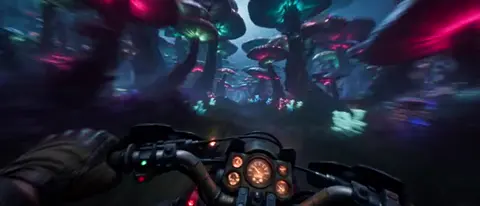
AI Video Generator with Image Concepts
Create videos from visual ideas. Describe the scene, composition, lighting, and style in text, and the tool generates a matching video clip.
AI Video Generator
0/20000 characters
Cost:10
My videos
Loading...
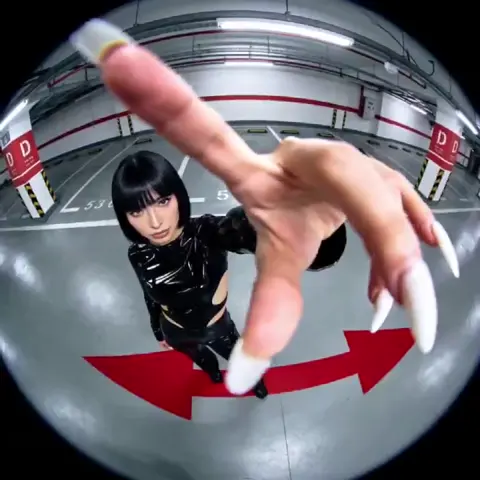
Turn image concepts into video with text prompts
An AI video generator with image support creates video clips from detailed text descriptions of visual scenes. Describe the composition, lighting, color palette, and mood as if you were describing an image, and the tool generates a video that interprets your visual concept in motion.
AI Video Generator with Image Concepts
Fantasy concept scene
Input
A glowing crystal floating above a stone pedestal in a dark cavern, blue light reflecting on wet rocks, slow rotation
Expected output
A fantasy scene video with a glowing crystal floating in a dark cavern with blue reflections
Vintage film look
Input
A classic car parked on a rainy street at night, warm streetlight reflections on wet asphalt, slight grain effect
Expected output
A vintage-style night scene with a classic car, warm reflections, and a grainy visual feel
Minimalist product scene
Input
A white ceramic vase on a pale surface, soft natural light from the side, clean composition, slow zoom
Expected output
A minimalist product video with a ceramic vase, natural light, and slow zoom movement
Generate video clips from text descriptions that reference visual concepts or image-like scenes
Describe your visual concept
Write the scene details including subject, setting, and lighting — the tool generates a video from your text description.
Choose generation options
Select available resolution and style settings to match the look you have in mind.
Review the visual result
Watch the generated clip to see how your concept translates into video and download it when satisfied.
How It Works
1
Describe the Scene
Describe the desired scene and motion.
2
Choose Settings
Choose the available generation settings.
3
Generate and Download
Generate, review, and download a suitable result.
Tips for Better Results
Follow these guidelines to get the most out of the video generator.
Input Constraints
- Write clear, specific scene descriptions for better results.
- Include lighting, mood, and motion details in your prompt.
- Review the generated video before using it in your project.
Practical Tips
- Be specific about colors and lighting in your scene description.
- Describe camera movement if you want motion in the clip.
- Try different prompts to explore variations of the same scene.
Privacy
- Do not upload personal or sensitive material unless you have permission to use it.
Usage Rights
- Confirm that you have the rights needed for the inputs and intended use of the result.
Prompt recipes
Copy a structure, then adjust the subject, lighting, camera, and output details for your own result.
Storyboard frame as video
A medium shot of a detective standing in a dimly lit alley at night, trench coat and fedora silhouette, single streetlamp casting long shadows, light fog drifting through the frame, cinematic noir color grading
Describes framing, subject, lighting, atmosphere, and color mood to recreate a storyboard image as a moving scene.
Product photography in motion
A luxury watch on a dark marble surface, soft spotlight from above, gold accents catching the light, slow clockwise rotation, shallow depth of field blurring the background
Combines product placement, lighting direction, material detail, camera motion, and focus to mimic a high-end product photo.
Concept art landscape
A vast desert under a purple twilight sky, twin moons visible on the horizon, ancient stone pillars half-buried in sand, gentle wind causing sand to drift, matte painting aesthetic
Uses fantastical elements, color palette, environmental detail, and a named art style to translate concept art into video.
Editorial portrait style
A person in a bold red coat standing in a minimalist white room, arms crossed, direct eye contact with camera, high-key lighting from both sides, fashion magazine composition
Specifies wardrobe, setting, pose, gaze, lighting setup, and editorial framing to replicate a styled portrait.
Architectural reference shot
A modern glass office building exterior at sunrise, warm orange light reflecting on the facade, clouds moving across the reflection, camera slowly tilting upward from ground level, clean geometric lines
Describes architecture, time of day, reflection detail, camera movement, and composition style for a reference-quality building shot.
Best use cases
Match the workflow to the input you have and the result you need before opening the generator.
Storyboard visualization
Input: Text description of a storyboard frame with framing, lighting, and mood
Result: A video clip that animates the static storyboard image
Tool: Text to Video with cinematic framing and lighting details
Product concept video
Input: Product description with surface, lighting, and camera motion
Result: A product showcase video with controlled motion and focus
Tool: Text to Video with product-focused prompt and motion keywords
Concept art to video
Input: Fantasy or sci-fi scene with color palette and atmospheric detail
Result: A moving version of the concept art with environmental motion
Tool: Text to Video with art style and environmental elements noted
Editorial or portrait video
Input: Subject description with lighting setup and composition style
Result: A styled portrait video matching editorial framing and mood
Tool: Text to Video with fashion or editorial composition terms
Limitations to know before generating
- The tool generates video from text descriptions, not from uploaded image files. Describe your visual concept in writing.
- Results depend on the clarity and detail of your scene description. Vague prompts may produce inconsistent visuals.
- Specific art styles or brand aesthetics may not translate exactly. Review the output for visual alignment before use.
- Camera motion, lighting, and color are interpreted by the model. Experiment with wording to refine the look.
- The tool does not replicate copyrighted images or trademarked visual styles. Keep descriptions generic or original.
Creative Suite: AI Video Generator & AI Image Generator Tools
Power up your creative workflow with our AI-driven tools. Generate stunning videos, create images, and apply custom adjustments - our AI Video Generator and AI Image Generator offer a complete solution for all your creative needs.
Strictly Prohibits Adult/NSFW Content








Pricing
Choose the credit package that works best for you.
No hidden fees • Cancel anytime • Unused credits roll over
Starter
Perfect for trying out AI creation.
Credits
200 credits / month
- Up to 20 videos per month
- Up to 100 images per month
$6.99/ month$9.9930% OFF
Billed monthly
First-time subscribers get 30% off their first month, then standard price
What's included
- Credits never expire
- Standard models
- HD, Watermark-Free Downloads
- Private Generation
- Faster Generation Speed
- Ad-free experience
Basic
Perfect for light creators.
Credits
500 credits / month
- Up to 50 videos per month
- Up to 250 images per month
$13.99/ month$19.9930% OFF
Billed monthly
First-time subscribers get 30% off their first month, then standard price
What's included
- Credits never expire
- Standard models
- HD, Watermark-Free Downloads
- Private Generation
- Faster Generation Speed
- Ad-free experience
Pro
PopularBest value for creators
Credits
1,200 credits / month
- Up to 120 videos per month
- Up to 600 images per month
$39.99/ month
Billed monthly
What's included
- Credits never expire
- All models + Early access to new models
- HD, Watermark-Free Downloads
- Private Generation
- Faster Generation Speed
- Ultra HD resolution
- Ad-free experience
Ultra
For video creators and power users.
Credits
5,000 credits / month
- Up to 500 videos per month
- Up to 2,500 images per month
$99.99/ month
Billed monthly
What's included
- Credits never expire
- All models + Early access to new models
- HD, Watermark-Free Downloads
- Private Generation
- Faster Generation Speed
- Ultra HD resolution
- Ad-free experience
Free
Standard models only — upgrade to unlock premium models.
Credits
10 free credits on signup
Questions? Contact us at support@domer.io
Create Your Visual Video
Open the text-to-video tool, write the scene and visual style you need, choose your settings, and generate a clip to review and download.