
AI VR Video Generator — Immersive-Style Clips
Generate immersive-style video from text descriptions. Describe a 360-style environment or first-person view and create clips with a spatial, surrounding feel.
AI Video Generator
0/20000 characters
Cost:10
My videos
Loading...
What is an AI VR video generator?
An AI VR video generator creates video clips with an immersive, virtual-reality visual style from text descriptions. The output is standard flat video that uses spatial composition, wide framing, and camera movement to create a sense of being surrounded by the environment. It does not produce actual 360-degree or VR-native video.
AI VR Video Generator — Immersive-Style Clips
Futuristic control room
Input
A panoramic view of a circular control room with holographic screens surrounding the viewer, blue ambient lighting, data streams flowing across curved surfaces, slow rotation.
Expected output
A video with a wraparound environment feel showing a central point surrounded by digital displays.
Alien forest walk
Input
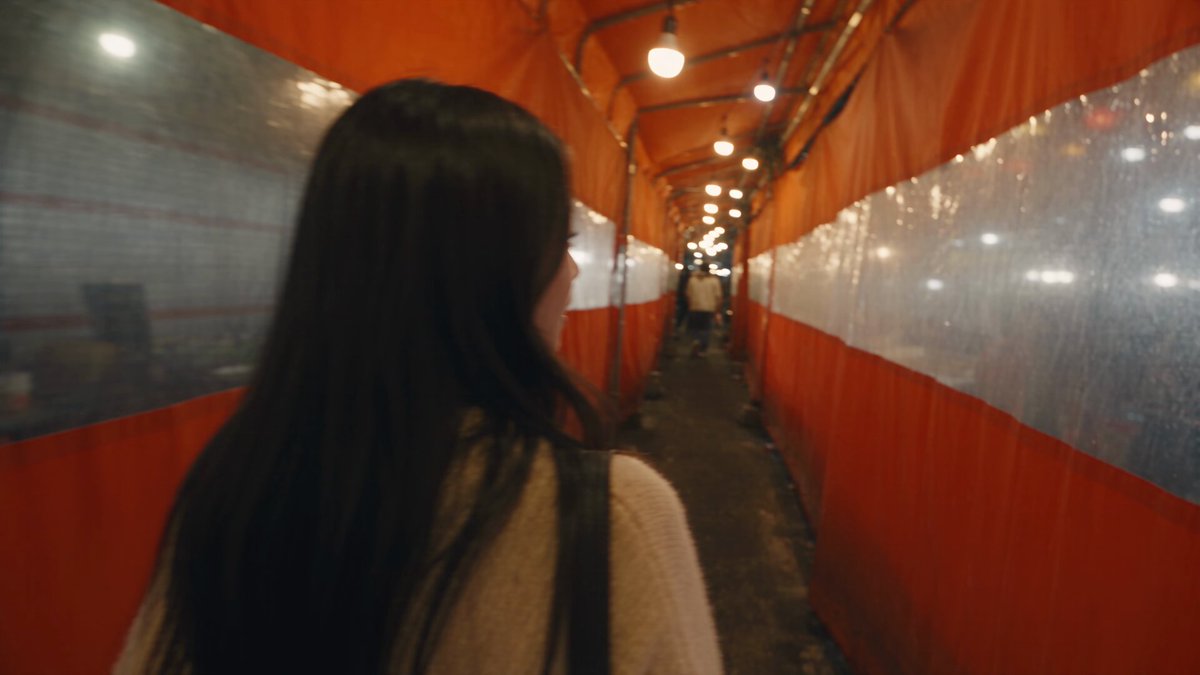
A first-person view walking through a bioluminescent alien forest, giant glowing mushrooms, floating blue spores, strange flora on both sides of the path.
Expected output
A forward-moving view through an alien environment with rich foreground and background detail.
Virtual art gallery tour
Input
A slow 360-degree pan of a cylindrical gallery space, framed artwork on every wall, spotlight beams from above, polished marble floor reflecting the pieces.
Expected output
A rotational view of a gallery interior that creates a sense of being surrounded by the space.
Create video clips with an immersive, virtual-reality visual feel from text descriptions of spatial environments
No VR hardware needed
Immersive-looking footage can be generated from a text prompt without a headset, game engine, or 360 camera.
Explore virtual environments
Conceptualise game levels, virtual venues, or metaverse spaces visually before any 3D modelling begins.
Create immersive marketing content
Produce video that feels spatial and exploratory for event promotions, virtual tours, or brand experiences.
How It Works
1
Describe the scene and motion
Describe the desired scene and motion.
2
Choose generation settings
Choose the available generation settings.
3
Generate and review
Generate, review, and download a suitable result.
Prompting for an immersive look
Use spatial language and camera cues to create the sense of a surrounding environment.
Input Constraints
- The output is standard flat video, not 360-degree, stereoscopic, or VR-native footage.
- Do not claim the video can be viewed in a VR headset or that it supports head tracking.
Practical Tips
- Use terms like panoramic, wraparound, 360 view, first-person view, or surrounding to set the spatial perspective.
- Describe the environment on both sides — what is to the left, right, and centre.
- Include camera movement: slow rotation, orbit, forward walk, pan, or dolly.
- Generate in a wide aspect ratio (16:9 or wider) to enhance the panoramic feel.
Privacy
- Do not upload personal or sensitive material unless you have permission to use it.
Usage Rights
- Confirm that you have the rights needed for the inputs and intended use of the result.
Prompt recipes
Copy a structure, then adjust the subject, lighting, camera, and output details for your own result.
Sci-Fi Command Center
A 360-degree view of a spaceship bridge with curved viewports showing deep space, holographic star maps floating mid-air, control panels on all sides, soft blue interface glow, slow orbital camera rotation
Uses wraparound spatial description, interface details on all sides, and slow rotation to create a full-surround immersive command environment.
Underground Cave Exploration
First-person perspective walking through a narrow cave passage, glowing crystals embedded in walls on both sides, stalactites hanging overhead, water dripping, headlamp beam illuminating the path ahead
Combines first-person framing, environmental detail on all sides, overhead elements, and forward motion to simulate an exploratory journey.
Virtual Concert Venue
Standing center stage in a massive circular arena, crowd on all sides waving, laser lights cutting through smoke, giant screens wrapping around the venue, slow 360 pan showing the full audience
Describes a central vantage point surrounded by activity, full-circle environment, and rotational camera to create a performer's immersive view.
Underwater Reef Dive
Submerged first-person view gliding through a coral reef tunnel, colorful fish swimming past on both sides, shafts of sunlight filtering down from above, bubbles rising, gentle forward drift
Uses underwater framing, movement through space, detail on both sides, and vertical lighting to build a three-dimensional immersive dive experience.
Medieval Castle Hall
A slow panoramic rotation in the center of a grand stone hall, towering pillars on all sides, stained glass windows casting colored light, suits of armor lining the walls, torches flickering, cathedral-like atmosphere
Describes a central viewpoint with surrounding architectural detail, lighting from multiple sources, and rotational movement to simulate standing in a vast hall.
Best use cases
Match the workflow to the input you have and the result you need before opening the generator.
Game environment preview
Input: First-person or orbital camera with 360 spatial detail, level architecture, lighting, and interactive elements
Result: Immersive clip showing what a game level might feel like before building it in a game engine
Tool: Text to Video with first-person or panoramic camera prompts
Virtual event marketing
Input: Central stage or venue viewpoint with audience, lighting, and wraparound spatial description
Result: Video that conveys the scale and immersive feel of a virtual or hybrid event space
Tool: Text to Video with 360-degree pan and crowd detail
Metaverse concept visualization
Input: Futuristic or fantastical environments with spatial landmarks, interactive elements, and exploratory camera movement
Result: Concept clips showing immersive digital spaces for pitches or design discussions
Tool: Text to Video with panoramic or orbital framing
Immersive brand experience
Input: Branded environment with product placement, spatial storytelling, and camera movement through the space
Result: Marketing video that makes viewers feel present in a branded virtual environment
Tool: Text to Video with first-person walk or 360 rotation prompts
Limitations to know before generating
- The output is flat standard video, not actual 360-degree VR footage or stereoscopic 3D
- Cannot be viewed natively in VR headsets with head tracking or interactive navigation
- Immersive feel depends on prompt clarity — vague spatial descriptions produce less convincing results
- Wide aspect ratios and spatial framing language improve the effect but do not guarantee VR-native compatibility
- Review the clip on a standard screen to confirm it creates the intended immersive impression
Creative Suite: AI Video Generator & AI Image Generator Tools
Power up your creative workflow with our AI-driven tools. Generate stunning videos, create images, and apply custom adjustments - our AI Video Generator and AI Image Generator offer a complete solution for all your creative needs.
Strictly Prohibits Adult/NSFW Content








Pricing
Choose the credit package that works best for you.
No hidden fees • Cancel anytime • Unused credits roll over
Starter
Perfect for trying out AI creation.
Credits
200 credits / month
- Up to 20 videos per month
- Up to 100 images per month
$6.99/ month$9.9930% OFF
Billed monthly
First-time subscribers get 30% off their first month, then standard price
What's included
- Credits never expire
- Standard models
- HD, Watermark-Free Downloads
- Private Generation
- Faster Generation Speed
- Ad-free experience
Basic
Perfect for light creators.
Credits
500 credits / month
- Up to 50 videos per month
- Up to 250 images per month
$13.99/ month$19.9930% OFF
Billed monthly
First-time subscribers get 30% off their first month, then standard price
What's included
- Credits never expire
- Standard models
- HD, Watermark-Free Downloads
- Private Generation
- Faster Generation Speed
- Ad-free experience
Pro
PopularBest value for creators
Credits
1,200 credits / month
- Up to 120 videos per month
- Up to 600 images per month
$39.99/ month
Billed monthly
What's included
- Credits never expire
- All models + Early access to new models
- HD, Watermark-Free Downloads
- Private Generation
- Faster Generation Speed
- Ultra HD resolution
- Ad-free experience
Ultra
For video creators and power users.
Credits
5,000 credits / month
- Up to 500 videos per month
- Up to 2,500 images per month
$99.99/ month
Billed monthly
What's included
- Credits never expire
- All models + Early access to new models
- HD, Watermark-Free Downloads
- Private Generation
- Faster Generation Speed
- Ultra HD resolution
- Ad-free experience
Free
Standard models only — upgrade to unlock premium models.
Credits
10 free credits on signup
Questions? Contact us at support@domer.io
Try the AI VR video generator
Open the Text to Video tool, describe an immersive environment with spatial cues, and generate a clip that feels like stepping into the scene.