
Create
Faceless.Video AI Faceless Video Generator
Generate backdrop scenes for videos with no on-screen presenter. Describe the setting, choose generation options, and review the clip.
AI Video Generator
0/20000 characters
Cost:10
My videos
Loading...
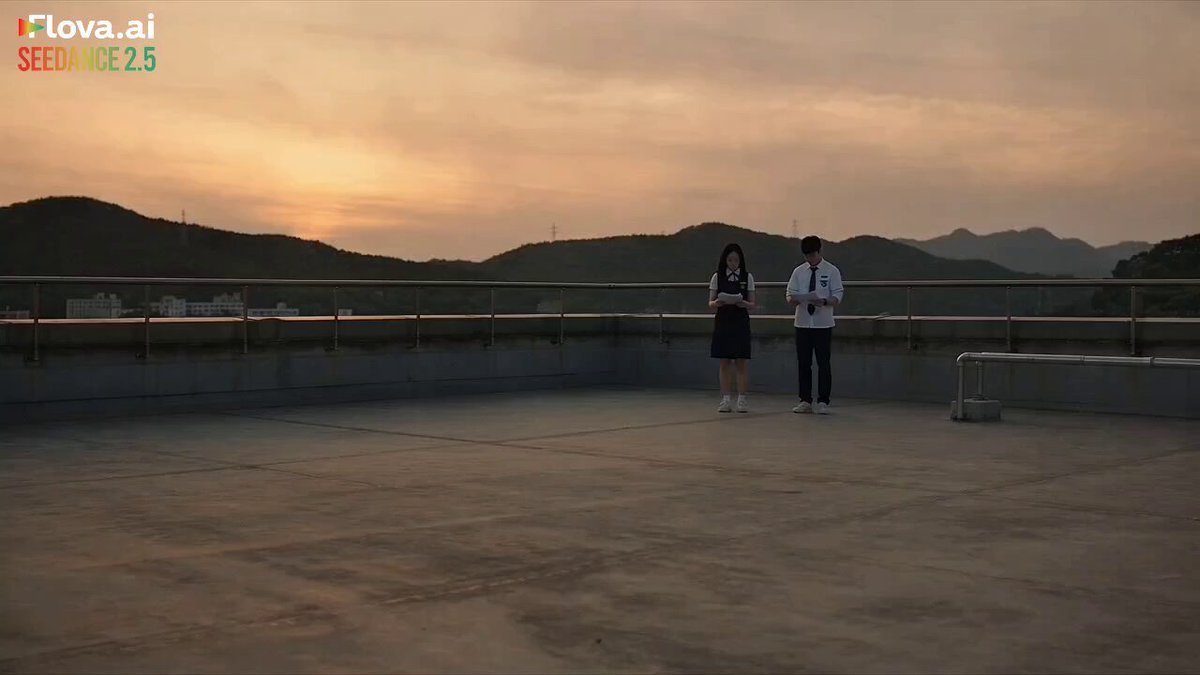
What is a faceless.video AI faceless video generator workflow?
A faceless video generation workflow creates visual scenes that support narration or captions instead of showing a person on camera. You describe the scene and mood you need, choose the available generation settings, and download a clip to use as a backdrop or transition in your video project.
Faceless.Video AI Faceless Video Generator
Workspace backdrop for tutorial narration
Input
A calm workspace with a laptop on a wooden desk, warm afternoon light through a window, a coffee mug beside a notebook, camera slowly panning right.
Expected output
A quiet workspace clip with warm lighting and gentle camera movement, suitable as a backdrop for tutorial narration.
Topic introduction visual
Input
A slow zoom across a stack of history books and a vintage globe on a library table, dim lamp light, dust particles visible in the beam.
Expected output
A slow zoom shot of books and globe with atmospheric lighting that sets up a history or education video topic.
Section transition card
Input
A soft gradient background shifting from deep blue to purple, geometric shapes drifting slowly across the frame, minimal motion.
Expected output
A clean gradient background with drifting shapes, useful as a transition between sections in a longer video.
Create background visuals for narration-led videos without showing a presenter
Support narration-led videos
Generate the visual layer for videos that rely on voiceover or captions instead of a person speaking on camera.
Match visuals to your topic
Describe the mood and setting so the generated scene fits the subject and tone of your narration.
Keep focus on the message
Use simple, readable backdrops so the narration or caption text stays the main focus for viewers.
How It Works
1
Describe the scene
Describe the desired scene and motion.
2
Choose the settings
Choose the available generation settings.
3
Generate and review
Generate, review, and download a suitable result.
Getting better backdrop clips
Describe scenes that support narration or captions so the visuals do not compete with the message.
Input Constraints
- Use your own prompts and materials.
- Do not present the tool as faceless.video or a faceless.video product or service.
- Keep scenes simple and readable.
- Review the result before using it in a published video.
Practical Tips
- Describe the mood, such as calm or energetic, to guide the look.
- Mention the framing you want, like a wide backdrop or a close detail shot.
- Regenerate with small changes when the first clip is close but not quite right.
Privacy
- Do not upload personal or sensitive material unless you have permission to use it.
Usage Rights
- Confirm that you have the rights needed for the inputs and intended use of the result.
Prompt recipes
Copy a structure, then adjust the subject, lighting, camera, and output details for your own result.
Educational calm workspace
A tidy home office desk with an open laptop, notebook, and pen, soft natural light from a window, camera gently panning left to right over the desk surface.
Creates a neutral, focused backdrop for tutorial or explainer narration without competing visually.
Nature documentary transition
A misty forest path at dawn, tall pine trees on both sides, soft sunlight breaking through the canopy, slow forward dolly motion along the path.
Provides an immersive outdoor setting that works as a transition or opening for nature or documentary narration.
Tech topic backdrop
A close-up of a mechanical keyboard on a dark desk, blue LED backlighting, camera orbiting slowly around the keyboard, minimal motion.
Sets a tech-focused mood without showing a presenter, suitable for software or productivity narration.
Motivational sunrise scene
A wide shot of a mountain ridge at sunrise, orange and pink clouds, sun breaking over the horizon, camera holding steady with slight drift upward.
Offers an inspirational visual for motivational or personal-development narration without distraction.
Minimal transition gradient
A smooth gradient background shifting from teal to deep purple, small floating particles drifting slowly across the frame, no other elements.
Serves as a clean, non-distracting transition card between sections in longer narration-based videos.
Best use cases
Match the workflow to the input you have and the result you need before opening the generator.
Tutorial or explainer video narration
Input: A calm workspace or environment scene with gentle motion
Result: A backdrop clip that supports narration without drawing attention away from the spoken content
Tool: AI Video Generator with workspace or environment prompts
Educational video topic introduction
Input: A scene with relevant objects (books, maps, tools) and atmospheric lighting
Result: A short clip that visually introduces the topic before the main narration begins
Tool: AI Video Generator with object-focused prompts
Section transitions in long-form content
Input: A simple gradient or abstract scene with minimal motion
Result: A clean transition clip that separates sections without interrupting the narrative flow
Tool: AI Video Generator with abstract or gradient prompts
Limitations to know before generating
- The tool generates clips from text descriptions and does not guarantee specific visual outcomes.
- Generated scenes should be reviewed for motion coherence and visual quality before use in published videos.
- Complex or crowded scenes may produce less predictable results than simple, focused descriptions.
- The tool is not affiliated with or endorsed by faceless.video or any faceless.video product.
- Commercial use requires you to confirm you have the rights for your inputs and intended use of the result.
Creative Suite: AI Video Generator & AI Image Generator Tools
Power up your creative workflow with our AI-driven tools. Generate stunning videos, create images, and apply custom adjustments - our AI Video Generator and AI Image Generator offer a complete solution for all your creative needs.
Strictly Prohibits Adult/NSFW Content








Pricing
Choose the credit package that works best for you.
No hidden fees • Cancel anytime • Unused credits roll over
Starter
Perfect for trying out AI creation.
Credits
200 credits / month
- Up to 20 videos per month
- Up to 100 images per month
$6.99/ month$9.9930% OFF
Billed monthly
First-time subscribers get 30% off their first month, then standard price
What's included
- Credits never expire
- Standard models
- HD, Watermark-Free Downloads
- Private Generation
- Faster Generation Speed
- Ad-free experience
Basic
Perfect for light creators.
Credits
500 credits / month
- Up to 50 videos per month
- Up to 250 images per month
$13.99/ month$19.9930% OFF
Billed monthly
First-time subscribers get 30% off their first month, then standard price
What's included
- Credits never expire
- Standard models
- HD, Watermark-Free Downloads
- Private Generation
- Faster Generation Speed
- Ad-free experience
Pro
PopularBest value for creators
Credits
1,200 credits / month
- Up to 120 videos per month
- Up to 600 images per month
$39.99/ month
Billed monthly
What's included
- Credits never expire
- All models + Early access to new models
- HD, Watermark-Free Downloads
- Private Generation
- Faster Generation Speed
- Ultra HD resolution
- Ad-free experience
Ultra
For video creators and power users.
Credits
5,000 credits / month
- Up to 500 videos per month
- Up to 2,500 images per month
$99.99/ month
Billed monthly
What's included
- Credits never expire
- All models + Early access to new models
- HD, Watermark-Free Downloads
- Private Generation
- Faster Generation Speed
- Ultra HD resolution
- Ad-free experience
Free
Standard models only — upgrade to unlock premium models.
Credits
10 free credits on signup
Questions? Contact us at support@domer.io
Create backdrop visuals for your narration
Open the AI video generator, describe the scene you need for your video, and review the clip before publishing.