
Advanced AI Photo Editor: Detailed Edits
Use advanced ai photo editor to upload a photo, describe detailed edits, review the result, and download the version that fits your profile or project needs.
AI Image Generator
0/20000 characters
0 / 16
or select from
or select from(Optional)
or select from(Optional)
or select from(Optional)
or select from(Optional)
or select from(Optional)
or select from(Optional)
or select from(Optional)
or select from(Optional)
Supports PNG, JPG, WebP
My images
Loading...
What can an advanced ai photo editor do?
An advanced ai photo editor applies complex edits to uploaded photos based on your description. You can request style transformations, lighting changes, background replacements, composition adjustments, or mood shifts. The tool processes your source image and applies the requested changes. Review the edited result carefully to confirm that the visual changes, likeness, and overall quality meet your needs before downloading or using the photo.
Advanced AI Photo Editor: Detailed Edits
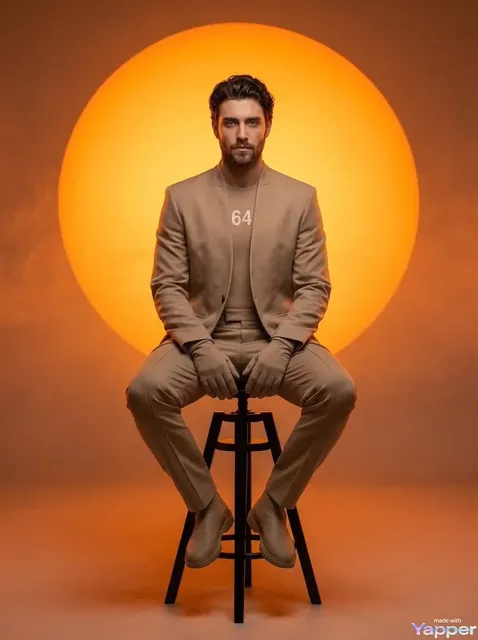
Complete scene restyle
Input
Upload a busy event photo, then request a minimal studio look with clean space and neutral background.
Expected output
The same event transformed into a minimal studio composition with simplified background, ready to review for likeness and composition.
Dramatic mood shift
Input
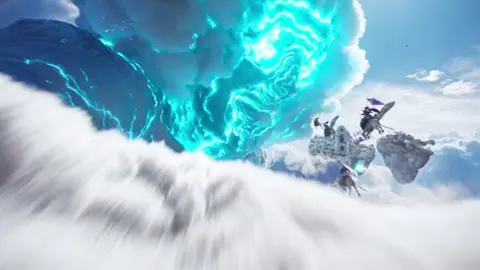
Upload a bright product photo, then request darker, cinematic lighting and a dramatic mood.
Expected output
The product with transformed lighting and atmosphere, to review before deciding whether it fits the intended campaign mood.
Multi-step composition edit
Input
Upload a group photo, then request placement in a garden setting with formal clothing.
Expected output
The group in a new setting with updated clothing style, ready to compare with the original for accuracy and realism.
Apply complex photo edits such as style transformations, mood shifts, or multi-element composition changes to a source image, then review the result for accuracy before use.
Transform existing photos
Start with a photo you have permission to use and apply complex edits without reshooting or learning advanced photo editing software.
Control multiple elements
Request changes to lighting, background, composition, style, and mood in a single edit, then review how they work together in the result.
Test creative directions
Explore different visual treatments of the same source photo to find the right look for your project before committing to final production.
How It Works
1
Upload the image you want to refine
Start with an image you have the right to edit.
2
Describe the profile-picture changes you want
Keep the requested edits specific so the intended profile look is clear.
3
Generate, compare, and download
Review the output for likeness, accuracy, and the final profile crop before using it.
Structuring advanced photo edits
A clear source photo and a structured edit request that prioritizes the most important changes help you get useful results faster.
Input Constraints
- Only upload images you have permission to edit and use.
- Keep the requested changes focused on the profile-picture outcome you need.
- Review the final image for likeness and context before sharing it.
Practical Tips
- Use a source image with a visible face and enough detail around the subject.
- Ask for one or two concrete changes, such as a neutral background or a square crop.
- Compare the result with the original image before choosing a version to use.
Privacy
- Do not upload personal or sensitive material unless you have permission to use it.
Usage Rights
- Confirm that you have the rights needed for the inputs and intended use of the result.
Prompt recipes
Copy a structure, then adjust the subject, lighting, camera, and output details for your own result.
Studio transformation
Transform this outdoor photo into a professional studio portrait with a seamless gray background, soft studio lighting from the front and sides, remove all environmental distractions, keep the subject's pose and expression unchanged.
Converts a casual outdoor photo into a professional studio look without reshooting, useful when you need a polished portrait but only have informal photos available.
Cinematic mood restyle
Change the lighting to dramatic cinematic style with strong side light and deep shadows, add a cool blue and teal color grade, increase contrast, keep the composition and subject unchanged.
Transforms a standard photo into a moody, cinematic image suitable for creative projects or campaigns where atmosphere matters more than documentary accuracy.
Vintage film look
Apply a vintage film photography style with warm faded colors, subtle grain, slightly reduced contrast, soft edges, as if shot on 1970s film stock.
Creates a nostalgic aesthetic without shooting on film, useful for branding, social content, or creative projects where a retro look supports the message.
Event to editorial upgrade
Transform this event photo into an editorial magazine style with refined composition, professional lighting treatment, remove background clutter, enhance colors to a cohesive palette.
Elevates a snapshot into publication-quality imagery, useful when you need editorial-style visuals but only have event photos to work from.
Seasonal background swap
Keep the subject identical but replace the summer outdoor background with a snowy winter landscape, adjust lighting to overcast winter day, add cool color temperature throughout.
Updates the seasonal context of an existing photo without reshooting, useful for keeping marketing or social content seasonally relevant year-round.
Style genre shift
Transform this realistic photo into an illustrated art style with visible brush strokes, simplified shapes, painterly treatment, while keeping the subject recognizable.
Creates an artistic interpretation of a photo for use in contexts where illustration is preferred over photography, like book covers or creative campaigns.
Best use cases
Match the workflow to the input you have and the result you need before opening the generator.
Professional profile from casual photo
Input: Informal photo with clear subject, describe studio background and professional lighting
Result: Polished professional portrait suitable for business contexts without reshooting
Tool: Image to Image with background replacement and lighting transformation
Creative campaign mood shift
Input: Standard product or portrait photo, describe dramatic lighting and color grading changes
Result: Moody, atmospheric version suitable for creative campaigns or editorial use
Tool: Image to Image with cinematic lighting and color grading
Style transformation for branding
Input: Photo that needs specific aesthetic treatment, describe vintage, illustrated, or artistic style
Result: Photo transformed into chosen visual style while maintaining subject recognition
Tool: Image to Image with style transfer
Seasonal content refresh
Input: Existing photo, describe seasonal background and lighting changes
Result: Same subject in different seasonal context for year-round content relevance
Tool: Image to Image with background replacement and seasonal lighting adjustment
Limitations to know before generating
- Complex multi-element edits may produce unpredictable results—break large requests into smaller steps and review each change before adding more.
- Style transformations can alter facial features, skin tones, or important details in unexpected ways—always review carefully before using in contexts where likeness matters.
- Background replacement with complex lighting changes can create mismatches or unnatural edges—compare with the original to verify realism.
- Composition changes involving moving or adding subjects may not render realistic proportions or spatial relationships—review for accuracy before publishing.
- The tool does not verify whether the edited photo is appropriate for your intended use case, brand guidelines, or platform policies.
- AI-edited photos should be reviewed by a human before use in professional, commercial, or public-facing contexts where accuracy, quality, and appropriateness matter.
Creative Suite: AI Video Generator & AI Image Generator Tools
Power up your creative workflow with our AI-driven tools. Generate stunning videos, create images, and apply custom adjustments - our AI Video Generator and AI Image Generator offer a complete solution for all your creative needs.
Strictly Prohibits Adult/NSFW Content








Pricing
Choose the credit package that works best for you.
No hidden fees • Cancel anytime • Unused credits roll over
Starter
Perfect for trying out AI creation.
Credits
200 credits / month
- Up to 20 videos per month
- Up to 100 images per month
$6.99/ month$9.9930% OFF
Billed monthly
First-time subscribers get 30% off their first month, then standard price
What's included
- Credits never expire
- Standard models
- HD, Watermark-Free Downloads
- Private Generation
- Faster Generation Speed
- Ad-free experience
Basic
Perfect for light creators.
Credits
500 credits / month
- Up to 50 videos per month
- Up to 250 images per month
$13.99/ month$19.9930% OFF
Billed monthly
First-time subscribers get 30% off their first month, then standard price
What's included
- Credits never expire
- Standard models
- HD, Watermark-Free Downloads
- Private Generation
- Faster Generation Speed
- Ad-free experience
Pro
PopularBest value for creators
Credits
1,200 credits / month
- Up to 120 videos per month
- Up to 600 images per month
$39.99/ month
Billed monthly
What's included
- Credits never expire
- All models + Early access to new models
- HD, Watermark-Free Downloads
- Private Generation
- Faster Generation Speed
- Ultra HD resolution
- Ad-free experience
Ultra
For video creators and power users.
Credits
5,000 credits / month
- Up to 500 videos per month
- Up to 2,500 images per month
$99.99/ month
Billed monthly
What's included
- Credits never expire
- All models + Early access to new models
- HD, Watermark-Free Downloads
- Private Generation
- Faster Generation Speed
- Ultra HD resolution
- Ad-free experience
Free
Standard models only — upgrade to unlock premium models.
Credits
10 free credits on signup
Questions? Contact us at support@domer.io
Turn your source image into a profile-ready version
Open Image to Image, upload an image you can edit, and review the result before you decide to use it.