
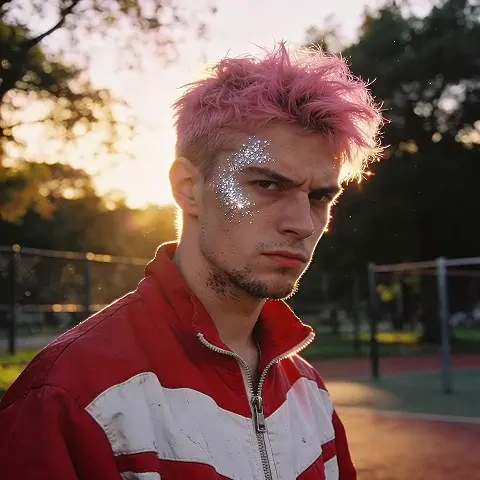
AI Virtual Try-On Clothes Photo Editor Preview
Use ai virtual try-on clothes photo editor to upload a photo, describe the clothing change you want to preview, review the try-on result, and download for.
AI Image Generator
0/20000 characters
0 / 16
or select from
or select from(Optional)
or select from(Optional)
or select from(Optional)
or select from(Optional)
or select from(Optional)
or select from(Optional)
or select from(Optional)
or select from(Optional)
Supports PNG, JPG, WebP
My images
Loading...
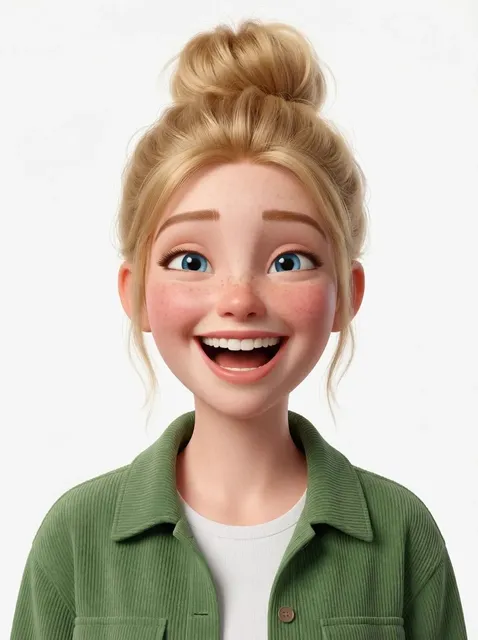

What is an ai virtual try-on clothes photo editor?
An ai virtual try-on clothes photo editor modifies an existing photo to show a person wearing different clothing or accessories, letting you preview outfit changes without physically trying on new items.
AI Virtual Try-On Clothes Photo Editor Preview
Preview a different shirt color
Input
Upload a portrait wearing a blue shirt and request a preview of the same person in a white t-shirt, keeping the rest of the outfit and pose unchanged.
Expected output
The same photo now showing a white t-shirt on the person, with natural fit and lighting for comparison.
Try a jacket over current outfit
Input
Upload a casual photo and ask to preview a denim jacket layered over the current shirt, maintaining the original pose and background.
Expected output
The person now appears wearing the denim jacket, with natural drape and shadows for realistic preview.
Change trousers while keeping top
Input
Upload a full-body photo and request a preview of dark gray trousers replacing the current pants, keeping the upper outfit unchanged.
Expected output
The same pose and setting, now showing the requested trousers with appropriate fit and lighting.
Preview how clothing or outfit changes would look on a person in an existing photo before making real wardrobe decisions.
Start with your own image
Use an image you have permission to edit instead of recreating the subject from a text-only description.
Direct the changes
State the framing, background, and style you want, then compare the result with the original image.
Choose before you use it
Review the edited image for likeness, context, and crop before downloading or posting it.
How It Works
1
Upload the image you want to refine
Start with an image you have the right to edit.
2
Describe the profile-picture changes you want
Keep the requested edits specific so the intended profile look is clear.
3
Generate, compare, and download
Review the output for likeness, accuracy, and the final profile crop before using it.
Making a profile-picture edit that stays clear
A clear source image and a focused edit request make it easier to judge the result.
Input Constraints
- Only upload images you have permission to edit and use.
- Keep the requested changes focused on the profile-picture outcome you need.
- Review the final image for likeness and context before sharing it.
Practical Tips
- Use a source image with a visible face and enough detail around the subject.
- Ask for one or two concrete changes, such as a neutral background or a square crop.
- Compare the result with the original image before choosing a version to use.
Privacy
- Do not upload personal or sensitive material unless you have permission to use it.
Usage Rights
- Confirm that you have the rights needed for the inputs and intended use of the result.
Prompt recipes
Copy a structure, then adjust the subject, lighting, camera, and output details for your own result.
Preview a formal blazer for event dressing
Show this person wearing a tailored navy blazer over the current white shirt, with natural drape and proper fit for formal event planning.
Specifies the exact garment, fit expectation, and use context so the preview matches the decision-making need.
Try a different t-shirt color for outfit planning
Replace the current green t-shirt with a plain black t-shirt, keeping the same fit, style, and lighting so I can compare outfit options.
Names the specific change and sets consistency bounds to make the comparison useful for wardrobe decisions.
Layer a cardigan over existing outfit
Add a gray cardigan layered over this outfit, with realistic drape and buttons, keeping the rest of the look unchanged for seasonal outfit planning.
Describes the layering detail and seasonal context, ensuring the preview shows how the addition integrates with the current outfit.
Preview trousers change for style comparison
Change the current jeans to dark gray dress trousers, maintaining the upper outfit and background, so I can see the overall style shift.
Isolates the specific garment swap and preserves context to enable direct style comparison.
Test accessory addition like scarf or hat
Add a red scarf draped around the neck in this portrait, keeping the existing clothing and pose, to preview the accessory impact.
Focuses on the accessory detail and maintains the rest of the image for clear before-and-after comparison.
Best use cases
Match the workflow to the input you have and the result you need before opening the generator.
Planning outfits for upcoming events
Input: Clear portrait or full-body photo with good lighting and visible current outfit
Result: Preview of proposed outfit change showing fit, color, and overall style
Tool: Image to Image with specific garment replacement or layering instructions
Comparing wardrobe options before purchasing
Input: Photo wearing similar garment type in same pose and lighting
Result: Try-on preview of new color or style to inform buying decisions
Tool: Image to Image with garment color or style swap instructions
Coordinating outfits for group photos or family portraits
Input: Individual photos of each person in consistent lighting
Result: Previews showing how different outfit choices coordinate across the group
Tool: Image to Image with color and style adjustments for visual harmony
Visualizing seasonal wardrobe changes
Input: Photo in current season clothing with clear full-body view
Result: Preview of layered or alternative garments appropriate for next season
Tool: Image to Image with layering or seasonal garment replacement instructions
Limitations to know before generating
- Virtual try-on cannot guarantee exact fit, fabric texture, or drape of real clothing — use previews for style comparison only.
- Complex clothing details like patterns, logos, or intricate cuts may not render accurately in the preview.
- Lighting and shadows on the added garment may not perfectly match the original photo environment.
- Previews are for planning and comparison — always review real garments in person before purchasing or wearing for important events.
- No preview can replace trying on actual clothing for fit, comfort, or final appearance.
Creative Suite: AI Video Generator & AI Image Generator Tools
Power up your creative workflow with our AI-driven tools. Generate stunning videos, create images, and apply custom adjustments - our AI Video Generator and AI Image Generator offer a complete solution for all your creative needs.
Strictly Prohibits Adult/NSFW Content








Pricing
Choose the credit package that works best for you.
No hidden fees • Cancel anytime • Unused credits roll over
Starter
Perfect for trying out AI creation.
Credits
200 credits / month
- Up to 20 videos per month
- Up to 100 images per month
$6.99/ month$9.9930% OFF
Billed monthly
First-time subscribers get 30% off their first month, then standard price
What's included
- Credits never expire
- Standard models
- HD, Watermark-Free Downloads
- Private Generation
- Faster Generation Speed
- Ad-free experience
Basic
Perfect for light creators.
Credits
500 credits / month
- Up to 50 videos per month
- Up to 250 images per month
$13.99/ month$19.9930% OFF
Billed monthly
First-time subscribers get 30% off their first month, then standard price
What's included
- Credits never expire
- Standard models
- HD, Watermark-Free Downloads
- Private Generation
- Faster Generation Speed
- Ad-free experience
Pro
PopularBest value for creators
Credits
1,200 credits / month
- Up to 120 videos per month
- Up to 600 images per month
$39.99/ month
Billed monthly
What's included
- Credits never expire
- All models + Early access to new models
- HD, Watermark-Free Downloads
- Private Generation
- Faster Generation Speed
- Ultra HD resolution
- Ad-free experience
Ultra
For video creators and power users.
Credits
5,000 credits / month
- Up to 500 videos per month
- Up to 2,500 images per month
$99.99/ month
Billed monthly
What's included
- Credits never expire
- All models + Early access to new models
- HD, Watermark-Free Downloads
- Private Generation
- Faster Generation Speed
- Ultra HD resolution
- Ad-free experience
Free
Standard models only — upgrade to unlock premium models.
Credits
10 free credits on signup
Questions? Contact us at support@domer.io
Turn your source image into a profile-ready version
Open Image to Image, upload an image you can edit, and review the result before you decide to use it.