
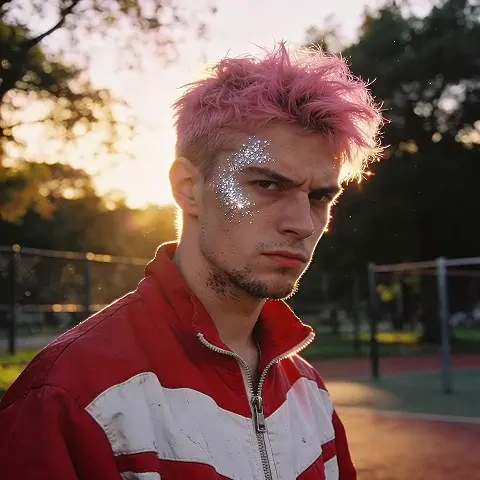
Dirty Photo Editor AI for Grunge Effects
Use dirty photo editor ai to upload a source image, describe the gritty, worn, or distressed style you want, review the result, and download the version that.
AI Image Generator
0/20000 characters
0 / 16
or select from
or select from(Optional)
or select from(Optional)
or select from(Optional)
or select from(Optional)
or select from(Optional)
or select from(Optional)
or select from(Optional)
or select from(Optional)
Supports PNG, JPG, WebP
My images
Loading...
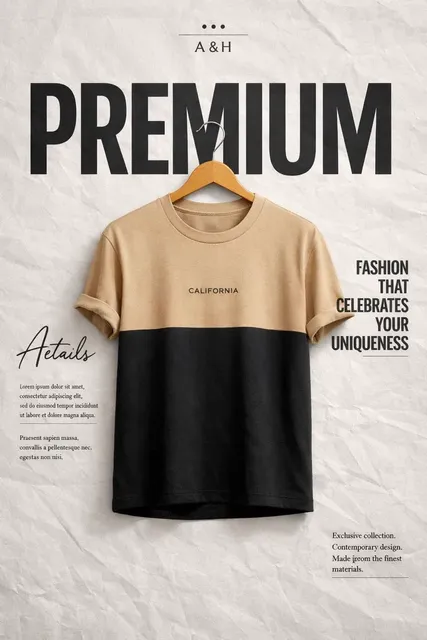
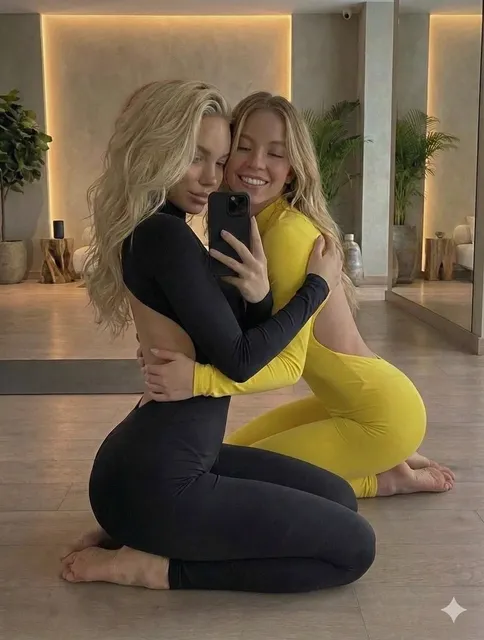
What does a dirty photo editor AI do?
A dirty photo editor AI applies grunge, distressed, or worn visual effects to your image, giving it a gritty, edgy, or vintage aesthetic. You upload an image you own, specify the texture or style you want, then review and download the result.
Dirty Photo Editor AI for Grunge Effects
Grunge texture for a product photo
Input
Upload a clean product photo of sneakers and request a dusty, scuffed background with subtle scratch marks and a worn, industrial texture.
Expected output
A grunge-styled version of the sneaker photo with a rough, textured backdrop and a gritty finish.
Vintage worn finish for an illustration
Input
Upload a modern illustration and ask for a vintage poster aesthetic with faded colors, paper texture, and subtle aging marks.
Expected output
The illustration restyled with a worn, aged finish that mimics an old printed poster.
Distressed overlay for a background
Input
Upload a plain background image and request a gritty, smudged overlay with dark edges and a distressed, weathered surface.
Expected output
A background with a gritty, distressed texture and darker, uneven tones.
Apply grunge, distressed, or worn visual effects to a source image for an edgy or vintage aesthetic.
Start with your own image
Use an existing photo or design you have permission to edit instead of creating a grunge effect from scratch.
Direct the gritty aesthetic
Describe the level of distress, texture, and wear you want, then compare the result with the original.
Review before using it
Check the edited image for the right balance of texture and clarity before downloading or sharing it.
How It Works
1
Upload the image you want to refine
Start with an image you have the right to edit.
2
Describe the profile-picture changes you want
Keep the requested edits specific so the intended profile look is clear.
3
Generate, compare, and download
Review the output for likeness, accuracy, and the final profile crop before using it.
Getting a gritty, distressed result
A clear source image and a focused grunge or distress request make it easier to judge whether the effect works for your project.
Input Constraints
- Only upload images you have permission to edit and use.
- Keep the requested changes focused on the profile-picture outcome you need.
- Review the final image for likeness and context before sharing it.
Practical Tips
- Use a source image with a visible face and enough detail around the subject.
- Ask for one or two concrete changes, such as a neutral background or a square crop.
- Compare the result with the original image before choosing a version to use.
Privacy
- Do not upload personal or sensitive material unless you have permission to use it.
Usage Rights
- Confirm that you have the rights needed for the inputs and intended use of the result.
Prompt recipes
Copy a structure, then adjust the subject, lighting, camera, and output details for your own result.
Industrial grunge for a band poster
Apply a heavy grunge texture to this band photo with rust stains, scratched surfaces, dark edges, and a gritty, urban industrial aesthetic suitable for a concert poster.
Combines multiple grunge elements and references a specific output context, making it clear what visual intensity and style are needed.
Vintage worn paper for a logo design
Transform this clean logo into a vintage design with faded ink, paper texture, subtle creases, and the worn look of a decades-old printed badge.
Specifies the aging medium and the visual cues of wear, helping the tool apply a consistent vintage print aesthetic.
Dusty, weathered finish for a landscape photo
Add a dusty, weathered overlay to this landscape with muted colors, a hazy atmosphere, and a desaturated, aged film look reminiscent of old travel photos.
Defines the texture, color treatment, and reference style, making it easy to judge whether the output has the intended mood.
Gritty street art style for a portrait
Restyle this portrait with a gritty street art aesthetic, including spray-paint texture, rough stencil edges, and a distressed urban wall background.
References a specific art style and lists its signature visual traits, ensuring the output matches a recognizable grunge aesthetic.
Distressed metal texture for a product mockup
Apply a distressed, brushed metal texture to this product packaging mockup with scratches, rust spots, and a worn industrial finish.
Targets a specific material look and includes concrete distress details, making the visual goal and intensity clear.
Best use cases
Match the workflow to the input you have and the result you need before opening the generator.
You want a grunge aesthetic for a band or event poster
Input: A clear photo or design with strong composition and room for texture overlay
Result: A gritty, distressed version with rough textures and a bold, edgy look
Tool: Image to Image with a grunge or industrial texture prompt
You need a vintage worn finish for a logo or illustration
Input: A clean vector or illustration with solid colors and clear shapes
Result: A restyled version with faded colors, paper texture, and aging marks
Tool: Image to Image with a vintage paper or print wear prompt
You want to add atmosphere to a landscape or travel photo
Input: A landscape or cityscape with visible detail and good composition
Result: A desaturated, hazy version with a dusty or weathered overlay
Tool: Image to Image with a weathered or aged film prompt
You want a street art or urban style for a portrait
Input: A portrait with clear facial features and a simple background
Result: A gritty, stenciled version with spray-paint texture and a distressed urban look
Tool: Image to Image with a street art or stencil grunge prompt
Limitations to know before generating
- Grunge effects depend on the clarity and composition of your source image; heavily textured or low-resolution photos may not edit cleanly.
- The intensity of distress and texture is an interpretation; always review the output to ensure it matches your aesthetic goals.
- Heavy grunge or distress effects may obscure important details or reduce legibility in text or logos.
- The tool cannot selectively apply texture to only some parts of the image without additional masking instructions.
- You are responsible for confirming that the gritty, distressed style is appropriate for your intended use and audience.
Creative Suite: AI Video Generator & AI Image Generator Tools
Power up your creative workflow with our AI-driven tools. Generate stunning videos, create images, and apply custom adjustments - our AI Video Generator and AI Image Generator offer a complete solution for all your creative needs.
Strictly Prohibits Adult/NSFW Content








Pricing
Choose the credit package that works best for you.
No hidden fees • Cancel anytime • Unused credits roll over
Starter
Perfect for trying out AI creation.
Credits
200 credits / month
- Up to 20 videos per month
- Up to 100 images per month
$6.99/ month$9.9930% OFF
Billed monthly
First-time subscribers get 30% off their first month, then standard price
What's included
- Credits never expire
- Standard models
- HD, Watermark-Free Downloads
- Private Generation
- Faster Generation Speed
- Ad-free experience
Basic
Perfect for light creators.
Credits
500 credits / month
- Up to 50 videos per month
- Up to 250 images per month
$13.99/ month$19.9930% OFF
Billed monthly
First-time subscribers get 30% off their first month, then standard price
What's included
- Credits never expire
- Standard models
- HD, Watermark-Free Downloads
- Private Generation
- Faster Generation Speed
- Ad-free experience
Pro
PopularBest value for creators
Credits
1,200 credits / month
- Up to 120 videos per month
- Up to 600 images per month
$39.99/ month
Billed monthly
What's included
- Credits never expire
- All models + Early access to new models
- HD, Watermark-Free Downloads
- Private Generation
- Faster Generation Speed
- Ultra HD resolution
- Ad-free experience
Ultra
For video creators and power users.
Credits
5,000 credits / month
- Up to 500 videos per month
- Up to 2,500 images per month
$99.99/ month
Billed monthly
What's included
- Credits never expire
- All models + Early access to new models
- HD, Watermark-Free Downloads
- Private Generation
- Faster Generation Speed
- Ultra HD resolution
- Ad-free experience
Free
Standard models only — upgrade to unlock premium models.
Credits
10 free credits on signup
Questions? Contact us at support@domer.io
Apply grunge effects to your images
Open Image to Image, upload an image you can edit, describe the gritty or distressed style you want, and review the result before you decide to use it.