
Create
AI Font Image Generator
Describe any scene, subject, or concept in natural language, then generate an image you can review, refine, and download for your project.
AI Image Generator
0/20000 characters
My images
Loading...
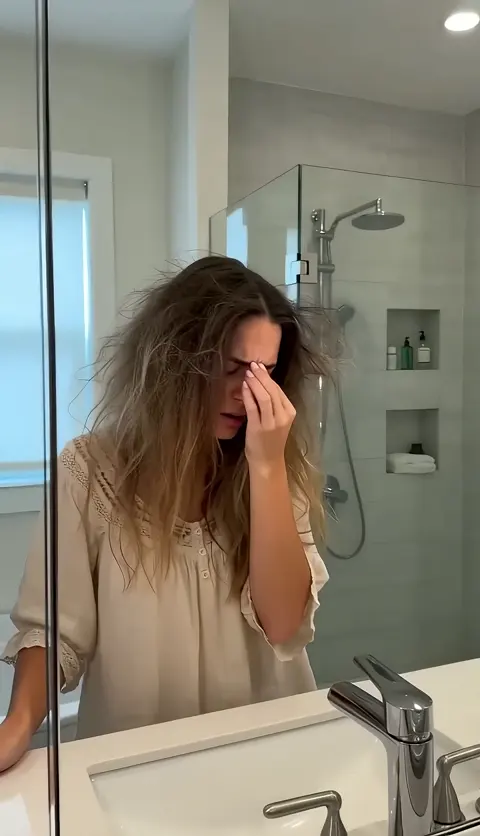
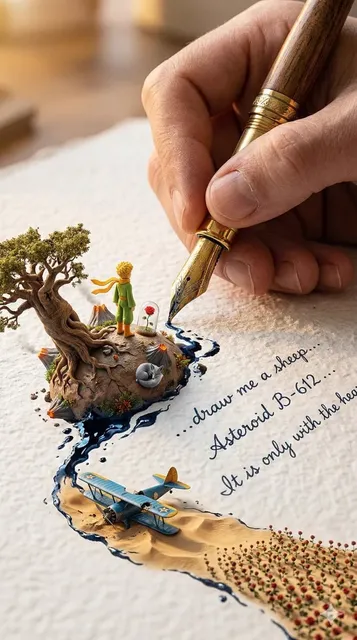
What is an AI font image generator?
An AI font image generator creates images from text descriptions. Describe the subject, composition, style, lighting, and mood you want, then generate a visual result you can review and refine by adjusting your prompt or generation settings.
AI Font Image Generator
Detailed scene with specific mood
Input
A cozy reading nook by a window at sunset, warm golden light streaming in, a book open on a cushioned chair, soft shadows, calm and inviting atmosphere, realistic photography style.
Expected output
A warm interior scene with natural lighting, soft shadows, and a calm mood that matches the description.
Stylized concept with clear composition
Input
A futuristic city at night, neon signs reflecting in wet streets, tall glass skyscrapers, flying vehicles in the background, cyberpunk style, wide-angle cinematic view.
Expected output
A cyberpunk cityscape with neon lighting, reflections, futuristic architecture, and a wide cinematic composition.
Natural landscape with realistic detail
Input
A mountain lake at dawn, calm water reflecting the pink and orange sunrise, pine trees along the shore, mist rising from the water, realistic nature photography style.
Expected output
A realistic landscape image with natural lighting, reflections, and a serene morning atmosphere.
Generate an image from a text description by specifying the subject, visual style, composition, and mood you want to see.
Turn ideas into visuals
Write a natural description of what you want to see and let the tool generate an image you can review and refine.
Explore style and composition
Adjust your prompt or generation settings to quickly try different visual directions and styles without starting over.
Skip the blank canvas
Generate image ideas from text in moments without needing drawing or design skills.
How It Works
1
Describe the image
Describe the desired image.
2
Pick generation settings
Choose the available generation settings.
3
Generate and download
Generate, review, and download a suitable result.
Writing effective image prompts
Clear, specific descriptions of subject, composition, lighting, and style produce more useful and controllable image results.
Input Constraints
- Describe visual elements clearly rather than abstract concepts for better results.
- Specify composition, style, and mood when possible to guide the generation.
- Keep descriptions focused on what the image should visually contain.
Practical Tips
- Start with the main subject, then add layers of detail like lighting, color palette, and framing.
- Mention lighting cues such as 'golden hour', 'soft shadows', or 'dramatic' for better control over mood.
- Specify style references like 'realistic photography', 'watercolor', or 'cyberpunk' to guide the visual treatment.
- Review each result and adjust the prompt for closer alignment with your vision.
Privacy
- Do not upload personal or sensitive material unless you have permission to use it.
Usage Rights
- Confirm that you have the rights needed for the inputs and intended use of the result.
Prompt recipes
Copy a structure, then adjust the subject, lighting, camera, and output details for your own result.
Product shot with clean lighting
A wireless headphone on a white surface, soft studio lighting from the left side, minimal shadows, clean product photography style, neutral background, clear detail on the headband and ear cups.
Focuses on clarity, lighting direction, and composition to create a professional product image suitable for commercial use.
Fantasy landscape with depth
A floating island in the sky with waterfalls cascading into clouds below, ancient stone ruins on top, golden sunset lighting, soft mist around the edges, wide-angle epic fantasy style.
Combines fantastical elements with specific lighting and atmospheric cues to create a visually rich scene with depth and mood.
Character portrait with context
A portrait of an elderly woman with gray hair, wearing a hand-knit cardigan, sitting by a window with soft morning light, gentle smile, warm and intimate mood, realistic photography style.
Layers physical description, setting, lighting, and emotional tone to create a portrait with character and context.
Abstract design with color focus for ai font image generator
An abstract geometric composition with overlapping triangles and circles, gradient from deep purple to bright orange, smooth color transitions, modern minimalist style, centered balanced layout.
Focuses on shape, color palette, and composition to create a clean abstract design with clear visual intent.
Urban scene with mood and time
A narrow cobblestone alley in an old European city at twilight, warm light glowing from small shop windows, a few people walking, quiet and nostalgic atmosphere, realistic street photography style.
Uses time of day, lighting sources, and mood words to create a specific urban scene with emotional resonance.
Best use cases
Match the workflow to the input you have and the result you need before opening the generator.
Generating concept art or visual ideas
Input: Detailed subject description, composition notes, lighting cues, and a style reference like realistic, illustrated, or stylized
Result: A visual concept you can review, refine, and use as a reference or starting point for your project
Tool: Text to Image
Creating product or object visuals
Input: Clear object description, lighting direction, background type, and style like product photography or minimalist
Result: A clean, focused image of the object suitable for presentations or design mockups
Tool: Text to Image
Exploring different visual styles for a project
Input: Same subject with different style keywords like watercolor, cyberpunk, realistic, or cartoon in separate prompts
Result: Multiple versions of the same subject in different visual styles to compare and choose from
Tool: Text to Image
Generating background or environment images
Input: Scene type, time of day, lighting mood, and composition like wide-angle or close-up
Result: A background or environment image with clear atmosphere and context for your project
Tool: Text to Image
Limitations to know before generating
- Results depend on the clarity and specificity of your prompt; vague descriptions produce generic or inconsistent images.
- Fine details like exact object placement, facial features, or intricate patterns may vary between generations.
- The tool interprets your text but cannot read your mind; describe explicitly what you want to see.
- Generated images are starting points, not final production assets; further refinement or editing may be needed.
- Style consistency across multiple images requires using the same detailed prompt and settings each time.
Creative Suite: AI Video Generator & AI Image Generator Tools
Power up your creative workflow with our AI-driven tools. Generate stunning videos, create images, and apply custom adjustments - our AI Video Generator and AI Image Generator offer a complete solution for all your creative needs.
Strictly Prohibits Adult/NSFW Content








Pricing
Choose the credit package that works best for you.
No hidden fees • Cancel anytime • Unused credits roll over
Starter
Perfect for trying out AI creation.
Credits
200 credits / month
- Up to 20 videos per month
- Up to 100 images per month
$6.99/ month$9.9930% OFF
Billed monthly
First-time subscribers get 30% off their first month, then standard price
What's included
- Credits never expire
- Standard models
- HD, Watermark-Free Downloads
- Private Generation
- Faster Generation Speed
- Ad-free experience
Basic
Perfect for light creators.
Credits
500 credits / month
- Up to 50 videos per month
- Up to 250 images per month
$13.99/ month$19.9930% OFF
Billed monthly
First-time subscribers get 30% off their first month, then standard price
What's included
- Credits never expire
- Standard models
- HD, Watermark-Free Downloads
- Private Generation
- Faster Generation Speed
- Ad-free experience
Pro
PopularBest value for creators
Credits
1,200 credits / month
- Up to 120 videos per month
- Up to 600 images per month
$39.99/ month
Billed monthly
What's included
- Credits never expire
- All models + Early access to new models
- HD, Watermark-Free Downloads
- Private Generation
- Faster Generation Speed
- Ultra HD resolution
- Ad-free experience
Ultra
For video creators and power users.
Credits
5,000 credits / month
- Up to 500 videos per month
- Up to 2,500 images per month
$99.99/ month
Billed monthly
What's included
- Credits never expire
- All models + Early access to new models
- HD, Watermark-Free Downloads
- Private Generation
- Faster Generation Speed
- Ultra HD resolution
- Ad-free experience
Free
Standard models only — upgrade to unlock premium models.
Credits
10 free credits on signup
Questions? Contact us at support@domer.io
Start generating images
Open the text-to-image tool, describe what you want to see, and generate an image from your description.