
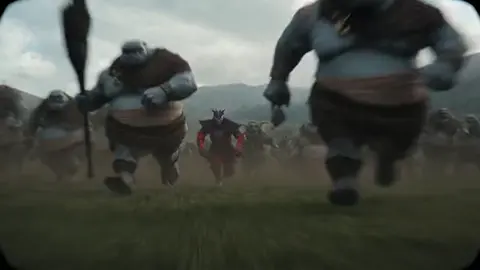
AI Image Generator for Storyboards
Use ai image generator for storyboards to turn script beats into storyboard frames: describe each shot with camera angle and lighting, choose settings, and.
AI Image Generator
0/20000 characters
My images
Loading...
What does an AI storyboard generator do?
It creates reference images from written shot descriptions so you can plan visual sequences without drawing. Describe each frame—camera angle, subject, lighting—and the tool generates a visual starting point for your storyboard, animatic, or pre-visualization workflow.
AI Image Generator for Storyboards
Establishing wide shot
Input
A wide shot of a character walking into a rainy city street at night, neon reflections on wet pavement, cinematic framing
Expected output
A wide establishing frame showing a lone figure entering a rain-soaked street with neon lights reflected in puddles
Close-up insert shot
Input
A close-up of hands holding a torn map under a desk lamp, warm light from one side, shallow focus on the map edges
Expected output
A tight close-up focusing on hands and a torn map with directional warm lighting and shallow depth of field
Dynamic action frame
Input
A character leaping across a gap between rooftops, camera angle from below looking up, motion visible in clothing and hair, dramatic sky
Expected output
A low-angle action shot of a figure mid-leap with clothing in motion against a dramatic sky
Create visual reference frames for storyboard planning from scene descriptions without drawing skills
Visualize blocking before the shoot
Generate reference frames to test camera angles, composition, and lighting setups before committing crew time or location resources.
Communicate shot intent to the team
A concrete image conveys your vision more clearly than a script description alone, aligning director, DP, and production designer on each frame.
Explore visual options fast
Try different angles, lighting moods, and compositions by tweaking your prompt, saving time compared to sketching or mood-boarding manually.
How It Works
1
Describe the image
Describe the desired image.
2
Choose settings
Choose the available generation settings.
3
Generate and download
Generate, review, and download a suitable result.
Storyboard frame planning
Include shot type and camera angle in every prompt for usable frame references.
Input Constraints
- Describe one frame at a time with a clear subject, camera angle, and action
- Include shot type such as wide, medium, close-up, or extreme close-up
- Mention lighting direction and quality when mood or drama matters
Practical Tips
- Reference camera angles like 'low angle', 'bird's eye', or 'over-the-shoulder' for precise framing
- Mention motion cues such as 'motion blur' or 'mid-leap' to convey action within a static frame
- Keep character descriptions consistent across frames if you're boarding a sequence with the same subject
- Review each frame and adjust the prompt before moving to the next shot in the sequence
Privacy
- Do not upload personal or sensitive material unless you have permission to use it.
Usage Rights
- Confirm that you have the rights needed for the inputs and intended use of the result.
Prompt recipes
Copy a structure, then adjust the subject, lighting, camera, and output details for your own result.
Over-the-shoulder dialogue frame
Over-the-shoulder shot of two people in conversation across a table, focus on the far person's face, shallow depth of field, warm interior lighting
The specific camera position and focus direction make the frame immediately useful for planning dialogue coverage and shot-reverse-shot sequences.
High-tension low-angle shot
Low-angle shot looking up at a character standing at the edge of a building rooftop, dramatic clouds behind them, wind in clothing, cinematic framing
The low angle and environmental cues create a sense of scale and tension, helping you visualize dramatic moments before blocking them on location.
Tracking shot motion frame
A character running down a narrow alley, camera tracking alongside at eye level, motion blur on background walls, urgent pace
Motion cues and camera movement descriptions inform the DP about pacing and energy, even though the output is a still frame.
Insert detail shot
Extreme close-up of a hand turning a doorknob slowly, shallow focus on the knob, dim hallway light in the background
Insert shots need tight framing and focus direction; describing both isolates the story-critical detail and sets the visual priority.
Bird's-eye establishing shot
Bird's-eye view of a character walking through an empty parking lot at dawn, long shadows, symmetrical composition, cinematic framing
The top-down angle and shadow cues establish location and time of day while creating a sense of isolation or scale.
Reaction close-up
Close-up of a character's face reacting with surprise, natural light from a window on the left, subtle expression, cinematic portrait framing
Reaction shots need clear lighting and framing to capture emotion; specifying light direction and framing type ensures the frame supports performance.
Best use cases
Match the workflow to the input you have and the result you need before opening the generator.
Pre-visualization for a short film or commercial
Input: Script beats with shot type, camera angle, subject action, and lighting mood
Result: A sequence of reference frames that communicate visual intent to the director of photography and crew
Tool: AI Image Generator with detailed shot descriptions
Animatic planning for animation or VFX
Input: Key poses, camera moves, and scene transitions described frame by frame
Result: Still frames that can be assembled into a rough animatic or timing reference
Tool: AI Image Generator with consistent style and angle keywords
Pitch deck visual planning
Input: Hero moments from the script with dramatic framing and lighting cues
Result: Striking frames that convey tone and style for investor or client presentations
Tool: AI Image Generator with cinematic and genre-specific keywords
Location scouting reference
Input: Desired location mood, lighting, and camera position for each setup
Result: Visual references that help location scouts and production designers identify suitable venues
Tool: AI Image Generator with environmental and lighting descriptions
Limitations to know before generating
- Character appearance may shift between frames even with identical descriptions; use drafts as directional references, not continuity-locked assets
- Complex camera movements like dolly zooms or whip pans are hard to convey in a still frame
- Generated frames work best as planning tools, not final storyboard deliverables for client approval
- Text on props, signs, or screens is usually illegible or incorrect in generated frames
- Lighting and color consistency across a sequence requires careful prompt discipline and post-generation color grading
Creative Suite: AI Video Generator & AI Image Generator Tools
Power up your creative workflow with our AI-driven tools. Generate stunning videos, create images, and apply custom adjustments - our AI Video Generator and AI Image Generator offer a complete solution for all your creative needs.
Strictly Prohibits Adult/NSFW Content








Pricing
Choose the credit package that works best for you.
No hidden fees • Cancel anytime • Unused credits roll over
Starter
Perfect for trying out AI creation.
Credits
200 credits / month
- Up to 20 videos per month
- Up to 100 images per month
$6.99/ month$9.9930% OFF
Billed monthly
First-time subscribers get 30% off their first month, then standard price
What's included
- Credits never expire
- Standard models
- HD, Watermark-Free Downloads
- Private Generation
- Faster Generation Speed
- Ad-free experience
Basic
Perfect for light creators.
Credits
500 credits / month
- Up to 50 videos per month
- Up to 250 images per month
$13.99/ month$19.9930% OFF
Billed monthly
First-time subscribers get 30% off their first month, then standard price
What's included
- Credits never expire
- Standard models
- HD, Watermark-Free Downloads
- Private Generation
- Faster Generation Speed
- Ad-free experience
Pro
PopularBest value for creators
Credits
1,200 credits / month
- Up to 120 videos per month
- Up to 600 images per month
$39.99/ month
Billed monthly
What's included
- Credits never expire
- All models + Early access to new models
- HD, Watermark-Free Downloads
- Private Generation
- Faster Generation Speed
- Ultra HD resolution
- Ad-free experience
Ultra
For video creators and power users.
Credits
5,000 credits / month
- Up to 500 videos per month
- Up to 2,500 images per month
$99.99/ month
Billed monthly
What's included
- Credits never expire
- All models + Early access to new models
- HD, Watermark-Free Downloads
- Private Generation
- Faster Generation Speed
- Ultra HD resolution
- Ad-free experience
Free
Standard models only — upgrade to unlock premium models.
Credits
10 free credits on signup
Questions? Contact us at support@domer.io
Start planning your storyboard
Open the tool, describe each shot with camera angle and lighting, and generate reference frames for your sequence.