
Create
AI Image Generator From Story
Turn story scenes into visuals. This ai image generator from story creates images from narrative descriptions—characters, settings, and moments.
AI Image Generator
0/20000 characters
My images
Loading...
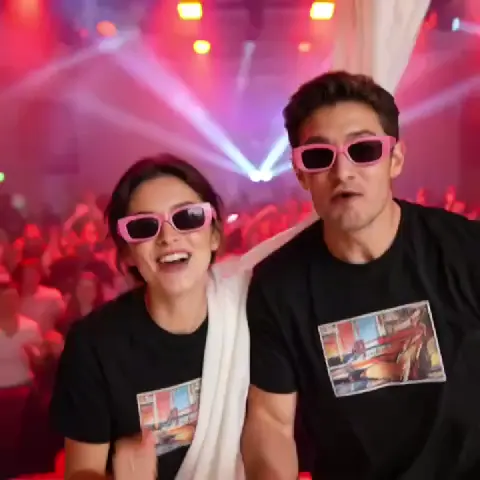

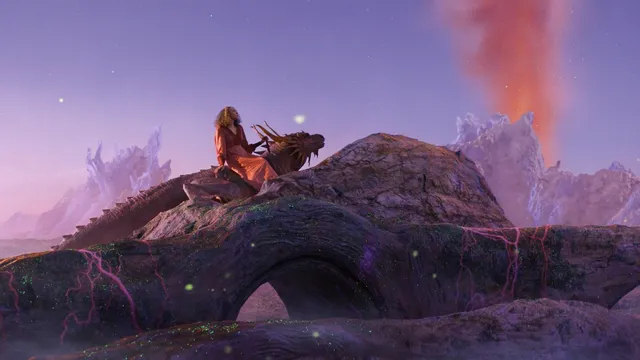
What does an AI image generator from story do?
It creates images based on written story descriptions. You describe a scene, character, or moment from your narrative in text, and the tool generates a matching visual. Useful for illustrating stories, concept art, character design, or visualizing scenes for writing projects.
AI Image Generator From Story
Fantasy story scene
Input
A young wizard in a blue robe stands at the edge of an enchanted forest, a glowing staff in one hand, fireflies floating around them, twilight sky with purple and orange clouds
Expected output
A fantasy scene with a robed figure at a forest edge, a glowing staff providing illumination, and small lights floating throughout the frame
Adventure moment
Input
Two explorers crossing a rope bridge over a deep canyon, thick mist rising from below, ancient ruins visible in the distance on the far side, dramatic lighting from above
Expected output
An adventure scene with a rope bridge stretched across a wide canyon, two figures crossing it, mist and ruins creating depth
Mystery setting
Input
A dimly lit study with bookshelves covering every wall, a single desk lamp illuminating an open letter on the desk, shadows gathering in the corners, suspenseful atmosphere
Expected output
An interior scene of a study with dark corners, warm lamp light on a desk, bookshelves filling the walls, and a mysterious atmosphere
Create visual scenes based on story text or narrative descriptions
Describe any story scene
Enter text describing a scene from your story and generate an image that matches the narrative moment.
Control the visual direction
Select from the available generation settings to influence the mood, style, and composition of the scene.
Build scene by scene
Generate multiple images for different moments in your story by varying the prompt for each scene.
How It Works
1
Describe the image
Describe the desired image.
2
Choose settings
Choose the available generation settings.
3
Generate and download
Generate, review, and download a suitable result.
Describing story scenes
Focus on what the viewer would see in a single frame.
Input Constraints
- Describe one scene at a time rather than a sequence of events.
- Include the characters, setting, and lighting in the description.
- Mention the mood or atmosphere to guide the visual tone.
Practical Tips
- Write the prompt as if describing a single illustration or movie frame.
- Include sensory details like time of day, weather, and lighting.
- If the story has a specific genre, mention it in the prompt.
- Review each generated image for consistency with your narrative vision.
Privacy
- Do not upload personal or sensitive material unless you have permission to use it.
Usage Rights
- Confirm that you have the rights needed for the inputs and intended use of the result.
Prompt recipes
Copy a structure, then adjust the subject, lighting, camera, and output details for your own result.
Character introduction scene
A hooded figure stands at the entrance of a dark cave, holding a torch that lights their face from below, rocky walls surrounding them, mysterious and tense atmosphere
Establishes character, setting, lighting source, and mood in a single frame, perfect for a story's opening visual.
Climactic confrontation moment
Two warriors facing each other on a stone bridge over a raging river, storm clouds overhead with lightning in the distance, dramatic high-contrast lighting, tense standoff mood
Combines character positions, environment, weather, lighting, and tension to capture a key narrative moment.
Quiet reflective scene
An old man sitting alone in a wooden rocking chair on a porch at sunset, warm golden light, fields stretching to the horizon, peaceful and nostalgic atmosphere
Uses character, setting, time of day, lighting, and emotional tone to create a contemplative story beat.
World-building establishing shot
A sprawling medieval city built into the side of a mountain, waterfalls cascading between the levels, airships floating above, late afternoon golden light, fantasy illustration style
Describes location, scale, unique features, time of day, and genre to set the visual stage for the story world.
Turning point discovery
A young girl holding an ancient glowing amulet in a dusty library, light from the amulet illuminating her surprised expression, books and scrolls scattered around, magical and wondrous mood
Focuses on the pivotal object, character reaction, lighting source, setting details, and emotional shift of a discovery moment.
Best use cases
Match the workflow to the input you have and the result you need before opening the generator.
Illustrate a key story moment
Input: Character actions, setting details, lighting, emotional tone, narrative significance
Result: A single-frame illustration capturing that specific story beat
Tool: Text to Image with scene and mood details
Create character concept art
Input: Character appearance, clothing, pose or action, background context, genre style
Result: A character image that visually matches the written description
Tool: Text to Image with character and style keywords
Visualize a story setting
Input: Location type, architectural or natural features, time of day, atmosphere, genre
Result: An establishing shot or environment image showing where the story takes place
Tool: Text to Image with setting and atmosphere keywords
Generate a series of story scenes
Input: Multiple scene descriptions with consistent character and setting details, unified art style direction
Result: A set of related images that visually tell the story progression
Tool: Text to Image with scene-specific prompts and consistent style keywords
Limitations to know before generating
- The tool generates one scene at a time from text. You cannot create multi-panel sequences or animated sequences.
- Character consistency across multiple images may vary. Regeneration and detailed descriptions help but don't guarantee exact matches.
- Complex action scenes with multiple characters in motion may be challenging to capture accurately.
- Fine details like facial expressions or small objects may need refinement through prompt adjustment and regeneration.
- Review each generated image for narrative accuracy and visual quality before use in published or professional story projects.
Creative Suite: AI Video Generator & AI Image Generator Tools
Power up your creative workflow with our AI-driven tools. Generate stunning videos, create images, and apply custom adjustments - our AI Video Generator and AI Image Generator offer a complete solution for all your creative needs.
Strictly Prohibits Adult/NSFW Content








Pricing
Choose the credit package that works best for you.
No hidden fees • Cancel anytime • Unused credits roll over
Starter
Perfect for trying out AI creation.
Credits
200 credits / month
- Up to 20 videos per month
- Up to 100 images per month
$6.99/ month$9.9930% OFF
Billed monthly
First-time subscribers get 30% off their first month, then standard price
What's included
- Credits never expire
- Standard models
- HD, Watermark-Free Downloads
- Private Generation
- Faster Generation Speed
- Ad-free experience
Basic
Perfect for light creators.
Credits
500 credits / month
- Up to 50 videos per month
- Up to 250 images per month
$13.99/ month$19.9930% OFF
Billed monthly
First-time subscribers get 30% off their first month, then standard price
What's included
- Credits never expire
- Standard models
- HD, Watermark-Free Downloads
- Private Generation
- Faster Generation Speed
- Ad-free experience
Pro
PopularBest value for creators
Credits
1,200 credits / month
- Up to 120 videos per month
- Up to 600 images per month
$39.99/ month
Billed monthly
What's included
- Credits never expire
- All models + Early access to new models
- HD, Watermark-Free Downloads
- Private Generation
- Faster Generation Speed
- Ultra HD resolution
- Ad-free experience
Ultra
For video creators and power users.
Credits
5,000 credits / month
- Up to 500 videos per month
- Up to 2,500 images per month
$99.99/ month
Billed monthly
What's included
- Credits never expire
- All models + Early access to new models
- HD, Watermark-Free Downloads
- Private Generation
- Faster Generation Speed
- Ultra HD resolution
- Ad-free experience
Free
Standard models only — upgrade to unlock premium models.
Credits
10 free credits on signup
Questions? Contact us at support@domer.io
Turn your story scene into an image
Open the text-to-image tool, describe your scene, choose settings, and generate the visual.