
ai image generator homework guide
Generate diagrams, scenes, and illustrations from text for school projects. Describe your assignment visual and get a custom image.
AI Image Generator
0/20000 characters
My images
Loading...


What is an AI image generator for homework?
An AI image generator for homework turns text descriptions into custom visuals for school assignments. Describe a science diagram, historical scene, or book report illustration—the tool generates an image matching your description. Use it to create original visuals that fit your project topic without needing drawing skills or searching for stock images.
ai image generator homework guide
Science diagram
Input
The water cycle: evaporation from a lake, condensation forming clouds, precipitation as rain falling on trees, simple labeled-style illustration
Expected output
A clear educational diagram showing evaporation arrows rising from water, cloud formation, and rain falling over a landscape
Historical scene illustration
Input
A medieval market square with wooden stalls, people in period clothing trading goods, warm afternoon light, wide scene
Expected output
An illustrated medieval market scene with merchants, wooden stalls, and period-appropriate clothing and architecture
Concept visualization for a book report
Input
A futuristic city with floating buildings, sky bridges connecting towers, purple and blue neon lighting at dusk
Expected output
A sci-fi cityscape with hovering structures, glowing bridges, and neon-colored lighting at twilight
Create custom visuals, diagrams, and illustrations from text for school assignments and academic projects.
Original images for your assignments
Generate custom visuals that match your project topic instead of searching through generic stock images or copying from search results.
Describe exactly what you envision
Type your idea in your own words. The image reflects the scene, diagram, or concept you describe without needing drawing skills.
Adjust visuals as your project evolves
Change the prompt to refine details, try a different style, or add more elements. Regenerate until the image fits your assignment needs.
How It Works
1
Describe the desired image.
Describe the desired image.
2
Choose the available generation settings.
Choose the available generation settings.
3
Generate, review, and download a suitable result.
Generate, review, and download a suitable result.
Tips for homework visuals
Create more useful academic images with thoughtful prompts.
Input Constraints
- Describe the subject clearly — a diagram, scene, or concept visual works better than abstract ideas
- Mention the visual style — simple diagram, illustrated scene, or realistic rendering
- Keep the composition focused on the main subject for clarity
Practical Tips
- Include relevant details such as colors, lighting, and setting for more accurate results
- For diagrams, describe the process step by step in the prompt
- Check that the image matches your assignment requirements before including it
Privacy
- Do not upload personal or sensitive material unless you have permission to use it.
Usage Rights
- Confirm that you have the rights needed for the inputs and intended use of the result.
Prompt recipes
Copy a structure, then adjust the subject, lighting, camera, and output details for your own result.
Biology Cell Diagram
A labeled diagram of a plant cell showing the cell wall, nucleus, chloroplasts, mitochondria, and vacuole, simple educational illustration style with clear labels and arrows
Names each cell component, requests labels and arrows, and specifies educational illustration style for clarity in a science assignment.
Historical Battle Scene
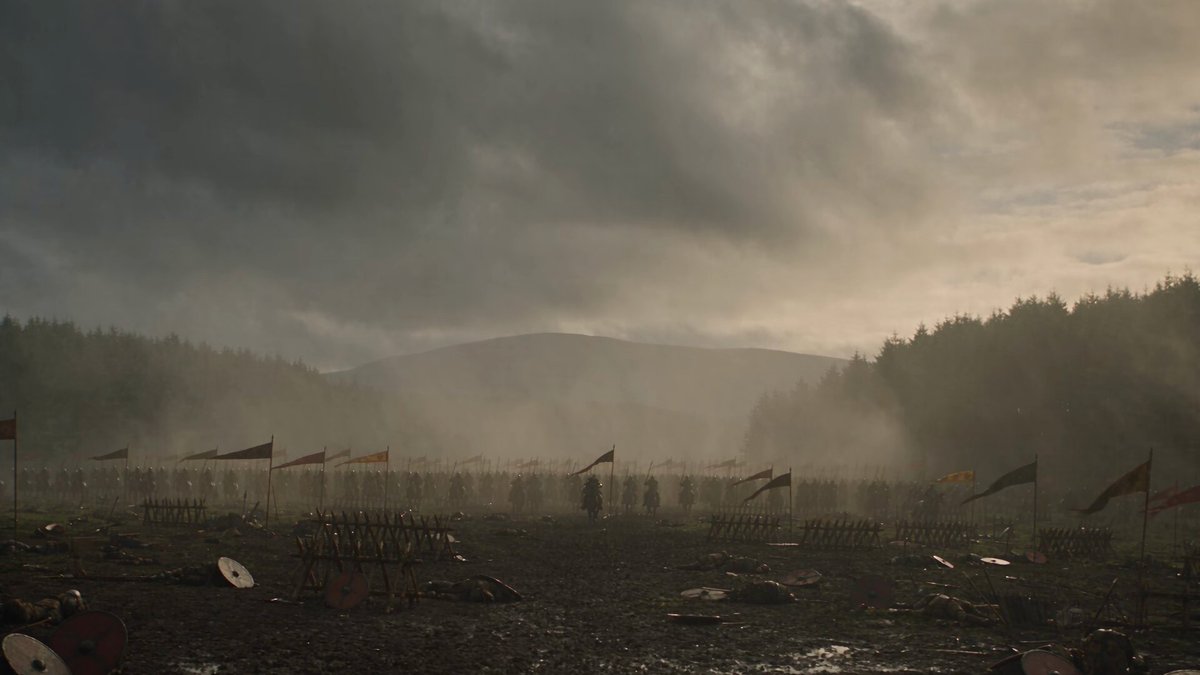
The Battle of Gettysburg in 1863, Union and Confederate soldiers in period uniforms, cannons firing, smoke across the battlefield, dramatic overcast sky, wide historical painting style
Specifies the event, time period, uniforms, action, and painting style to create a vivid historical visual for a history project.
Literary Character Portrait
Atticus Finch from To Kill a Mockingbird, middle-aged man in a three-piece suit and glasses, standing in a 1930s courtroom, warm afternoon light through tall windows, realistic illustration
Describes the character, setting, time period, clothing, and lighting to match the book's context for a literature assignment.
Geography Landform Illustration
A cross-section diagram of a volcano showing the magma chamber, conduit, crater, lava flow, and ash cloud, with labels and color-coded layers, educational textbook style
Lists each geological feature, requests labels and color coding, and uses textbook style for a clear geography diagram.
Math Concept Visualization
A visual representation of the Pythagorean theorem with a right triangle, labeled sides a, b, and c, squares drawn on each side showing a² + b² = c², clean diagram with grid background
Describes the triangle, labels, squares, and equation placement to create a clear math concept visual for a geometry assignment.
Environmental Science Infographic Element
An illustration showing the greenhouse effect: sunlight entering Earth's atmosphere, heat being trapped by CO₂ and methane, arrows showing energy flow, simple diagram with labels
Breaks down the process step by step, requests arrows and labels, and uses simple diagram style for a science infographic.
Best use cases
Match the workflow to the input you have and the result you need before opening the generator.
Science project diagram
Input: Describe the scientific process or structure step by step with labels, arrows, and simple illustration style
Result: A clear educational diagram showing the process or structure with labeled components
Tool: Text to Image
History presentation visual
Input: Describe the historical event, time period, clothing, setting, and mood with historical painting or illustration style
Result: A period-appropriate scene showing the event with accurate historical context
Tool: Text to Image
Book report illustration
Input: Describe the character or scene from the book with setting details, time period, and mood matching the story
Result: A character portrait or scene that reflects the book's context and tone
Tool: Text to Image
Geography or environmental assignment
Input: Describe the landform, ecosystem, or environmental process with labels, cross-section view, and educational diagram style
Result: A labeled diagram or illustration showing the geographic or environmental concept clearly
Tool: Text to Image
Limitations to know before generating
- Generated images are visual aids, not peer-reviewed scientific illustrations—verify accuracy with your textbook or teacher before submitting.
- Diagrams may not include all required labels or scientific detail—review and annotate the image as needed for your assignment.
- Historical scenes are artistic interpretations based on your description—confirm historical accuracy with reliable sources.
- Check your school's policy on AI-generated content before submitting—some assignments require entirely original or hand-drawn work.
- Generated visuals should complement your research and writing, not replace your own analysis or understanding of the topic.
Creative Suite: AI Video Generator & AI Image Generator Tools
Power up your creative workflow with our AI-driven tools. Generate stunning videos, create images, and apply custom adjustments - our AI Video Generator and AI Image Generator offer a complete solution for all your creative needs.
Strictly Prohibits Adult/NSFW Content








Pricing
Choose the credit package that works best for you.
No hidden fees • Cancel anytime • Unused credits roll over
Starter
Perfect for trying out AI creation.
Credits
200 credits / month
- Up to 20 videos per month
- Up to 100 images per month
$6.99/ month$9.9930% OFF
Billed monthly
First-time subscribers get 30% off their first month, then standard price
What's included
- Credits never expire
- Standard models
- HD, Watermark-Free Downloads
- Private Generation
- Faster Generation Speed
- Ad-free experience
Basic
Perfect for light creators.
Credits
500 credits / month
- Up to 50 videos per month
- Up to 250 images per month
$13.99/ month$19.9930% OFF
Billed monthly
First-time subscribers get 30% off their first month, then standard price
What's included
- Credits never expire
- Standard models
- HD, Watermark-Free Downloads
- Private Generation
- Faster Generation Speed
- Ad-free experience
Pro
PopularBest value for creators
Credits
1,200 credits / month
- Up to 120 videos per month
- Up to 600 images per month
$39.99/ month
Billed monthly
What's included
- Credits never expire
- All models + Early access to new models
- HD, Watermark-Free Downloads
- Private Generation
- Faster Generation Speed
- Ultra HD resolution
- Ad-free experience
Ultra
For video creators and power users.
Credits
5,000 credits / month
- Up to 500 videos per month
- Up to 2,500 images per month
$99.99/ month
Billed monthly
What's included
- Credits never expire
- All models + Early access to new models
- HD, Watermark-Free Downloads
- Private Generation
- Faster Generation Speed
- Ultra HD resolution
- Ad-free experience
Free
Standard models only — upgrade to unlock premium models.
Credits
10 free credits on signup
Questions? Contact us at support@domer.io
Create a visual for your assignment
Open the text-to-image tool, describe the diagram or scene you need, and generate a custom image.