

AI Image Generator Interface Design Patterns
Use ai image generator interface design patterns to generate visual interface design patterns from text. Describe layouts, components, and styles to explore.
AI Image Generator
0/20000 characters
My images
Loading...
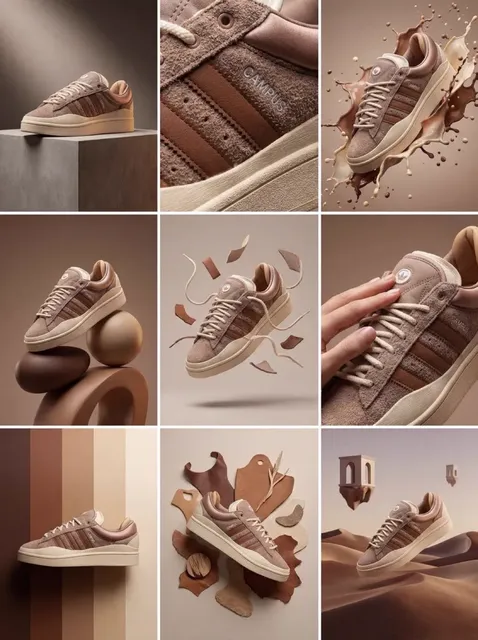

What are interface design patterns in AI image generation?
Describe UI layouts, component styles, or visual patterns in text, then generate concept images. Use these visuals to explore design directions, compare layout options, or create pattern references. The result is a visual mockup, not production-ready code.
AI Image Generator Interface Design Patterns
Dashboard layout concept
Input
A clean dashboard layout with a dark sidebar, top navigation bar, and three data card columns on a light background
Expected output
A visual mockup showing the described dashboard structure with sidebar, navigation, and card layout
Button style exploration
Input
Four rounded primary action buttons in blue, green, orange, and purple with subtle hover shadows
Expected output
A set of button variations showing the specified colours, rounded corners, and shadow effects
Background pattern generation
Input
A repeating geometric pattern in pastel tones with hexagon tiles and soft gradient transitions
Expected output
A seamless pattern design featuring hexagon shapes in the described pastel colour palette
Generate visual interface concepts and design pattern ideas from text descriptions.
Visual prototyping
Turn written design concepts into visible mockups without opening a design tool.
Style exploration
Generate multiple variations of a layout, component, or pattern to compare options.
Inspiration on demand
Describe a design direction and see a visual interpretation to spark new ideas.
How It Works
1
Describe the desired image.
Describe the desired image.
2
Choose the available generation settings.
Choose the available generation settings.
3
Generate, review, and download a suitable result.
Generate, review, and download a suitable result.
Tips for design pattern prompts
Get more useful results with descriptive prompts.
Input Constraints
- Describe the layout structure and visual hierarchy clearly
- Mention colours, spacing, and proportions where relevant
- Avoid expecting exact pixel measurements or production-ready UI
Practical Tips
- Use terms like 'dashboard', 'card', 'sidebar', 'navbar' for layout clarity
- Specify colour palettes or tones to guide the visual style
- Mention the number of elements, columns, or sections for structure
- Describe the mood or aesthetic, such as 'minimal', 'modern', or 'playful'
Privacy
- Do not upload personal or sensitive material unless you have permission to use it.
Usage Rights
- Confirm that you have the rights needed for the inputs and intended use of the result.
Prompt recipes
Copy a structure, then adjust the subject, lighting, camera, and output details for your own result.
Card Grid Component
A three-column grid of cards with rounded corners, each card showing an icon at the top, a bold title, short description text, and a subtle shadow. Light background with soft blue accents.
Describes the grid structure, card anatomy, visual style, and color direction in one clear prompt.
Navigation Menu Pattern
A vertical sidebar navigation menu in dark charcoal with white icons and labels. Hover state shown with a subtle blue glow. Active item highlighted with a filled background. Logo at the top.
Specifies orientation, color scheme, interaction states, and visual hierarchy for a complete navigation concept.
Form Input Set
A set of five modern form input fields: text input, dropdown, checkbox group, radio buttons, and a submit button. Clean white background, soft gray borders, blue focus states.
Lists all component types, sets color system, and includes interaction state details for a cohesive form pattern.
Data Visualization Panel
A dashboard panel with two side-by-side line charts showing trends in blue and green, a bar chart below, and three summary metric cards above. Dark theme with bright chart colors.
Describes chart types, layout arrangement, color scheme, and data presentation pattern for a complete visual reference.
Pricing Table Layout
Three pricing tiers displayed side by side. Each tier has a header with plan name, price in large text, feature list with checkmarks, and a call-to-action button. Middle tier highlighted with an accent border.
Captures the structure, content hierarchy, visual emphasis, and call-to-action placement for a complete pricing pattern.
Best use cases
Match the workflow to the input you have and the result you need before opening the generator.
Component library inspiration
Input: Specific UI component description with style and state details
Result: Visual reference for button, card, input, or navigation styles
Tool: Text to Image with component-focused prompts
Layout exploration
Input: Screen structure with sections, grids, and element placement
Result: Mockup showing overall page or section layout
Tool: Text to Image with structure and hierarchy keywords
Pattern library building
Input: Repeating visual element or background pattern description
Result: Tileable or decorative pattern for backgrounds or branding
Tool: Text to Image with pattern and repetition keywords
Design system documentation
Input: Multiple variations of one component with theme differences
Result: Side-by-side component states or theme examples
Tool: Text to Image with comparison prompts
Limitations to know before generating
- Generated visuals are concept images, not coded components or design system assets.
- Exact pixel dimensions, font choices, and brand assets will not match a production design system.
- The tool generates visual interpretations of your description but does not enforce accessibility or usability standards.
- You must review and adapt the output before using it in design documentation or development work.
Creative Suite: AI Video Generator & AI Image Generator Tools
Power up your creative workflow with our AI-driven tools. Generate stunning videos, create images, and apply custom adjustments - our AI Video Generator and AI Image Generator offer a complete solution for all your creative needs.
Strictly Prohibits Adult/NSFW Content








Pricing
Choose the credit package that works best for you.
No hidden fees • Cancel anytime • Unused credits roll over
Starter
Perfect for trying out AI creation.
Credits
200 credits / month
- Up to 20 videos per month
- Up to 100 images per month
$6.99/ month$9.9930% OFF
Billed monthly
First-time subscribers get 30% off their first month, then standard price
What's included
- Credits never expire
- Standard models
- HD, Watermark-Free Downloads
- Private Generation
- Faster Generation Speed
- Ad-free experience
Basic
Perfect for light creators.
Credits
500 credits / month
- Up to 50 videos per month
- Up to 250 images per month
$13.99/ month$19.9930% OFF
Billed monthly
First-time subscribers get 30% off their first month, then standard price
What's included
- Credits never expire
- Standard models
- HD, Watermark-Free Downloads
- Private Generation
- Faster Generation Speed
- Ad-free experience
Pro
PopularBest value for creators
Credits
1,200 credits / month
- Up to 120 videos per month
- Up to 600 images per month
$39.99/ month
Billed monthly
What's included
- Credits never expire
- All models + Early access to new models
- HD, Watermark-Free Downloads
- Private Generation
- Faster Generation Speed
- Ultra HD resolution
- Ad-free experience
Ultra
For video creators and power users.
Credits
5,000 credits / month
- Up to 500 videos per month
- Up to 2,500 images per month
$99.99/ month
Billed monthly
What's included
- Credits never expire
- All models + Early access to new models
- HD, Watermark-Free Downloads
- Private Generation
- Faster Generation Speed
- Ultra HD resolution
- Ad-free experience
Free
Standard models only — upgrade to unlock premium models.
Credits
10 free credits on signup
Questions? Contact us at support@domer.io
Start exploring design patterns visually
Open the text-to-image tool, describe your next interface concept, and see where the prompt takes you.