
Create
AI Image Generator Job Visuals
Generate professional headshots, LinkedIn banners, and portfolio images for resumes and career profiles with a text-to-image tool.
AI Image Generator
0/20000 characters
My images
Loading...

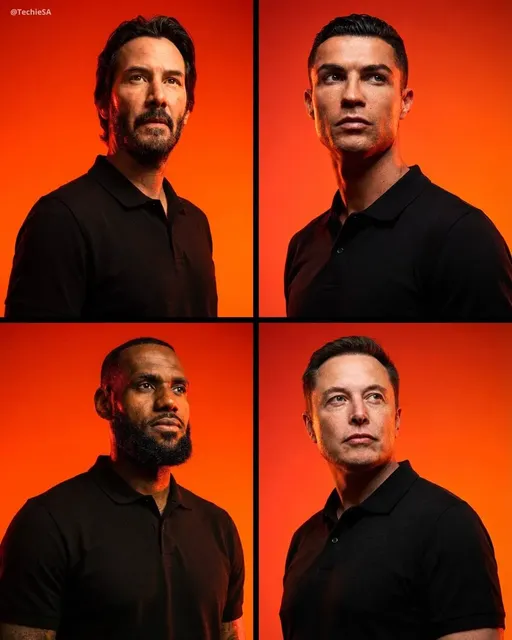

What is an AI image generator for job applications?
An AI image generator for job applications creates professional visual assets such as profile pictures, LinkedIn banners, and portfolio mockups from text prompts. Instead of hiring a photographer or designer, you describe the professional image you need and the tool generates it. This is useful for polishing resumes, creating consistent personal branding across LinkedIn and portfolios, and visualizing project concepts when applying for creative or technical roles.
AI Image Generator Job Visuals
Professional Headshot
Input
A professional headshot-style portrait with a blurred office background, soft lighting, and business casual attire
Expected output
A polished portrait with neutral background, professional lighting, and business-ready appearance
LinkedIn Banner
Input
A clean abstract background image for a LinkedIn profile banner using corporate blue tones and geometric patterns
Expected output
An abstract banner design with blue gradient, geometric shapes, and professional clean layout
Portfolio Concept
Input
A visual concept for a tech startup portfolio project showing a modern dashboard interface on a laptop screen
Expected output
A mockup-style image of a laptop displaying a clean UI dashboard on a desk
Create professional images for resumes, LinkedIn profiles, portfolios, and career materials using AI image generation from text descriptions.
Professional Visuals
Create career-related imagery without hiring a photographer or designer.
Custom Branding
Generate visuals that match your industry and personal brand for job applications.
Portfolio Assets
Create mockup and concept images to showcase your skills and projects visually.
How It Works
1
Describe
Describe the desired image.
2
Settings
Choose the available generation settings.
3
Generate
Generate, review, and download a suitable result.
Creating career-related visuals
Focus on professional styles and clean compositions for job-market imagery.
Input Constraints
- Specify the intended use such as profile, banner, or portfolio
- Describe the visual style and colour palette
- Keep the composition clean and professional
Practical Tips
- Use 'professional', 'corporate', or 'clean' for style guidance
- Choose muted colour palettes for a polished look
- Specify 'portrait', 'banner', or 'mockup' for format
Privacy
- Do not upload personal or sensitive material unless you have permission to use it.
Usage Rights
- Confirm that you have the rights needed for the inputs and intended use of the result.
Prompt recipes
Copy a structure, then adjust the subject, lighting, camera, and output details for your own result.
Corporate Headshot for LinkedIn
A professional business headshot of a person in a navy blazer, white shirt, neutral expression, soft studio lighting, blurred grey office background, corporate photography style
Specifies business attire, neutral expression, and professional lighting for a polished LinkedIn-ready profile image.
Tech Industry Portfolio Banner
A minimalist abstract banner with gradient from deep blue to teal, geometric lines and nodes suggesting connectivity, clean modern design, suitable for a developer portfolio header
Uses tech-appropriate colors and geometric motifs that signal a technical background without cluttering the banner.
Resume Project Mockup
A laptop on a desk displaying a modern dashboard UI with charts and data visualizations, soft natural window light from the side, clean workspace, product photography style
Shows a realistic project context with professional lighting, making the portfolio piece credible and visually appealing.
Creative Portfolio Hero Image
A flat lay of design tools on a white desk: sketchbook, pencils, color swatches, tablet with design software open, bright even lighting, top-down view, clean and organized
Establishes a creative professional identity through recognizable tools and a clean, organized composition.
LinkedIn Article Thumbnail
A minimalist graphic of a speech bubble icon in corporate blue on a light grey background, subtle shadow, clean vector style, room for text overlay on the right side
Simple, on-brand, and leaves space for text, making it reusable for multiple article thumbnails.
Best use cases
Match the workflow to the input you have and the result you need before opening the generator.
Updating LinkedIn profile picture
Input: Professional headshot description with business attire and neutral background
Result: A polished profile photo suitable for corporate networking
Tool: Text to Image with portrait-focused prompt
Creating a portfolio project visual
Input: Mockup description of a screen or product in a realistic setting
Result: A project mockup that demonstrates your work context
Tool: Text to Image with product photography style
Designing a personal brand banner
Input: Abstract or thematic background description matching your industry
Result: A clean banner that signals your professional field
Tool: Text to Image with abstract or geometric style
Illustrating a resume skill section
Input: Icon or tool flat-lay description relevant to your role
Result: A visual that supports your listed skills
Tool: Text to Image with flat-lay or icon style
Limitations to know before generating
- Generated images may not match real photography quality and can show artifacts or inconsistencies.
- Professional headshots may lack the subtle lighting control of a real photographer.
- Mockups are illustrative concepts, not actual working product screenshots.
- You must review usage rights before using generated images in commercial or public-facing contexts.
- Images of specific real people, trademarked products, or copyrighted designs cannot be generated accurately or legally.
Creative Suite: AI Video Generator & AI Image Generator Tools
Power up your creative workflow with our AI-driven tools. Generate stunning videos, create images, and apply custom adjustments - our AI Video Generator and AI Image Generator offer a complete solution for all your creative needs.
Strictly Prohibits Adult/NSFW Content








Pricing
Choose the credit package that works best for you.
No hidden fees • Cancel anytime • Unused credits roll over
Starter
Perfect for trying out AI creation.
Credits
200 credits / month
- Up to 20 videos per month
- Up to 100 images per month
$6.99/ month$9.9930% OFF
Billed monthly
First-time subscribers get 30% off their first month, then standard price
What's included
- Credits never expire
- Standard models
- HD, Watermark-Free Downloads
- Private Generation
- Faster Generation Speed
- Ad-free experience
Basic
Perfect for light creators.
Credits
500 credits / month
- Up to 50 videos per month
- Up to 250 images per month
$13.99/ month$19.9930% OFF
Billed monthly
First-time subscribers get 30% off their first month, then standard price
What's included
- Credits never expire
- Standard models
- HD, Watermark-Free Downloads
- Private Generation
- Faster Generation Speed
- Ad-free experience
Pro
PopularBest value for creators
Credits
1,200 credits / month
- Up to 120 videos per month
- Up to 600 images per month
$39.99/ month
Billed monthly
What's included
- Credits never expire
- All models + Early access to new models
- HD, Watermark-Free Downloads
- Private Generation
- Faster Generation Speed
- Ultra HD resolution
- Ad-free experience
Ultra
For video creators and power users.
Credits
5,000 credits / month
- Up to 500 videos per month
- Up to 2,500 images per month
$99.99/ month
Billed monthly
What's included
- Credits never expire
- All models + Early access to new models
- HD, Watermark-Free Downloads
- Private Generation
- Faster Generation Speed
- Ultra HD resolution
- Ad-free experience
Free
Standard models only — upgrade to unlock premium models.
Credits
10 free credits on signup
Questions? Contact us at support@domer.io
Create your career visuals
Open the text-to-image tool, describe the professional image you need, and generate your career asset.