
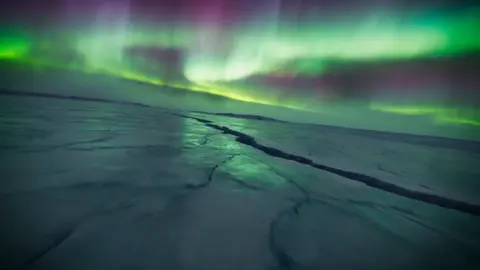
AI Image Generator Most Realistic
Generate near-photographic images with ai image generator most realistic. Use detailed prompts for textures, lighting, and realism.
AI Image Generator
0/20000 characters
My images
Loading...
How realistic can AI-generated images be?
AI-generated images can achieve near-photographic realism when prompts include detailed descriptions of lighting, surface textures, camera angles, and environmental context. The most realistic results come from prompts that use photography terminology—depth of field, golden hour lighting, studio setup—and describe fine details like skin texture, fabric weave, or material reflections. However, achieving consistent realism requires careful prompt crafting and review.
AI Image Generator Most Realistic
Photorealistic Portrait
Input
An elderly fisherman with weathered skin, deep wrinkles around his eyes, a worn denim jacket, gray stubble, soft overcast lighting on a wooden dock
Expected output
A highly realistic portrait with authentic skin texture, natural wrinkles, fabric detail on the jacket, and soft natural lighting
Street Scene Hyperrealism
Input
A busy Tokyo street corner at golden hour, warm sunlight casting long shadows, people crossing the crosswalk, neon signs starting to glow, wet pavement reflecting the sky
Expected output
A hyper-realistic street photograph with golden hour warmth, wet pavement reflections, neon accents, and authentic urban atmosphere
Studio Product Shot
Input
A premium leather wallet resting on a marble surface, one side slightly open showing card slots, dramatic side lighting creating deep shadows, product photography style
Expected output
A professional product photograph with rich leather texture, precise lighting highlights, marble surface reflection, and luxurious composition
Generate near-photographic images with detailed textures, realistic lighting, and accurate composition for professional mockups, visualization, and reference material.
Near-Photographic Results
With carefully detailed prompts about lighting, texture, and composition, the generator produces images that approach real photograph quality.
Professional-Grade Output
Generate images suitable for product mockups, concept visualization, and reference material where realism matters most.
Controlled Realism Factors
Adjust individual realism elements — depth of field, texture detail, lighting direction, and color accuracy — through your prompt wording.
How It Works
1
Describe the desired image.
Describe the desired image.
2
Choose the available generation settings.
Choose the available generation settings.
3
Generate, review, and download a suitable result.
Generate, review, and download a suitable result.
Achieving Maximum Realism
Specific photography terms dramatically improve realism.
Input Constraints
- Do not use real names of living people in prompts.
- Avoid uploading personal photos as reference without permission.
- Keep descriptions detailed but appropriate.
Practical Tips
- Use photography vocabulary: aperture, depth of field, focal length.
- Describe the lighting setup: 'side lighting', 'soft box', 'golden hour'.
- Mention skin texture, fabric weave, or surface details explicitly.
Privacy
- Do not upload personal or sensitive material unless you have permission to use it.
Usage Rights
- Confirm that you have the rights needed for the inputs and intended use of the result.
Prompt recipes
Copy a structure, then adjust the subject, lighting, camera, and output details for your own result.
Hyper-Realistic Food Photography
A gourmet burger on a wooden cutting board, sesame seeds visible on the toasted bun, melted cheese dripping, side lighting from a window, shallow depth of field, food photography style, natural colors
Uses food photography vocabulary and describes texture details (sesame seeds, melted cheese) plus controlled lighting and depth of field to create a professional-quality food shot.
Architectural Exterior Realism
A modern glass office building reflecting the blue sky, sharp architectural details, wet pavement after rain with reflections, golden hour sunlight, shot with a 24mm wide-angle lens, high dynamic range
Combines architectural detail, environmental cues (wet pavement), specific lighting time, and camera terminology to guide a realistic architectural image.
Wildlife Close-Up
A close-up of a tiger's face, individual whiskers visible, detailed fur texture, amber eyes with clear reflections, soft natural lighting from above, shallow depth of field blurring the background
Focuses on fine detail (whiskers, fur, eye reflections) and uses shallow depth of field to create a professional wildlife portrait with photographic quality.
Studio Fashion Portrait
A fashion model in a black turtleneck, studio lighting with a softbox from the left and a reflector on the right, smooth skin texture, sharp focus on the eyes, neutral gray background, professional retouching style
Describes a complete studio lighting setup and specifies retouching style, guiding the generator toward a polished, professional fashion portrait.
Indoor Natural Light Portrait
A person reading a book by a large window, soft diffused natural light illuminating their face, visible skin texture and freckles, warm wood furniture in the background, 50mm lens perspective, shallow depth of field
Uses natural light description, texture detail, lens perspective, and depth of field to create a realistic, intimate indoor portrait with authentic lighting.
Best use cases
Match the workflow to the input you have and the result you need before opening the generator.
Product visualization and mockups
Input: Describe the product with material details, studio lighting setup, surface reflections, and background
Result: A photorealistic product image suitable for e-commerce, presentations, or marketing
Tool: Text to Image with product photography vocabulary
Architectural visualization
Input: Specify building materials, lighting time (golden hour, overcast), environmental details (wet pavement, reflections), and camera angle
Result: A realistic architectural rendering that looks like a professional photograph
Tool: Text to Image with architectural photography terms
Human portrait reference
Input: Describe age, skin texture, facial features, clothing fabric, and lighting setup in detail
Result: A realistic human portrait with believable anatomy, texture, and lighting
Tool: Text to Image with portrait photography vocabulary and texture detail
Nature and wildlife photography
Input: Describe the animal or landscape with texture details, natural lighting conditions, and depth of field
Result: A photorealistic nature image suitable for editorial or reference use
Tool: Text to Image with wildlife and nature photography terms
Limitations to know before generating
- Even with detailed prompts, some images may contain subtle artifacts or unnatural details that reveal their synthetic origin—always review outputs carefully.
- Highly realistic images of people can raise ethical concerns about impersonation or deception—use responsibly and disclose when required.
- Realism depends heavily on prompt quality—vague descriptions produce less realistic results, and complex scenes are harder to render convincingly.
- The most realistic images often require multiple generation attempts and prompt refinement to achieve professional quality.
Creative Suite: AI Video Generator & AI Image Generator Tools
Power up your creative workflow with our AI-driven tools. Generate stunning videos, create images, and apply custom adjustments - our AI Video Generator and AI Image Generator offer a complete solution for all your creative needs.
Strictly Prohibits Adult/NSFW Content








Pricing
Choose the credit package that works best for you.
No hidden fees • Cancel anytime • Unused credits roll over
Starter
Perfect for trying out AI creation.
Credits
200 credits / month
- Up to 20 videos per month
- Up to 100 images per month
$6.99/ month$9.9930% OFF
Billed monthly
First-time subscribers get 30% off their first month, then standard price
What's included
- Credits never expire
- Standard models
- HD, Watermark-Free Downloads
- Private Generation
- Faster Generation Speed
- Ad-free experience
Basic
Perfect for light creators.
Credits
500 credits / month
- Up to 50 videos per month
- Up to 250 images per month
$13.99/ month$19.9930% OFF
Billed monthly
First-time subscribers get 30% off their first month, then standard price
What's included
- Credits never expire
- Standard models
- HD, Watermark-Free Downloads
- Private Generation
- Faster Generation Speed
- Ad-free experience
Pro
PopularBest value for creators
Credits
1,200 credits / month
- Up to 120 videos per month
- Up to 600 images per month
$39.99/ month
Billed monthly
What's included
- Credits never expire
- All models + Early access to new models
- HD, Watermark-Free Downloads
- Private Generation
- Faster Generation Speed
- Ultra HD resolution
- Ad-free experience
Ultra
For video creators and power users.
Credits
5,000 credits / month
- Up to 500 videos per month
- Up to 2,500 images per month
$99.99/ month
Billed monthly
What's included
- Credits never expire
- All models + Early access to new models
- HD, Watermark-Free Downloads
- Private Generation
- Faster Generation Speed
- Ultra HD resolution
- Ad-free experience
Free
Standard models only — upgrade to unlock premium models.
Credits
10 free credits on signup
Questions? Contact us at support@domer.io
Create Your Most Realistic Image
Open the text-to-image tool and describe a scene with photographic detail.